
 English, German, 4 more
Spanish, French, Italian, Portuguese
English, German, 4 more
Spanish, French, Italian, Portuguese
 English, French,
8 more
Spanish, Italian, German, Portuguese, Japanese, Polish, Turkish, B. Indonesia
English, French,
8 more
Spanish, Italian, German, Portuguese, Japanese, Polish, Turkish, B. Indonesia
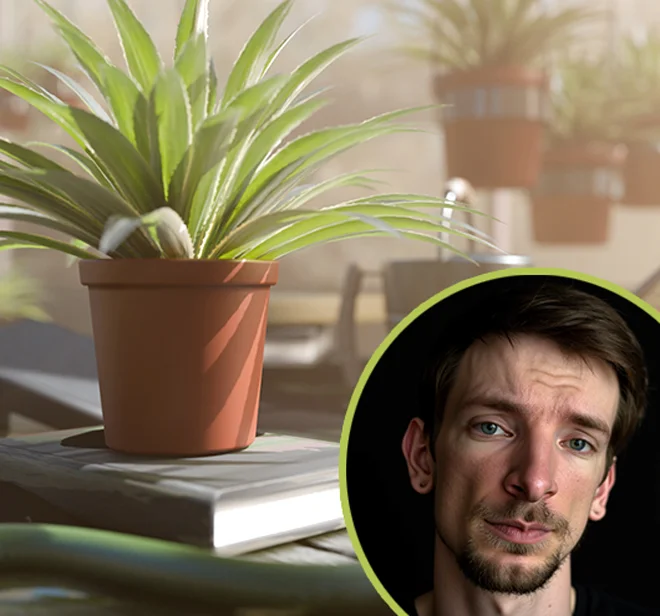
Myke Hennig is a 3D artist who worked with musical festival stages, commercial advertising and more. His work was featured in galleries across London, Seoul, Istanbul, New York, & Paris.
English, German , 4 more  English, French , 8 more
 Master Blender and its tools with confidenceTransform objects using move, rotate, and scale toolsUnderstand core 3D concepts like modeling, materials, and lightingLearn modeling techniques to create your own 3D props and environments from scratchModel objects using extrusion, insetting, beveling, and loop cutsCreate specific materials such as water, dirt, metal and glassDesign items with volume, like books, pots, a table, and moreSet up professional lighting using HDRI imagesCreate pleasing compositions using the rule of thirdsAdd realistic depth of field to your cameraComplete a final, polished 3D render, ready to be shared
Would you love to create beautiful 3D art but feel the software is way too scary and overwhelming? Myke is here to show you that ANYONE can learn this skill.That includes you! This is the course that turns confusion into clarity and confidence.
Starting right at the beginning, Myke guides you through installing Blender (a free 3D modelling software), learning what everything does, and finding your way around. Nothing is rushed. He explains every tool clearly and with examples. You’ll not only discover what to click, but why you’re clicking it.
No boring theory either. You’ll begin modelling simple objects right off the bat, learning by doing (the best way!) and practicing new skills and tools as you go.
Myke will show you how to move items around in 3D space, shape objects, and turn simple blocks into real models. At first, you’ll practice with small wins, like modeling a book and adding color. Then, step by step, you’ll build something bigger and more exciting: a detailed greenhouse scene filled with books, plants, tools, glass, lighting, and tiny details that make your work feel real.
Plus, you’ll also learn how professional 3D artists work. You’ll organize your scene, place cameras, use lighting for mood, add materials, and render a final image you’ll be proud to share.
By the end of this course, Blender won’t feel complicated anymore. It will open a whole new world of possibilities for you. Whether you want to create art for fun or start a new career path, this course gives you a solid foundation to build on.
 3+ Hours of on-demand videos
 1 Cheat sheets/guides
 1 Reference images
 Bonus material
 Certificate of Completion
Welcome to your 3D journey. You’ll meet your instructor, Myke, who will help you master Blender’s fundamentals through fun, hands-on projects. Let’s go!

You’ll start your 3D adventure by downloading Blender and setting up your workspace, learning where everything is and how to customize it to fit your style.
Next, you’ll discover how to fly around your 3D world like a pro using simple mouse controls and view angles that make creating art way easier.
Finally, you’ll learn magic shortcuts that let you move, spin, and resize objects anywhere you want, giving you total control over your creations.
In this lesson, Myke shows you how to switch between working with whole objects and reshaping their insides by moving points, edges, and faces to create any shape you can imagine. He’ll teach you to use awesome tools like extrusion and beveling that help you pull out new parts and smooth sharp edges, making your models look way more realistic.
Then, you’ll put everything together by building a complete book from a plain cube and painting it with different colors and materials to make it look totally real.
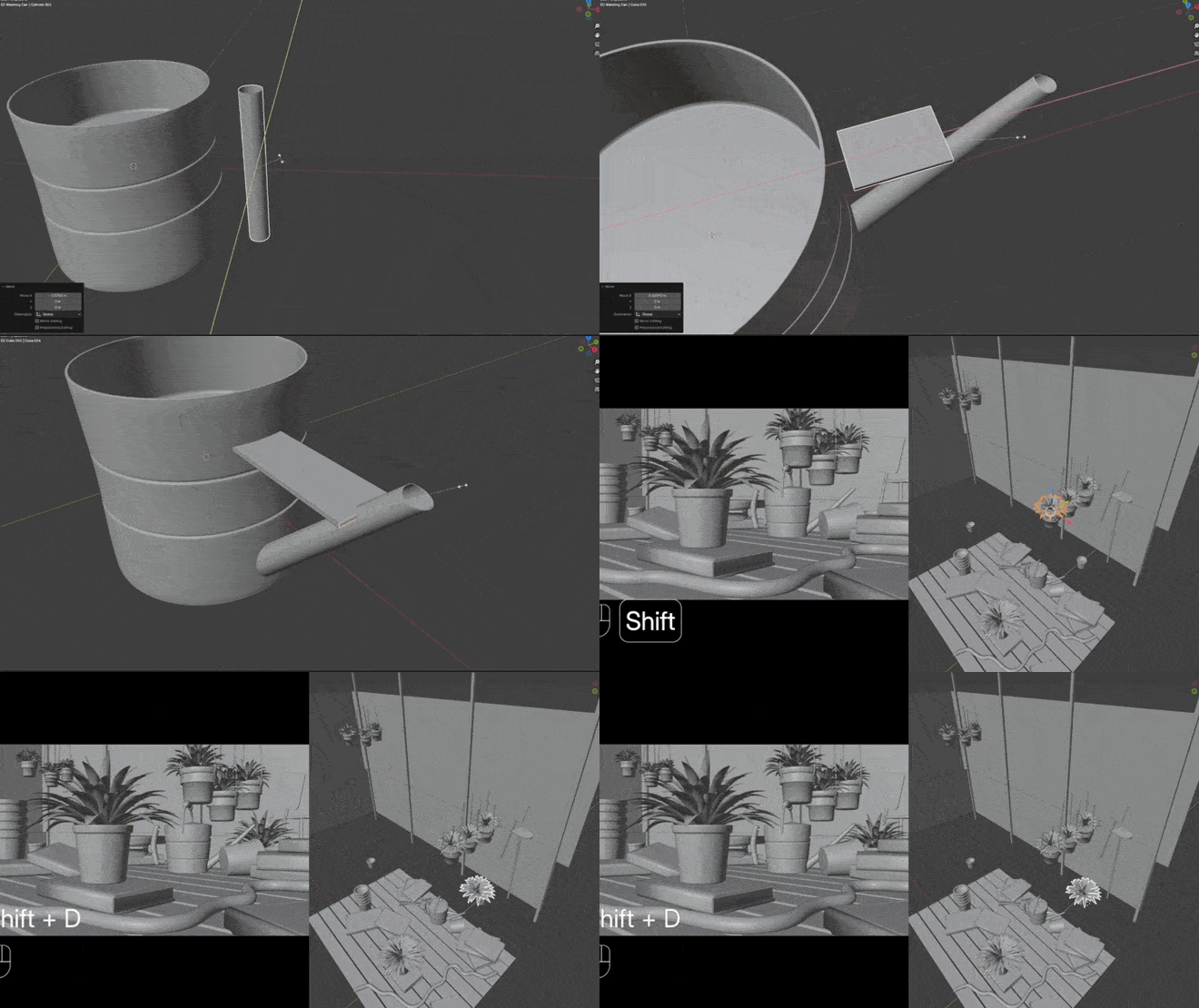
Here’s where it gets really fun! Get ready to build an entire greenhouse scene from scratch, starting with wooden tables and walls, plus setting up your camera to capture the perfect view using cool composition tricks.
Flower pots, a curvy garden hose, and an awesome watering can are all waiting for you to create, combining everything you’ve learned so far.
Plus, you’ll discover a pro secret called kit bashing where you bring in ready-made objects and arrange them in your scene, without having to design everything yourself.
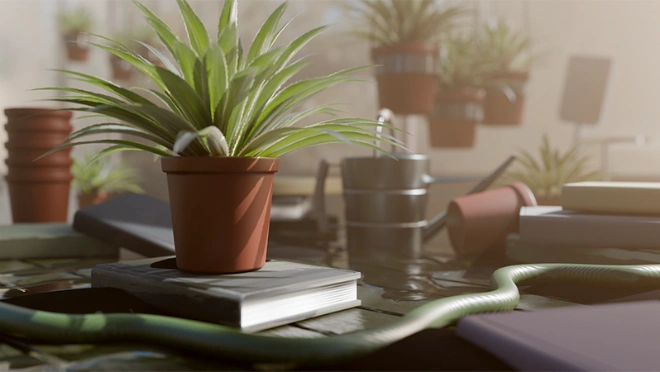
Your greenhouse truly comes to life here: With realistic lighting, colorful materials, and textures. You’ll learn camera tricks like blurring the background and adding a misty atmosphere to make your scene look like a real photo.
Tiny water droplets add that final touch of realism. And when you hit ‘render’ at last, you’ll watch Blender create your finished masterpiece that’s ready to show off to everyone!
Course rating
(Based on 11 reviews)
1 course
Myke Hennig is a 3D artist, specializing in immersive digital animations and complex visual effects. His work has been exhibited in galleries worldwide.
Follow Mychael on

21 Draw is an online learning community where students of all skill levels can learn how to be a better artist. Our contributing artists and instructors are the best in the world.
Our streaming platform on www.21-draw.com makes it possible for anyone to watch hundreds of video lessons by industry legends who have worked for Disney, Marvel, DC, Dreamworks, Pixar & more. A membership gives full access to our streaming platform.
On books.21-draw.com you can buy our popular learn-to-draw ebooks and physical books, separate from the courses, and they too are also delivered to you by the heavyweights of the art industry.
Membership includes unlimited access to all 65+ courses taught by the world’s best artists PLUS new courses as they are released.
Each class includes 10-20 video lessons that are 7 minutes long on average. Most classes include exercise sheets, assignments, and layered PSD or PNG files.
Some classes include the ability to chat with the instructor in a public forum, e.g. if you want feedback on your artwork.
Yes! When you complete a 21 Draw course, you will receive a certificate of completion, which you can download and share with your friends, relatives, co-workers, and potential employers!
21 Draw courses are on-demand (pre-recorded) video tutorials that you can watch online with any digital devices anytime and for an unlimited number of times! This means you can easily watch (and rewatch) them at your own pace and convenience.
We have classes for all levels, even for those with zero drawing experience. In general, artists at all levels can benefit from these courses—whether beginner, intermediate or advanced.
Many lessons in our courses apply to both digital and traditional art. In a few tutorials, digital drawing software, e.g. Photoshop or Procreate for iPad is required. However, for the majority of lessons it is more about the underlying concepts and all that is needed is a pen and paper.
You can download the course resources (exercise sheets, assignments, PSD files, etc.) from the site, but you cannot download the video lessons to your computer.
Yes, have a look at our learning path here.
Normally it costs $235/year. However, there is a special sale running now for a limited time: Save 75%! This means you can get an annual membership for just $59 USD/year.
If you purchase the annual membership at a discounted price, it will remain at that price for each consecutive year, so long as your membership is not cancelled.
If for any reason at all you are unhappy with our courses or feel it isn’t what you are looking for—then just fill out this form or email us at [email protected]. We’ll be more than happy to give you a full refund within 30 days of your first purchase. No questions asked. Just a guarantee you can trust.
You can easily cancel your membership renewal on your My Account page. Follow the prompts to cancel (Billing > Change Plan > Cancel Membership) and your membership will immediately be terminated. Please note: Refunds ONLY possible within 30 days after the date of purchase.
If you have more questions, please check out our Knowledge base or write to us here. We’re happy to assist in any way we can!

 No commitmentsCancel Anytime30-Day Money-back Guarantee







 Gift Cards