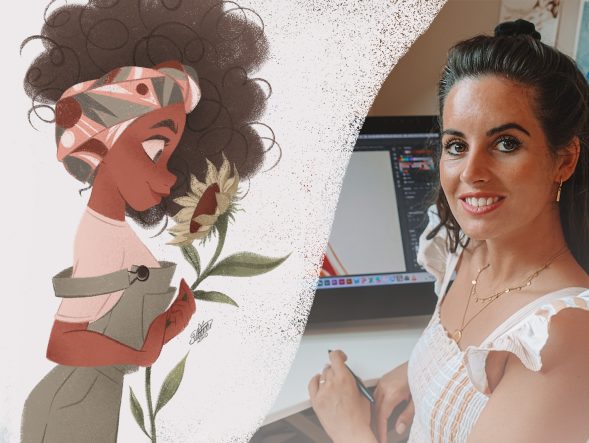
Save 83% on course bundle.

Master Procreate with Not Just One, but 10 World-Class Artists!

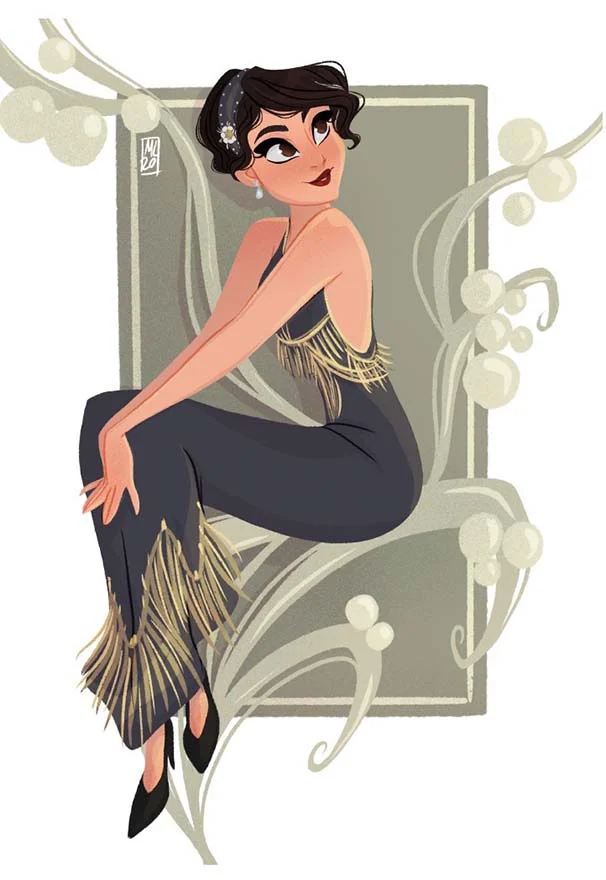
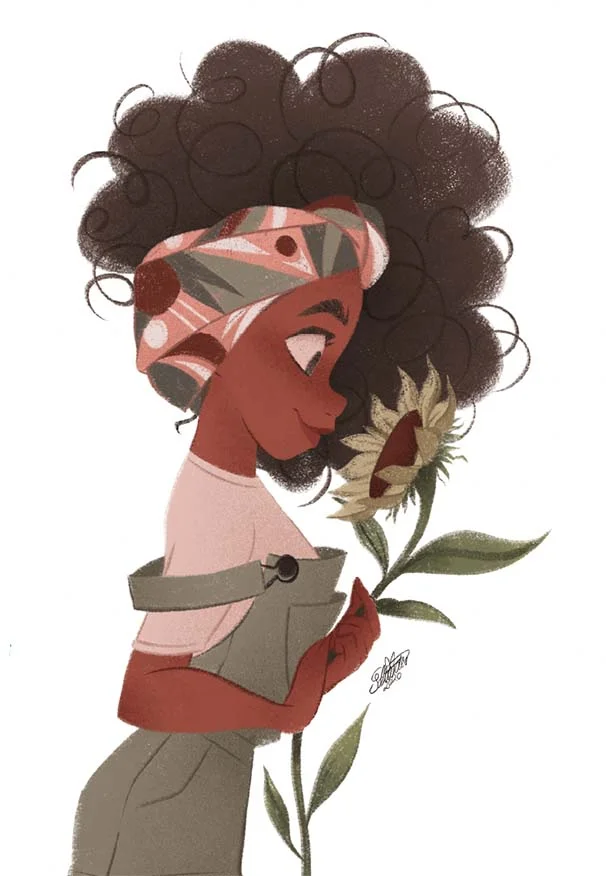
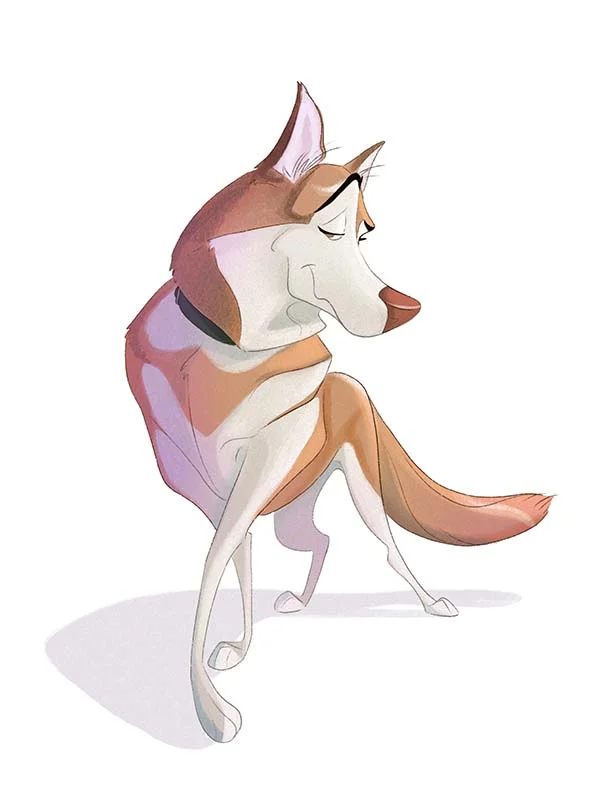
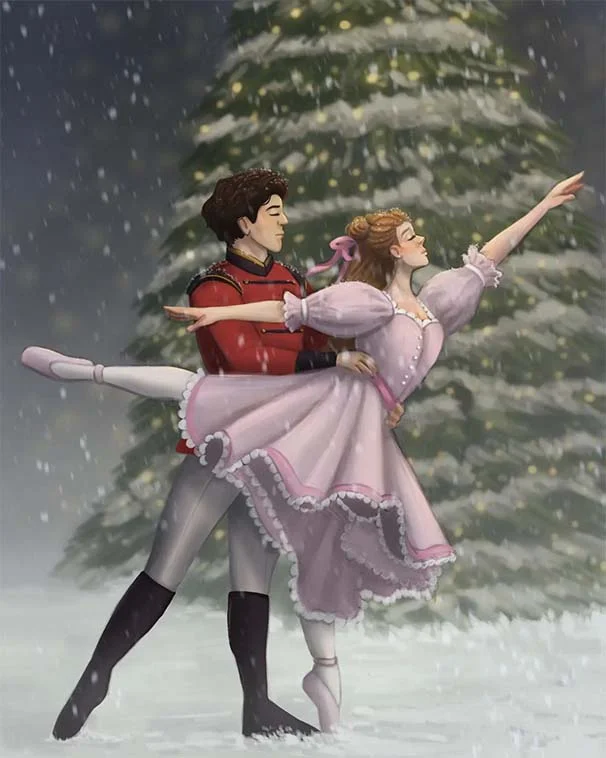
Unlike classes with only 1 kickass artist, this 11-course bundle has tutorials by 10 PROS who work for Disney, Marvel, DC... You'll learn more and faster with artists of different art and teaching styles.
4.8
(4,392件のレビューに基づく)

Get Lifetime Access. One-time payment.

Get Bundle for ONLY $99 ($595)!
30日間返金保証!

SPECIAL SALE! FREE Gift If You Order NOW!

業界の達人たちから学ぼう

We curate our roster to bring you the best artists & even better teachers.
327k フォロワー

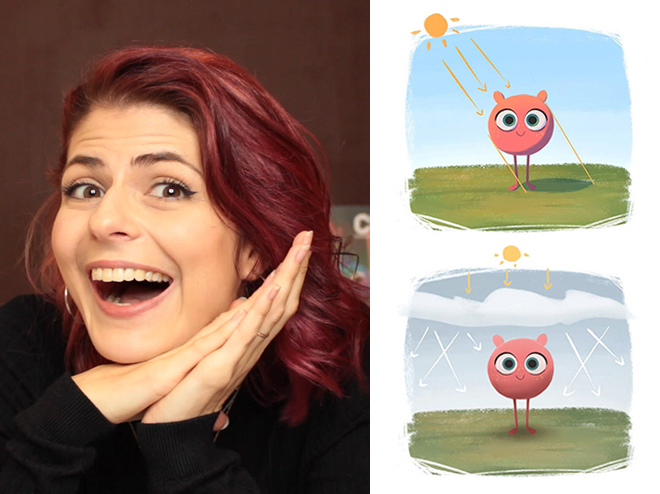
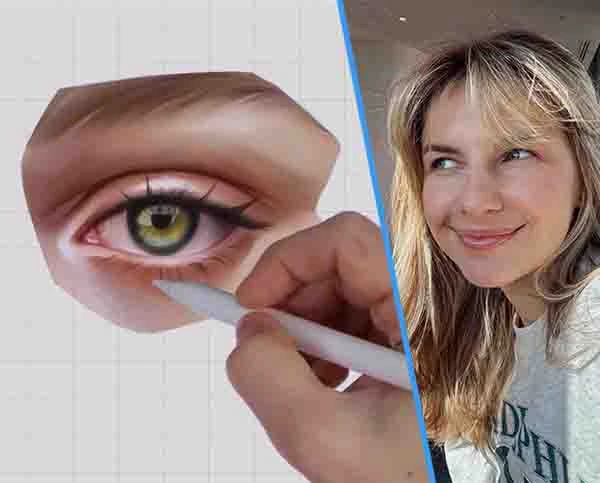
Aveline Stokart

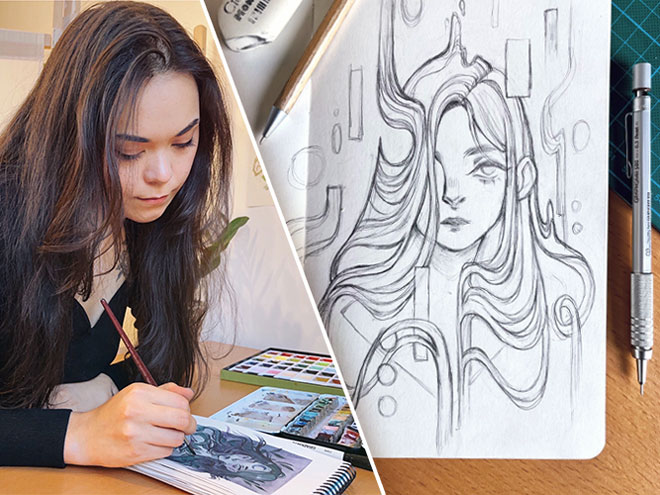
Master Lighting & Shading
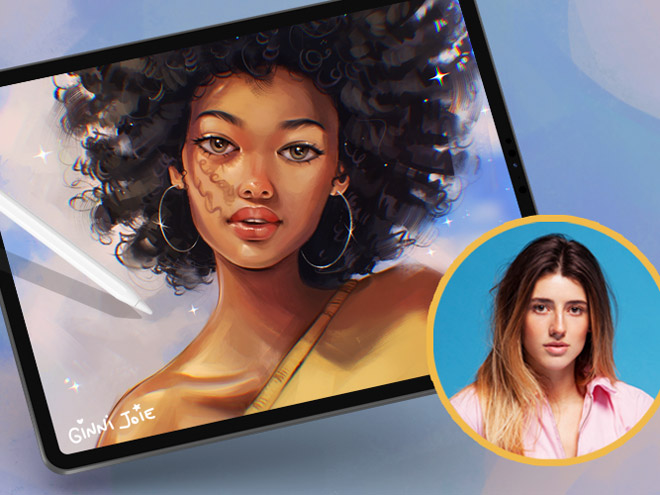
249k フォロワー

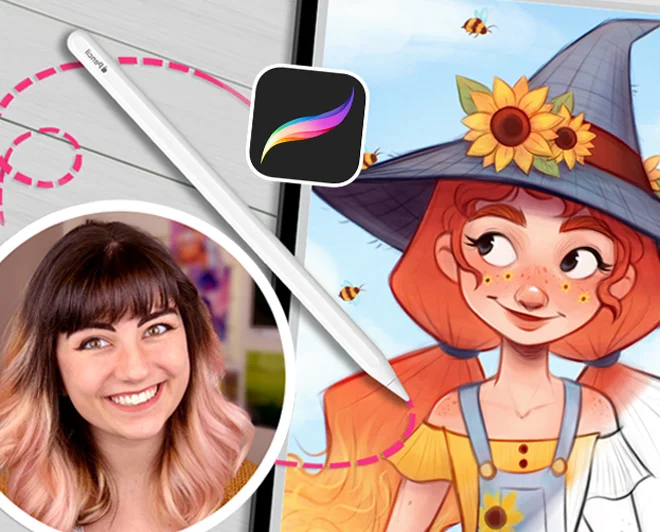
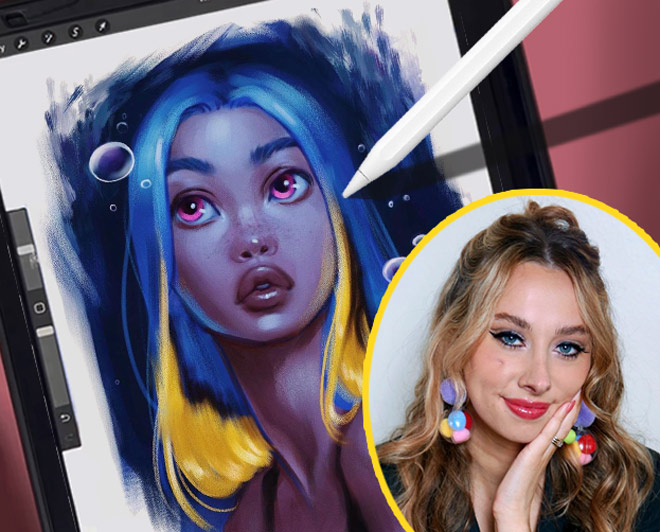
Erika Wiseman

Set up your digital workspace

1.1mn フォロワー

Feefal (Linnea Kikuchi)

Create beautiful illustrations

611k フォロワー

Simone Grünewald

Paint a beautiful background

382k フォロワー

Isabelle Staub

Master the basics of Procreate & avoid common mistakes
97.6k フォロワー

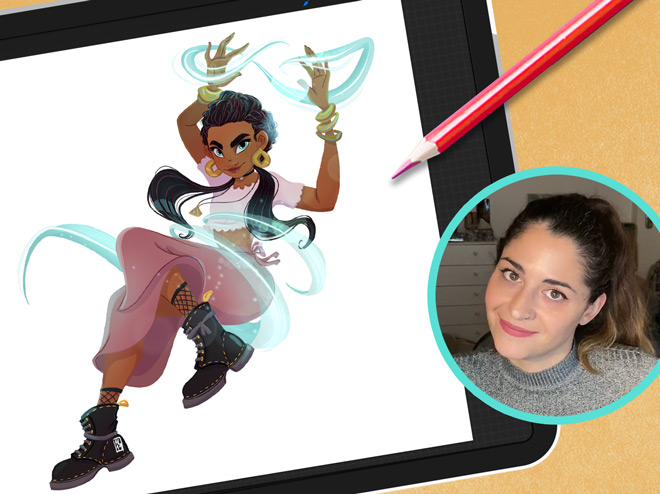
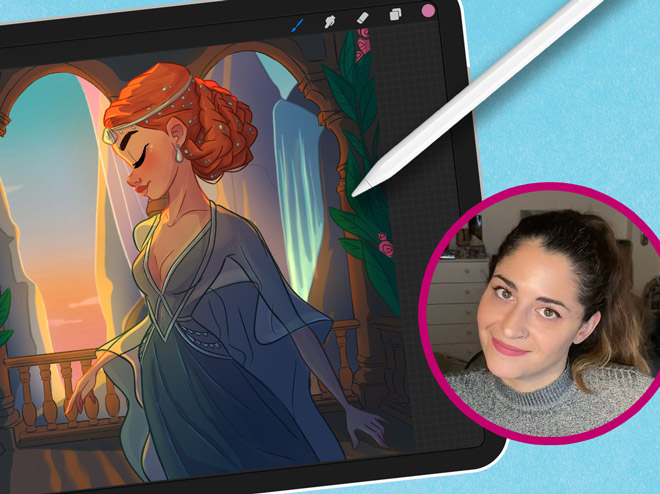
Maria Lia Malandrino

Draw a cartoon character & make your art shine
189k フォロワー

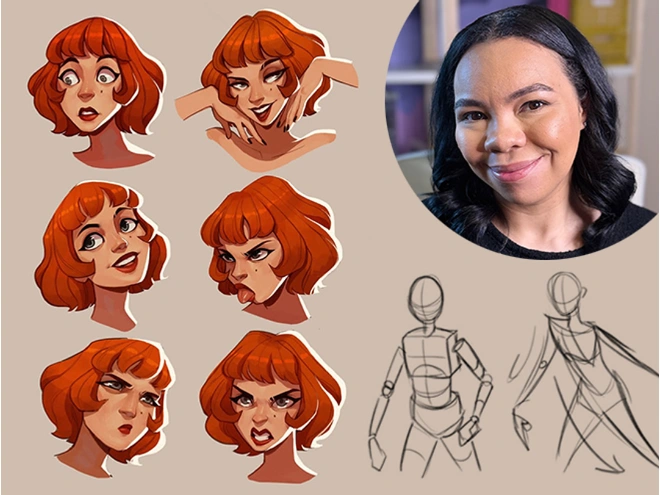
Meike Schneider

Draw a Female Character
119k フォロワー

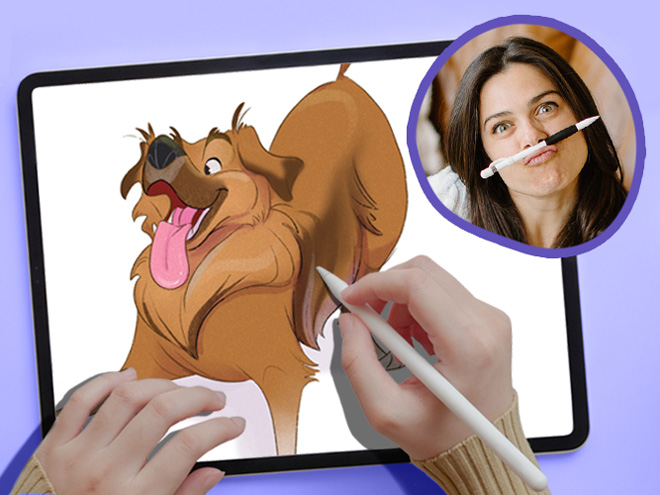
Lauren Barger

Drawing Pets from Scratch

129k フォロワー

Ginevra Girgolo

Painting Portraits in Procreate
600 フォロワー

Rhea Tibbey

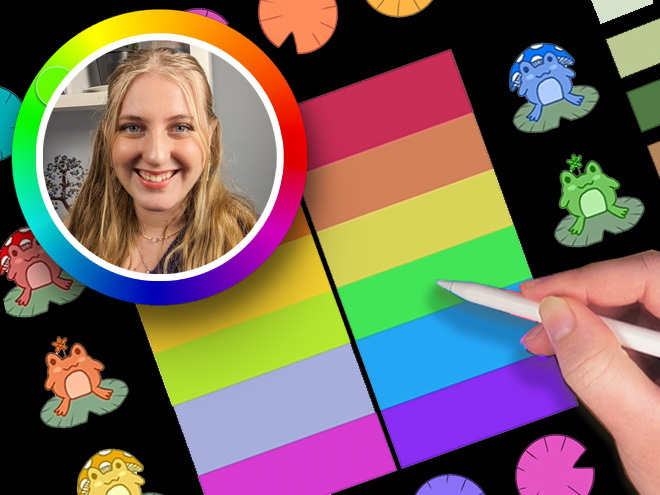
Introduction to Color Theory

200+
一口サイズのレッスン
65k+
students since 2020
21+
レッスン時間
10
世界クラスの講師

Check out the 11 courses in this bundle

"These classes are a whole different level of awesome…"

Packed with tutorials by top illustrators, it feels like you are at a cafe table with INSANELY talented professionals!

Each of them works in their own style and describes things in their own way.

Not only do they show their artwork, but they’ll show you EXACTLY what they’re doing, and how they break down their process, step-by-step.

Unlike other tutorials, which can sometimes feel rigid, too clinical, or uninspiring. These feel natural and conversational.

This bundle doesn’t restrict itself to being for beginners, intermediate, or advanced artists.

Instead, it’s created by artists for artists! And we’re confident that artists of ALL SKILL LEVELS will gain A LOT from watching these classes!

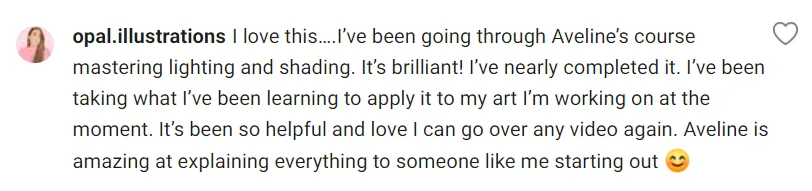
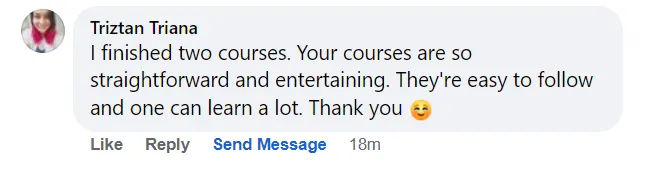
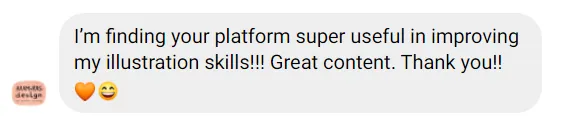
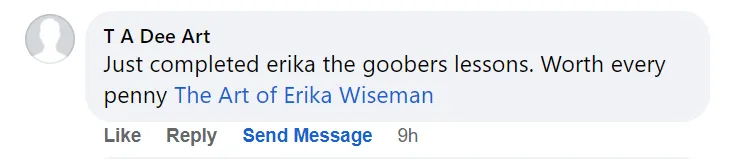
Don’t take our word for it! See below why thousands of our students love it!

Ryan, from 21 Draw

学生の声

4.8
(4,392件のカスタマーレビューに基づく)
OP
Oliwia P.
1週間前
認証済み購入
伝統的な手法で描いた絵をデジタル化することに大きな問題を抱えていました。スケッチや作品がいつも平面的に見えてしまうのです。エリカ先生のレッスンのおかげで、デジタルドローイングへのアプローチを根本的に変える方法を開発することができ、今では本当に楽しんでいます!このコースは心から皆さんにおすすめします。
+ もっと見る
"デジタルドローイングをマスターする21日間"コースのレビュー
TP
Tomay P.
2日前
認証済み購入
他のレビューにもあるように、このコースはデジタルアートやProcreate、あるいは類似のソフトウェアを既に使いこなせる人向けだと思います。私自身もその条件に当てはまり、Sketchbook Proを使っているので、本当に多くのことを学びました!ライティングやシェーディングのスキルを向上させるには最高のコースで、アヴェリンが紹介してくれたテクニックは今後も積極的に活用していくつもりです。おかげで、私の絵本のイラストが格段に良くなりました。
+ もっと見る
"ライティングとシェーディングのマスター"コースのレビュー
PB
Polina B.
3ヶ月前
認証済み購入
かなり長い間絵を描いていますが、先生からこれほどインスピレーションを受けたのは久しぶりです。アヴェリンは、私たち皆の心に響く自身の歩みについて語ってくれただけでなく(最近はアートの仕事を見つけるのがとても難しいので)、彼女自身の光と色彩への理解という、計り知れない奥深い森へと私たちを導いてくれました。私は初心者ではなく、むしろ中級レベルです。正直なところ、光の物理的な仕組みや色の扱い方について、既に知っていること以外に新しいことはほとんどありませんでした。それでも、このコースの一瞬一瞬は、それだ
+ もっと見る
けの価値がありました。なぜなら、アートは「光の物理的な振る舞いを学べば上手くなる」というものではないからです。このコースでは、プロのアーティストがどのように光と向き合うのか、どのように影や光を操り、息を呑むほど美しく生き生きとした作品を生み出すのかを、詳細に解説してくれます。だからこそ、このようなコースは重要なのです。物理学の新しい視点は教えてくれないかもしれませんが、光と影を扱う新しい方法を教えてくれるのです。そして、様々な達人から学び、観察し、研究し、様々な習慣を身につけることで、あなた自身のやり方を発展させるのに役立ちます。全体的に素晴らしい内容でした。強くお勧めします。
"ライティングとシェーディングのマスター"コースのレビュー
JR
Jovana R.
1か月前
認証済み購入
あなたのイラストのコンセプトとアプローチに、本当に感銘を受けました。あなたの創造性と表現力は、学習体験を真に刺激的なものにしてくれます。作品に注ぐ努力と情熱に感服しました。あなたのレッスンから学ぶことができて、本当に嬉しかったです。このような思慮深く、刺激的な体験をありがとうございました。
+ もっと見る
"デジタルドローイングをマスターする21日間"コースのレビュー
JL
Jacinta L.
1か月前
認証済み購入
Procreateを使い始めて約1年になりますが、これは今まで受講した中で断トツに最高のコースです。内容はとてもシンプルなのに、ただ試行錯誤するだけでは身につかないような難解な部分も一切ありません。彼女のレッスンはどれも非常に有益で、分かりやすく的確な指導が受けられました。スキルに自信が持てるようになるまで、何度も繰り返し練習するつもりです。強くお勧めします。
+ もっと見る
"Procreateを簡単に"コースのレビュー
KB
Kayla B.
1か月前
認証済み購入
彼女がさまざまな追加方法やブラシの交換方法も教えてくれるのが大好き。なぜなら、私が始めた頃は全くの初心者で、何もかもやり方が分からなかったから。今ではずっとやっているけど、彼女はまだ私にいくつか教えてくれたことがある!
+ もっと見る
"デジタルドローイングをマスターする21日間"コースのレビュー
AW
Adèle W.
1か月前
認証済み購入
最後にいくつか動画の時系列がずれているように感じましたが(2つか3つの動画でレイヤーが一致していない箇所がありました)、とても良いコースで、たくさん学ぶことができました!彼女はとても才能のある方で、たくさんのテクニックを知ることができました。とても満足しています。共有してくださってありがとうございます!
+ もっと見る
"Procreateでポートレートを描く"コースのレビュー
MG
Mary G.
1か月前
認証済み購入
このコースは、私がデジタルソフトで色彩やライティングを初めて学んだ時に、まさに革命的なものでした。受講してからもう6年ほど経ちますが、今でもこのコースで学んだことを作品制作に活かしています。光と色彩の理解を深めたい方には、ぜひこのコースをお勧めします。また、Procreateの使い方全般を学びたい方にも役立つでしょう。
+ もっと見る
"ライティングとシェーディングのマスター"コースのレビュー
DA
Denisa A.
2ヶ月前
認証済み購入
このオンラインコースは期待をはるかに上回るものでした。初心者として、ステップバイステップの説明は非常に明確で分かりやすかったです。プログラムの基本ツールだけでなく、より高度な概念もしっかりと理解することができました。本当に多くのことを学び、ソフトウェアを使いこなす自信がつきました。本当にありがとうございました。このコースを強くお勧めします!
+ もっと見る
"初心者向けProcreateでのデジタルドローイング"コースのレビュー
VA
Vanessa A.
2ヶ月前
認証済み購入
カラーハーモニーとカラースキームの部分の構成が気に入りました。グレースケールメソッドの部分にも取り入れたいと思っています。カラースキームのレッスンでは、慌ただしくない動画だったので、それに沿って描いてみました。グレースケールメソッドの部分も同じように描いてみたいと思っています。少し慌ただしい感じがしました。
+ もっと見る
"色彩理論の紹介"コースのレビュー
ML
Matthew L.
4ヶ月前
認証済み購入
彼女のステップバイステップの指示と説明は参考になります。ただし、ソフトライトやオーバーレイをどのレイヤーに使っているかなど、最後のほうで特定の手順が省略されているように感じます。例は実用的で、色彩理論を作品に適用するのに苦労している人にとって役立ちます。
+ もっと見る
"色彩理論の紹介"コースのレビュー
AM
Alyssa M.
5ヶ月前
認証済み購入
このコースで良かった点は、彼女がプロセスをステップバイステップで分かりやすく説明してくれていることです。彼女のプロセスのおかげで、物事がずっと直感的で簡単になりました。スケッチで特定の鉛筆を使って線の太さを変え、最初からスケッチをすっきりと、そして程よく変化させている点が気に入っています。私はスケッチが苦手で、マイクロメートル法をよく使って輪郭を整えるのですが、このコースのおかげでそれを思い出させられ、線の太さを自由にコントロールできるようになりました。彼女のプロセスも非常に分かりやすく、デジタ
+ もっと見る
ルへの移行がずっとスムーズです。彼女は分かりやすく説明してくれ、デジタルのプロセスをシンプルに保ち、最初のスケッチを詳しく説明することなく、そこから発展させていくからです。私がこのコースを初心者向けや全くの初心者向けではなく中級者向けとしたのは、このコースがProcreate向けに大きくカスタマイズされているからです。他の描画ソフトを使うこともできますが、Procreateははるかに合理化されていてシンプルです。一方、タブレットを使わずにパソコンで描画するには、キーボードショートカットを覚える必要があり、彼女のようにタブレットを使うほど直感的ではないかもしれません。デジタルや使用しているプログラムについてある程度の知識があれば、デジタルへの移行に最適です。デジタルで作品をうまく仕上げるのに苦労している人や、彼女のアートスタイルが本当に好きで、その要素を取り入れたり真似したりしたい人には、このコースが最適でしょう。アートスタイルと制作プロセスの両面で、このコースは非常に役に立ちました。
"デジタル着色の紹介"コースのレビュー
MH
Melanie H.
5ヶ月前
認証済み購入
エリカ先生は何をすべきかとても分かりやすく教えてくれました。最初はゆっくりした感じがして、動画を飛ばしたくなるほどで​​したが、最初の数本を観たら、すぐに理解できました!ずっとデジタルアートを作りたいと思っていたのですが、なかなか理解できませんでした。でも、今は理解できました!このコースは本当におすすめです!
+ もっと見る
"初心者向けProcreateでのデジタルドローイング"コースのレビュー
DA
Dilşad A.
5ヶ月前
認証済み購入
これは非常に短縮された基礎コースで、講師の説明の簡潔さが気に入りました。初心者向けのコースではないと思います。むしろ、プロクレートに慣れていて、描き方や色彩理論を理解している人に適しています。初心者向けのコースをお探しの方は、他のコースを探した方が良いでしょう。
+ もっと見る
"Procreateを簡単に"コースのレビュー

Procreateのスキルを急速に高めましょう

Learn from 10 of the world’s best artists

Learn how to create art from scratch in Procreate

Improve your ability to create amazing characters using Procreate

レイヤー管理、ブレンドモード、そしてブラシの使い方を習得

Take your Procreate skills to the next level with never-before-seen hacks

Transform your art from scribbles to incredible digital paintings you’ll be proud to share

Lifetime Updates + Future courses included

This bundle offers lifetime access to an expanding set of Procreate courses. When you buy this special pack, you’ll get instant access to 11 exciting courses. And guess what? You’ll also get new Procreate courses added automatically without having to pay extra! 🤩 This means your one-time payment grants you access to more resources over time! (And that’s why you should get this Bundle NOW before it gets more expensive!)

But wait, there’s more! All the courses in this pack, even the ones added later, will always have lifetime updates. That means your courses will stay up to date with the latest Procreate app updates and art trends.

We promise to keep making this pack better by adding new courses and keeping the old ones up to date. So get ready to have a blast learning art with Procreate!

毎月のアップデート
新しいクラス
毎月新しいクラスが自動的に追加され、追加料金は不要です! 🤩
コミュニティ
21万人以上のメンバー
仲間やティーチングアシスタントとのコミュニティにアクセスして、フィードバックを受けたり、他の人が共有する内容にインスパイアされましょう。

See why students are raving about our courses...

1/16

About the Bundle

Welcome to Your Ultimate Guide to Becoming an Independent Digital Artist!

This 11-course bundle is perfect for anyone who wants to learn how to improve their drawing on their iPad. Whether you’re just starting out or you’ve been drawing for a while, we’ve got classes for ALL SKILL LEVELS!

Procreate is an incredible tool that ANYONE can use, regardless of skill level.

We’ll take you from the basics to the advanced stuff, step by step. By the end, you’ll be a pro at drawing on your iPad (with a certificate to prove it!).

First, we’ll show you how to use brushes and teach you different painting techniques. Then, we’ll dive deeper into the art of shading and light, so your drawings look amazing.

Drawing on an iPad is so much fun! We’re excited to teach you all the skills you’ll need to bring your imagination to life in Procreate. 🎨🚀

With over 10 of the world’s best artists as your guide, this Masterclass STANDS OUT🌟 offering 16 times more content than typical courses.

In 200+ lessons (21 hours) you’ll learn to: 

  • Set up your digital workspace with Erika Wiseman 🖌️
  • Navigate & utilize Procreate’s main tools & features with Isabelle Staub 🌟
  • Select brushes that complement your style and drawings 🖌️
  • Hone your drawing technique and stroke pressure control ✍️
  • Explore concepts of light and shading with Aveline Stokart 💡
  • Discover time-saving shortcuts for efficient workflow 🕒
  • Uncover hidden tips and tricks for maximizing productivity 💡
  • Learn to create captivating time-lapse videos of your artwork 🎥
  • Master file importing and exporting processes 📤
  • And most importantly giving you the confidence to share your art! 💪
  • Each video lecture comes with easy-to-follow assignments that you can use to track your progress 📚

Get ready for an exciting adventure and discover how amazing you can be as a digital artist! Start now! 🚀

生徒たちがクラスについてどう思っているか見てみよう...

"価値あり!"
"わかりやすい!"
"Great hacks!"
"Make your art pop!"
"とても楽しい!"
"初心者に優しい!"
"Super informative!"

ゼロからヒーローになる準備はできていますか?💥

Get access now for $99 ($595)!
急いで、期間限定です!

Meet your instructors

21 Drawは、最高のアーティストとさらに優れた教師をお届けするために、講師を厳選しています。

アヴェリン・ストカート

Aveline is not just an amazing comic book artist designing characters that feel real - she's also a fantastic teacher. And a very curious one too! She’s explored everything from drawing to pottery, always looking to try something new and make art that hits you right in the feels.

Isabelle Staub

From viral Disney reimaginings to Marvel collabs, this Philly-based digital artist dazzles with detailed portraits and character designs. With a passion shared through art and teaching, her creations are a must-see.

Feefal (菊地リンネア)

Dive into Feefal's world, where cute meets the mysterious. With a palette that ranges from digital to traditional, her art is a favorite among over a million fans. If you're into charming yet slightly spooky visuals, she's your artist.

エリカ・ワイズマン

This illustrator’s feed is a burst of joy with her colorful and cute creations. Starting in 2008, she's carved out a space where creativity meets encouragement, making her an inspiration for budding artists everywhere.

Simone Grünewald

Meet "Schmoe," your go-to artist for illustrations that breathe life into the everyday with charm and wit. Her vibrant creations, filled with humor and the realness of motherhood, are a breath of fresh air, promising a smile and a new perspective with every piece.

マリア・リア・マランドリーノ

From video games to storybooks, this Italian artist brings tales to life with her vivid illustrations. Her diverse projects have captured hearts across the globe, showcasing her talent for creating engaging, narrative-driven art.

Meike Schneider

She’s transforming the 3D art scene with characters that leap off the screen. Drawing inspiration from animated classics, her work in character design and education is lighting up the industry, making her a beacon for aspiring artists.

ローラン・バーガー

This artist transforms pets into digital art in Procreate, enchanting with her ‘Coffeedraws’ and humorous animal cartoons. Her collaborations with Disney and Mattel, paired with co-hosting MerMay, spotlight her as a beacon of creativity and fun in character design.

リーヤ・ティビー

Meet our very own Australian illustrator from 21 Draw, creating whimsical fantasy characters and magical worlds. She's not just a creator; she's also a fantastic teacher. Learn the basics of color theory and more.

ジネヴラ・グリゴロ

This artist turns your everyday into stunning portraits that blend reality with a twist of fantasy. Her digital art has caught the eye of fans worldwide since 2017, making her a must-follow for anyone in love with unique styles.

21 Draw is more than just online classes…

We are much more than YouTube! Sometimes when you ask questions there, nobody answers you. But our community is full of people who actually want to help you! Our trained teachers are one of them. Always ready to answer any and all your questions.

プロのフィードバックを受ける

課題や作品で悩んでいるときに、実際の先生から詳細なフィードバックを受け取る。

称賛を受ける

自分のアート(もしそうしたいなら😉)や完成した課題を共有して、先生からの称賛をもらおう!

クラスメイトと話す

素晴らしいDiscordコミュニティに参加して、交流したり質問したり、お互いに学び合いましょう。

課題で練習する

ほとんどのレッスンには、練習を助けるために提案された課題と例があります。

ライブイベント

お気に入りのアーティストからリアルタイムで学ぶ。

ゼロからヒーローになる準備はできていますか?💥

Get access now for $99 ($595)!
急いで、期間限定です!

最近の生徒の作品

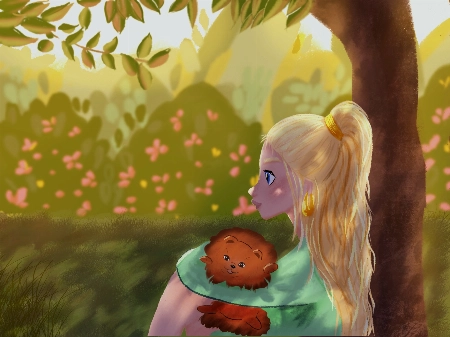
All the illustrations you see here are made by past and current students. And you can do it too. We let the results of our students speak for themselves. You’ll be able to do this too after following our in-depth easy-to-follow lessons.
1/11
Catie Ilic
Alisa
Jay Thatcher
Nida Özer
@saramakdessi

Cornelia Paulsson
Jason K.
Oksana Shvedenko
Louise Broesky
Viktoriya Storozhuk
N Goslett

このバンドルは誰向けか...

最近iPadとProcreateを購入して始めたいと思っている

Procreateのすべての問題を解決できるオールインワンのバンドルをお探しですか?

キャラクターデザインスキルを向上させたい初心者の方へ

Procreateでフィギュアドローイング、ポーズ、ジェスチャードローイングを学びたい初心者の方へ

他では見たことのない素晴らしいProcreateのハック、ヒント、トリックを探していますか

伝統的に描いてきた後でデジタルアートに追いつくのに苦労している

たとえ経験豊富なイラストレーターでも、Procreateのスキルを次のレベルに引き上げたいですか

Procreateを使っているけれど、新しい視点が必要です

デジタルアートのスキルをプロフェッショナルにし、アートから収入を得たいと考えている人々のために

キャラクターデザインやデジタルイラストに興味があるアーティスト

Procreateの機能と能力を深く理解して、ワークフローを最適化し、アートを向上させたいアーティスト

Procreateのレイヤー管理、ブレンドモード、ブラシの使い方など、特定の機能に興味がある方へ

どこから始めればいいか分からない?私たちのおすすめのクラス順をチェックしてみてください

クラス 1
初心者向けProcreate
もっと見る
初心者
クラス 2
女性キャラクターを描く
もっと見る
初心者
クラス 3
ドイツ語
もっと見る
初心者
クラス 4
カラー理論
もっと見る
初心者
クラス 5
カートゥーンキャラクターを描く
もっと見る
初心者
クラス 6
ペットを描く
もっと見る
中級
クラス 7
Procreateを簡単に
もっと見る
中級
クラス 8
ライティング + シェーディング
もっと見る
中級
クラス 9
デジタルイラストレーション
もっと見る
中級
クラス 10
ポートレートを描く
もっと見る
中級
クラス 11
ライティング + シェーディング
もっと見る
中級

BUT wait, there’s more...

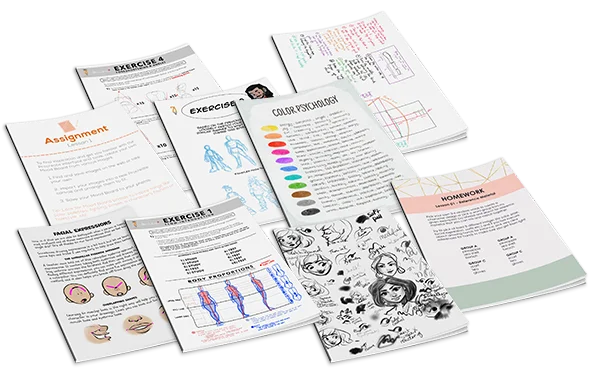
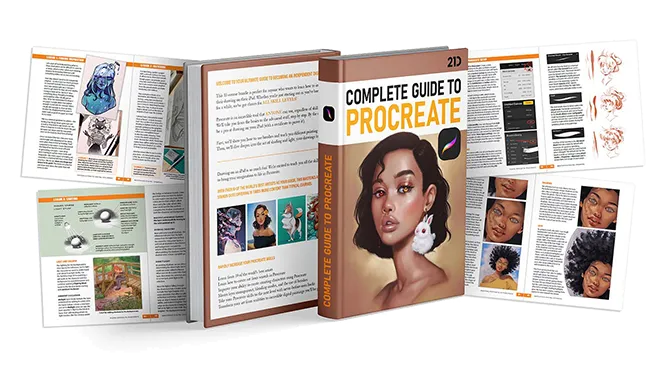
If you get the bundle now, as a BONUS we'll throw in our eBook worth $49! The eBook is 149-pages long packed with SIX of the SAME tutorials from this bundle.
Click to LOOK INSIDE ⤵️

このレベルの品質を提供するバンドルは他にありません...

The 11 online classes and eBook are worth alone $595, but it’s all yours for a fraction of that!

Just picture it: That hobby you once enjoyed can now be your ticket to financial freedom.

And the best part? It costs ONLY the price of a new pair of jeans 👖 or 20 lattes ☕ or a dinner for two 💑 

私たちの先生がどのように学生をサポートしているかを見てみましょう...

学生の質問
A
Alisa

Hello, I finished the Aveline’s course and would like to get some feedback how I can improve my illustrations.. I am not completely satisfied with my work so hope your feedback can help.. ... もっと見るThank you.
Rhea Tibbey
21 Draw認定教育助手

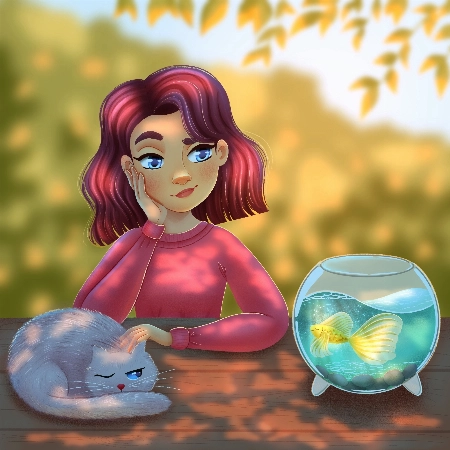
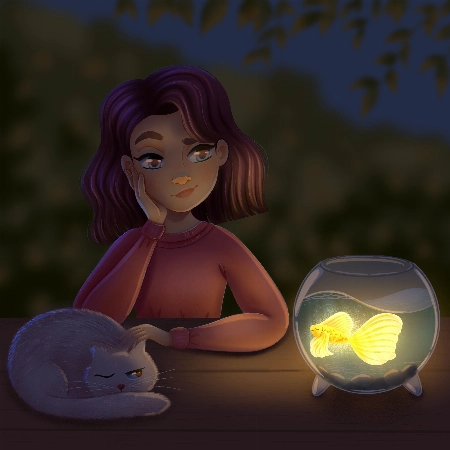
Hey Alisa! I love your work, you have done an amazing job of following along with Aveline's assignments :)

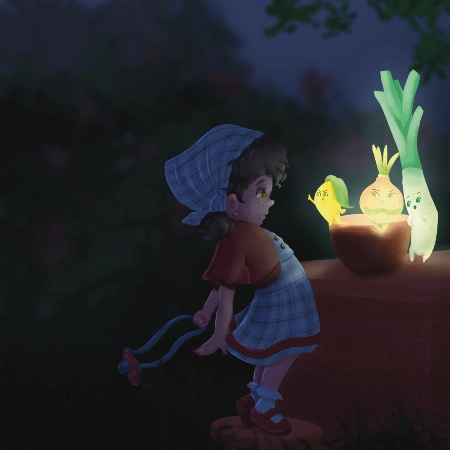
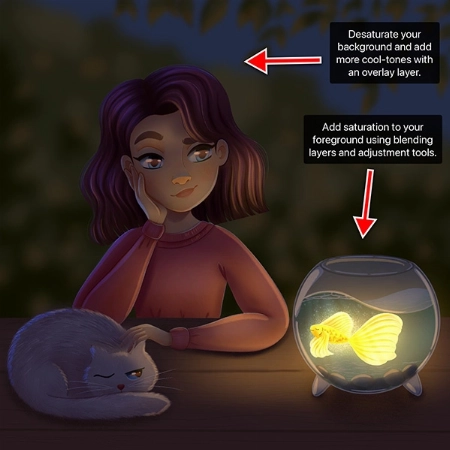
To keep your feedback simple, I have chosen to refer to your night-time lighting scenario. Check out the tips and images I have attached below, I hope they help :)

  • When you are illustrating an environment a good practice for adding depth is to ensure your foreground uses more saturated colors than your background. Currently they are at a similar level of saturation, this is something you can adjust using your ‘Hue, Saturation and Brightness’ tool.
  • Around the edge of your highlights and shadows you may have a soft line that is a more saturated color.
  • Folds on clothing usually follow a triangular draping pattern down from where they hang from the body. In this case her sweatshirt would mostly be draping from her shoulders. When in doubt with drawing folds in an outfit, a reference picture can make things much easier!
  • If you have warmer tones in your foreground, make the color pop even more by using an ‘Overlay Layer’ to add cooler colors to the background.

I have attached some images with tips and edits to help guide you through this process. Let me know if you have any questions :)
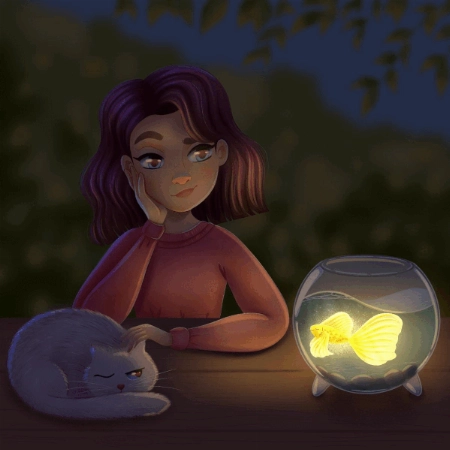
学生の質問
Nida Özer

Hello Aveline, I congratulate you on your art and I follow your art with enthusiasm. I would also like to thank you for meeting us on such a occasion. I am adding my works and waiting for yo... もっと見るur comment :)
JP
Jessica Paton
21 Draw認定教育助手

Hi Nida!

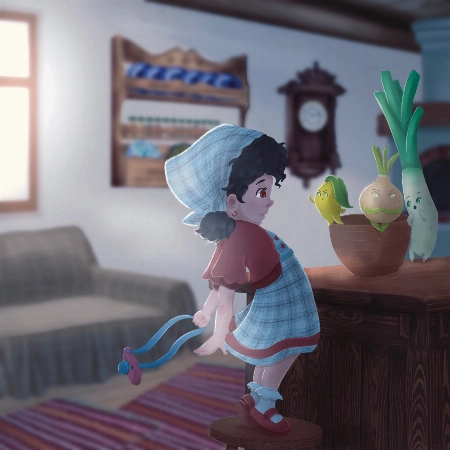
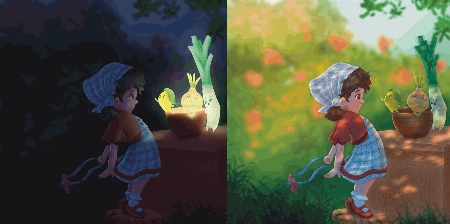
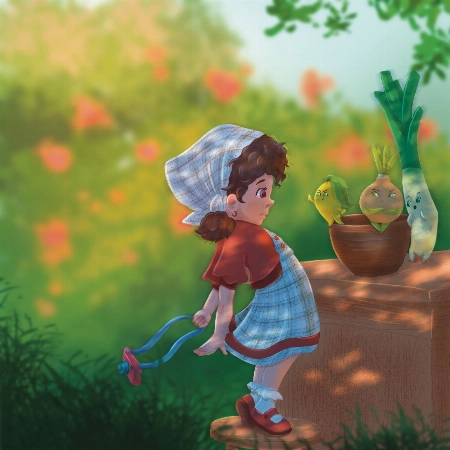
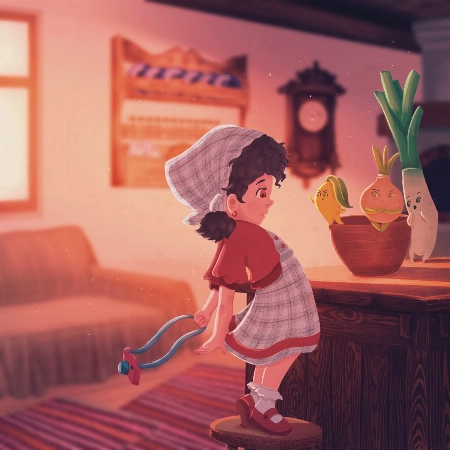
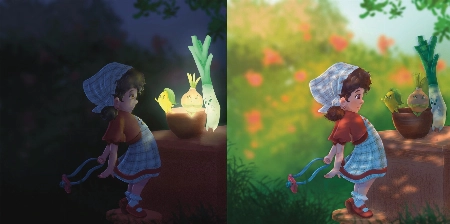
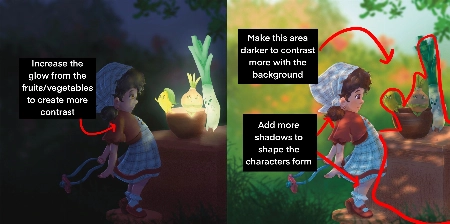
Wow, you did such a great job of applying the techniques from this course! I love that you've put your own characters into the scenes as well! I only have a few small notes for you.

For the Night Scene:

  • Increase the glow in the night scene! Use a soft brush to lighten that part of the scene (I used a light yellow with a soft-light layer setting)

  • Add more highlights/rim lighting on the night scene as well. Make sure you have lots of contrast and really make the most of the fun lighting!

For the Day Scene:

  • Because you have made most of the background quite light, try and keep that somewhat consistent. Keep the background light, and the foreground more dark. Keeping this contrast makes it easier to see the characters as seperate from the background and makes it easier to read.

*Add a few extra shadows to reflect the size of the skirt/around the skirt to imply more 3D form

You've done such a fantastic job with these, and they're honestly great the way they are! Well done!
学生の質問
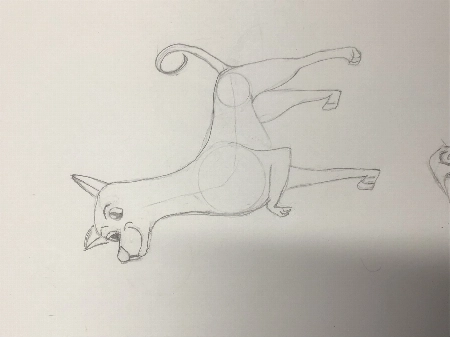
Lana Grushnik

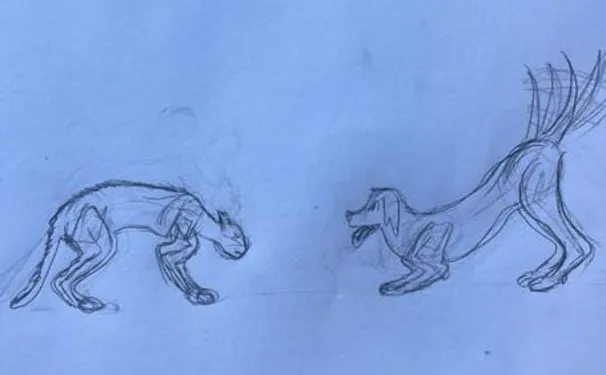
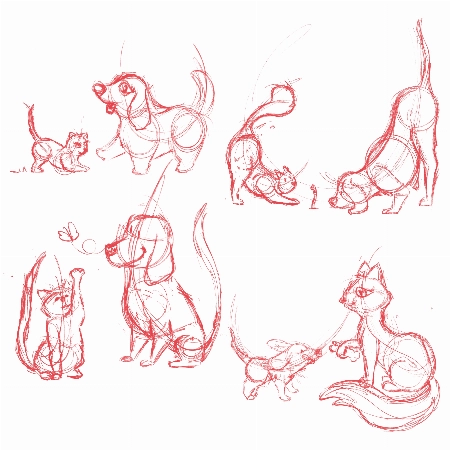
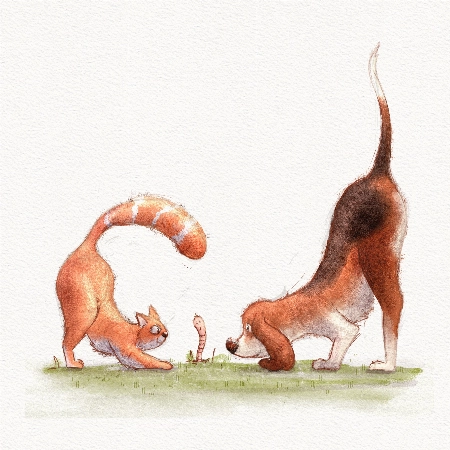
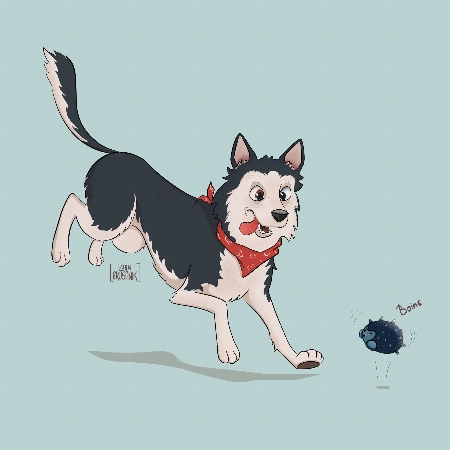
I absolutely loved this course! Very inspiring and simple :) Turned out that I'm really good at drawing dogs. Cats are harder to draw for some reason:)
JP
Jessica Paton
21 Draw認定教育助手

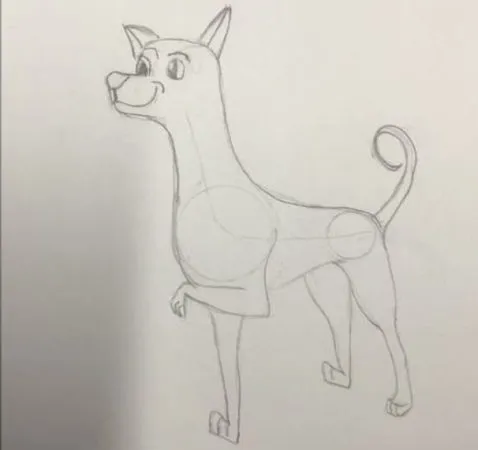
Hi Lana!

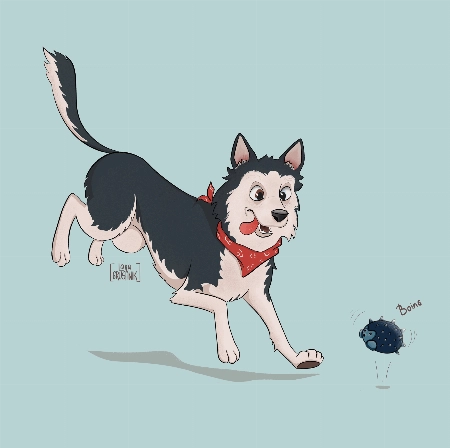
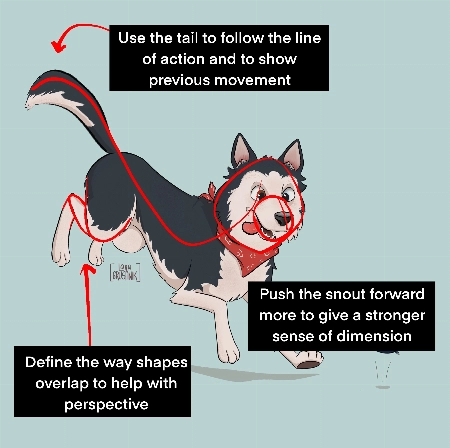
This is such a cute drawing! It's very lively and there is a great personality coming from them!

When drawing cats focus very much on the flow - lots of round fluid movements. The line of action will be very important for their poses.

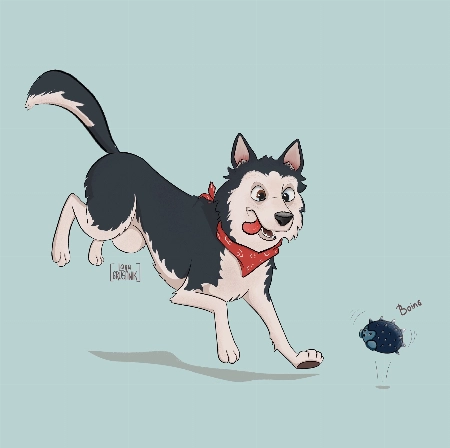
For this particular drawing I just have a couple suggestions!

  • Push the snout slightly further forward. This will help make the head feel a little more round and improve the sense of dimension. Think of the base of the head not as a circle, but as a sphere!

  • When drawing complicated shapes like limbs, especially when they're folded up, think about how each segment is a basic shape. Using the right amount of lines, you can force a sense of perspective by overlaying some with others. In this case, you can add a couple extra lines to make the back leg seem more like it is bent away from the "camera".

  • Use the tail to emphasize the sense of movement! Follow the line of action you already have moving through the pose! Treat it as an extention of this. But also try to consider where the dog was in space before - the tail can have a very lovely flow to it if it is shaped as though it is coming from where the dog was just a moment ago. You were very close to this I think, but lowering it slightly makes it feel less like the dog has dropped down very suddenly.

It's great to hear that you loved the course! I hope you continue to draw more fun animals in the future!
学生の質問
DK
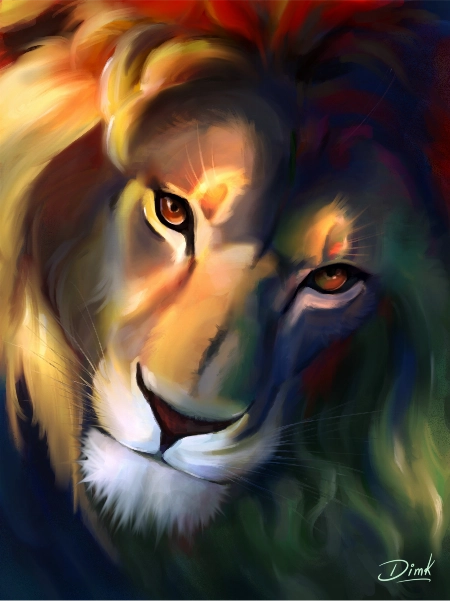
DIM K

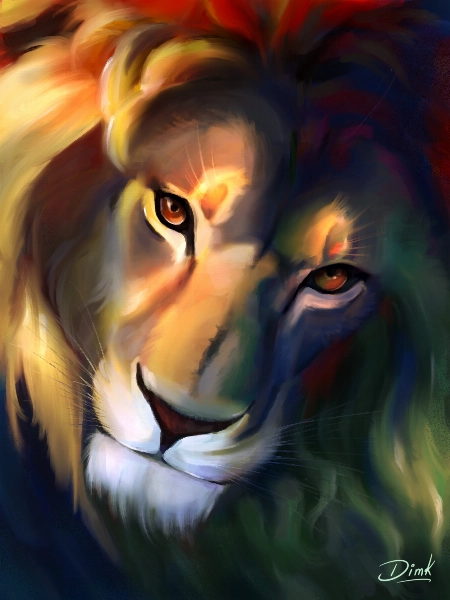
Hi recently I finished this drawing and I would like to get some feedback to improve my illustration.
Jade Lefevre
21 Draw認定教育助手

Hi!

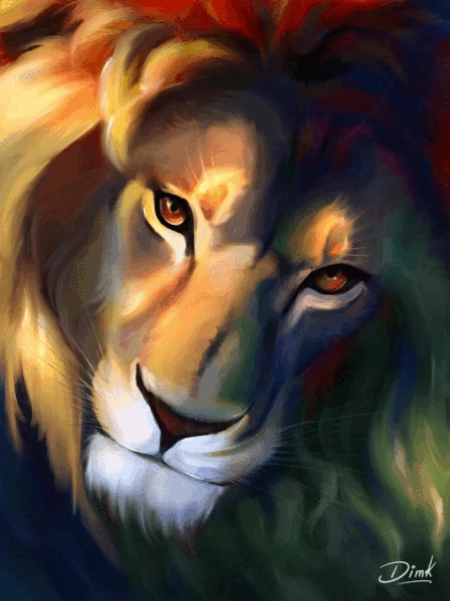
Thank you for sending in your painting! This is incredible work. The subject is beautiful and your use of color is mind-blowing!

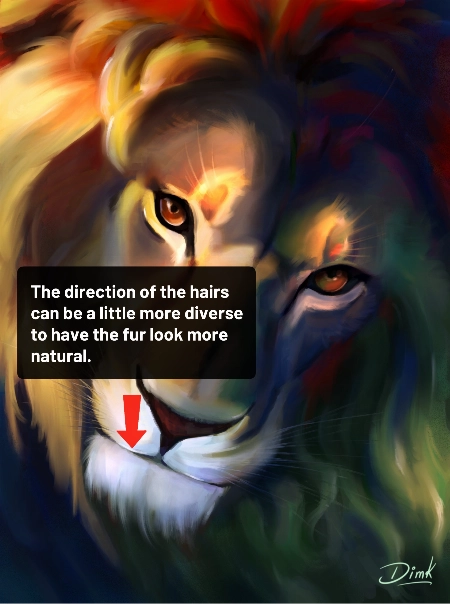
You could maybe try to have the hair on the chin flow in more various and natural directions. Even with the head clearly in motion within the scene and the hair following in the same direction, I think there could be a little more variation.

You can check out the attachments for a more visual explanation!  I hope you’ll find them helpful!  Don’t hesitate to ask if you have any more questions and I wish you a beautiful day!
学生の質問
MD
Marjolijn De

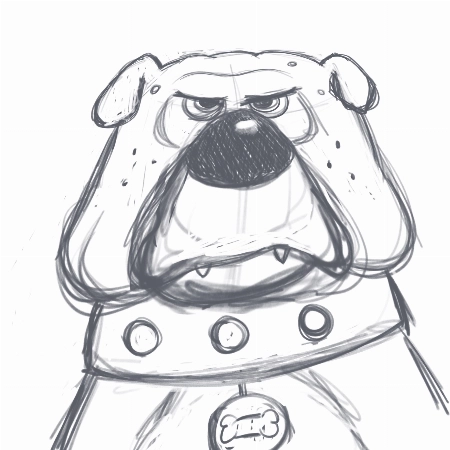
I really enjoyed creating the thumbnails and the final piece. I love to keep my rough sketch slightly visible and I like to add some more texture to my designs. But I loved the gloaming brus... もっと見るh and I’m going to use it more often:) Thank you very much for this fantastic class!
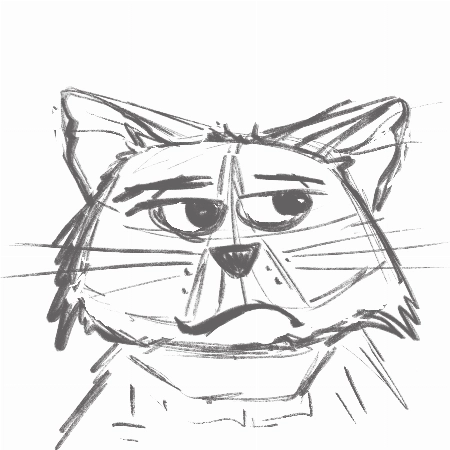
Jade Lefevre
21 Draw認定教育助手

Hi Marjolijn!

I'm glad to hear you enjoyed the course! I'm a huge fan of the way you used the brushes and the colors! Your characters have a lot of personality and I think your final drawing looks really professional.

Keep up the great work and have a fantastic day!

学生の質問
SM
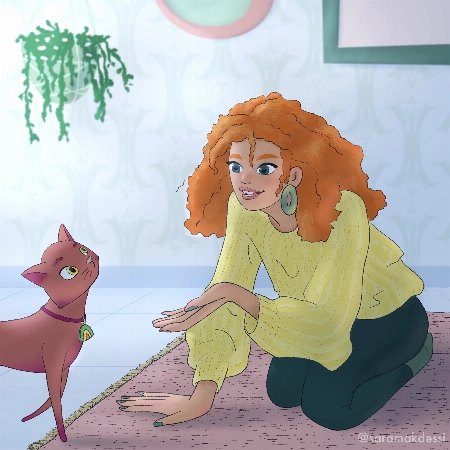
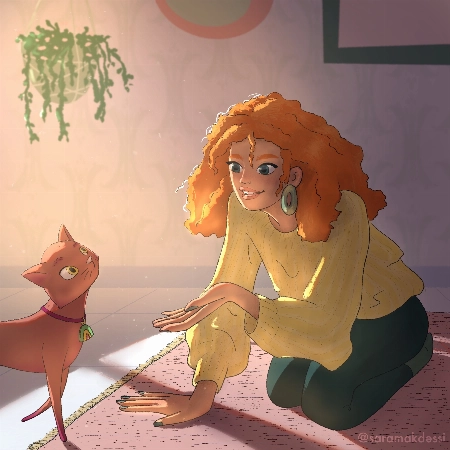
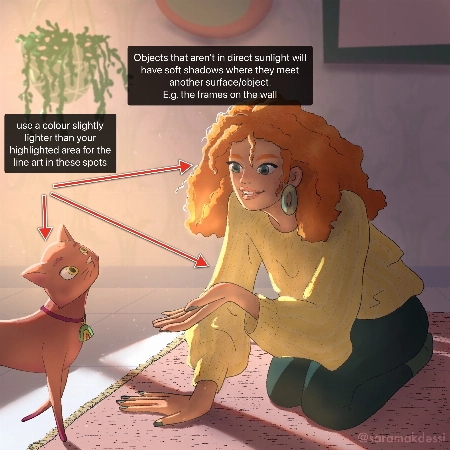
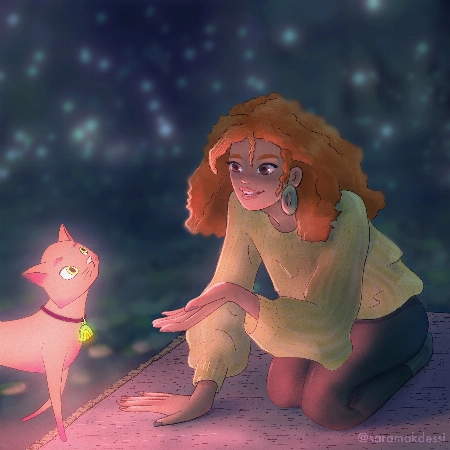
Sara Makdessi

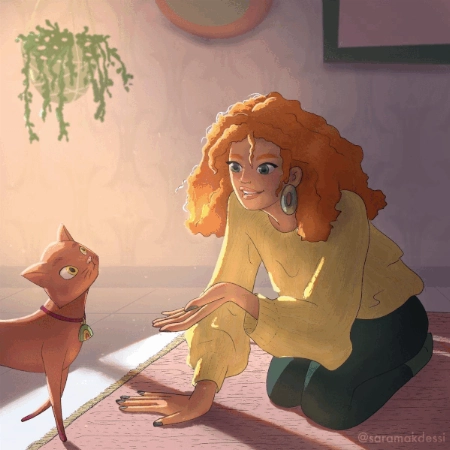
Hi Aveline, thank you so much for this fun and super informative course. I really enjoyed your lessons! Here are my interpretations of the four light scenarios with my characters. Any feedb... もっと見るack would be very appreciated. Many thanks, Sara
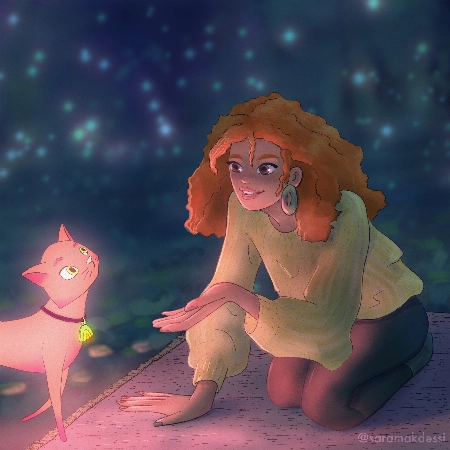
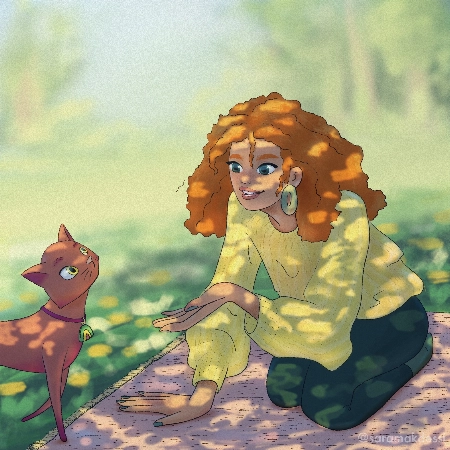
Rhea Tibbey
21 Draw認定教育助手

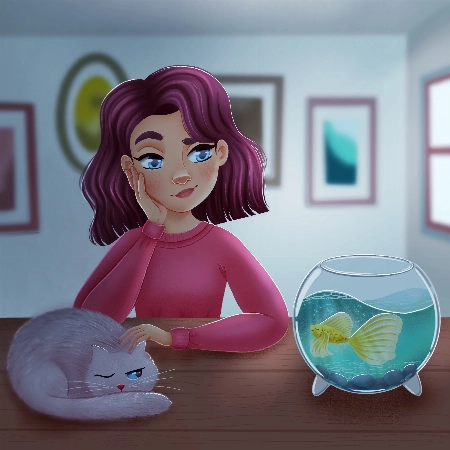
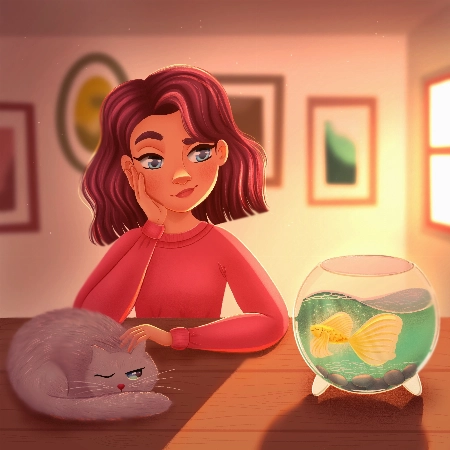
Hey Makdessi! These illustrations look amazing! You have done a great job of using the lighting and shading techniques from this course :)

Here are a few feedback suggestions that you could try in future illustrations/ to improve these:

  • In areas of your character that are highlighted, change the colour of your line-art to a colour brighter than the highlighted area.
  • Additionally, it can look nice if you set your line-art to a darkened version of an ambient colour in your image rather than black.
  • Add soft shadows to objects that aren't in direct light.
  • For your night-time scene, you could decrease the saturation of the background and perhaps add even more blur to make your character stand out even more.

Try these out and see what you think! Wishing you a creative week, Rhea
学生の質問
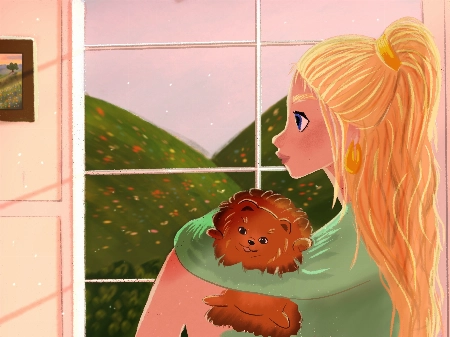
Polina Lutseva

Hello!! I love the course and tried to do all types of lighting by myself, it would be really great to hear feedback, comments and critics about my work. Thank you very much in advance!! Pa... もっと見るuline
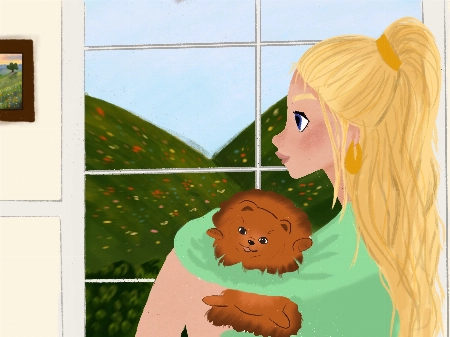
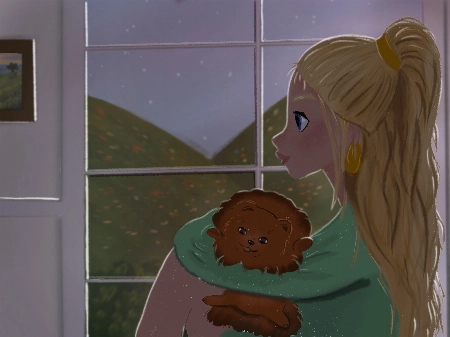
Rhea Tibbey
21 Draw認定教育助手

Hello Polina! I love your drawings, they are so gorgeous! Thanks for sharing them :)

Check out my feedback below and notes I have added to your drawing! I hope you find them helpful :)

  • Don’t be afraid to use ‘Overlay’ blending layers with vivid colors to help establish the time of day, especially for the sunset and daytime photos.
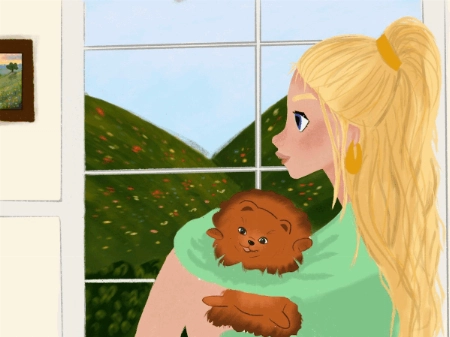
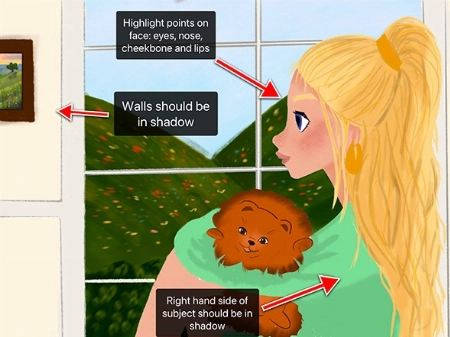
  • In the indoor scene: the walls and the character should be in soft shadow due to the backlighting from the window.
  • Your character has a few spots on their face that might have highlights including their: eyes, nose, lips and cheekbones.
  • Your overcast lighting scenario could be de-saturated to convey the gray-diffused light source. This is something you can adjust using the ‘Hue, Saturation and Brightness’ tool.
  • Even on an overcast day you will still have some soft shadows where clothes fold or different objects meet each other.
  • You can try and make the direction of your light source more clear by adding color variation to your sky using an overlay or multiply layer.
  • When in doubt, practice by studying photographs! This can be a great way to learn about illustrating hard shadows.

I have attached some images with tips and edits to help guide you through this process. Let me know if you have any questions :)
学生の質問
LB
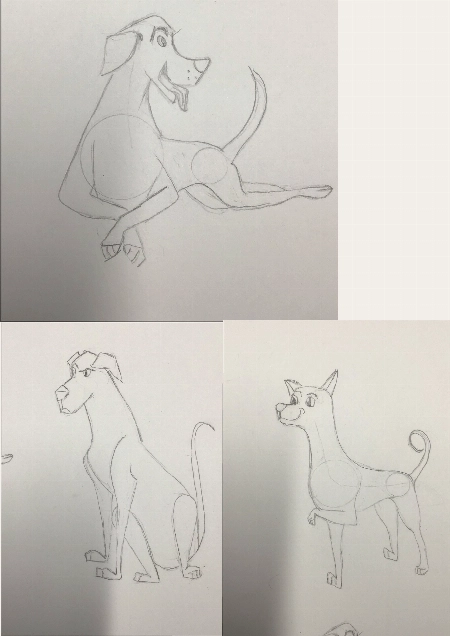
Louise Broesky

I have never used Procreate before so I did the first lessons on paper working my way through the other ones I’m not used to drawing with circles and lines of actions. I pick a body part ... もっと見るand then I draw from there that’s what I’m used to so I didn’t use the circles the way I was supposed to
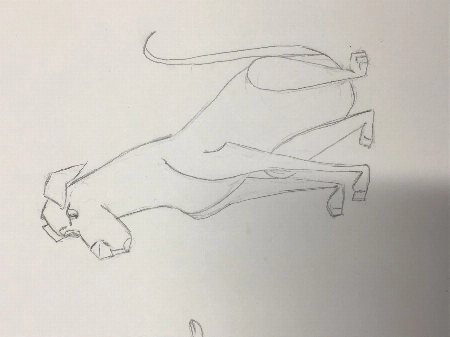
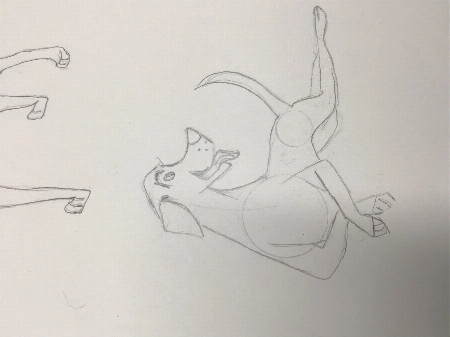
JP
Jessica Paton
21 Draw認定教育助手

Hi Louise!

This is such a great drawing so far!

I do recommend trying to start a drawing with the basic shapes before you get too far into detail to make sure that the drawing has a solid foundation.

  • Break things into spheres and cylinders. Spheres for the head and joints, and cylinders for the limbs and snout. Using these as a guide and it will help add dimension

  • Another thing that will add dimension is layering one shape of the other. Having a shape hidden behind another will instantly add a sense of 3D.

  • Think about their skeleton! Look at where their bones bend. This is the natural basic building of an animal. You don't have to draw every bone, but you can break it into areas - The ribcage as one oval, the pelvis as another. The forearm bone as a cylinder, the joints as spheres. It helps a lot to understand how a creature can move and bend, and how they can't.

You're well on the right track and each drawing you have done is very expressive and has lovely poses, good job!
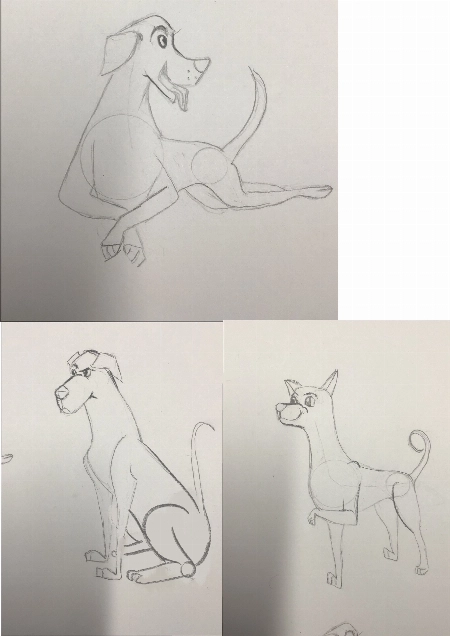
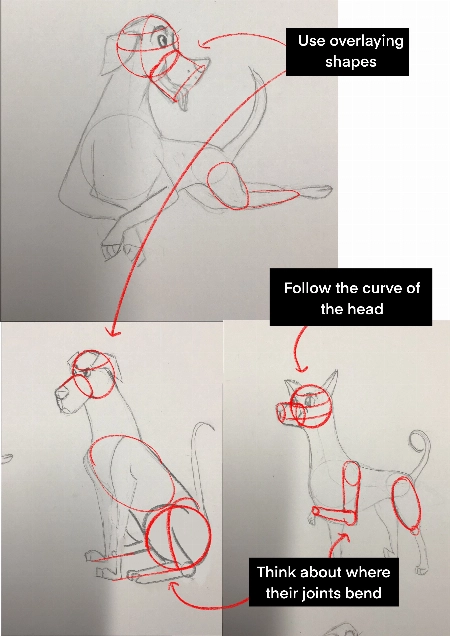
私たちの比較方法

プレミアムクラス
簡単なステップバイステップのシステム
認証済みアーティストと教師
構造化されたカリキュラム
広告なし動画
無駄な情報は一切なし
生涯アクセス権
質問への回答を得る
フィードバックのために絵を送信
コースリソース
プロジェクトファイル
Free eBook
コース修了証明書
今すぐお得に!期間限定です!
30日間返金保証!

EARN YOUR CERTIFICATE

各クラスを終えると、修了証が得られます。ポートフォリオやソーシャルメディアなどでシェアしてください。

よくある質問

バンドルのアクセス期間はどれくらいですか?いつ開始しますか?

How does lifetime access sound?

After enrolling, you have unlimited access to this bundle for as long as you like - across any and all devices you own.

Inside the program you have access to all the resources files and teaching assistants to answer any question you may have.

これらのコースはオンラインですか、それともライブですか?

All classes are pre-recorded and you can watch them online with any digital device, anytime, and for an unlimited number of times! This means you can easily watch (and rewatch) them at your own pace and convenience.

We also have bonus live sessions that are free of charge for all our students.

これ全部YouTubeで学べないの?

Youtube is a fantastic resource with more free tutorials than any individual is capable of watching on improving your art skills.

But a side effect of only learning on Youtube is that you'll waste dozens of hours learning the same thing, searching for tutorials only to find partial answers and not having precise exercises designed to help you truly learn the skills you're after.

If you want to develop your skills FAST, then our classes are for you.

Plus, what is your time worth?

This bundle will save you weeks of frustrated time searching for answers and rapidly increase your digital illustration skills.

For some - thats $99 well spent!

If your time isn't worth that yet...

Stick to Youtube until it is!

このバンドルはどのスキルレベル向けですか?

The classes in our bundle are approachable for beginners and has advanced techniques for those with more experience.

If you have no art experience whatsover or struggle to draw a basic character, we recommend starting off by taking our 'Learn to draw in 21 days' classes.

このバンドルは英語以外の言語で利用できますか?

All classes are available in English (original narration) and most have dubbed narration in Spanish, French, Italian, German, & Portuguese.

Subtitles are available for all course in the following languages: English, Spanish, Japanese, French, German, Italian, Portuguese & Indonesian.

保証はありますか?

もちろんです!すべてのバンドルには30日間の満足保証があります。完全に満足し、啓発されなければ、30日以内にご連絡ください。質問なしで全額返金いたします!
21 Drawが登場したメディア...

21 Drawとは?

2013年以降の数字:
  • 7万人の強いコミュニティ
  • 4万冊のアートブック販売
  • 10k Kickstarterサポーター
  • KSで$632kが資金提供されました

2013年にスウェーデンで21 Drawを始めたのは、皆さんがより良いアーティストになるお手伝いをするためです!

21 Drawという名前は、始めた当初21人のアーティストを雇う予算しかなかったためです。しかし、多くのアーティストが参加に熱心だったので、さらに多くのアーティストを追加し、本からオンラインコースまで、より多くの製品を作ることができました。

私たちの目標は、世界最高のアーティストと共に働き、コミュニティとあなたの芸術的な目標を達成する手助けをすることです。素晴らしいアート教育を皆に手頃な価格で提供したいと思っています。

閉じる
Get Bundle for ONLY $99 ($595)! 30日間返金保証