セールは今日で終了! 年会員が75%割引で。スキルを身につけよう。


 英語, スペイン語, さらに3
フランス語, イタリア語, ドイツ語
英語, スペイン語, さらに3
フランス語, イタリア語, ドイツ語
 英語, スペイン語,
さらに3
フランス語, イタリア語, ドイツ語
英語, スペイン語,
さらに3
フランス語, イタリア語, ドイツ語
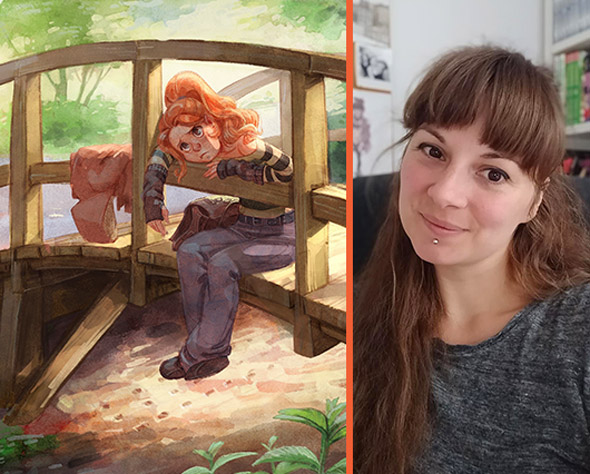
Simone Grünewaldはドイツ出身のアーティストで、ゲーム業界で10年以上働いてきました。彼女はユーモラスなキャラクターや日常テーマの描画で知られています。
 30日間返金保証
英語, スペイン語 , さらに3
30日間返金保証
英語, スペイン語 , さらに3  英語, スペイン語 , さらに3
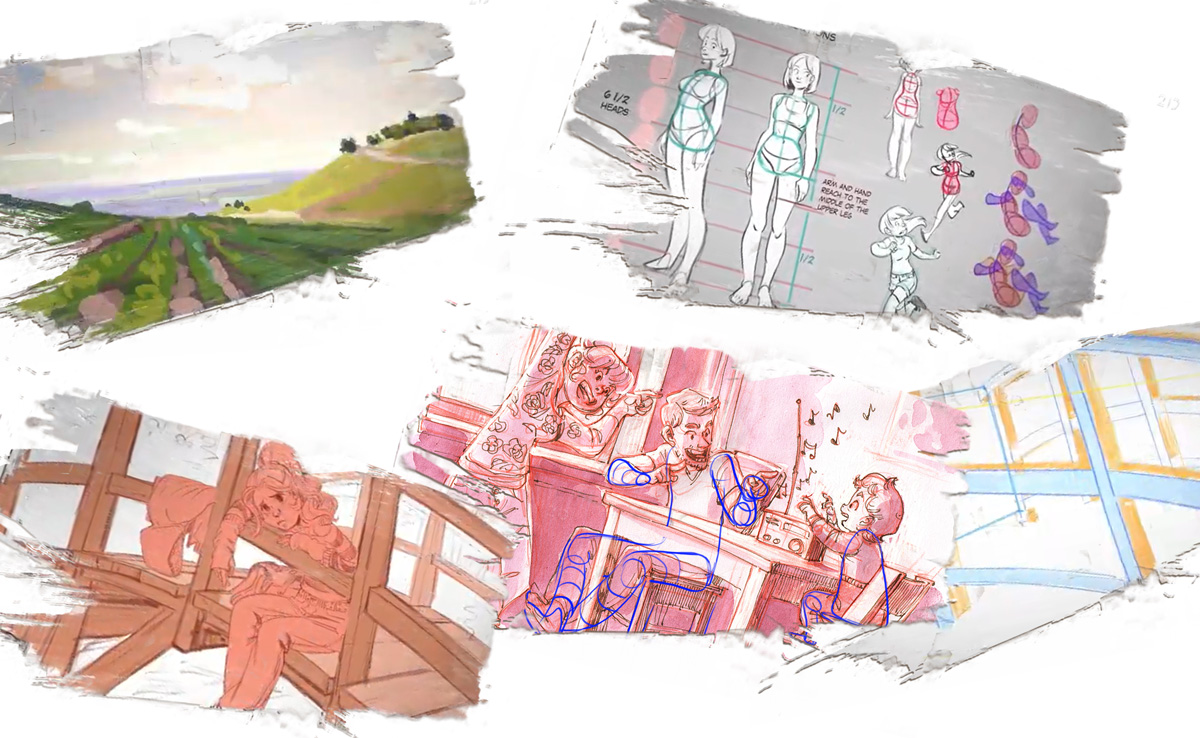
シモーネのイラストプロセスのウォークスルー参照を組み合わせてイラストを計画しインスピレーションを見つける方法自然な見た目の植物を描くコツを含む、美しい環境を作る方法キャラクターを背景に統合する地平線や遠近法、さまざまな照明効果などの概念を理解するセミリアルなキャラクターの解剖学と構造を学ぶパースグリッド、クリッピングマスク、描画アシストなどの便利なデジタルツールを活用するデジタルイラストに伝統的な雰囲気を与えるブレンドモードを習得して照明、暖かさ、影を追加
英語, スペイン語 , さらに3
シモーネのイラストプロセスのウォークスルー参照を組み合わせてイラストを計画しインスピレーションを見つける方法自然な見た目の植物を描くコツを含む、美しい環境を作る方法キャラクターを背景に統合する地平線や遠近法、さまざまな照明効果などの概念を理解するセミリアルなキャラクターの解剖学と構造を学ぶパースグリッド、クリッピングマスク、描画アシストなどの便利なデジタルツールを活用するデジタルイラストに伝統的な雰囲気を与えるブレンドモードを習得して照明、暖かさ、影を追加真っ白なページは怖いものです!絵を描きたい気持ちになってスケッチブックを開くものの、少し落書きしてみては、フラストレーションを感じて脇に置いてしまうこともありますよね!なぜなの!?
安心してください!あなたは一人じゃありません。多くのアーティストがまさに同じことを経験しています。シモーネがこれを避け、代わりに超インスパイアされる方法を教えてくれます!
彼女は、美しい背景を一から描くプロセスを一緒に進め、何をしているのか、なぜそれをしているのかを詳しく説明し、すぐにイラストに応用できるたくさんの役立つアドバイスを提供します。
色と光の働き、キャラクターを美しい背景に統合する方法を発見し、構造物(橋など)や自然な見た目の葉を作成するための便利なショートカットも学びます。
シモーネはまた、水平線、ライティング効果、パースペクティブ、前景、中景、背景面といった概念も教えてくれ、環境シーンを作成する際のしっかりした基礎を提供します。
この素晴らしいコースでたくさんの新しいスキルとコンセプトを学び、キャラクターと背景に取り組むための新たな自信を持って進めるようになります!
 5+時間のオンデマンドビデオ
 6 チートシート/ガイド
 9 参照イメージ
 おすすめのブラシのリスト
 ボーナスマテリアル
 レイヤードPhotoshopファイルレイヤードProcreateファイル
 修了証明書
修了証明書
コースへようこそ!シモーネを知り、彼女の魅力的なコースで何が待っているかを発見しましょう。
このレッスンでは、プロのアーティストが成功のために身につけている重要な習慣を発見します。
Simoneは、アーティストブロックを避ける方法、スタディの重要性、そしてそれを自分で行うためのヒントを教えます。また、参考資料を集めて組み合わせ、適応させ、著作権侵害を避ける方法も学びます。

スケッチを始めてアイデアを探る方法を学びましょう。Simoneが、自分に問いかけるべき質問、ラフなサムネイルの描き方、前景、中景、背景の平面がなぜ重要か、そして他のプロのヒントを解説します。
この段階では、勝利するコンセプトを確立し、イラストのしっかりした基盤を築くことができます。このプロセスに従うことで、後で修正が面倒なミスを避けることができます!
Simoneは、新しいイラストを作成するときにProcreateで使用するツールの概要を教えてくれます。
Simoneがどのブラシを使っているのか、そしてその理由も発見できます!また、パースグリッドの使い方、参照写真のインポート、設定の調整でスケッチを自然に感じさせる方法、作品の変形と調整方法も教えてくれます。
Procreateがなくても心配いりません。PhotoshopやClip Studioでも大丈夫です。
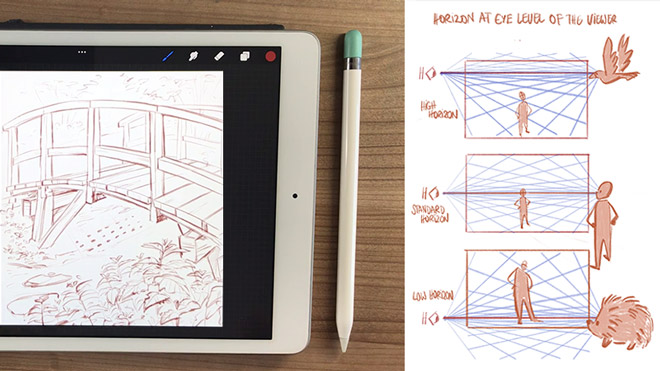
Let the fun begin! Get ready to put stylus to canvas in this lesson, starting out with constructing your background with the help of some awesome digital tools.
Grasp key composition principles that aid in good storytelling, such as the low, mid, and high horizon lines, when to use thick and thin line art, and how to give plants a natural, organic look.
Simone will also show you in detail how to draw straight, accurate lines and angles using the Perspective grid and ‘Assisted drawing’. Just these tools alone will make your life soooo much easier!
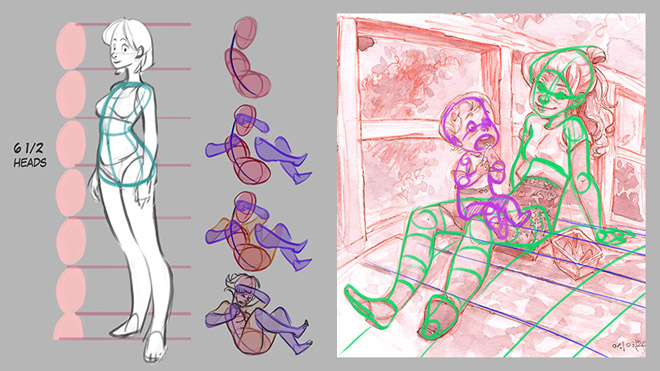
Having the background defined before adding the character makes it much easier to integrate them together nicely.
But, how do you fit a character into a background and ensure that it’s the correct size and angle? Simone will share her personal tricks to accomplish this and explain the basics of semi-realistic anatomy, including how she draws hands, heads and torsos. Sweet!!!
You’ll also learn the steps she goes through to take a rough character to the final line art stage, such as starting with the ‘body bean’ and why, using the Warp Tool to adjust size and angles, drawing joints to help with proportions, thinking about volume and more!
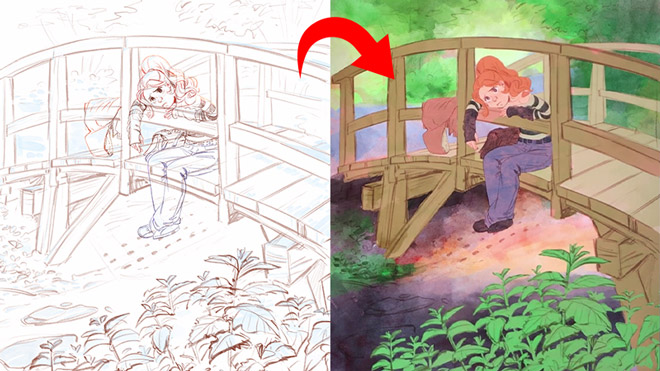
Moving on to the exciting part: adding color to your illustration! Simone shares industry techniques for coloring such as blocking in the base colors, using clipping masks to color different elements quickly, and adding variance in hue/ saturation.
Plus she also explains personal hacks she uses time and again to create a more natural, traditional feel, such as painting red as the base color, using Multiply for shadow, and manipulating watercolor brushes.
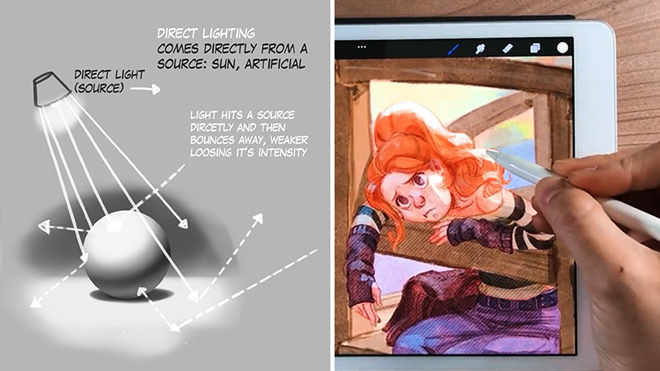
Explore the fascinating topic of painting light and shadows, giving your artwork a sense of depth and realism. You’ll learn about indirect, direct, bounced, and rim light, ambient occlusion, and more and understand how to add them to your digital painting.
Your instructor will also show you the tools to adjust your lighting and shading until it looks just right! She’ll continue working on her background scene, explaining exactly what she is doing so you can follow along!
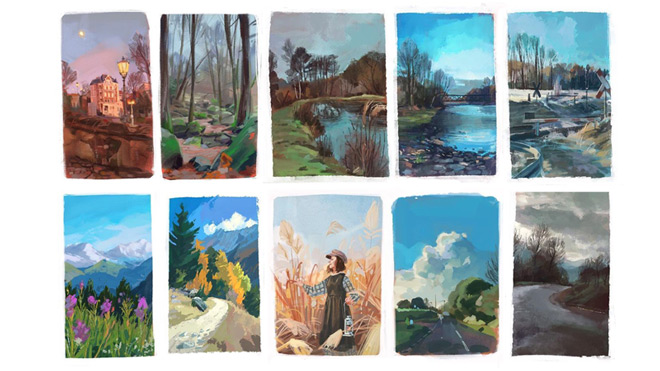
Learn how to add finishing touches in this last session that really bring all the elements together for a cohesive final look, with the character fitting seamlessly into the background.
Simone will teach how to color the line art, intensify lighting and clean up messy edges, use blend modes such as soft light and screen, and more to achieve the desired effect.
Well done! You’ve made it to the end and acquired lots of new skills on the way! Bravo!!!
コース評価
(162件のレビューに基づく)
1 コース
Simone Grünewald、別名“Schmoe”はドイツ出身のビジュアル開発アーティストで、アートディレクター、キャラクターデザイナー、2Dアニメーターとしてゲーム業界で10年以上働いていました。
Simoneをフォローする




21 Drawは、あらゆるスキルレベルの学生がより良いアーティストになるためのオンライン学習コミュニティです。私たちのアーティストや講師陣は世界最高峰です。
www.21-draw.comのストリーミングプラットフォームでは、ディズニーやマーベル、DC、ドリームワークス、ピクサーなどで働いてきた業界の伝説たちによる何百ものビデオレッスンを誰でも視聴できます。メンバーシップに加入すると、ストリーミングプラットフォームに完全にアクセスできます。
books.21-draw.comでは、コースとは別に人気の学習用電子書籍や物理書籍を購入でき、こちらもアート業界の大物たちによって届けられます。
メンバーシップに加入すると、世界最高のアーティストが教える75以上のすべてのコースに無制限でアクセス可能です。さらに、新しいコースがリリースされるたびにアクセスできます。
各クラスには10〜20のビデオレッスンが含まれており、平均して7分です。ほとんどのクラスには、練習シート、課題、レイヤー化されたPSDまたはPNGファイルが含まれています。
一部のクラスでは、パブリックフォーラムで講師とチャットできる機能もあります。例えば、あなたの作品にフィードバックが欲しい場合などです。
はい!21 Drawのコースを修了すると、修了証を受け取ることができ、ダウンロードして友人や親戚、同僚、そして将来の雇用主と共有できます!
21 Drawのコースはオンデマンド(事前録画)されたビデオチュートリアルで、どのデジタルデバイスでもいつでも何度でもオンラインで視聴できます!つまり、あなたのペースと都合に合わせて簡単に視聴(再視聴)できます。
私たちのクラスはすべてのレベルに対応しています。たとえ全くの初心者でも大丈夫です。初心者、中級者、上級者を問わず、すべてのレベルのアーティストがこれらのコースから利益を得ることができます。
私たちのコースの多くのレッスンは、デジタルアートと伝統的なアートの両方に適用できます。一部のチュートリアルでは、PhotoshopやiPad用のProcreateといったデジタル描画ソフトが必要ですが、大部分のレッスンでは基礎的なコンセプトが重視され、ペンと紙があれば十分です。
サイトからコースの資料(練習シート、課題、PSDファイルなど)をダウンロードすることはできますが、ビデオレッスンをコンピュータにダウンロードすることはできません。
はい、こちらで学習パスをご覧ください こちら。
通常、年間$235ですが、現在、期間限定の特別セールを実施中です:75%割引!つまり、年間$59 USDで会員になれます。
割引価格で年間会員を購入すれば、その価格は会員がキャンセルされない限り、毎年維持されます。
もし何らかの理由で私たちのコースに満足できなかったり、求めているものと違ったりした場合は、このフォームに記入するか、[email protected]までメールしてください。購入から30日以内であれば、質問なしで全額返金します。皆さんに安心していただける保証です。


 この価格で残っている!75%保存契約なしいつでもキャンセル可能30日間返金保証








 ギフトカード