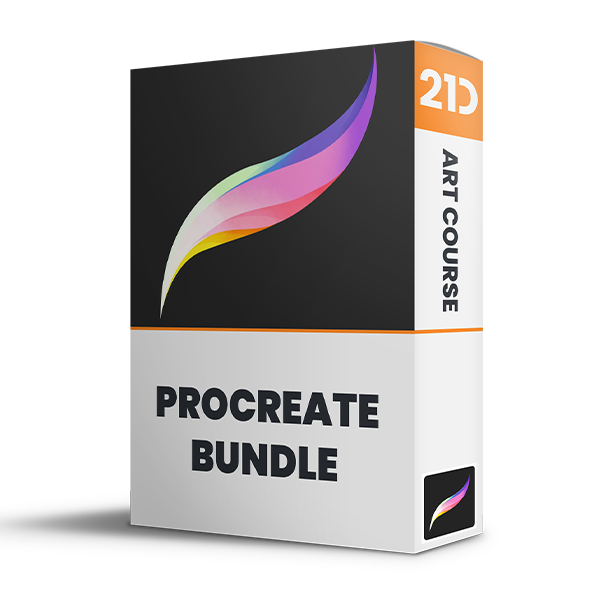
Save 83% on course bundle.

Master Procreate with Not Just One, but 10 World-Class Artists!

Unlike classes with only 1 kickass artist, this 11-course bundle has tutorials by 10 PROS who work for Disney, Marvel, DC... You'll learn more and faster with artists of different art and teaching styles.
4.8
(na podstawie 4,392 recenzji)

Get Lifetime Access. One-time payment.

Get Bundle for ONLY $99 ($595)!
30-dniowa gwarancja zwrotu pieniędzy!

SPECIAL SALE! FREE Gift If You Order NOW!

Ucz się od MISTRZÓW branży

We curate our roster to bring you the best artists & even better teachers.
327k obserwujących

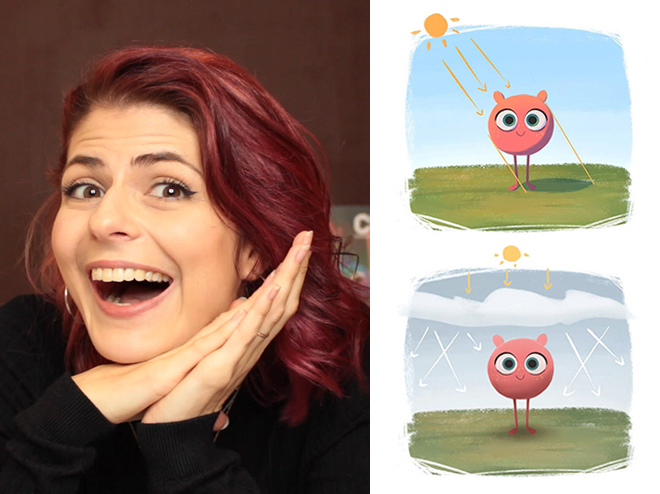
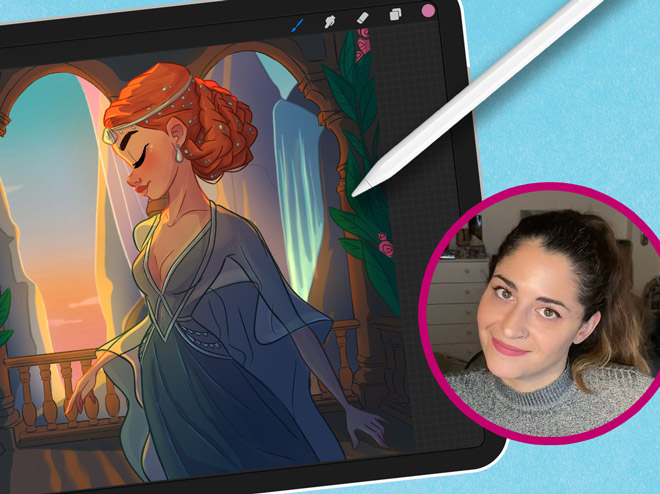
Aveline Stokart

Master Lighting & Shading
249k obserwujących

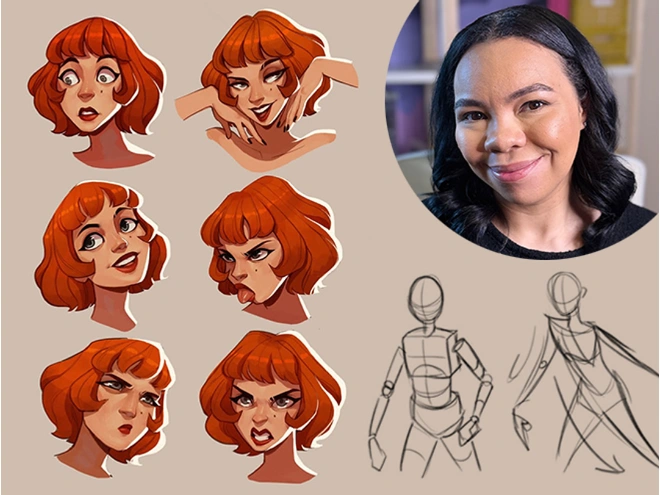
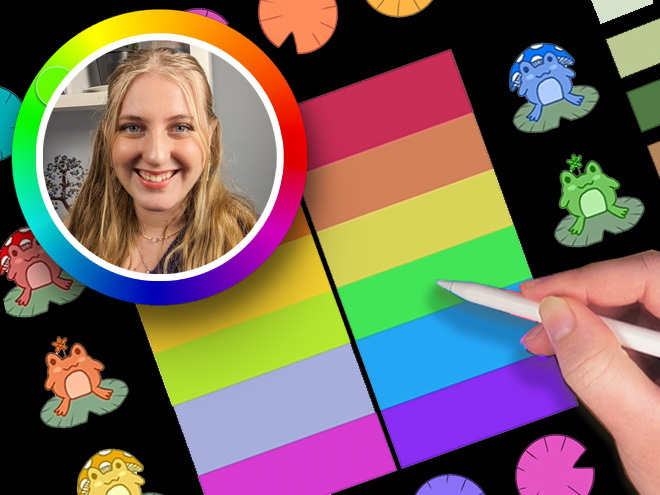
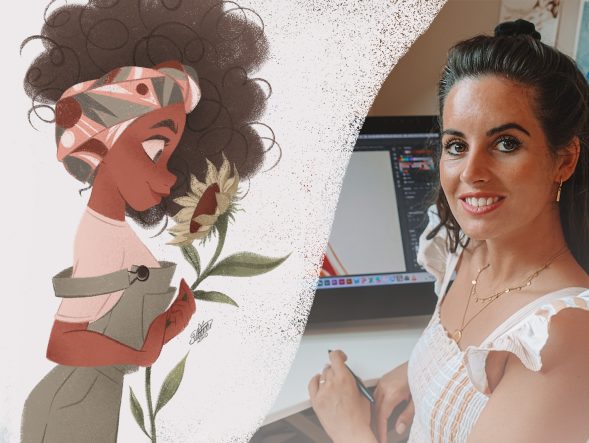
Erika Wiseman

Set up your digital workspace

1.1mn obserwujących

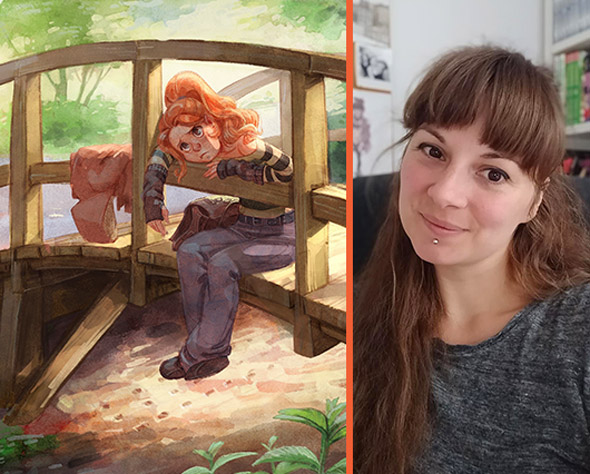
Feefal (Linnea Kikuchi)

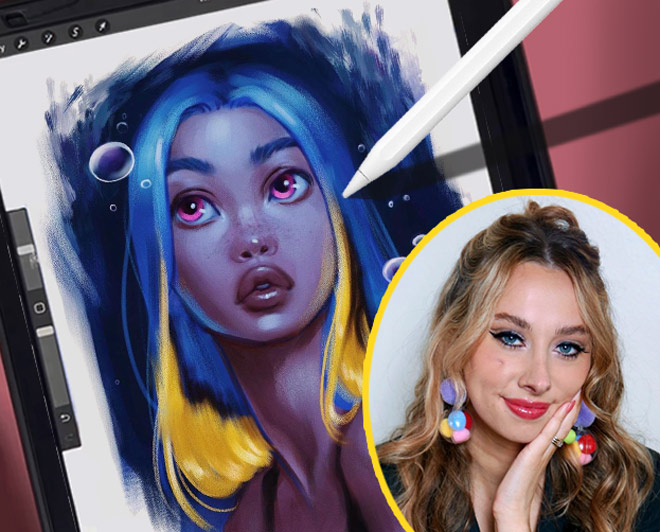
Create beautiful illustrations

611k obserwujących

Simone Grünewald

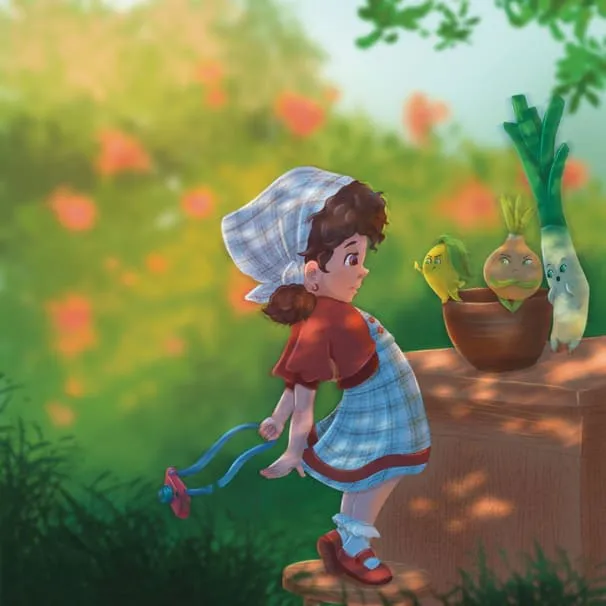
Paint a beautiful background

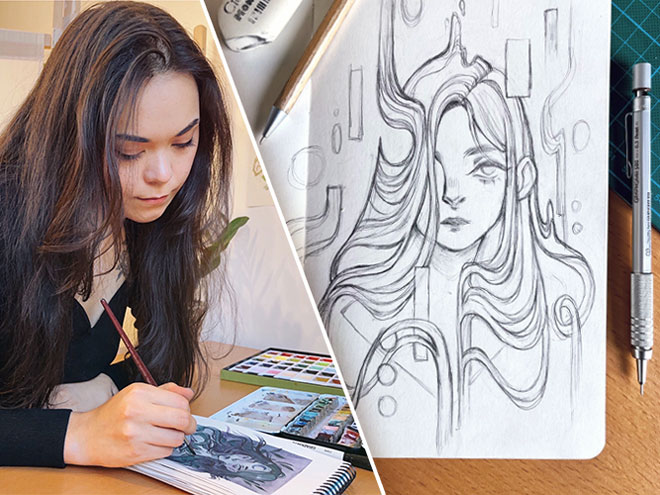
382k obserwujących

Isabelle Staub

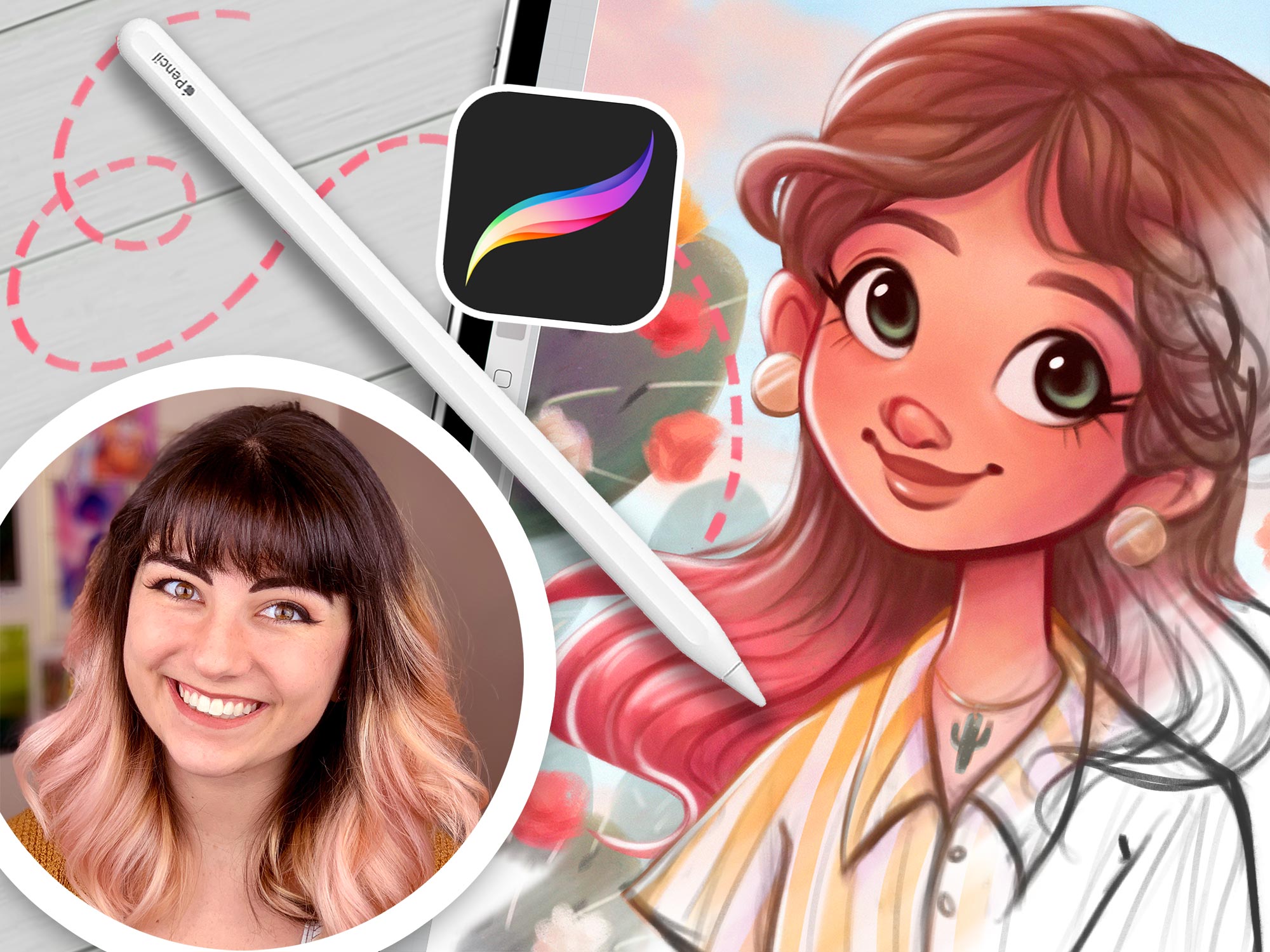
Master the basics of Procreate & avoid common mistakes
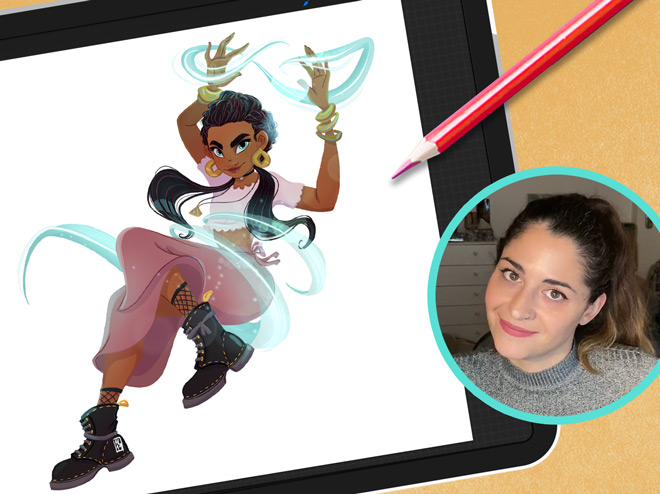
97.6k obserwujących

Maria Lia Malandrino

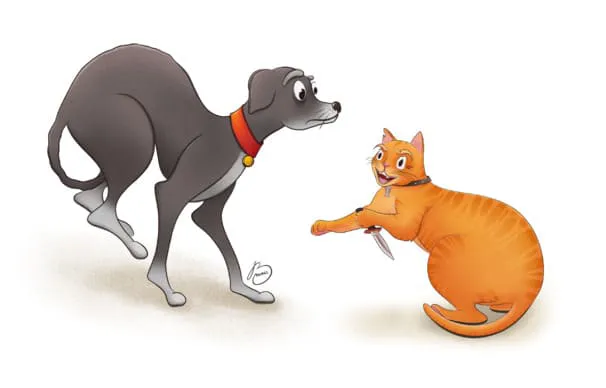
Draw a cartoon character & make your art shine
189k obserwujących

Meike Schneider


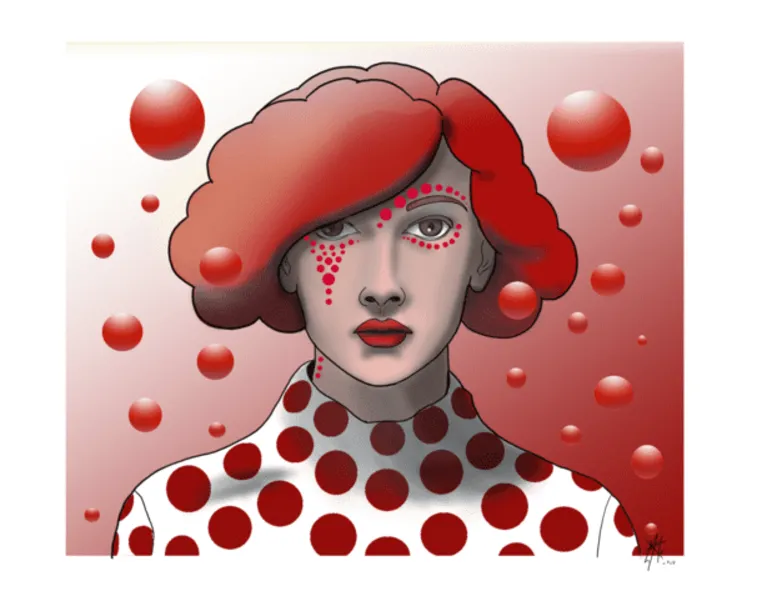
Draw a Female Character
119k obserwujących

Lauren Barger

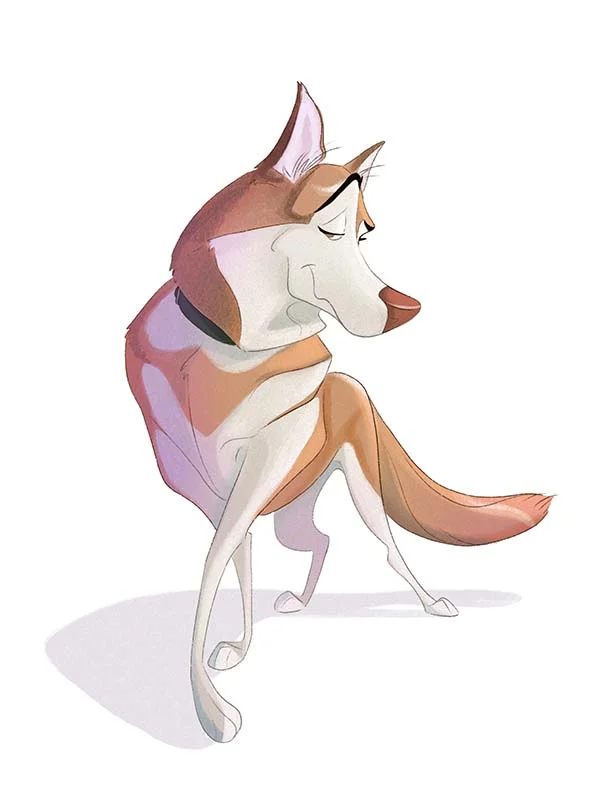
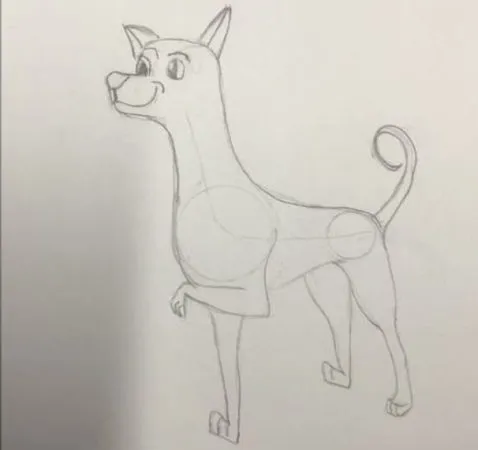
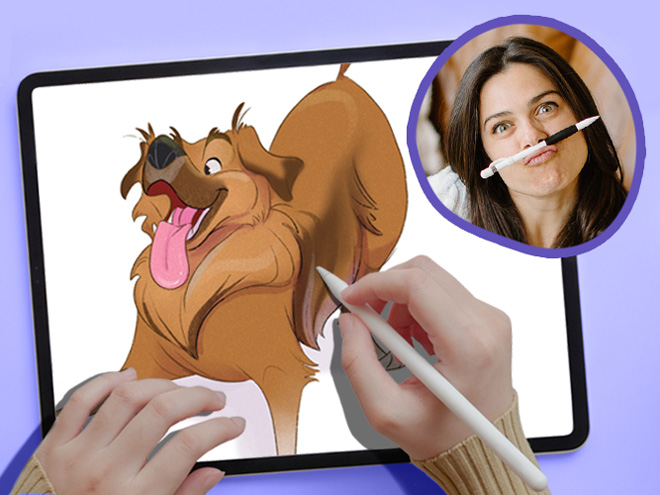
Drawing Pets from Scratch

129k obserwujących

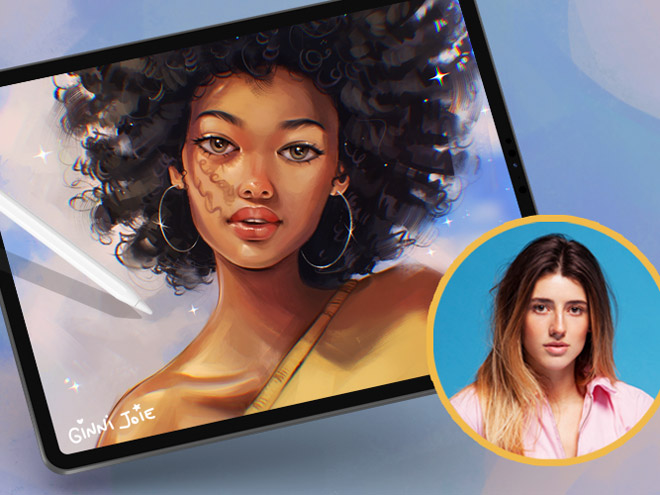
Ginevra Girgolo

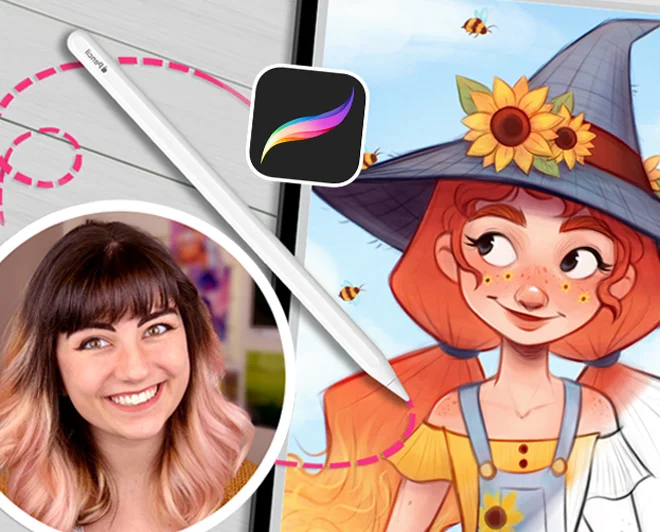
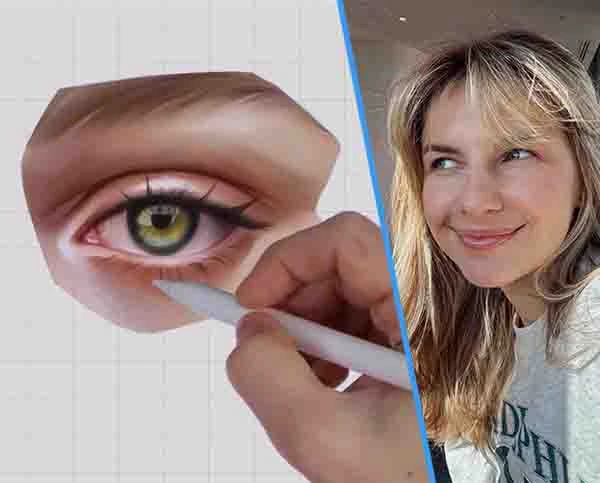
Painting Portraits in Procreate
600 obserwujących

Rhea Tibbey

Introduction to Color Theory
200+
Lekcje w małych porcjach
65k+
students since 2020
21+
Godziny lekcji
10
Nauczyciele światowej klasy

Check out the 11 courses in this bundle

"These classes are a whole different level of awesome…"

Packed with tutorials by top illustrators, it feels like you are at a cafe table with INSANELY talented professionals!

Each of them works in their own style and describes things in their own way.

Not only do they show their artwork, but they’ll show you EXACTLY what they’re doing, and how they break down their process, step-by-step.

Unlike other tutorials, which can sometimes feel rigid, too clinical, or uninspiring. These feel natural and conversational.

This bundle doesn’t restrict itself to being for beginners, intermediate, or advanced artists.

Instead, it’s created by artists for artists! And we’re confident that artists of ALL SKILL LEVELS will gain A LOT from watching these classes!

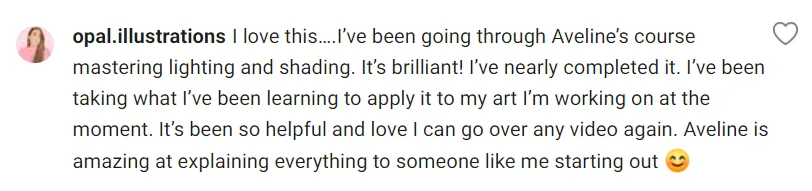
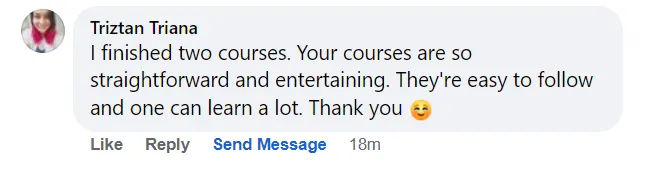
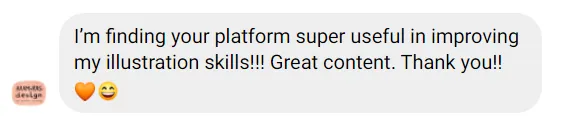
Don’t take our word for it! See below why thousands of our students love it!

Ryan, from 21 Draw

Co mówią studenci

4.8
(na podstawie 4,392 recenzji klientów)
OP
Oliwia P.
tydzień temu
Zweryfikowany zakup
Miałam duży problem z przeniesieniem moich tradycyjnych rysunków do formy cyfrowej – moje szkice i prace zawsze wydawały mi się bardzo płaskie. Dzięki lekcjom Eriki udało mi się opracować metodę, która całkowicie odmieniła moje podejście do rysunku c
+ Pokaż więcej
yfrowego i teraz naprawdę to lubię! Mogę szczerze polecić ten kurs każdemu.
Recenzja kursu "21 dni do opanowania rysunku cyfrowego"
TP
Tomay P.
2 dni temu
Zweryfikowany zakup
Zgadzam się z wieloma innymi recenzjami, ten kurs zdecydowanie bardziej nadaje się dla kogoś, kto zna się już na sztuce cyfrowej i korzysta z Procreate lub podobnego oprogramowania. Jako osoba, która pasuje do tego opisu i korzysta ze Sketchbook Pro,
+ Pokaż więcej
naprawdę wiele się nauczyłam! To fantastyczny sposób na doskonalenie umiejętności oświetlenia i cieniowania i na pewno będę korzystać z technik, które pokazała Aveline. To naprawdę poprawiło jakość moich ilustracji do książek dla dzieci.
Recenzja kursu "Opanowanie oświetlenia i cieniowania"
PB
Polina B.
3 miesięcy temu
Zweryfikowany zakup
Rysuję od dłuższego czasu i dawno nie czułam się tak zainspirowana przez nauczyciela. Aveline nie tylko opowiadała o swojej drodze, która może rezonować z nami wszystkimi (ponieważ znalezienie pracy w zawodzie artystycznym jest obecnie bardzo trudne)
+ Pokaż więcej
, ale także poprowadziła nas przez niesamowity las, jakim jest jej własne rozumienie światła i kolorów. Nie nazwę siebie początkującą; jestem raczej na średnim poziomie umiejętności. I szczerze mówiąc, nie było praktycznie niczego nowego, jeśli chodzi o to, jak światło działa fizycznie, ani jak należy pracować z kolorami, czego już bym nie wiedziała. Ale każda sekunda tego kursu była warta zachodu, po prostu dlatego, że sztuka to nie „naucz się, jak zachowuje się fizyka światła, a będzie dobrze”. Ten kurs szczegółowo wyjaśnia, jak profesjonalna artystka z nim pracuje. Jak załamuje cienie i światło, tworząc zachwycające, żywe dzieła sztuki. I dlatego takie kursy są ważne: mogą nie pokazać Ci nowych perspektyw fizycznych, ale nauczą Cię nowych sposobów pracy ze światłem i cieniem. A to pomoże CI wypracować własne metody poprzez naukę, obserwację, studiowanie i przejmowanie różnych nawyków od różnych mistrzów. Ogólnie rzecz biorąc, było niesamowicie. Gorąco polecam.
Recenzja kursu "Opanowanie oświetlenia i cieniowania"
JR
Jovana R.
miesiąc temu
Zweryfikowany zakup
Chciałem tylko powiedzieć, jak bardzo jestem pod wrażeniem Twojej ogólnej koncepcji i podejścia do ilustracji. Twoja kreatywność i sposób, w jaki wszystko prezentujesz, sprawiają, że nauka jest naprawdę inspirująca. Podoba mi się wysiłek i pasja, któ
+ Pokaż więcej
re wkładasz w swoją pracę. To była prawdziwa przyjemność uczyć się z Twoich lekcji. Dziękuję za tak przemyślane i inspirujące doświadczenie.
Recenzja kursu "21 dni do opanowania rysunku cyfrowego"
JL
Jacinta L.
miesiąc temu
Zweryfikowany zakup
Korzystam z Procreate od około roku i to zdecydowanie najlepszy kurs, jaki kiedykolwiek ukończyłam. Wszystko jest takie proste, ale niczego nie da się po prostu opanować, bawiąc się. Wszystkie jej lekcje były niezwykle cenne, naprawdę świetne wskazów
+ Pokaż więcej
ki, łatwe do zrozumienia i będę do tego kursu wracać wielokrotnie, aż poczuję się pewnie w opanowaniu tych umiejętności. Gorąco polecam.
Recenzja kursu "Procreate Made Easy"
KB
Kayla B.
miesiąc temu
Zweryfikowany zakup
Uwielbiam też to, że mówi, jak dodawać różne składniki i zmieniać pędzle, ponieważ byłam CAŁKOWITYM nowicjuszem, kiedy zaczynałam i byłam tak słaba w robieniu CZEGOKOLWIEK, że teraz robię to OD ZAWSZE, a ona i tak mnie czegoś nauczyła!!!
+ Pokaż więcej
Recenzja kursu "21 dni do opanowania rysunku cyfrowego"
AW
Adèle W.
miesiąc temu
Zweryfikowany zakup
Chociaż miałam wrażenie, że niektóre filmy na końcu nie były ułożone w odpowiedniej kolejności chronologicznej (widać to było po warstwach, które nie pasowały do ​​siebie między 2 a 3 filmami), to był bardzo dobry kurs i wiele się nauczyłam! Jest bar
+ Pokaż więcej
dzo utalentowana i odkryłam mnóstwo technik. Jestem bardzo szczęśliwa i dziękuję za podzielenie się!
Recenzja kursu "Malowanie Portretów w Procreate"
MG
Mary G.
miesiąc temu
Zweryfikowany zakup
Ten kurs był dla mnie rewolucyjny, kiedy zaczynałam uczyć się kolorowania i oświetlenia w programie cyfrowym. Nadal odwołuję się do wiedzy zdobytej na tym kursie w mojej sztuce, a przecież po raz pierwszy wzięłam w nim udział jakieś 6 lat temu! Gorąc
+ Pokaż więcej
o polecam go każdemu, kto potrzebuje pomocy w zrozumieniu światła i koloru. Przyda się również, jeśli chcesz nauczyć się obsługi Procreate w ogóle.
Recenzja kursu "Opanowanie oświetlenia i cieniowania"
DA
Denisa A.
2 miesięcy temu
Zweryfikowany zakup
Ten kurs online przerósł moje oczekiwania. Jako początkujący, uznałem wyjaśnienia krok po kroku za niezwykle przejrzyste i łatwe do zrozumienia. Pomogły mi one w solidnym zrozumieniu podstawowych narzędzi programu, a także bardziej zaawansowanych kon
+ Pokaż więcej
cepcji. Naprawdę wiele się nauczyłem i czuję się teraz o wiele pewniej korzystając z oprogramowania. Bardzo dziękuję — gorąco polecam ten kurs!
Recenzja kursu "Cyfrowe rysowanie w Procreate dla początkujących"
VA
Vanessa A.
2 miesięcy temu
Zweryfikowany zakup
Podoba mi się struktura części poświęconej harmonii kolorów i schematom kolorów, którą chciałbym uwzględnić również w metodzie skali szarości. Lekcja schematów kolorów zawierała film, który nie spieszył się, a który chciałbym wykorzystać w metodzie s
+ Pokaż więcej
kali szarości, ale był trochę pośpieszny.
Recenzja kursu "Wprowadzenie do Teorii Koloru"
ML
Matthew L.
4 miesięcy temu
Zweryfikowany zakup
Uważam, że jej instrukcje krok po kroku i wyjaśnienia są pomocne; jednak czasami mam wrażenie, że pod koniec pomija pewne kroki, na przykład to, które warstwy stosuje jako miękkie światło i nakładanie warstw. Przykłady są praktyczne i pomocne dla tyc
+ Pokaż więcej
h, którzy mają trudności z zastosowaniem teorii koloru w swoich pracach.
Recenzja kursu "Wprowadzenie do Teorii Koloru"
AM
Alyssa M.
5 miesięcy temu
Zweryfikowany zakup
Jeśli chodzi o to, co podobało mi się w kursie, to to, że autorka bardzo dobrze wyjaśnia swój proces krok po kroku, dzięki czemu wszystko wydaje się o wiele bardziej intuicyjne i łatwiejsze. Podoba mi się, jak używa różnych ołówków w szkicu, aby zmie
+ Pokaż więcej
niać grubość linii, co sprawia, że ​​szkic jest czysty i urozmaicony od samego początku, ponieważ mam problemy ze szkicowaniem, ale często używam mikronów, aby wszystko uporządkować, a one mi o tym przypomniały i dają dużą kontrolę nad grubością linii. Jej proces jest również bardzo prosty i ułatwia przejście na grafikę cyfrową, ponieważ autorka dobrze wszystko wyjaśnia, utrzymuje prosty proces cyfrowy i rozwija początkowy szkic, nie zasłaniając go. Myślę, że powodem, dla którego określiłam go jako średnio zaawansowany, a nie początkujący lub absolutnie początkujący, jest to, że jest on mocno ukierunkowany na Procreate. Można korzystać z innych programów do rysowania, ale Procreate jest o wiele bardziej usprawniony i prostszy, podczas gdy rysowanie bez tabletu na komputerze opiera się bardziej na znajomości skrótów klawiszowych i prawdopodobnie nie będzie tak intuicyjne, jak korzystanie z tabletu w sposób, w jaki robi to autorka. To dobry sposób na przejście na grafikę cyfrową, jeśli już trochę wiesz o cyfrze lub programie, którego używasz. Prawdopodobnie najlepszy, jeśli masz problem z uzyskaniem dobrego wyglądu w formacie cyfrowym lub jeśli naprawdę podoba Ci się jej styl artystyczny i chcesz przejąć jego elementy lub go naśladować. Ten kurs był niezwykle pomocny zarówno pod względem stylu artystycznego, jak i procesu.
Recenzja kursu "Wprowadzenie do kolorowania cyfrowego"
MH
Melanie H.
5 miesięcy temu
Zweryfikowany zakup
Erika tak jasno mi mówiła, co robić. Trudno było mi się powstrzymać od pomijania filmów, bo na początku wydawały się powolne, ale po kilku pierwszych filmach wszystko stało się jasne i zrozumiałam! Zawsze chciałam tworzyć sztukę cyfrową, ale było to
+ Pokaż więcej
zbyt trudne do zrozumienia, ale teraz mi się udało! Gorąco polecam ten kurs!
Recenzja kursu "Cyfrowe rysowanie w Procreate dla początkujących"
DA
Dilşad A.
5 miesięcy temu
Zweryfikowany zakup
To był bardzo skrócony kurs podstawowy i podoba mi się prostota wyjaśnień instruktorów. Nie sądzę, żeby to był kurs dla początkujących. Jest o wiele bardziej odpowiedni dla tych, którzy już znają Procrrate i wiedzą, jak rysować i rozumieć teorię kolo
+ Pokaż więcej
rów. Osoby szukające kursu dla początkujących powinny poszukać innego kursu.
Recenzja kursu "Procreate Made Easy"

Szybko zwiększ swoje umiejętności w Procreate

Learn from 10 of the world’s best artists

Learn how to create art from scratch in Procreate

Improve your ability to create amazing characters using Procreate

Opanuj zarządzanie warstwami, tryby mieszania i użycie pędzli

Take your Procreate skills to the next level with never-before-seen hacks

Transform your art from scribbles to incredible digital paintings you’ll be proud to share

Lifetime Updates + Future courses included

This bundle offers lifetime access to an expanding set of Procreate courses. When you buy this special pack, you’ll get instant access to 11 exciting courses. And guess what? You’ll also get new Procreate courses added automatically without having to pay extra! 🤩 This means your one-time payment grants you access to more resources over time! (And that’s why you should get this Bundle NOW before it gets more expensive!)

But wait, there’s more! All the courses in this pack, even the ones added later, will always have lifetime updates. That means your courses will stay up to date with the latest Procreate app updates and art trends.

We promise to keep making this pack better by adding new courses and keeping the old ones up to date. So get ready to have a blast learning art with Procreate!

comiesięczne aktualizacje
Nowe Zajęcia
Co miesiąc otrzymasz automatycznie nowe zajęcia bez dodatkowych opłat! 🤩
społeczność
Ponad 210 tys. członków
Uzyskaj dostęp do społeczności rówieśników i asystentów nauczyciela, aby otrzymać opinie i inspirować się tym, co inni dzielą się.

See why students are raving about our courses...

1/16

About the Bundle

Welcome to Your Ultimate Guide to Becoming an Independent Digital Artist!

This 11-course bundle is perfect for anyone who wants to learn how to improve their drawing on their iPad. Whether you’re just starting out or you’ve been drawing for a while, we’ve got classes for ALL SKILL LEVELS!

Procreate is an incredible tool that ANYONE can use, regardless of skill level.

We’ll take you from the basics to the advanced stuff, step by step. By the end, you’ll be a pro at drawing on your iPad (with a certificate to prove it!).

First, we’ll show you how to use brushes and teach you different painting techniques. Then, we’ll dive deeper into the art of shading and light, so your drawings look amazing.

Drawing on an iPad is so much fun! We’re excited to teach you all the skills you’ll need to bring your imagination to life in Procreate. 🎨🚀

With over 10 of the world’s best artists as your guide, this Masterclass STANDS OUT🌟 offering 16 times more content than typical courses.

In 200+ lessons (21 hours) you’ll learn to: 

  • Set up your digital workspace with Erika Wiseman 🖌️
  • Navigate & utilize Procreate’s main tools & features with Isabelle Staub 🌟
  • Select brushes that complement your style and drawings 🖌️
  • Hone your drawing technique and stroke pressure control ✍️
  • Explore concepts of light and shading with Aveline Stokart 💡
  • Discover time-saving shortcuts for efficient workflow 🕒
  • Uncover hidden tips and tricks for maximizing productivity 💡
  • Learn to create captivating time-lapse videos of your artwork 🎥
  • Master file importing and exporting processes 📤
  • And most importantly giving you the confidence to share your art! 💪
  • Each video lecture comes with easy-to-follow assignments that you can use to track your progress 📚

Get ready for an exciting adventure and discover how amazing you can be as a digital artist! Start now! 🚀
Zobacz, co nasi studenci myślą o zajęciach...

"Naprawdę warto!"
"Łatwe do śledzenia!"
"Great hacks!"
"Make your art pop!"
"Naprawdę zabawne!"
"Przyjazne dla początkujących!"
"Super informative!"

Czy jesteś gotowy, aby przejść od zera do bohatera? 💥

Get access now for $99 ($595)!
Pośpiesz się, tylko przez ograniczony czas!

Meet your instructors

21 Draw starannie dobiera nauczycieli, aby podarować Ci dostęp do najlepszych artystów i jeszcze lepszych nauczycieli.

Aveline Stokart

Aveline is not just an amazing comic book artist designing characters that feel real - she's also a fantastic teacher. And a very curious one too! She’s explored everything from drawing to pottery, always looking to try something new and make art that hits you right in the feels.

Isabelle Staub

From viral Disney reimaginings to Marvel collabs, this Philly-based digital artist dazzles with detailed portraits and character designs. With a passion shared through art and teaching, her creations are a must-see.

Feefal (Linnea Kikuchi)

Dive into Feefal's world, where cute meets the mysterious. With a palette that ranges from digital to traditional, her art is a favorite among over a million fans. If you're into charming yet slightly spooky visuals, she's your artist.

Erika Wiseman

This illustrator’s feed is a burst of joy with her colorful and cute creations. Starting in 2008, she's carved out a space where creativity meets encouragement, making her an inspiration for budding artists everywhere.

Simone Grünewald

Meet "Schmoe," your go-to artist for illustrations that breathe life into the everyday with charm and wit. Her vibrant creations, filled with humor and the realness of motherhood, are a breath of fresh air, promising a smile and a new perspective with every piece.

Maria Lia Malandrino

From video games to storybooks, this Italian artist brings tales to life with her vivid illustrations. Her diverse projects have captured hearts across the globe, showcasing her talent for creating engaging, narrative-driven art.

Meike Schneider

She’s transforming the 3D art scene with characters that leap off the screen. Drawing inspiration from animated classics, her work in character design and education is lighting up the industry, making her a beacon for aspiring artists.

Lauren Barger

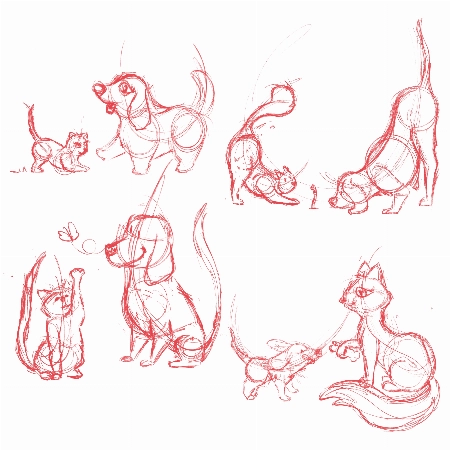
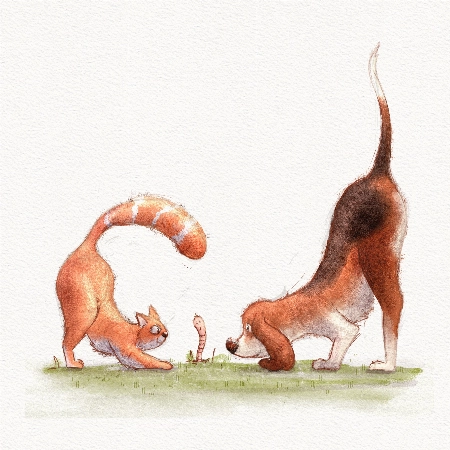
This artist transforms pets into digital art in Procreate, enchanting with her ‘Coffeedraws’ and humorous animal cartoons. Her collaborations with Disney and Mattel, paired with co-hosting MerMay, spotlight her as a beacon of creativity and fun in character design.

Rhea Tibbey

Meet our very own Australian illustrator from 21 Draw, creating whimsical fantasy characters and magical worlds. She's not just a creator; she's also a fantastic teacher. Learn the basics of color theory and more.

Ginevra Grigolo

This artist turns your everyday into stunning portraits that blend reality with a twist of fantasy. Her digital art has caught the eye of fans worldwide since 2017, making her a must-follow for anyone in love with unique styles.

21 Draw is more than just online classes…

We are much more than YouTube! Sometimes when you ask questions there, nobody answers you. But our community is full of people who actually want to help you! Our trained teachers are one of them. Always ready to answer any and all your questions.

Otrzymaj profesjonalną opinię

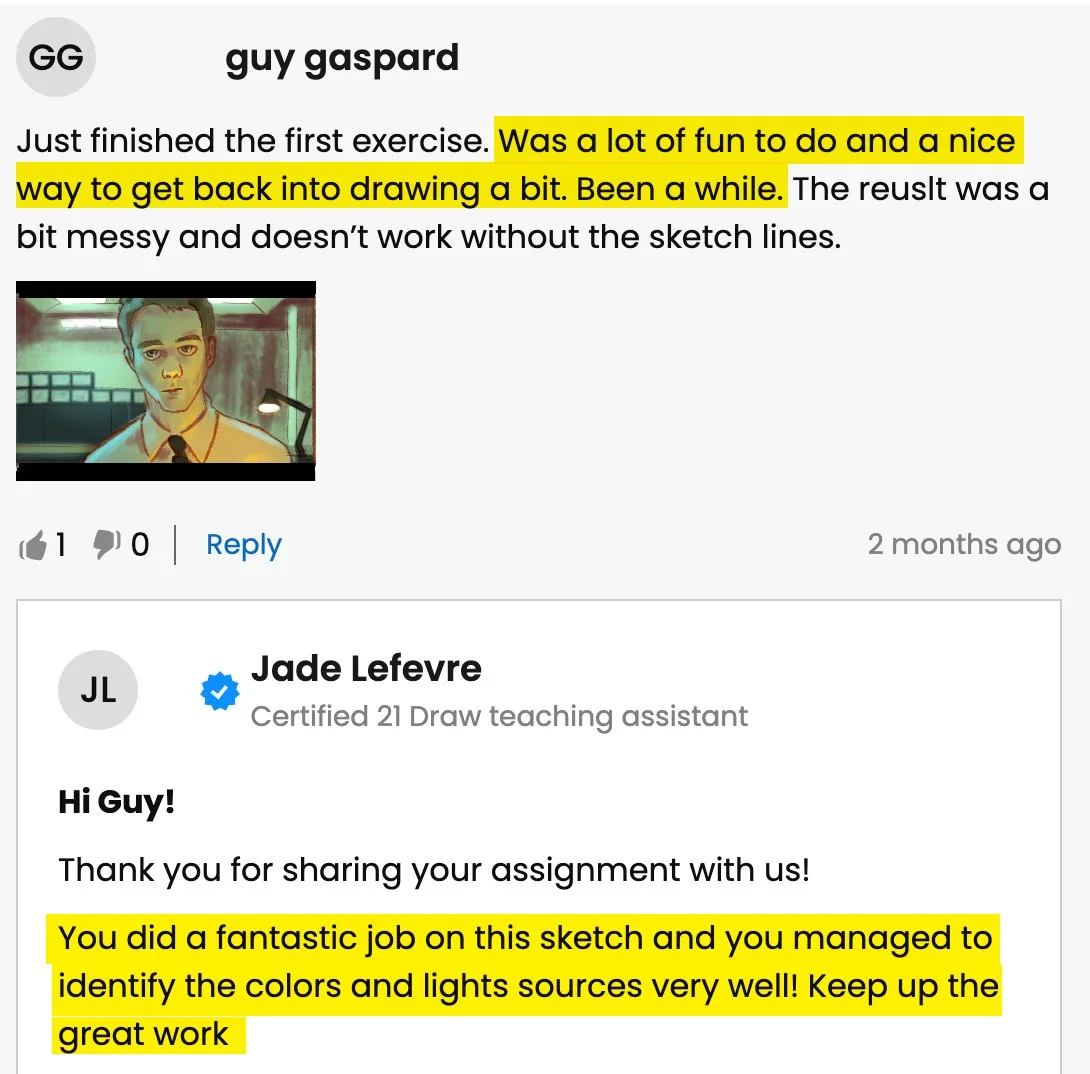
Otrzymaj szczegółową informację zwrotną od prawdziwego nauczyciela, kiedy zmagasz się z zadaniami lub dziełami sztuki.

Zdobądź pochwały

Podziel się swoją sztuką (jeśli chcesz 😉) lub ukończonymi zadaniami i otrzymaj pochwały od naszych nauczycieli!

Rozmawiaj z kolegami z klasy


Dołącz do naszej fantastycznej społeczności na Discordzie, gdzie możesz interaktywnie zadawać pytania i uczyć się od siebie nawzajem.

Ćwicz z zadaniami

Większość lekcji zawiera proponowane zadania i przykłady, aby pomóc w praktyce.

Wydarzenia na żywo

Ucz się na żywo od swoich ulubionych artystów.

Czy jesteś gotowy, aby przejść od zera do bohatera? 💥

Get access now for $99 ($595)!
Pośpiesz się, tylko przez ograniczony czas!

Ostatnie prace studentów

All the illustrations you see here are made by past and current students. And you can do it too. We let the results of our students speak for themselves. You’ll be able to do this too after following our in-depth easy-to-follow lessons.
1/11
Catie Ilic
Alisa
Jay Thatcher
Nida Özer
@saramakdessi
Cornelia Paulsson
Jason K.
Oksana Shvedenko
Louise Broesky
Viktoriya Storozhuk
N Goslett

Dla kogo jest ten pakiet...

Niedawno kupiłeś iPada i Procreate i chcesz zacząć

Szukasz zestawu ALL in ONE, który rozwiąże wszystkie twoje problemy z Procreate

Początkujący, którzy chcą polepszyć umiejętności projektowania postaci

Początkujący, którzy chcą nauczyć się rysunku postaci, pozowania i rysunku gestów w Procreate

Szukasz świetnych trików, wskazówek i porad do Procreate, których nie widziałeś nigdzie indziej

Trudności z nadążaniem za sztuką cyfrową po latach tradycyjnego rysowania

Chcesz podnieść swoje umiejętności w Procreate na wyższy poziom, nawet jeśli jesteś doświadczonym ilustratorem

Używasz Procreate, ale potrzebujesz nowej perspektywy

Dla osób dążących do profesjonalizacji swoich umiejętności w sztuce cyfrowej i zarabiania na swojej sztuce

Artyści zainteresowani projektowaniem postaci i ilustracją cyfrową

Artyści, którzy chcą pogłębić zrozumienie funkcji i możliwości Procreate, aby zoptymalizować swój przepływ pracy i podnieść poziom swojej sztuki

Dla ciekawych konkretnych funkcji w Procreate, takich jak zarządzanie warstwami, tryby mieszania i użycie pędzli

Nie wiesz, od czego zacząć? Sprawdź naszą sugerowaną kolejność zajęć

Klasa 1
Procreate dla początkujących
Zobacz więcej
Początkujący
Klasa 2
Rysuj postać kobiecą
Zobacz więcej
Początkujący
Klasa 3
Kolorowanie cyfrowe
Zobacz więcej
Początkujący
Klasa 4
Teoria Kolorów
Zobacz więcej
Początkujący
Klasa 5
Rysuj postać z kreskówki
Zobacz więcej
Początkujący
Klasa 6
Rysowanie zwierząt domowych
Zobacz więcej
Średnio zaawansowany
Klasa 7
Procreate Made Easy
Zobacz więcej
Średnio zaawansowany
Klasa 8
Oświetlenie + Cieniowanie
Zobacz więcej
Średnio zaawansowany
Klasa 9
Ilustracja cyfrowa
Zobacz więcej
Średnio zaawansowany
Klasa 10
Malowanie Portretów
Zobacz więcej
Średnio zaawansowany
Klasa 11
Oświetlenie + Cieniowanie
Zobacz więcej
Średnio zaawansowany

BUT wait, there’s more...

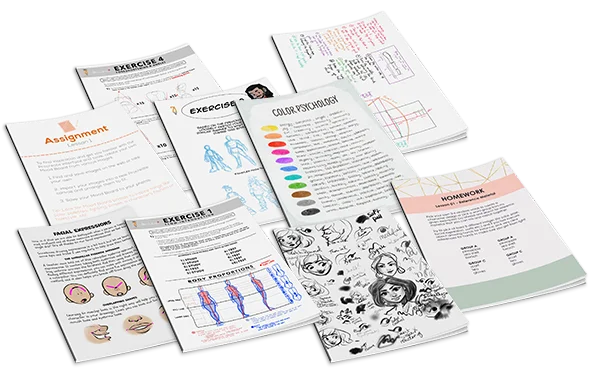
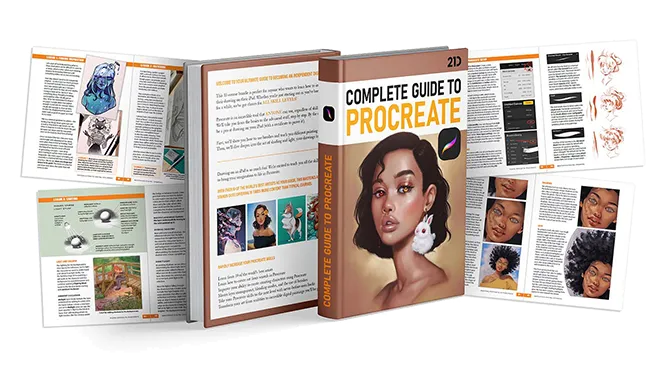
If you get the bundle now, as a BONUS we'll throw in our eBook worth $49! The eBook is 149-pages long packed with SIX of the SAME tutorials from this bundle.
Click to LOOK INSIDE ⤵️

Żaden inny zestaw nie oferuje takiego poziomu jakości...

The 11 online classes and eBook are worth alone $595, but it’s all yours for a fraction of that!

Just picture it: That hobby you once enjoyed can now be your ticket to financial freedom.

And the best part? It costs ONLY the price of a new pair of jeans 👖 or 20 lattes ☕ or a dinner for two 💑 

Zobacz, jak nasi nauczyciele pomagają studentom...

Pytanie studenta
A
Alisa

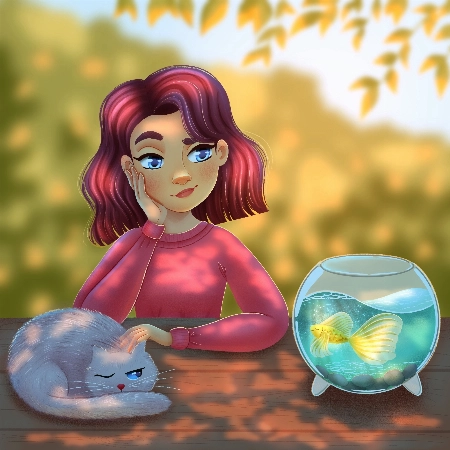
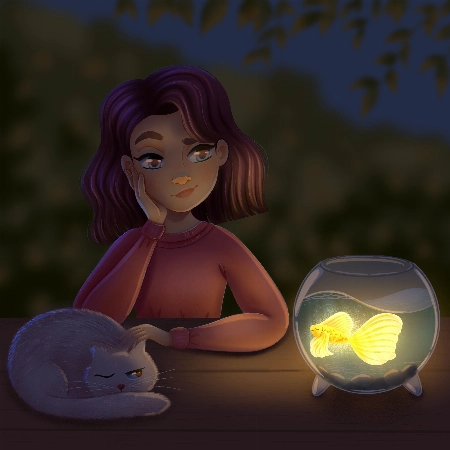
Hello, I finished the Aveline’s course and would like to get some feedback how I can improve my illustrations.. I am not completely satisfied with my work so hope your feedback can help.. ... Pokaż więcejThank you.
Rhea Tibbey
Certyfikowany asystent nauczyciela 21 Draw

Hey Alisa! I love your work, you have done an amazing job of following along with Aveline's assignments :)

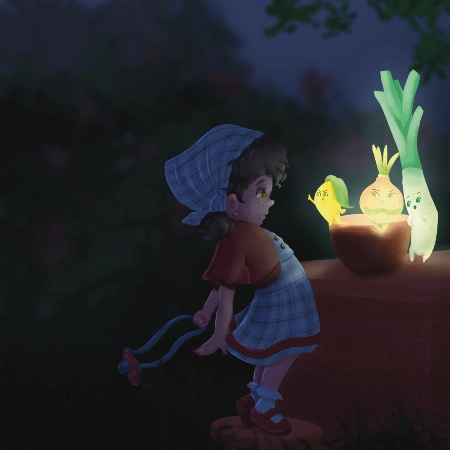
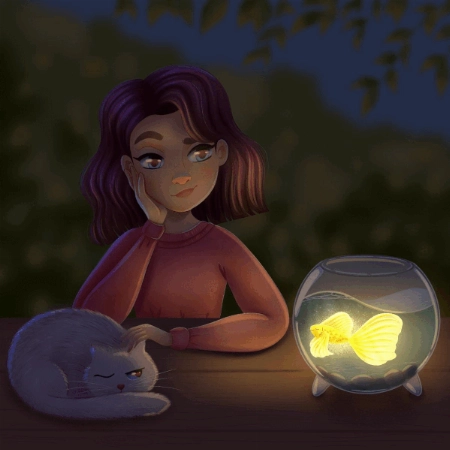
To keep your feedback simple, I have chosen to refer to your night-time lighting scenario. Check out the tips and images I have attached below, I hope they help :)

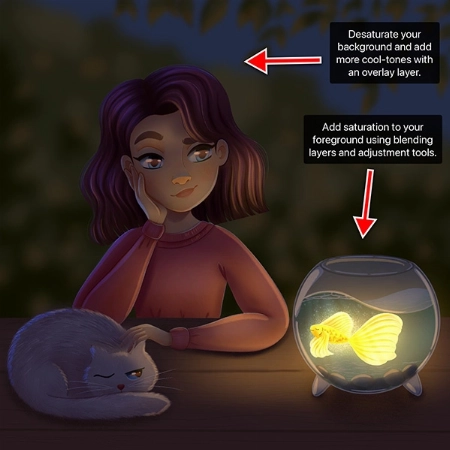
  • When you are illustrating an environment a good practice for adding depth is to ensure your foreground uses more saturated colors than your background. Currently they are at a similar level of saturation, this is something you can adjust using your ‘Hue, Saturation and Brightness’ tool.
  • Around the edge of your highlights and shadows you may have a soft line that is a more saturated color.
  • Folds on clothing usually follow a triangular draping pattern down from where they hang from the body. In this case her sweatshirt would mostly be draping from her shoulders. When in doubt with drawing folds in an outfit, a reference picture can make things much easier!
  • If you have warmer tones in your foreground, make the color pop even more by using an ‘Overlay Layer’ to add cooler colors to the background.

I have attached some images with tips and edits to help guide you through this process. Let me know if you have any questions :)
Pytanie studenta
Nida Özer

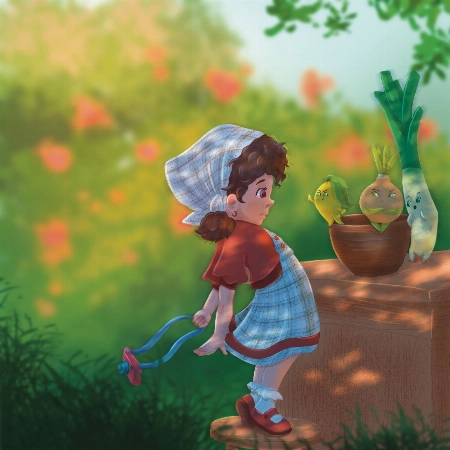
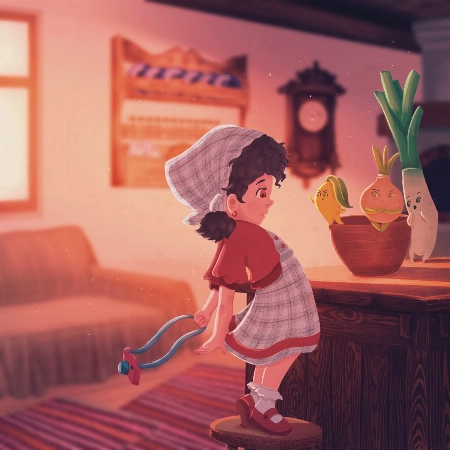
Hello Aveline, I congratulate you on your art and I follow your art with enthusiasm. I would also like to thank you for meeting us on such a occasion. I am adding my works and waiting for yo... Pokaż więcejur comment :)
JP
Jessica Paton
Certyfikowany asystent nauczyciela 21 Draw

Hi Nida!

Wow, you did such a great job of applying the techniques from this course! I love that you've put your own characters into the scenes as well! I only have a few small notes for you.

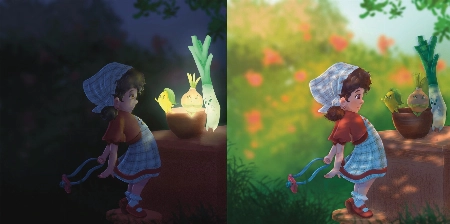
For the Night Scene:

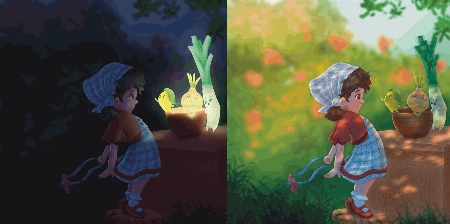
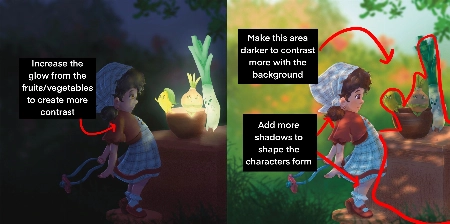
  • Increase the glow in the night scene! Use a soft brush to lighten that part of the scene (I used a light yellow with a soft-light layer setting)

  • Add more highlights/rim lighting on the night scene as well. Make sure you have lots of contrast and really make the most of the fun lighting!

For the Day Scene:

  • Because you have made most of the background quite light, try and keep that somewhat consistent. Keep the background light, and the foreground more dark. Keeping this contrast makes it easier to see the characters as seperate from the background and makes it easier to read.

*Add a few extra shadows to reflect the size of the skirt/around the skirt to imply more 3D form

You've done such a fantastic job with these, and they're honestly great the way they are! Well done!
Pytanie studenta
Lana Grushnik

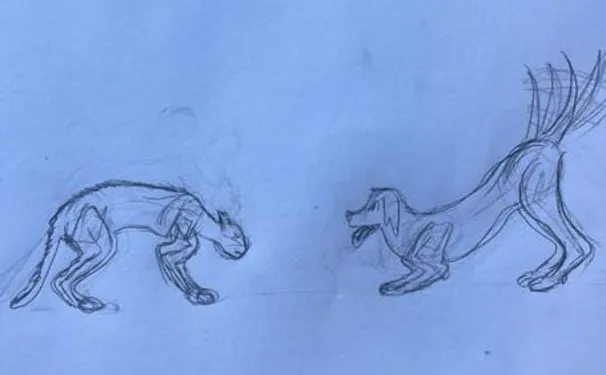
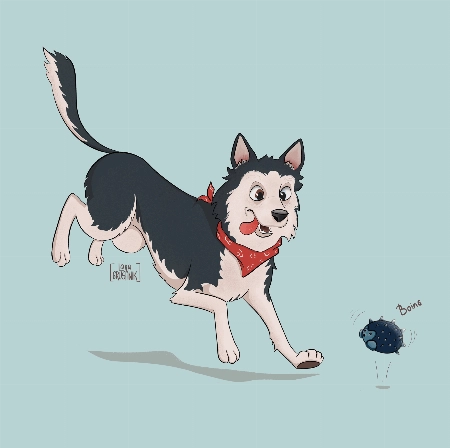
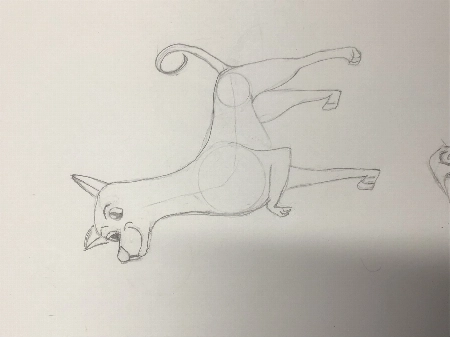
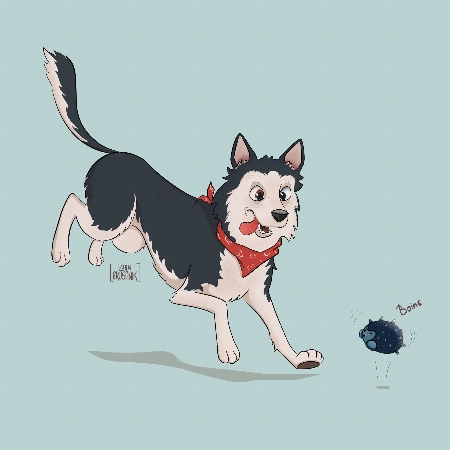
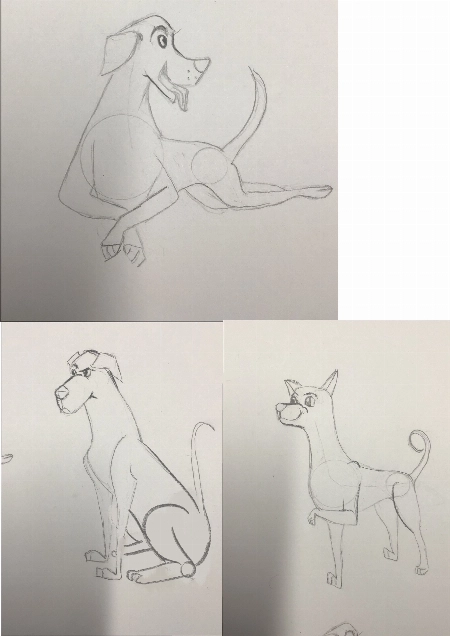
I absolutely loved this course! Very inspiring and simple :) Turned out that I'm really good at drawing dogs. Cats are harder to draw for some reason:)
JP
Jessica Paton
Certyfikowany asystent nauczyciela 21 Draw

Hi Lana!

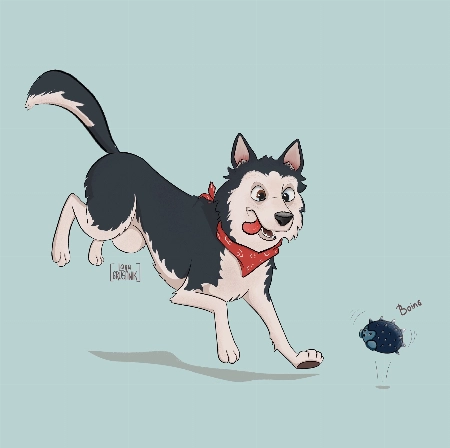
This is such a cute drawing! It's very lively and there is a great personality coming from them!

When drawing cats focus very much on the flow - lots of round fluid movements. The line of action will be very important for their poses.

For this particular drawing I just have a couple suggestions!

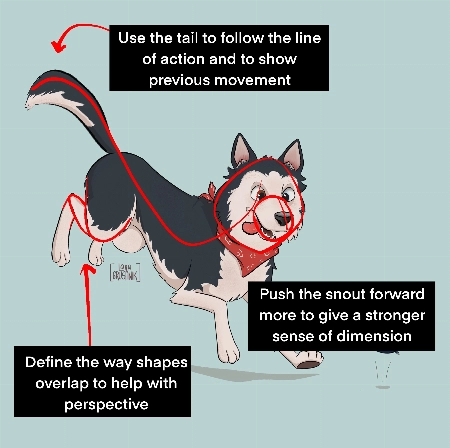
  • Push the snout slightly further forward. This will help make the head feel a little more round and improve the sense of dimension. Think of the base of the head not as a circle, but as a sphere!

  • When drawing complicated shapes like limbs, especially when they're folded up, think about how each segment is a basic shape. Using the right amount of lines, you can force a sense of perspective by overlaying some with others. In this case, you can add a couple extra lines to make the back leg seem more like it is bent away from the "camera".

  • Use the tail to emphasize the sense of movement! Follow the line of action you already have moving through the pose! Treat it as an extention of this. But also try to consider where the dog was in space before - the tail can have a very lovely flow to it if it is shaped as though it is coming from where the dog was just a moment ago. You were very close to this I think, but lowering it slightly makes it feel less like the dog has dropped down very suddenly.

It's great to hear that you loved the course! I hope you continue to draw more fun animals in the future!
Pytanie studenta
DK
DIM K


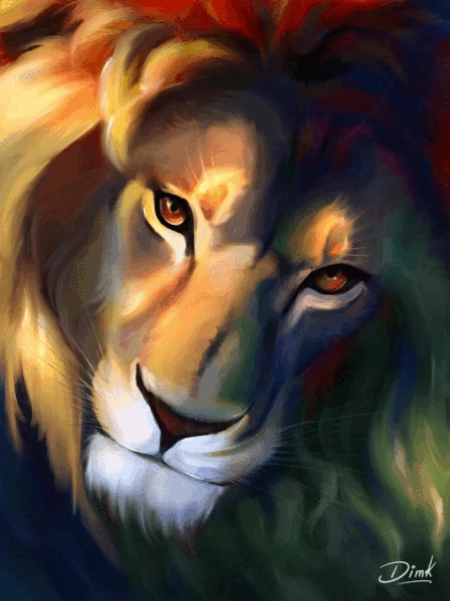
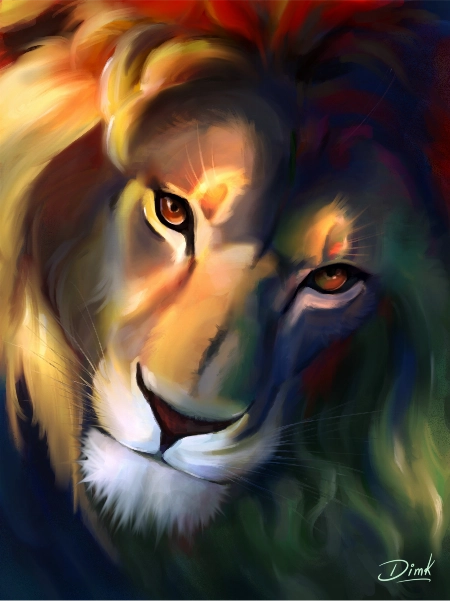
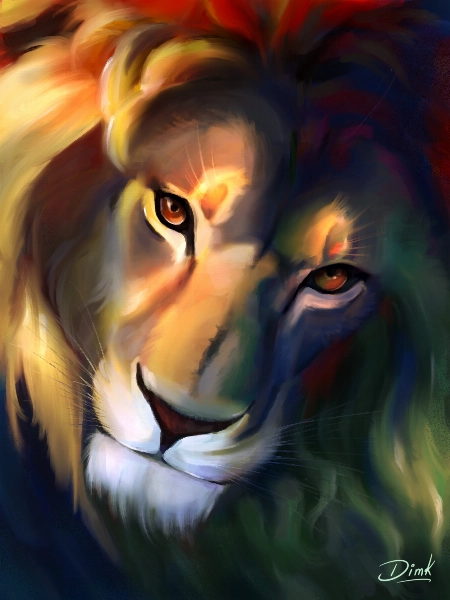
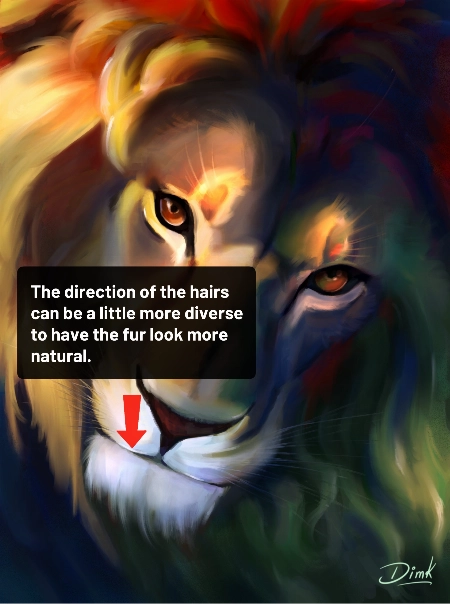
Hi recently I finished this drawing and I would like to get some feedback to improve my illustration.
Jade Lefevre
Certyfikowany asystent nauczyciela 21 Draw

Hi!

Thank you for sending in your painting! This is incredible work. The subject is beautiful and your use of color is mind-blowing!

You could maybe try to have the hair on the chin flow in more various and natural directions. Even with the head clearly in motion within the scene and the hair following in the same direction, I think there could be a little more variation.

You can check out the attachments for a more visual explanation!  I hope you’ll find them helpful!  Don’t hesitate to ask if you have any more questions and I wish you a beautiful day!
Pytanie studenta
MD
Marjolijn De

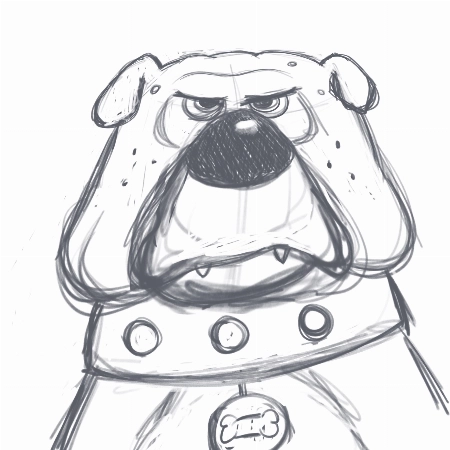
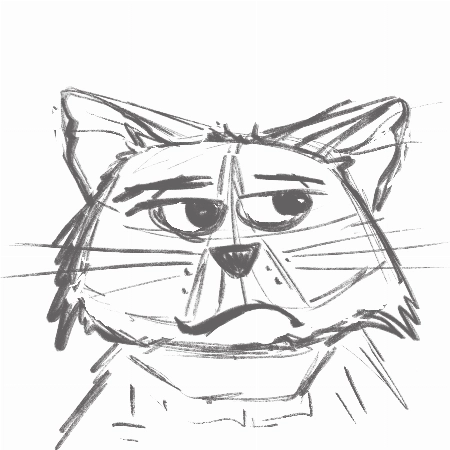
I really enjoyed creating the thumbnails and the final piece. I love to keep my rough sketch slightly visible and I like to add some more texture to my designs. But I loved the gloaming brus... Pokaż więcejh and I’m going to use it more often:) Thank you very much for this fantastic class!
Jade Lefevre
Certyfikowany asystent nauczyciela 21 Draw

Hi Marjolijn!

I'm glad to hear you enjoyed the course! I'm a huge fan of the way you used the brushes and the colors! Your characters have a lot of personality and I think your final drawing looks really professional.

Keep up the great work and have a fantastic day!

Pytanie studenta
SM
Sara Makdessi

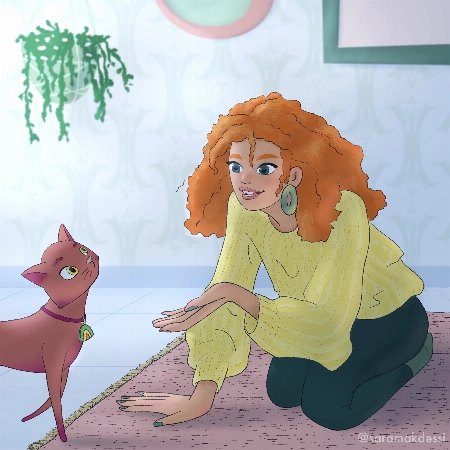
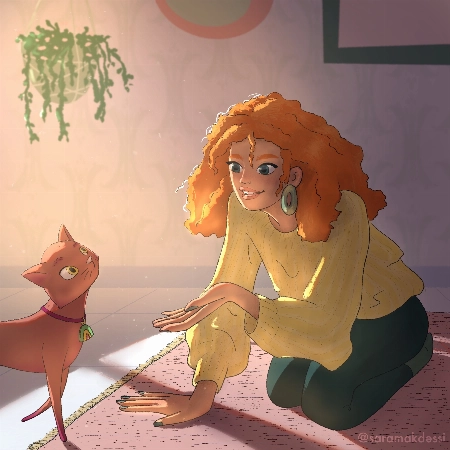
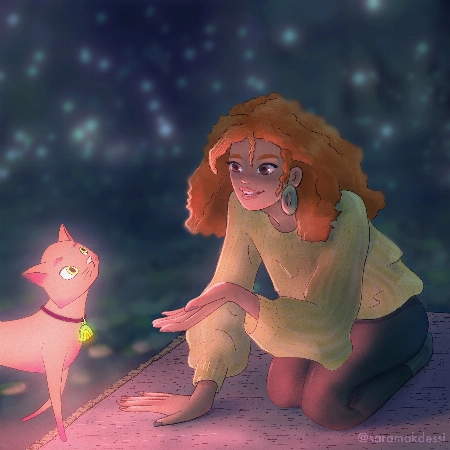
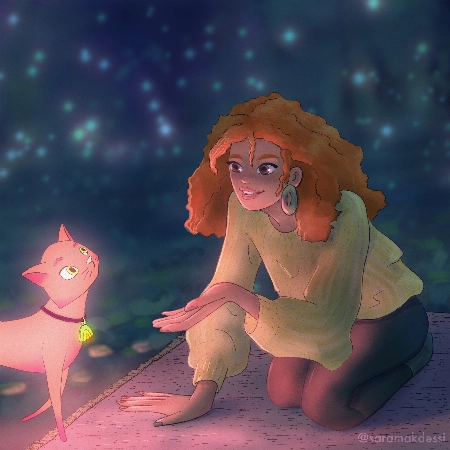
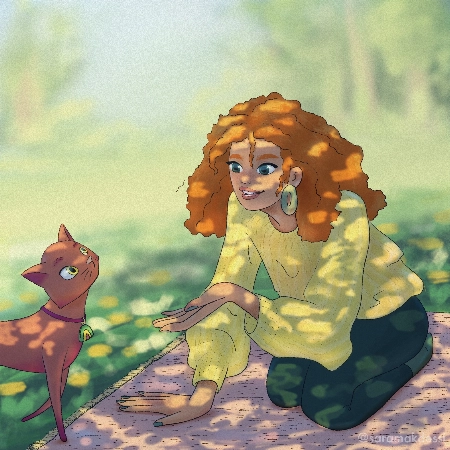
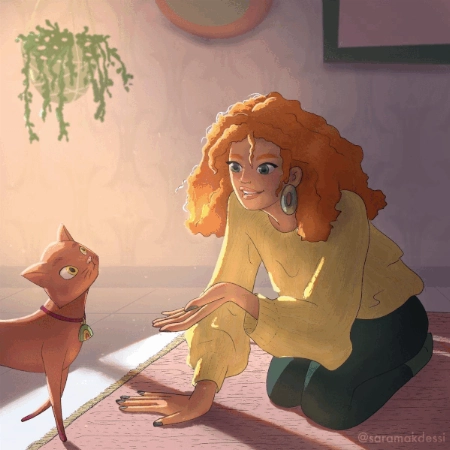
Hi Aveline, thank you so much for this fun and super informative course. I really enjoyed your lessons! Here are my interpretations of the four light scenarios with my characters. Any feedb... Pokaż więcejack would be very appreciated. Many thanks, Sara
Rhea Tibbey
Certyfikowany asystent nauczyciela 21 Draw

Hey Makdessi! These illustrations look amazing! You have done a great job of using the lighting and shading techniques from this course :)

Here are a few feedback suggestions that you could try in future illustrations/ to improve these:

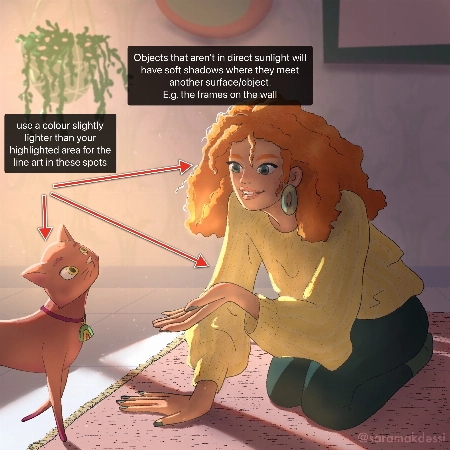
  • In areas of your character that are highlighted, change the colour of your line-art to a colour brighter than the highlighted area.
  • Additionally, it can look nice if you set your line-art to a darkened version of an ambient colour in your image rather than black.
  • Add soft shadows to objects that aren't in direct light.
  • For your night-time scene, you could decrease the saturation of the background and perhaps add even more blur to make your character stand out even more.

Try these out and see what you think! Wishing you a creative week, Rhea
Pytanie studenta
Polina Lutseva

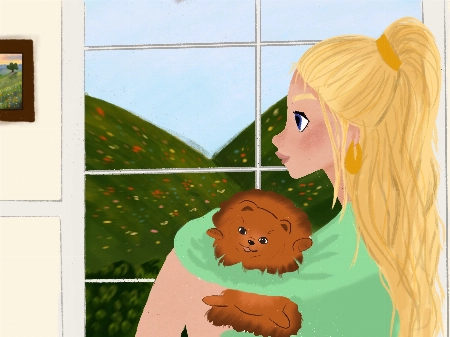
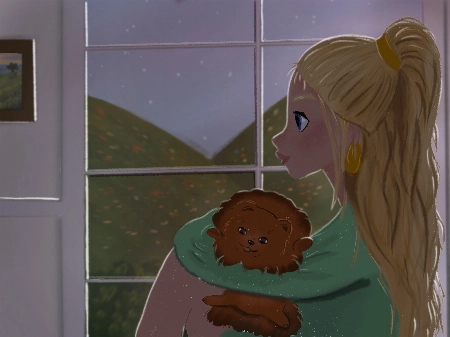
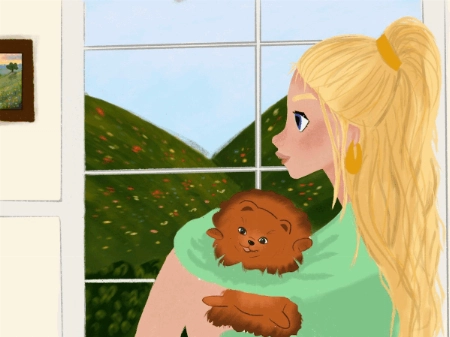
Hello!! I love the course and tried to do all types of lighting by myself, it would be really great to hear feedback, comments and critics about my work. Thank you very much in advance!! Pa... Pokaż więcejuline
Rhea Tibbey
Certyfikowany asystent nauczyciela 21 Draw

Hello Polina! I love your drawings, they are so gorgeous! Thanks for sharing them :)

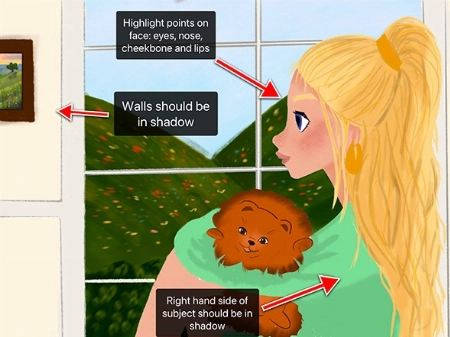
Check out my feedback below and notes I have added to your drawing! I hope you find them helpful :)

  • Don’t be afraid to use ‘Overlay’ blending layers with vivid colors to help establish the time of day, especially for the sunset and daytime photos.
  • In the indoor scene: the walls and the character should be in soft shadow due to the backlighting from the window.
  • Your character has a few spots on their face that might have highlights including their: eyes, nose, lips and cheekbones.
  • Your overcast lighting scenario could be de-saturated to convey the gray-diffused light source. This is something you can adjust using the ‘Hue, Saturation and Brightness’ tool.
  • Even on an overcast day you will still have some soft shadows where clothes fold or different objects meet each other.
  • You can try and make the direction of your light source more clear by adding color variation to your sky using an overlay or multiply layer.
  • When in doubt, practice by studying photographs! This can be a great way to learn about illustrating hard shadows.

I have attached some images with tips and edits to help guide you through this process. Let me know if you have any questions :)
Pytanie studenta
LB
Louise Broesky

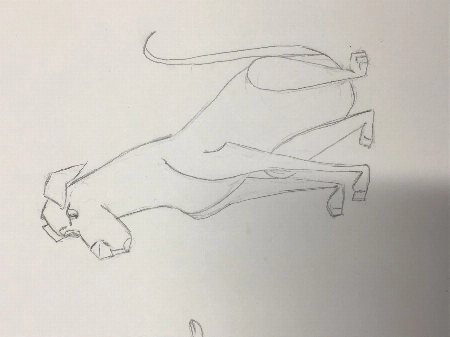
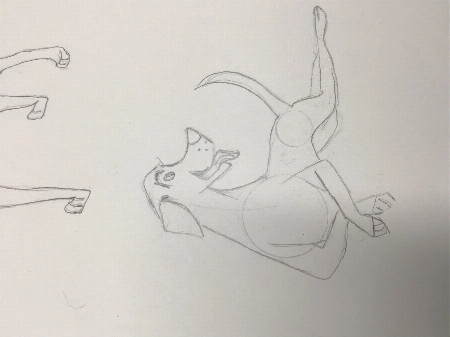
I have never used Procreate before so I did the first lessons on paper working my way through the other ones I’m not used to drawing with circles and lines of actions. I pick a body part ... Pokaż więcejand then I draw from there that’s what I’m used to so I didn’t use the circles the way I was supposed to
JP
Jessica Paton
Certyfikowany asystent nauczyciela 21 Draw

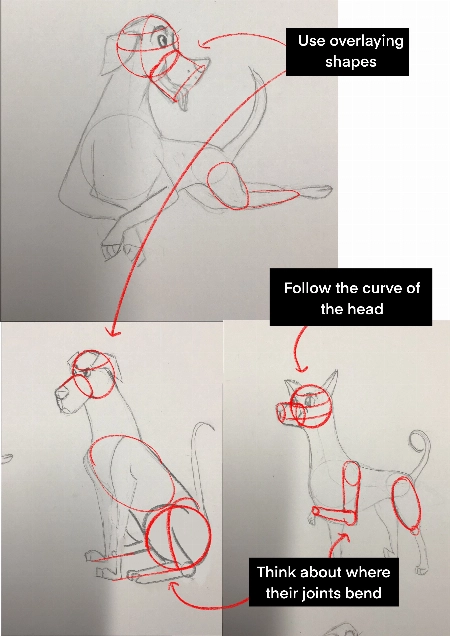
Hi Louise!

This is such a great drawing so far!

I do recommend trying to start a drawing with the basic shapes before you get too far into detail to make sure that the drawing has a solid foundation.

  • Break things into spheres and cylinders. Spheres for the head and joints, and cylinders for the limbs and snout. Using these as a guide and it will help add dimension

  • Another thing that will add dimension is layering one shape of the other. Having a shape hidden behind another will instantly add a sense of 3D.

  • Think about their skeleton! Look at where their bones bend. This is the natural basic building of an animal. You don't have to draw every bone, but you can break it into areas - The ribcage as one oval, the pelvis as another. The forearm bone as a cylinder, the joints as spheres. It helps a lot to understand how a creature can move and bend, and how they can't.

You're well on the right track and each drawing you have done is very expressive and has lovely poses, good job!
Jak się porównujemy

Kursy premium
Prosty, krok po kroku system
Zweryfikowani artyści i nauczyciele
Ustrukturyzowany program
Filmy bez reklam
ZERO nadmiaru lub wypełniaczy
Dożywotni dostęp
Uzyskaj odpowiedzi na swoje pytania
Prześlij rysunki do oceny
Zasoby kursu
Pliki projektowe
Free eBook
Certyfikat ukończenia kursu
Zdobądź moją ofertę teraz! Tylko przez ograniczony czas!
30-dniowa gwarancja zwrotu pieniędzy!

EARN YOUR CERTIFICATE

Po ukończeniu każdego kursu otrzymasz certyfikat ukończenia. Podziel się nim w swoim portfolio, mediach społecznościowych lub gdziekolwiek chcesz.

Najczęściej zadawane pytania

Jak długo mam dostęp do pakietu i kiedy się to zaczyna?

How does lifetime access sound?

After enrolling, you have unlimited access to this bundle for as long as you like - across any and all devices you own.

Inside the program you have access to all the resources files and teaching assistants to answer any question you may have.

Czy to są kursy online czy na żywo?

All classes are pre-recorded and you can watch them online with any digital device, anytime, and for an unlimited number of times! This means you can easily watch (and rewatch) them at your own pace and convenience.

We also have bonus live sessions that are free of charge for all our students.

Czy nie mogę się tego wszystkiego nauczyć na YouTube?

Youtube is a fantastic resource with more free tutorials than any individual is capable of watching on improving your art skills.

But a side effect of only learning on Youtube is that you'll waste dozens of hours learning the same thing, searching for tutorials only to find partial answers and not having precise exercises designed to help you truly learn the skills you're after.

If you want to develop your skills FAST, then our classes are for you.

Plus, what is your time worth?

This bundle will save you weeks of frustrated time searching for answers and rapidly increase your digital illustration skills.

For some - thats $99 well spent!

If your time isn't worth that yet...

Stick to Youtube until it is!

Jaki poziom umiejętności jest wymagany do tego pakietu?

The classes in our bundle are approachable for beginners and has advanced techniques for those with more experience.

If you have no art experience whatsover or struggle to draw a basic character, we recommend starting off by taking our 'Learn to draw in 21 days' classes.

Czy ten pakiet jest dostępny w innych językach niż angielski?

All classes are available in English (original narration) and most have dubbed narration in Spanish, French, Italian, German, & Portuguese.

Subtitles are available for all course in the following languages: English, Spanish, Japanese, French, German, Italian, Portuguese & Indonesian.

Czy jest gwarancja?

Absolutnie! Wszystkie nasze pakiety mają 30-dniową gwarancję satysfakcji. Jeśli nie jesteś całkowicie ZADOWOLONY i OŚWIECONY, skontaktuj się z nami w ciągu 30 dni, aby uzyskać pełny zwrot pieniędzy, bez zadawania pytań!
21 Draw widziany na...

Kim jest 21 Draw?

Od 2013 w liczbach:
  • 70k społeczność
  • 40k sprzedanych artbooków
  • 10k wspierających na Kickstarterze
  • $632k zebrane na KS

21 Draw miało swój początek w Szwecji w 2013 roku, a jego celem było pomaganie każdemu, kto tego pragnie stać się lepszym artystą!

Nazywamy się 21 Draw, ponieważ kiedy zaczynaliśmy, mieliśmy budżet tylko na zatrudnienie 21 artystów. Jednak ogromna liczba artystów była tak entuzjastyczna, że nie mogliśmy się oprzeć dodaniu więcej i stworzeniu jeszcze więcej produktów, od książek po kursy online.

Naszym celem jest współpraca z najlepszymi artystami na świecie, aby pomóc naszej społeczności i Tobie osiągnąć artystyczne cele. Chcemy uczynić niesamowitą edukację artystyczną dostępną dla każdego.

Zamknij
Get Bundle for ONLY $99 ($595)! 30-dniowa gwarancja zwrotu pieniędzy