Save 83% on course bundle.

Master Procreate with Not Just One, but 10 World-Class Artists!

Unlike classes with only 1 kickass artist, this 11-course bundle has tutorials by 10 PROS who work for Disney, Marvel, DC... You'll learn more and faster with artists of different art and teaching styles.
4.8
(berdasarkan 4,392 ulasan)

Get Lifetime Access. One-time payment.

Get Bundle for ONLY $99 ($595)!
Jaminan Uang Kembali 30 Hari!

SPECIAL SALE! FREE Gift If You Order NOW!

Belajar dari para ahli di industri ini

We curate our roster to bring you the best artists & even better teachers.
327k pengikut

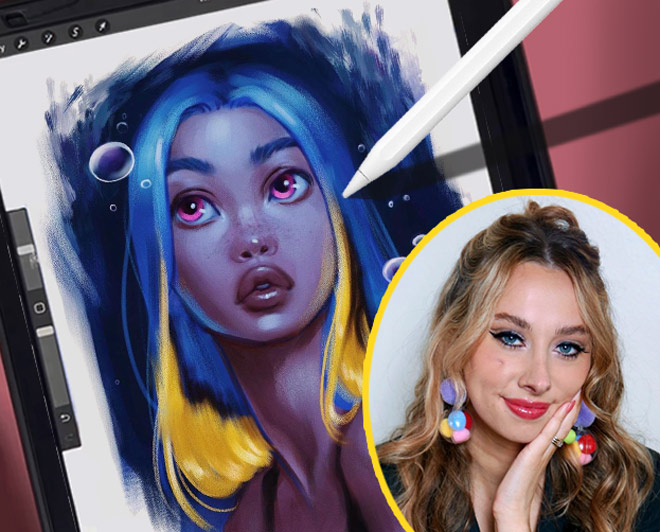
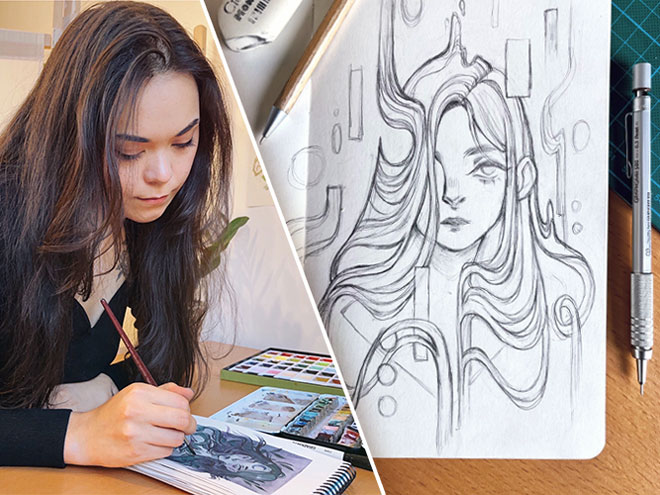
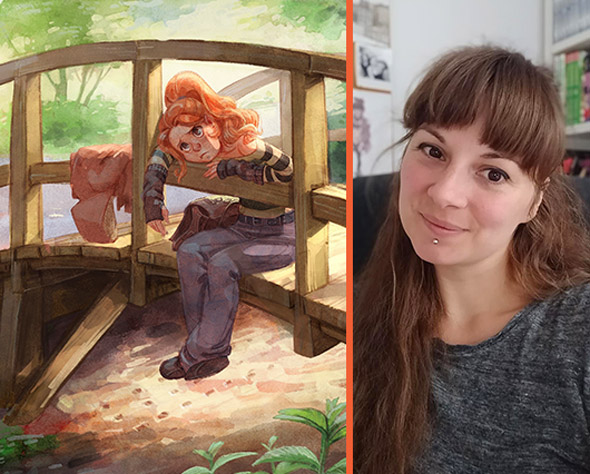
Aveline Stokart

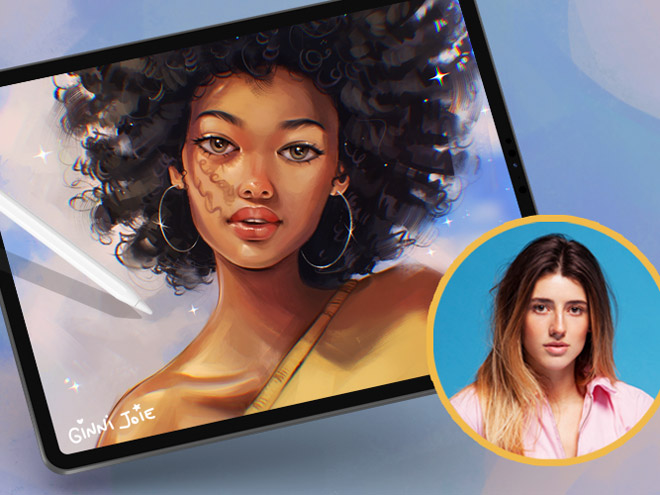
Master Lighting & Shading
249k pengikut

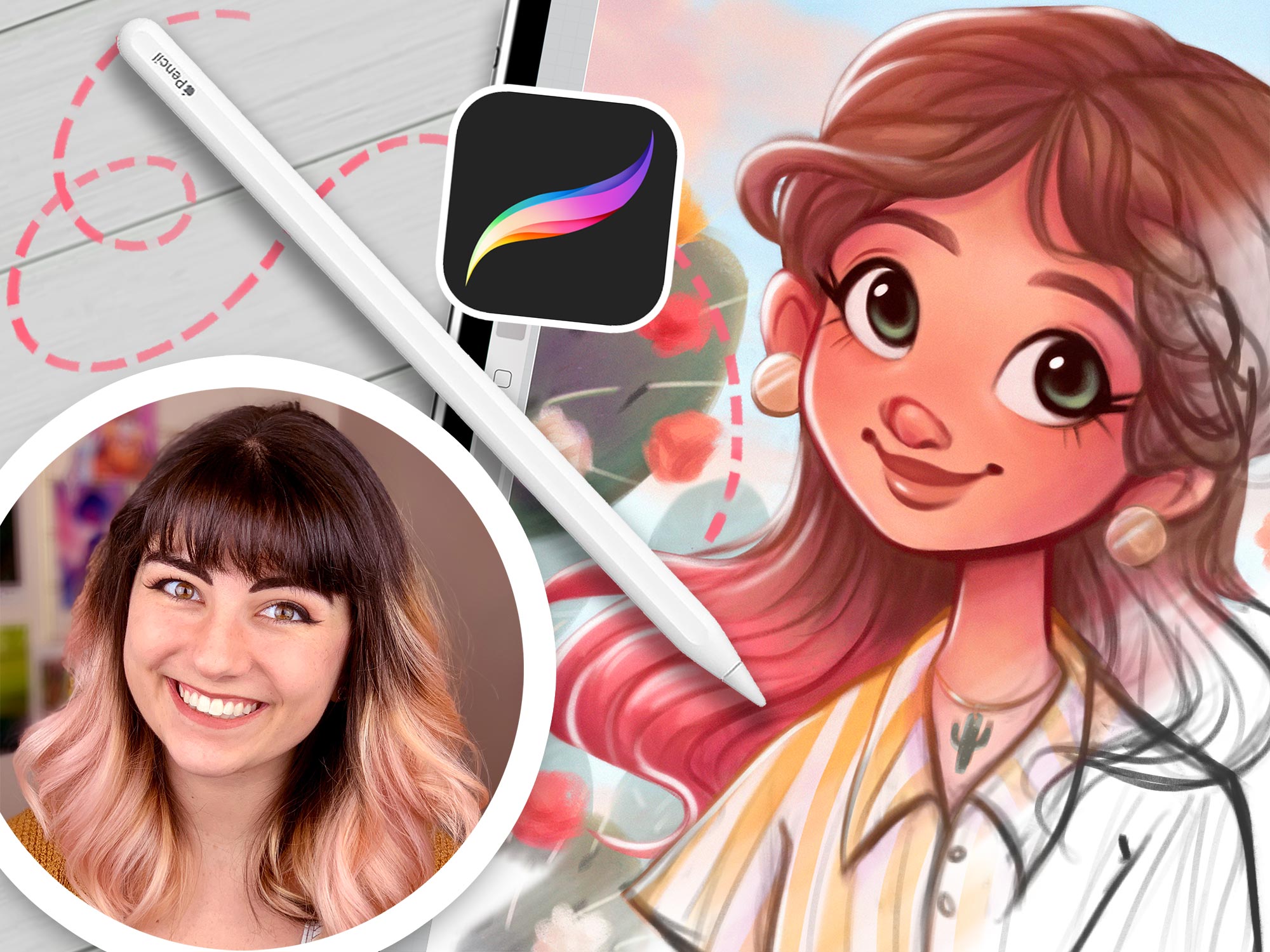
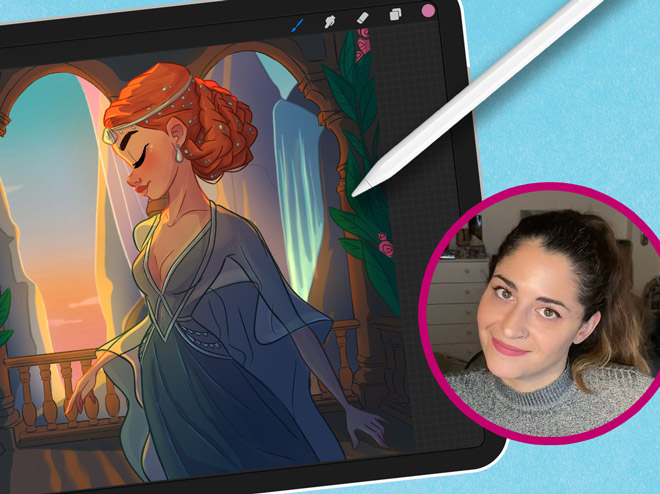
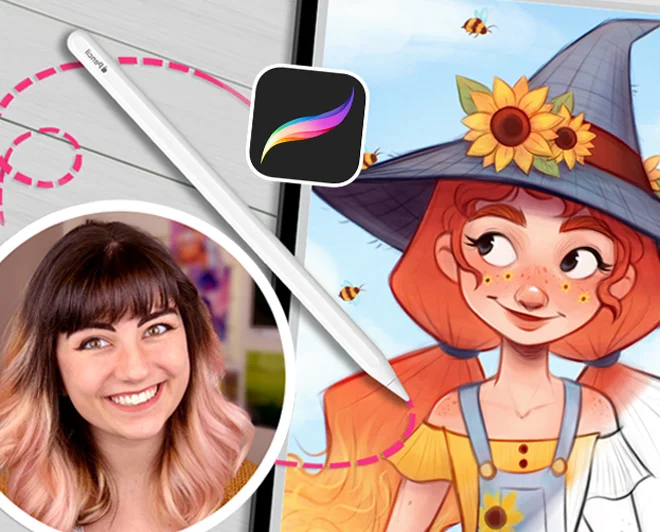
Erika Wiseman

Set up your digital workspace

1.1mn pengikut

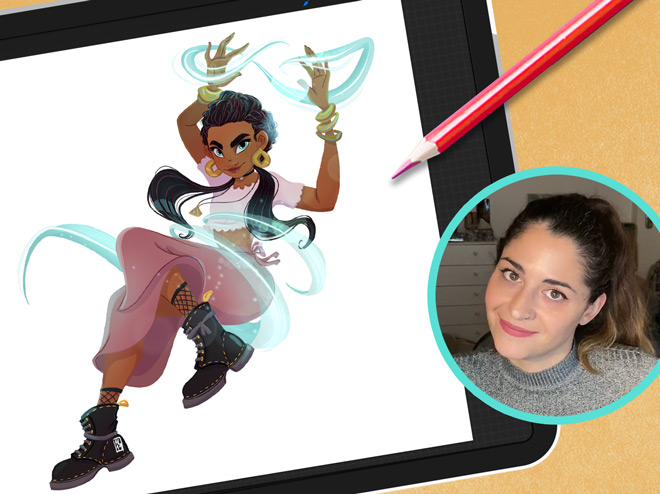
Feefal (Linnea Kikuchi)

Create beautiful illustrations

611k pengikut

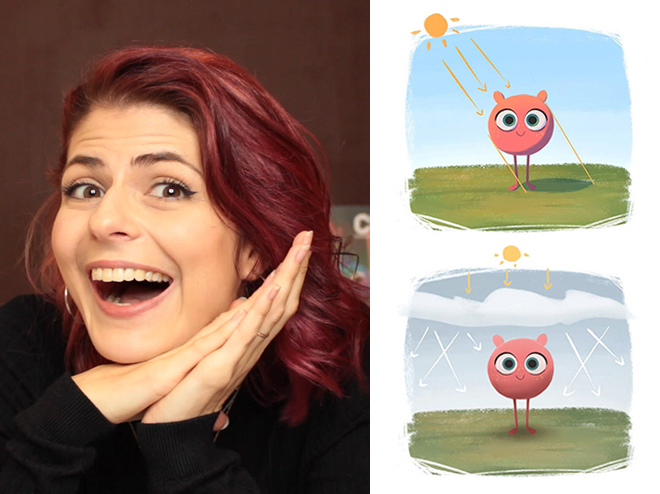
Simone Grünewald

Paint a beautiful background

382k pengikut

Isabelle Staub

Master the basics of Procreate & avoid common mistakes
97.6k pengikut

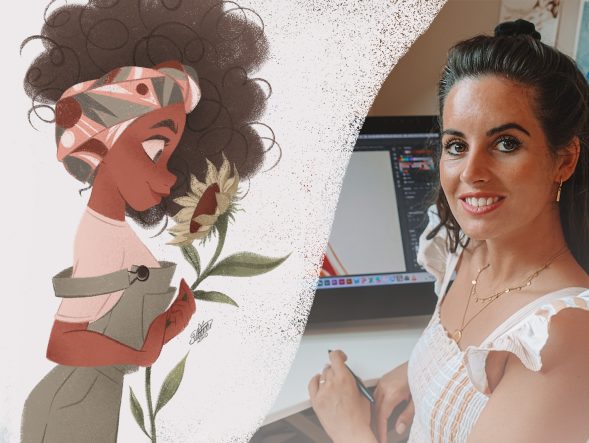
Maria Lia Malandrino

Draw a cartoon character & make your art shine
189k pengikut

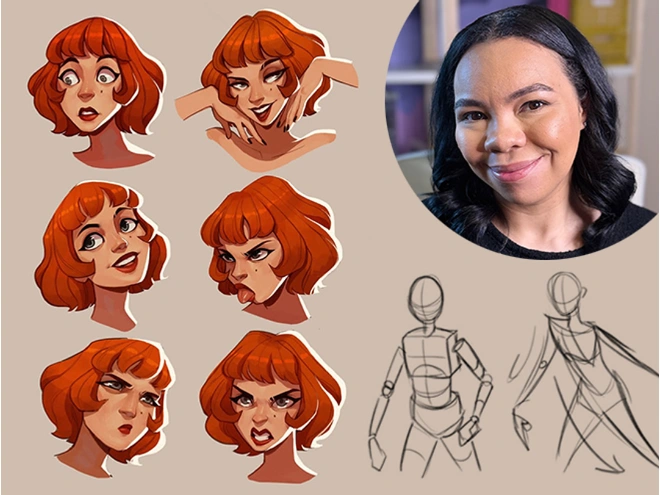
Meike Schneider

Draw a Female Character
119k pengikut

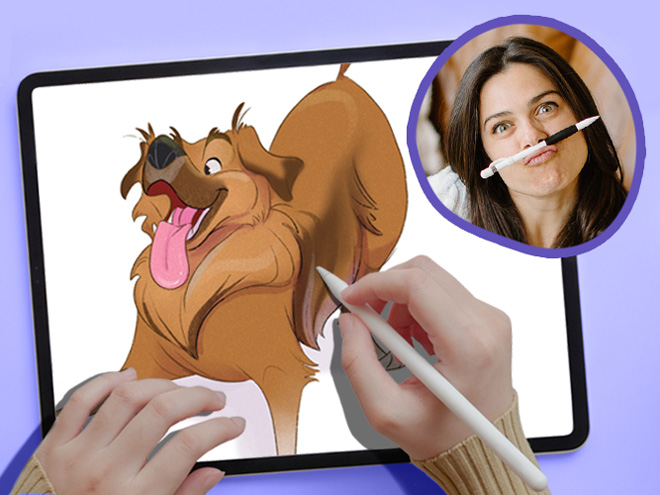
Lauren Barger

Drawing Pets from Scratch

129k pengikut

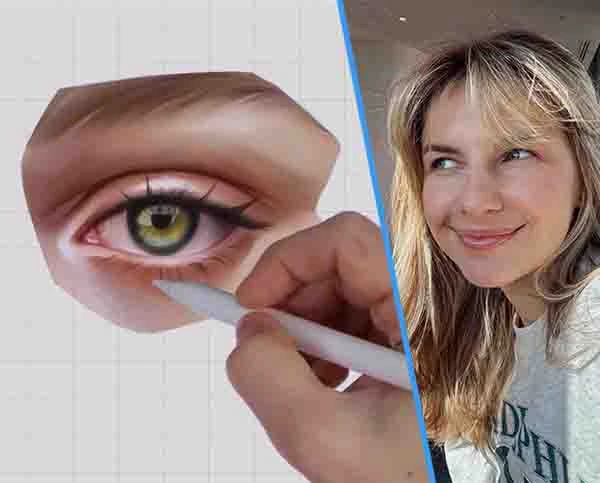
Ginevra Girgolo

Painting Portraits in Procreate
600 pengikut

Rhea Tibbey

Introduction to Color Theory

200+
Pelajaran Singkat
65k+
students since 2020
21+
Jam Pelajaran
10
Guru kelas dunia

Check out the 11 courses in this bundle

"These classes are a whole different level of awesome…"

Packed with tutorials by top illustrators, it feels like you are at a cafe table with INSANELY talented professionals!

Each of them works in their own style and describes things in their own way.

Not only do they show their artwork, but they’ll show you EXACTLY what they’re doing, and how they break down their process, step-by-step.

Unlike other tutorials, which can sometimes feel rigid, too clinical, or uninspiring. These feel natural and conversational.

This bundle doesn’t restrict itself to being for beginners, intermediate, or advanced artists.

Instead, it’s created by artists for artists! And we’re confident that artists of ALL SKILL LEVELS will gain A LOT from watching these classes!

Don’t take our word for it! See below why thousands of our students love it!

Ryan, from 21 Draw

Kata para murid

4.8
(berdasarkan 4,392 ulasan pelanggan)
OP
Oliwia P.
1 minggu yang lalu
Pembelian Terverifikasi
Saya mengalami masalah besar saat mentransfer gambar tradisional saya ke bentuk digital—sketsa dan karya seni saya selalu tampak sangat datar. Berkat pelajaran dari Erika, saya berhasil mengembangkan metode yang benar-benar mengubah cara saya mendeka
+ Tampilkan lebih banyak
ti menggambar digital, dan sekarang saya benar-benar menikmatinya! Saya dengan jujur ​​dapat merekomendasikan kursus ini kepada semua orang.
Ulasan kursus "21 Hari Menguasai Gambar Digital"
TP
Tomay P.
2 hari yang lalu
Pembelian Terverifikasi
Saya setuju dengan banyak ulasan lain, kursus ini jelas lebih cocok untuk seseorang yang sudah mahir dalam seni digital dan Procreate atau perangkat lunak serupa. Sebagai seseorang yang sesuai dengan deskripsi tersebut dan menggunakan Sketchbook Pro,
+ Tampilkan lebih banyak
saya benar-benar belajar banyak! Ini adalah cara fantastis untuk meningkatkan keterampilan pencahayaan dan bayangan Anda, dan saya pasti akan menggunakan teknik yang ditunjukkan Aveline ke depannya. Ini benar-benar meningkatkan ilustrasi buku anak-anak saya.
Ulasan kursus "Menguasai Pencahayaan dan Arsiran"
PB
Polina B.
3 bulan yang lalu
Pembelian Terverifikasi
Saya sudah cukup lama menggambar, dan sudah lama saya tidak merasa terinspirasi oleh seorang guru seperti ini. Aveline tidak hanya bercerita tentang perjalanannya, yang dapat beresonansi dengan kita semua (karena mencari pekerjaan di bidang seni sang
+ Tampilkan lebih banyak
at sulit saat ini), tetapi juga membimbing kita melalui hutan yang luar biasa yang merupakan pemahamannya sendiri tentang cahaya dan warna. Saya tidak akan menyebut diri saya pemula; saya lebih tepatnya berada di tingkat keterampilan menengah. Dan jujur ​​saja, hampir tidak ada hal baru dalam hal bagaimana cahaya bekerja secara fisik, atau bagaimana Anda harus bekerja dengan warna yang belum saya ketahui. Tetapi setiap detik kursus ini tetap berharga, hanya karena seni bukanlah "pelajari bagaimana fisika cahaya berperilaku dan Anda akan mahir." Kursus ini memberi Anda penjelasan rinci tentang bagaimana seorang seniman profesional bekerja dengannya. Bagaimana dia membengkokkan bayangan dan cahaya untuk menciptakan karya seni yang menakjubkan dan hidup. Dan inilah mengapa kursus seperti ini penting: mereka mungkin tidak menunjukkan perspektif fisika baru, tetapi mereka akan mengajarkan Anda cara-cara baru untuk bekerja dengan cahaya dan bayangan. Dan ini akan membantu ANDA mengembangkan cara Anda sendiri dengan belajar, mengamati, mempelajari, dan mengambil kebiasaan berbeda dari berbagai ahli. Secara keseluruhan, ini luar biasa. Sangat direkomendasikan.
Ulasan kursus "Menguasai Pencahayaan dan Arsiran"
JR
Jovana R.
1 bulan yang lalu
Pembelian Terverifikasi
Saya hanya ingin menyampaikan betapa terkesannya saya dengan konsep dan pendekatan Anda secara keseluruhan terhadap ilustrasi tersebut. Kreativitas Anda dan cara Anda menyajikan semuanya membuat pengalaman belajar ini benar-benar menginspirasi. Saya
+ Tampilkan lebih banyak
menyukai usaha dan semangat yang Anda curahkan dalam pekerjaan Anda. Sungguh menyenangkan bisa belajar dari pelajaran Anda. Terima kasih atas pengalaman yang begitu berharga dan menginspirasi ini.
Ulasan kursus "21 Hari Menguasai Gambar Digital"
JL
Jacinta L.
1 bulan yang lalu
Pembelian Terverifikasi
Saya sudah menggunakan Procreate selama sekitar satu tahun dan ini adalah kursus terbaik yang pernah saya ikuti. Semuanya sangat sederhana, tetapi tidak ada yang bisa Anda pelajari hanya dengan mencoba-coba. Semua pelajarannya sangat berharga, pandua
+ Tampilkan lebih banyak
n yang sangat bagus dan mudah diikuti, dan ini adalah kursus yang akan saya ikuti berulang kali untuk berlatih sampai saya merasa percaya diri dengan keterampilan saya. Sangat direkomendasikan.
Ulasan kursus "Langkah Mudah Procreate"
KB
Kayla B.
1 bulan yang lalu
Pembelian Terverifikasi
Aku suka bagaimana dia juga menjelaskan cara menambahkan berbagai efek dan cara mengganti kuas karena aku benar-benar pemula saat pertama kali mulai dan aku sangat buruk dalam melakukan APA PUN. Sekarang, aku sudah melakukannya sejak lama dan dia mas
+ Tampilkan lebih banyak
ih mengajariku beberapa hal!!!
Ulasan kursus "21 Hari Menguasai Gambar Digital"
AW
Adèle W.
1 bulan yang lalu
Pembelian Terverifikasi
Meskipun saya merasa beberapa video di bagian akhir tidak berurutan secara kronologis (saya bisa melihatnya dari lapisan yang tidak cocok antara 2 atau 3 video), ini adalah kursus yang sangat bagus, dan saya banyak belajar! Dia sangat berbakat dan sa
+ Tampilkan lebih banyak
ya telah menemukan banyak teknik. Saya sangat senang dan terima kasih telah berbagi!
Ulasan kursus "Melukis Potret di Procreate"
MG
Mary G.
1 bulan yang lalu
Pembelian Terverifikasi
Kursus ini sangat revolusioner bagi saya ketika pertama kali belajar pewarnaan dan pencahayaan di program digital. Saya masih merujuk hal-hal yang saya pelajari dari kursus ini dalam karya seni saya, padahal saya pertama kali mengikuti kursus ini sek
+ Tampilkan lebih banyak
itar 6 tahun yang lalu! Saya sangat merekomendasikan kursus ini kepada siapa pun yang membutuhkan bantuan untuk memahami pencahayaan dan warna. Kursus ini juga bermanfaat jika Anda ingin belajar cara menggunakan Procreate secara umum.
Ulasan kursus "Menguasai Pencahayaan dan Arsiran"
DA
Denisa A.
2 bulan yang lalu
Pembelian Terverifikasi
Kursus online ini melebihi ekspektasi saya. Sebagai pemula, saya merasa penjelasan langkah demi langkahnya sangat jelas dan mudah diikuti. Kursus ini membantu saya membangun pemahaman yang solid tentang alat-alat dasar dalam program, serta konsep-kon
+ Tampilkan lebih banyak
sep yang lebih lanjut. Saya benar-benar belajar banyak dan merasa jauh lebih percaya diri menggunakan perangkat lunak ini sekarang. Terima kasih banyak — saya sangat merekomendasikan kursus ini!
Ulasan kursus "Menggambar Digital di Procreate untuk Pemula"
VA
Vanessa A.
2 bulan yang lalu
Pembelian Terverifikasi
Saya suka struktur bagian Harmoni Warna & Skema Warna, dan saya ingin struktur itu juga diterapkan pada bagian Metode Skala Abu-abu. Pelajaran Skema Warna memberikan video yang tidak terburu-buru sehingga saya bisa menggambar sambil mengikuti vid
+ Tampilkan lebih banyak
eo tersebut, dan saya ingin hal yang sama diterapkan pada bagian metode skala abu-abu, karena video di pelajaran sebelumnya agak terburu-buru.
Ulasan kursus "Pengantar Teori Warna"
ML
Matthew L.
4 bulan yang lalu
Pembelian Terverifikasi
Saya merasa petunjuk dan penjelasan langkah demi langkahnya sangat membantu; namun, saya pikir terkadang dia mengabaikan beberapa langkah di bagian akhir, seperti lapisan mana yang dia gunakan untuk cahaya lembut, dan lapisan tumpang tindih. Contoh-c
+ Tampilkan lebih banyak
ontohnya praktis dan bermanfaat bagi mereka yang kesulitan menerapkan teori warna pada karya mereka.
Ulasan kursus "Pengantar Teori Warna"
AM
Alyssa M.
5 bulan yang lalu
Pembelian Terverifikasi
Dari segi apa yang saya sukai dari kursus ini, dia menjelaskan prosesnya langkah demi langkah dengan sangat baik dan prosesnya membuat segalanya terasa jauh lebih intuitif dan mudah. ​​Saya suka bagaimana dia menggunakan pensil tertentu dalam sketsa
+ Tampilkan lebih banyak
untuk memvariasikan ketebalan garis agar sketsa tetap bersih/bervariasi dengan baik sejak awal karena saya kesulitan membuat sketsa tetapi sering menggunakan pensil mikron untuk membersihkan gambar dan itu mengingatkan saya pada hal itu dan memberi saya banyak kendali atas ketebalan garis. Prosesnya juga sangat mudah dan membuat transisi ke digital jauh lebih mudah karena dia menjelaskan semuanya dengan sangat baik dan menjaga proses digitalnya tetap sederhana dan juga membangun sketsa awal tanpa menutupinya. Saya pikir alasan saya menempatkannya sebagai tingkat menengah dan bukan pemula atau pemula mutlak adalah karena ini sangat disesuaikan dengan Procreate. Anda dapat menggunakan perangkat lunak menggambar lainnya, tetapi Procreate jauh lebih efisien dan sederhana sementara menggambar tanpa tablet di komputer lebih bergantung pada pengetahuan tentang pintasan keyboard dan mungkin tidak akan seintuitif menggunakan tablet seperti yang dia lakukan. Ini bagus untuk transisi ke digital jika Anda sudah sedikit tahu tentang digital atau program yang Anda gunakan. Kursus ini mungkin paling cocok jika Anda kesulitan membuat karya digital terlihat bagus atau jika Anda sangat menyukai gaya seninya dan ingin mempelajari aspek-aspeknya atau menirunya. Dari segi gaya seni dan proses, kursus ini sangat membantu.
Ulasan kursus "Pengantar Pewarnaan Digital"
MH
Melanie H.
5 bulan yang lalu
Pembelian Terverifikasi
Erika sangat jelas tentang apa yang harus dilakukan. Sulit untuk tidak melewatkan video karena awalnya terasa lambat, tetapi setelah beberapa video pertama, semuanya menjadi jelas dan saya mengerti! Saya selalu ingin membuat seni digital, tetapi terl
+ Tampilkan lebih banyak
alu sulit untuk dipahami, tetapi sekarang saya berhasil! Kursus ini sangat direkomendasikan!
Ulasan kursus "Menggambar Digital di Procreate untuk Pemula"
DA
Dilşad A.
5 bulan yang lalu
Pembelian Terverifikasi
Kursus dasar ini sangat singkat dan saya suka kesederhanaan penjelasan instrukturnya. Saya rasa ini bukan kursus tingkat pemula. Kursus ini jauh lebih cocok bagi mereka yang sudah terbiasa dengan pemrograman dan tahu cara menggambar serta mewarnai. B
+ Tampilkan lebih banyak
agi mereka yang mencari kursus pemula, sebaiknya cari kursus lain.
Ulasan kursus "Langkah Mudah Procreate"

Tingkatkan kemampuan Procreate mu dengan cepat

Learn from 10 of the world’s best artists

Learn how to create art from scratch in Procreate

Improve your ability to create amazing characters using Procreate

Kuasai manajemen layer, blending modes, dan penggunaan kuas

Take your Procreate skills to the next level with never-before-seen hacks

Transform your art from scribbles to incredible digital paintings you’ll be proud to share

Lifetime Updates + Future courses included

This bundle offers lifetime access to an expanding set of Procreate courses. When you buy this special pack, you’ll get instant access to 11 exciting courses. And guess what? You’ll also get new Procreate courses added automatically without having to pay extra! 🤩 This means your one-time payment grants you access to more resources over time! (And that’s why you should get this Bundle NOW before it gets more expensive!)

But wait, there’s more! All the courses in this pack, even the ones added later, will always have lifetime updates. That means your courses will stay up to date with the latest Procreate app updates and art trends.

We promise to keep making this pack better by adding new courses and keeping the old ones up to date. So get ready to have a blast learning art with Procreate!

pembaruan bulanan
Kelas Baru
Kamu juga akan mendapatkan kelas baru yang ditambahkan otomatis setiap bulan tanpa harus membayar ekstra! 🤩
komunitas
210k+ anggota
Akses komunitas teman sebaya & asisten pengajar untuk mendapatkan umpan balik & terinspirasi oleh apa yang dibagikan orang lain.

See why students are raving about our courses...

1/16

About the Bundle

Welcome to Your Ultimate Guide to Becoming an Independent Digital Artist!

This 11-course bundle is perfect for anyone who wants to learn how to improve their drawing on their iPad. Whether you’re just starting out or you’ve been drawing for a while, we’ve got classes for ALL SKILL LEVELS!

Procreate is an incredible tool that ANYONE can use, regardless of skill level.

We’ll take you from the basics to the advanced stuff, step by step. By the end, you’ll be a pro at drawing on your iPad (with a certificate to prove it!).

First, we’ll show you how to use brushes and teach you different painting techniques. Then, we’ll dive deeper into the art of shading and light, so your drawings look amazing.

Drawing on an iPad is so much fun! We’re excited to teach you all the skills you’ll need to bring your imagination to life in Procreate. 🎨🚀

With over 10 of the world’s best artists as your guide, this Masterclass STANDS OUT🌟 offering 16 times more content than typical courses.

In 200+ lessons (21 hours) you’ll learn to: 

  • Set up your digital workspace with Erika Wiseman 🖌️
  • Navigate & utilize Procreate’s main tools & features with Isabelle Staub 🌟
  • Select brushes that complement your style and drawings 🖌️
  • Hone your drawing technique and stroke pressure control ✍️
  • Explore concepts of light and shading with Aveline Stokart 💡
  • Discover time-saving shortcuts for efficient workflow 🕒
  • Uncover hidden tips and tricks for maximizing productivity 💡
  • Learn to create captivating time-lapse videos of your artwork 🎥
  • Master file importing and exporting processes 📤
  • And most importantly giving you the confidence to share your art! 💪
  • Each video lecture comes with easy-to-follow assignments that you can use to track your progress 📚

Get ready for an exciting adventure and discover how amazing you can be as a digital artist! Start now! 🚀


Tonton pendapat siswa kami tentang kelas-kelas ini...

"Sangat berharga!"
"Mudah diikuti!"
"Great hacks!"
"Make your art pop!"
"Sangat menyenangkan!"
"Cocok untuk pemula!"
"Super informative!"

Apakah kamu siap bertransformasi dari pemula menjadi ahli? 💥

Get access now for $99 ($595)!
Ayo, hanya untuk waktu terbatas!

Meet your instructors

21 Draw mengkurasi daftar gurunya untuk menghadirkan seniman terbaik dan guru yang lebih baik lagi.

Aveline Stokart

Aveline is not just an amazing comic book artist designing characters that feel real - she's also a fantastic teacher. And a very curious one too! She’s explored everything from drawing to pottery, always looking to try something new and make art that hits you right in the feels.

Isabelle Staub

From viral Disney reimaginings to Marvel collabs, this Philly-based digital artist dazzles with detailed portraits and character designs. With a passion shared through art and teaching, her creations are a must-see.

Feefal (Linnea Kikuchi)

Dive into Feefal's world, where cute meets the mysterious. With a palette that ranges from digital to traditional, her art is a favorite among over a million fans. If you're into charming yet slightly spooky visuals, she's your artist.

Erika Wiseman

This illustrator’s feed is a burst of joy with her colorful and cute creations. Starting in 2008, she's carved out a space where creativity meets encouragement, making her an inspiration for budding artists everywhere.

Simone Grünewald

Meet "Schmoe," your go-to artist for illustrations that breathe life into the everyday with charm and wit. Her vibrant creations, filled with humor and the realness of motherhood, are a breath of fresh air, promising a smile and a new perspective with every piece.

Maria Lia Malandrino

From video games to storybooks, this Italian artist brings tales to life with her vivid illustrations. Her diverse projects have captured hearts across the globe, showcasing her talent for creating engaging, narrative-driven art.

Meike Schneider

She’s transforming the 3D art scene with characters that leap off the screen. Drawing inspiration from animated classics, her work in character design and education is lighting up the industry, making her a beacon for aspiring artists.

Lauren Barger

This artist transforms pets into digital art in Procreate, enchanting with her ‘Coffeedraws’ and humorous animal cartoons. Her collaborations with Disney and Mattel, paired with co-hosting MerMay, spotlight her as a beacon of creativity and fun in character design.

Rhea Tibbey

Meet our very own Australian illustrator from 21 Draw, creating whimsical fantasy characters and magical worlds. She's not just a creator; she's also a fantastic teacher. Learn the basics of color theory and more.

Ginevra Grigolo

This artist turns your everyday into stunning portraits that blend reality with a twist of fantasy. Her digital art has caught the eye of fans worldwide since 2017, making her a must-follow for anyone in love with unique styles.

21 Draw is more than just online classes…

We are much more than YouTube! Sometimes when you ask questions there, nobody answers you. But our community is full of people who actually want to help you! Our trained teachers are one of them. Always ready to answer any and all your questions.

Dapatkan Umpan Balik Profesional

Dapatkan umpan balik mendetail dari guru nyata ketika kamu kesulitan dengan tugas atau karyamu.

Dapatkan Pujian

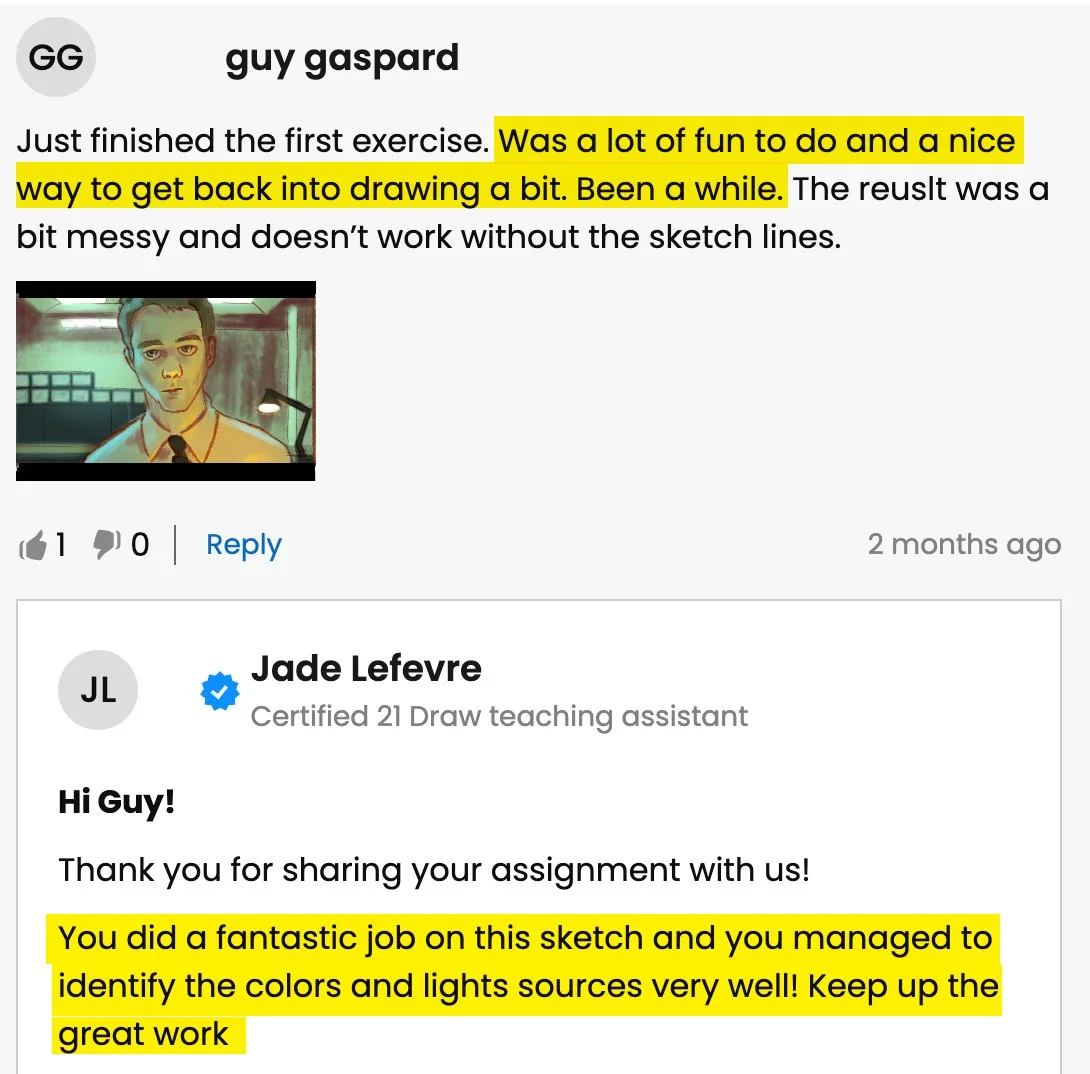
Bagikan senimu (jika kamu mau 😉) atau tugas yang sudah selesai dan dapatkan pujian dari guru-guru kami!

Bicara dengan Teman Sekelas


Gabung dengan komunitas Discord kami yang keren di mana kamu bisa berinteraksi, bertanya, dan belajar satu sama lain.

Berlatih dengan Tugas

Sebagian besar pelajaran memiliki tugas dan contoh yang disarankan untuk membantumu berlatih.

Acara Langsung

Belajar secara real-time dari seniman favoritmu.

Apakah kamu siap bertransformasi dari pemula menjadi ahli? 💥

Get access now for $99 ($595)!
Ayo, hanya untuk waktu terbatas!

Karya Siswa Terbaru

All the illustrations you see here are made by past and current students. And you can do it too. We let the results of our students speak for themselves. You’ll be able to do this too after following our in-depth easy-to-follow lessons.
1/11
Catie Ilic
Alisa
Jay Thatcher
Nida Özer
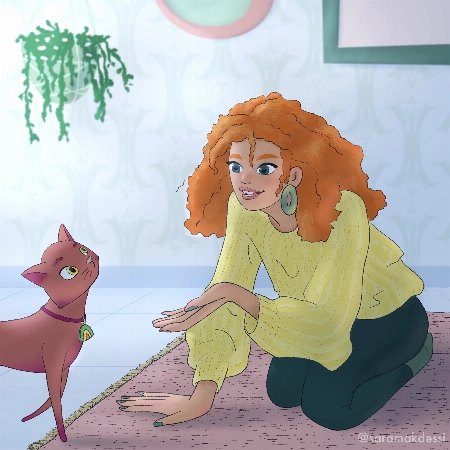
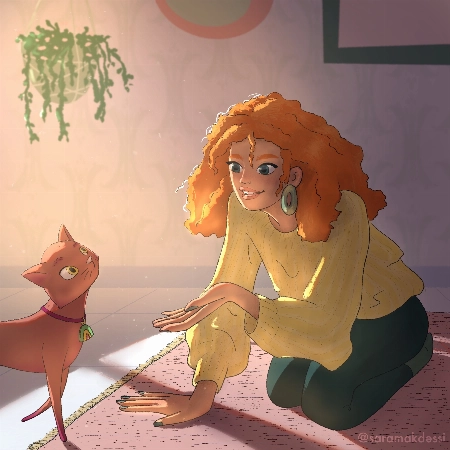
@saramakdessi

Cornelia Paulsson
Jason K.
Oksana Shvedenko
Louise Broesky
Viktoriya Storozhuk
N Goslett

Untuk siapa paket ini...

Kamu baru saja membeli iPad dan Procreate dan ingin segera memulai

Mencari paket ALL in ONE yang akan menyelesaikan semua masalah Procreate-mu

Pemula yang ingin meningkatkan keterampilan desain karakter

Pemula yang ingin belajar tentang menggambar figur, pose, dan gesture di Procreate

Mencari trik, tips & hack Procreate yang belum pernah kamu lihat di tempat lain

Berkesulitan mengejar seni digital setelah bertahun-tahun menggambar secara tradisional

Ingin meningkatkan keterampilan Procreate mu ke tingkat berikutnya, meskipun kamu sudah menjadi ilustrator yang berprestasi

Kamu sudah menggunakan Procreate tapi butuh perspektif baru

Untuk individu yang bertujuan memprofesionalkan keterampilan seni digital mereka & menghasilkan uang dari seni mereka

Seniman yang tertarik dengan desain karakter & ilustrasi digital

Seniman yang ingin memperdalam pemahaman mereka tentang fitur & kemampuan Procreate, agar dapat mengoptimalkan alur kerja dan meningkatkan seni mereka

Bagi yang penasaran tentang fungsi spesifik di Procreate, seperti pengelolaan layer, mode blending, & penggunaan kuas

Tidak yakin harus mulai dari mana? Lihat urutan kelas yang kami sarankan

Kelas 1
Procreate untuk Pemula
Lihat lebih lanjut
Pemula
Kelas 2
Menggambar Karakter Wanita
Lihat lebih lanjut
Pemula
Kelas 3
Pewarnaan Digital
Lihat lebih lanjut
Pemula
Kelas 4
Teori Warna
Lihat lebih lanjut
Pemula
Kelas 5
Menggambar Karakter Kartun
Lihat lebih lanjut
Pemula
Kelas 6
Menggambar Hewan Peliharaan
Lihat lebih lanjut
Menengah
Kelas 7
Langkah Mudah Procreate
Lihat lebih lanjut
Menengah
Kelas 8
Pencahayaan + Bayangan
Lihat lebih lanjut
Menengah
Kelas 9
Ilustrasi Digital
Lihat lebih lanjut
Menengah
Kelas 10
Melukis Potret
Lihat lebih lanjut
Menengah
Kelas 11
Pencahayaan + Bayangan
Lihat lebih lanjut
Menengah

BUT wait, there’s more...

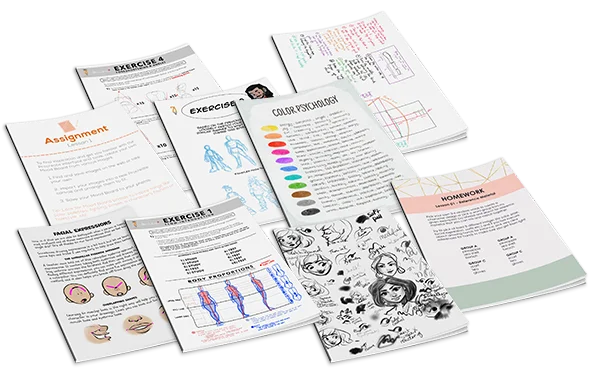
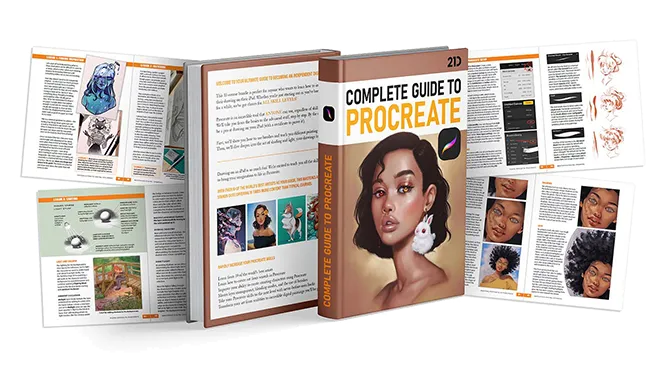
If you get the bundle now, as a BONUS we'll throw in our eBook worth $49! The eBook is 149-pages long packed with SIX of the SAME tutorials from this bundle.
Click to LOOK INSIDE ⤵️

Tidak ada paket lain yang menawarkan kualitas seperti ini...

The 11 online classes and eBook are worth alone $595, but it’s all yours for a fraction of that!

Just picture it: That hobby you once enjoyed can now be your ticket to financial freedom.

And the best part? It costs ONLY the price of a new pair of jeans 👖 or 20 lattes ☕ or a dinner for two 💑 

Lihat bagaimana guru-guru kami membantu siswa...

Pertanyaan siswa
A
Alisa

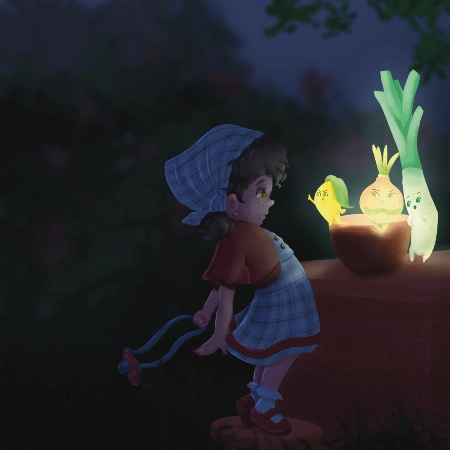
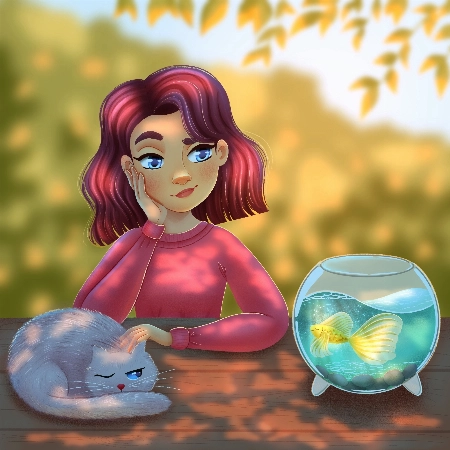
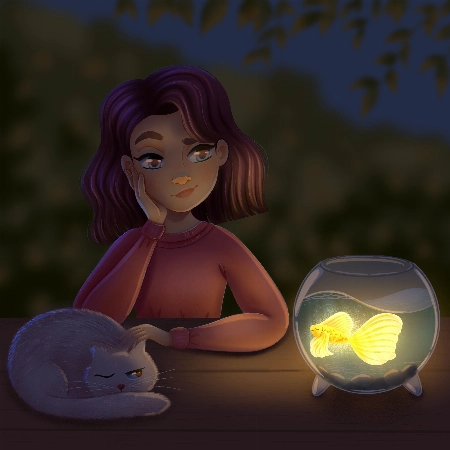
Hello, I finished the Aveline’s course and would like to get some feedback how I can improve my illustrations.. I am not completely satisfied with my work so hope your feedback can help.. ... Tampilkan lebih banyakThank you.
Rhea Tibbey
Asisten pengajar 21 Draw bersertifikat

Hey Alisa! I love your work, you have done an amazing job of following along with Aveline's assignments :)

To keep your feedback simple, I have chosen to refer to your night-time lighting scenario. Check out the tips and images I have attached below, I hope they help :)

  • When you are illustrating an environment a good practice for adding depth is to ensure your foreground uses more saturated colors than your background. Currently they are at a similar level of saturation, this is something you can adjust using your ‘Hue, Saturation and Brightness’ tool.
  • Around the edge of your highlights and shadows you may have a soft line that is a more saturated color.
  • Folds on clothing usually follow a triangular draping pattern down from where they hang from the body. In this case her sweatshirt would mostly be draping from her shoulders. When in doubt with drawing folds in an outfit, a reference picture can make things much easier!
  • If you have warmer tones in your foreground, make the color pop even more by using an ‘Overlay Layer’ to add cooler colors to the background.

I have attached some images with tips and edits to help guide you through this process. Let me know if you have any questions :)
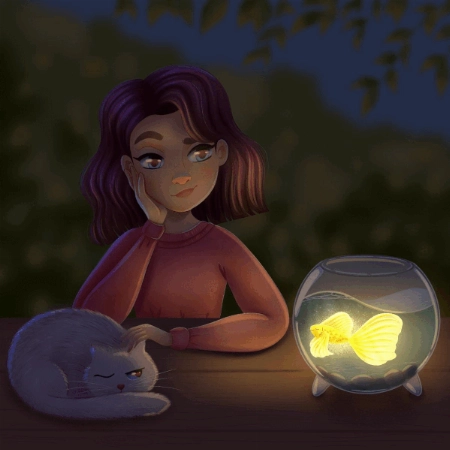
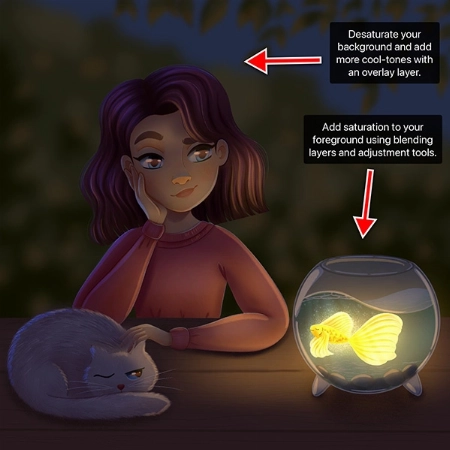
Pertanyaan siswa
Nida Özer

Hello Aveline, I congratulate you on your art and I follow your art with enthusiasm. I would also like to thank you for meeting us on such a occasion. I am adding my works and waiting for yo... Tampilkan lebih banyakur comment :)
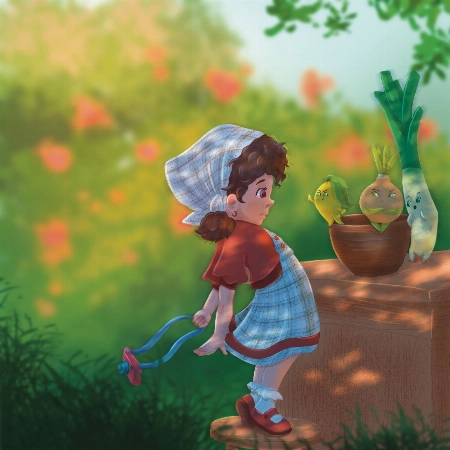
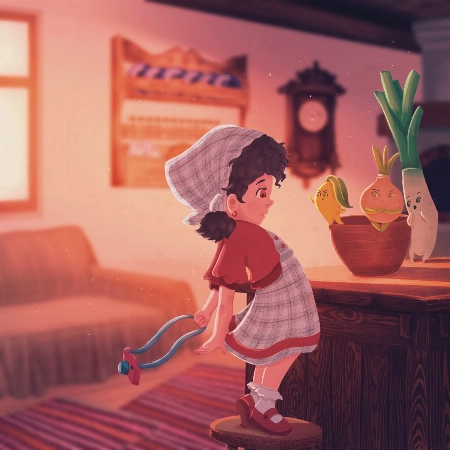
JP
Jessica Paton
Asisten pengajar 21 Draw bersertifikat

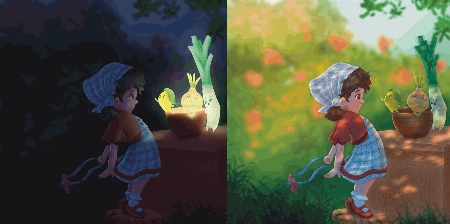
Hi Nida!

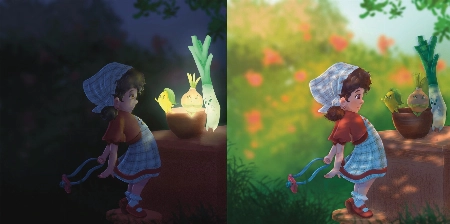
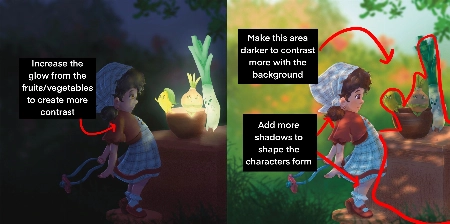
Wow, you did such a great job of applying the techniques from this course! I love that you've put your own characters into the scenes as well! I only have a few small notes for you.

For the Night Scene:

  • Increase the glow in the night scene! Use a soft brush to lighten that part of the scene (I used a light yellow with a soft-light layer setting)

  • Add more highlights/rim lighting on the night scene as well. Make sure you have lots of contrast and really make the most of the fun lighting!

For the Day Scene:

  • Because you have made most of the background quite light, try and keep that somewhat consistent. Keep the background light, and the foreground more dark. Keeping this contrast makes it easier to see the characters as seperate from the background and makes it easier to read.

*Add a few extra shadows to reflect the size of the skirt/around the skirt to imply more 3D form

You've done such a fantastic job with these, and they're honestly great the way they are! Well done!
Pertanyaan siswa
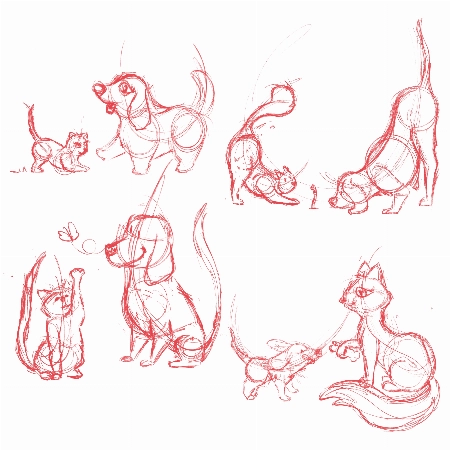
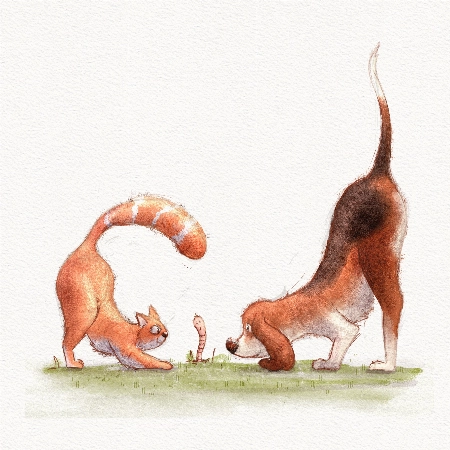
Lana Grushnik

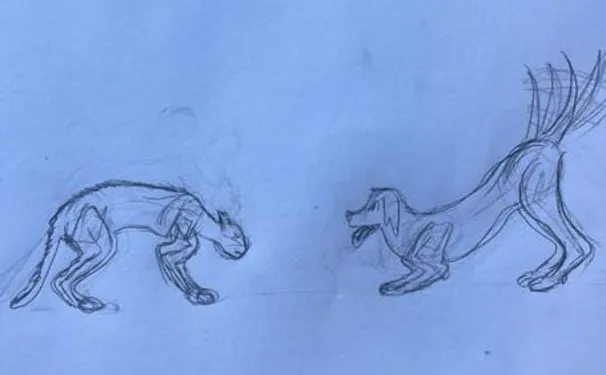
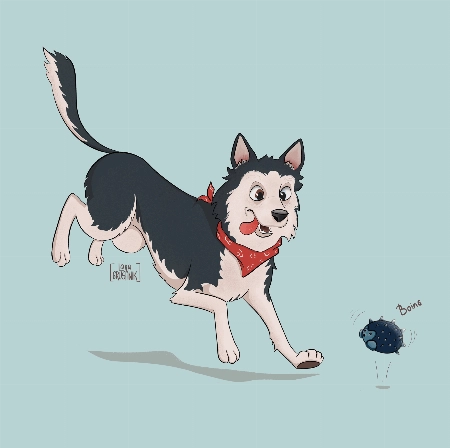
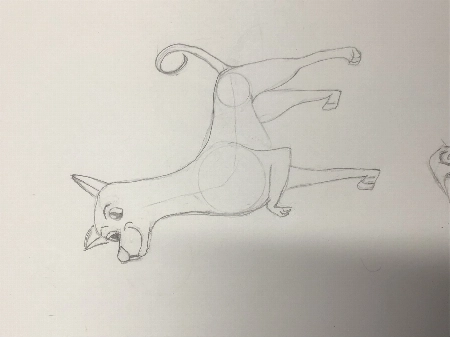
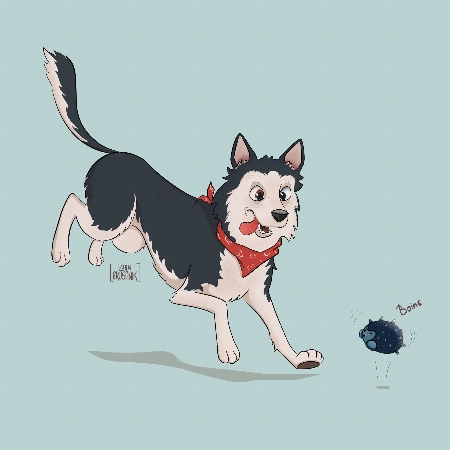
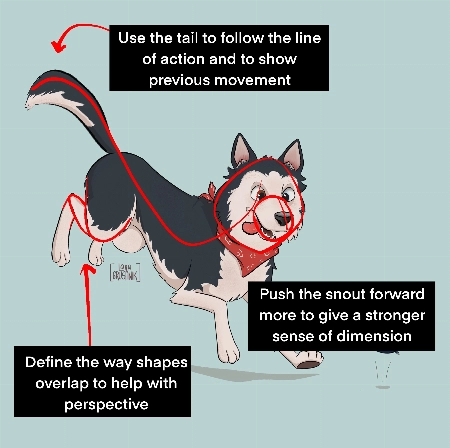
I absolutely loved this course! Very inspiring and simple :) Turned out that I'm really good at drawing dogs. Cats are harder to draw for some reason:)
JP
Jessica Paton
Asisten pengajar 21 Draw bersertifikat

Hi Lana!

This is such a cute drawing! It's very lively and there is a great personality coming from them!

When drawing cats focus very much on the flow - lots of round fluid movements. The line of action will be very important for their poses.

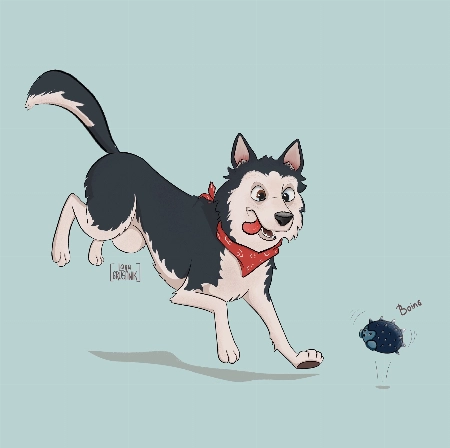
For this particular drawing I just have a couple suggestions!

  • Push the snout slightly further forward. This will help make the head feel a little more round and improve the sense of dimension. Think of the base of the head not as a circle, but as a sphere!

  • When drawing complicated shapes like limbs, especially when they're folded up, think about how each segment is a basic shape. Using the right amount of lines, you can force a sense of perspective by overlaying some with others. In this case, you can add a couple extra lines to make the back leg seem more like it is bent away from the "camera".

  • Use the tail to emphasize the sense of movement! Follow the line of action you already have moving through the pose! Treat it as an extention of this. But also try to consider where the dog was in space before - the tail can have a very lovely flow to it if it is shaped as though it is coming from where the dog was just a moment ago. You were very close to this I think, but lowering it slightly makes it feel less like the dog has dropped down very suddenly.

It's great to hear that you loved the course! I hope you continue to draw more fun animals in the future!
Pertanyaan siswa
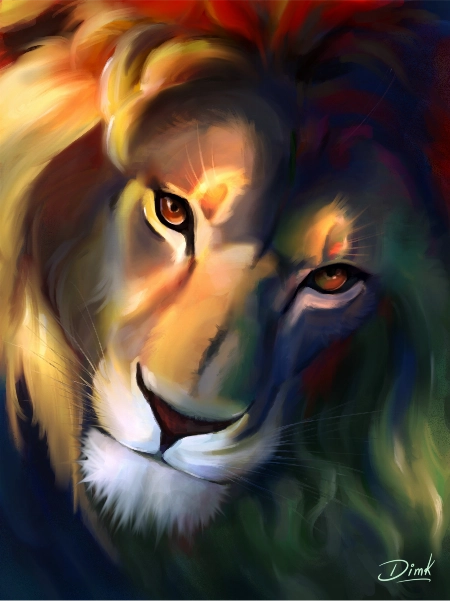
DK
DIM K

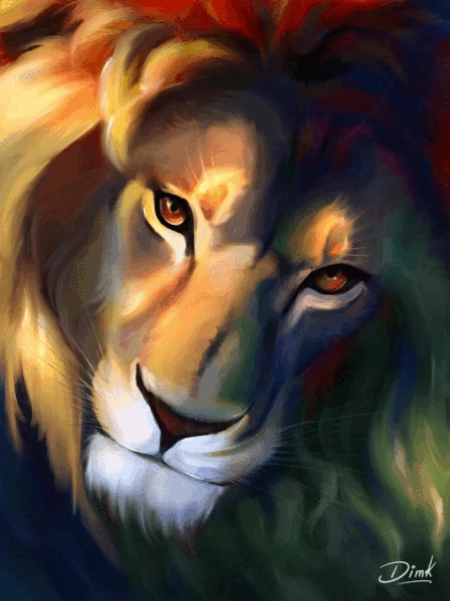
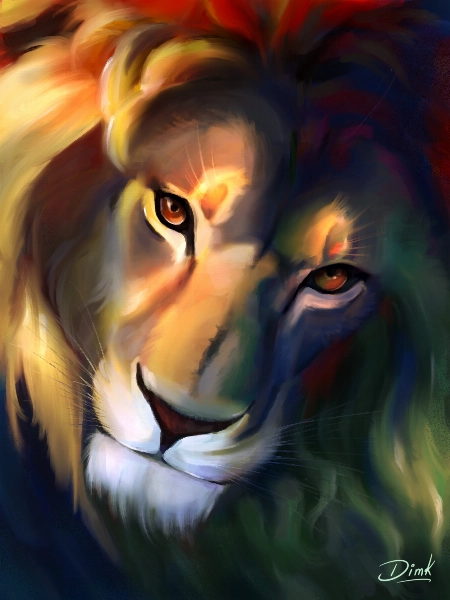
Hi recently I finished this drawing and I would like to get some feedback to improve my illustration.
Jade Lefevre
Asisten pengajar 21 Draw bersertifikat

Hi!

Thank you for sending in your painting! This is incredible work. The subject is beautiful and your use of color is mind-blowing!

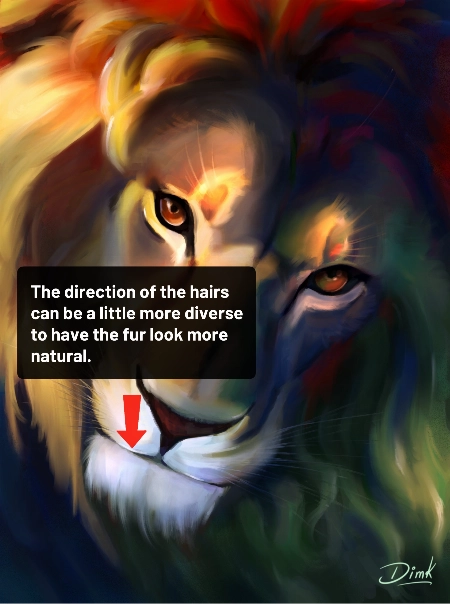
You could maybe try to have the hair on the chin flow in more various and natural directions. Even with the head clearly in motion within the scene and the hair following in the same direction, I think there could be a little more variation.

You can check out the attachments for a more visual explanation!  I hope you’ll find them helpful!  Don’t hesitate to ask if you have any more questions and I wish you a beautiful day!
Pertanyaan siswa
MD
Marjolijn De

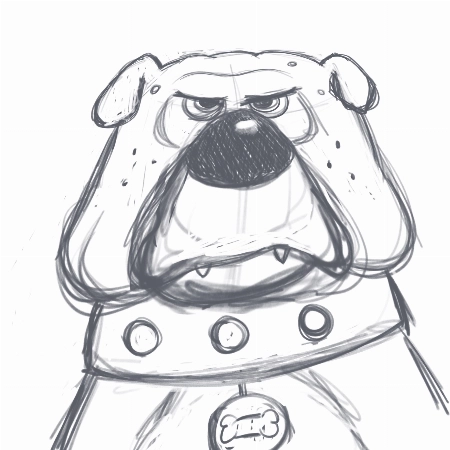
I really enjoyed creating the thumbnails and the final piece. I love to keep my rough sketch slightly visible and I like to add some more texture to my designs. But I loved the gloaming brus... Tampilkan lebih banyakh and I’m going to use it more often:) Thank you very much for this fantastic class!
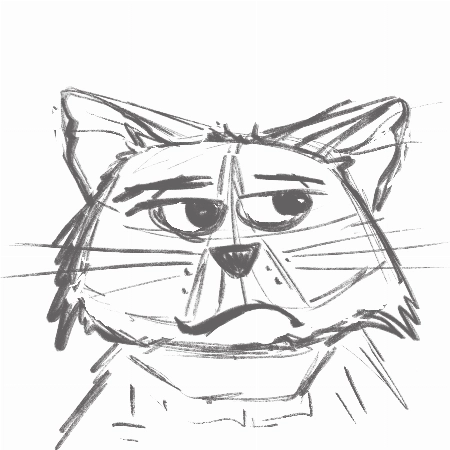
Jade Lefevre
Asisten pengajar 21 Draw bersertifikat

Hi Marjolijn!

I'm glad to hear you enjoyed the course! I'm a huge fan of the way you used the brushes and the colors! Your characters have a lot of personality and I think your final drawing looks really professional.

Keep up the great work and have a fantastic day!

Pertanyaan siswa
SM
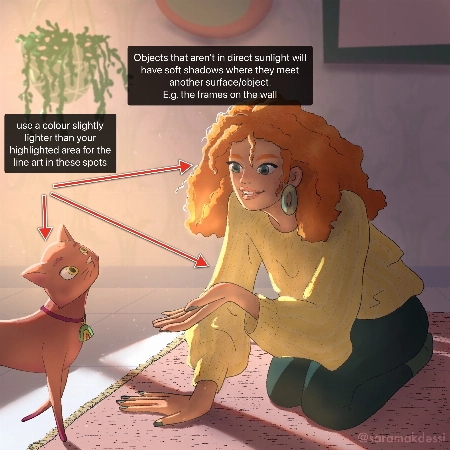
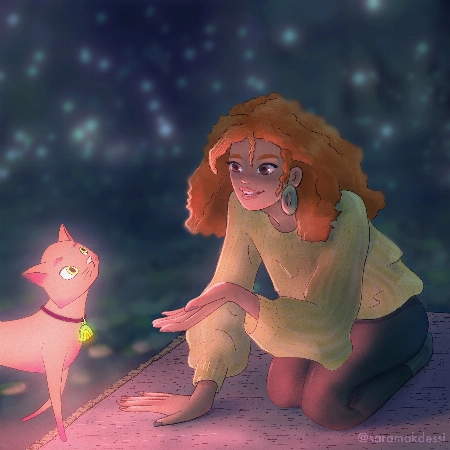
Sara Makdessi

Hi Aveline, thank you so much for this fun and super informative course. I really enjoyed your lessons! Here are my interpretations of the four light scenarios with my characters. Any feedb... Tampilkan lebih banyakack would be very appreciated. Many thanks, Sara
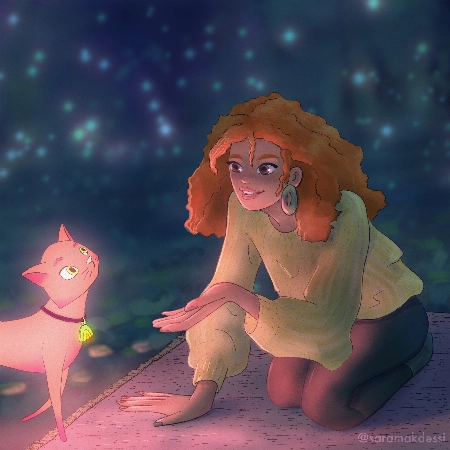
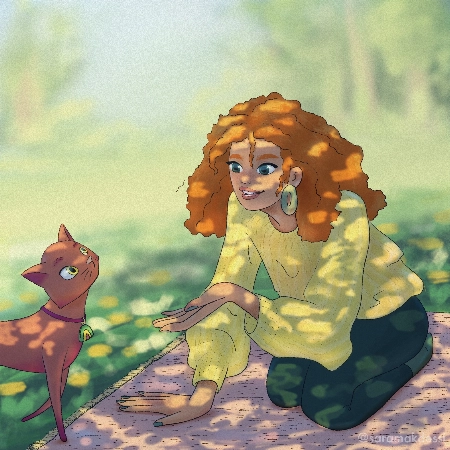
Rhea Tibbey
Asisten pengajar 21 Draw bersertifikat

Hey Makdessi! These illustrations look amazing! You have done a great job of using the lighting and shading techniques from this course :)

Here are a few feedback suggestions that you could try in future illustrations/ to improve these:

  • In areas of your character that are highlighted, change the colour of your line-art to a colour brighter than the highlighted area.
  • Additionally, it can look nice if you set your line-art to a darkened version of an ambient colour in your image rather than black.
  • Add soft shadows to objects that aren't in direct light.
  • For your night-time scene, you could decrease the saturation of the background and perhaps add even more blur to make your character stand out even more.

Try these out and see what you think! Wishing you a creative week, Rhea
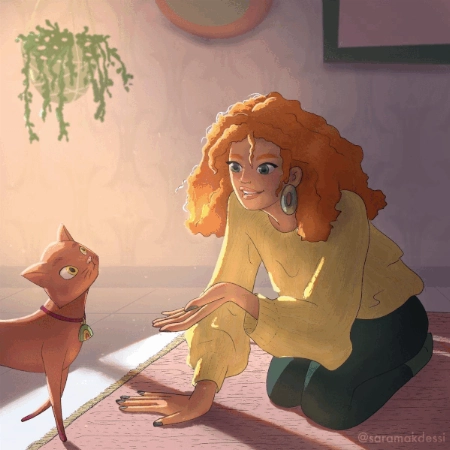
Pertanyaan siswa
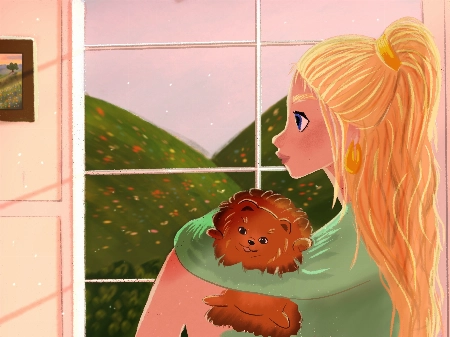
Polina Lutseva

Hello!! I love the course and tried to do all types of lighting by myself, it would be really great to hear feedback, comments and critics about my work. Thank you very much in advance!! Pa... Tampilkan lebih banyakuline
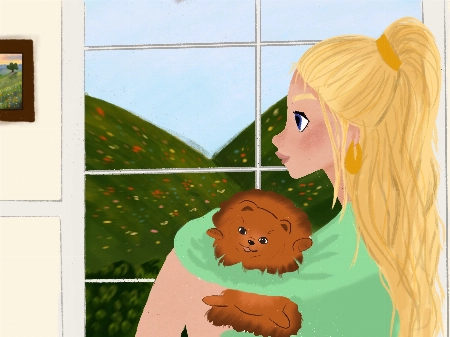
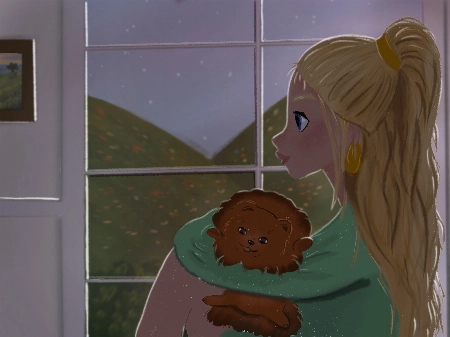
Rhea Tibbey
Asisten pengajar 21 Draw bersertifikat

Hello Polina! I love your drawings, they are so gorgeous! Thanks for sharing them :)

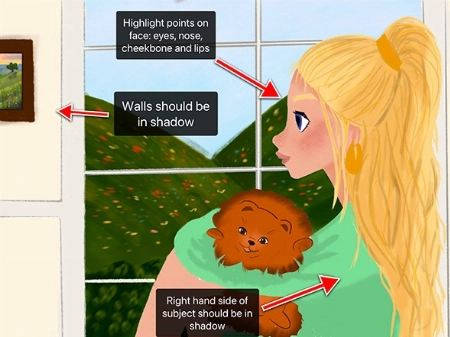
Check out my feedback below and notes I have added to your drawing! I hope you find them helpful :)

  • Don’t be afraid to use ‘Overlay’ blending layers with vivid colors to help establish the time of day, especially for the sunset and daytime photos.
  • In the indoor scene: the walls and the character should be in soft shadow due to the backlighting from the window.
  • Your character has a few spots on their face that might have highlights including their: eyes, nose, lips and cheekbones.
  • Your overcast lighting scenario could be de-saturated to convey the gray-diffused light source. This is something you can adjust using the ‘Hue, Saturation and Brightness’ tool.
  • Even on an overcast day you will still have some soft shadows where clothes fold or different objects meet each other.
  • You can try and make the direction of your light source more clear by adding color variation to your sky using an overlay or multiply layer.
  • When in doubt, practice by studying photographs! This can be a great way to learn about illustrating hard shadows.

I have attached some images with tips and edits to help guide you through this process. Let me know if you have any questions :)
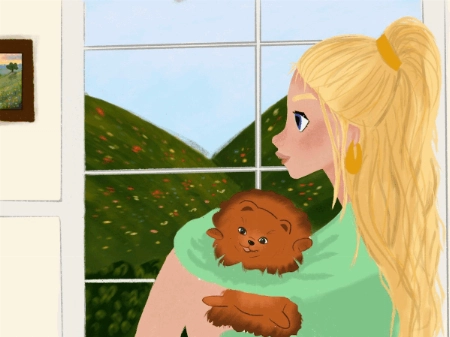
Pertanyaan siswa
LB
Louise Broesky

I have never used Procreate before so I did the first lessons on paper working my way through the other ones I’m not used to drawing with circles and lines of actions. I pick a body part ... Tampilkan lebih banyakand then I draw from there that’s what I’m used to so I didn’t use the circles the way I was supposed to
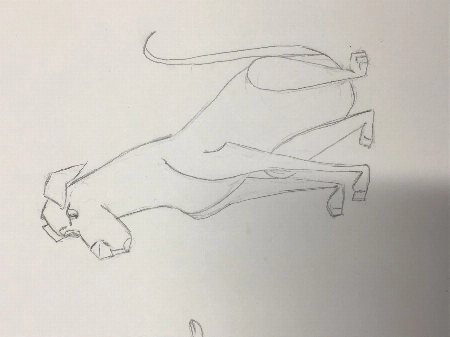
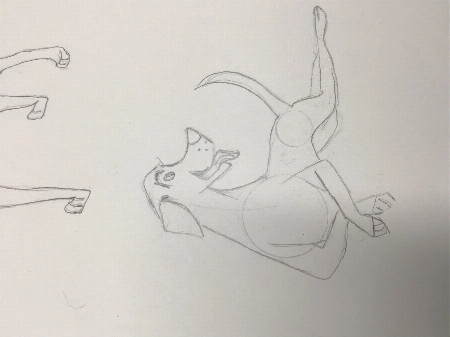
JP
Jessica Paton
Asisten pengajar 21 Draw bersertifikat

Hi Louise!

This is such a great drawing so far!

I do recommend trying to start a drawing with the basic shapes before you get too far into detail to make sure that the drawing has a solid foundation.

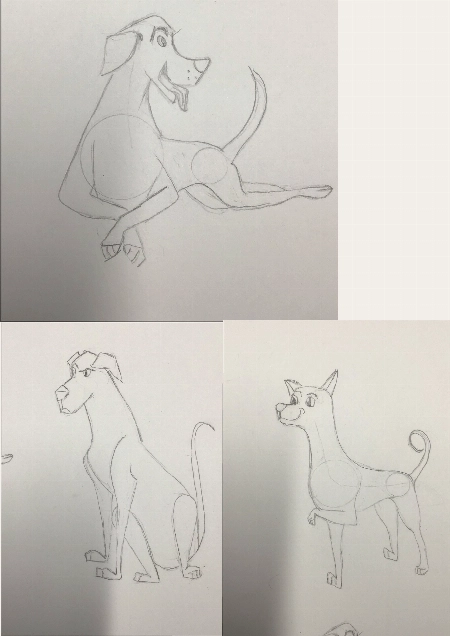
  • Break things into spheres and cylinders. Spheres for the head and joints, and cylinders for the limbs and snout. Using these as a guide and it will help add dimension

  • Another thing that will add dimension is layering one shape of the other. Having a shape hidden behind another will instantly add a sense of 3D.

  • Think about their skeleton! Look at where their bones bend. This is the natural basic building of an animal. You don't have to draw every bone, but you can break it into areas - The ribcage as one oval, the pelvis as another. The forearm bone as a cylinder, the joints as spheres. It helps a lot to understand how a creature can move and bend, and how they can't.

You're well on the right track and each drawing you have done is very expressive and has lovely poses, good job!
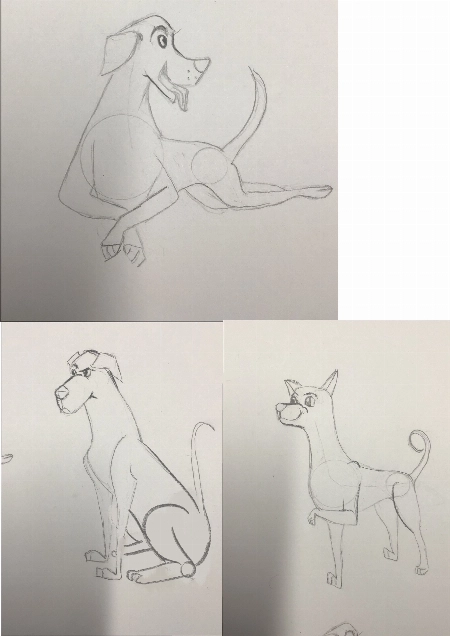
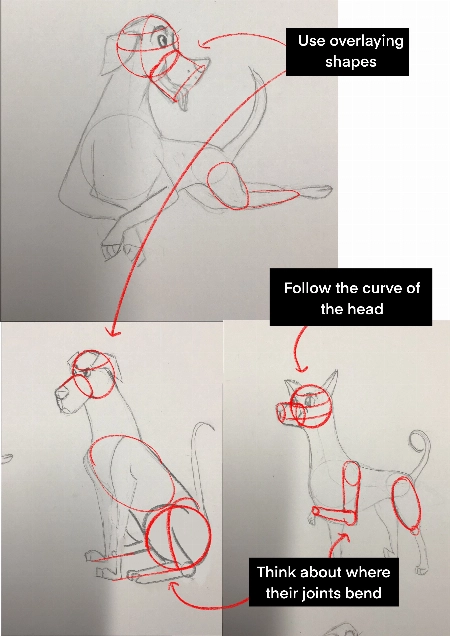
Bagaimana Kami Membandingkan

Kelas premium
Sistem sederhana, langkah-demi-langkah
Artis & guru terverifikasi
Kurikulum terstruktur
Video tanpa iklan
TANPA embel-embel atau pengisi
Akses seumur hidup
Dapatkan jawaban untuk pertanyaanmu
Kirim gambar untuk umpan balik
Sumber daya kursus
File proyek
Free eBook
Sertifikat penyelesaian kursus
Dapatkan tawaran saya sekarang! Hanya untuk waktu terbatas!
Jaminan Uang Kembali 30 Hari!

EARN YOUR CERTIFICATE

Ketika kamu menyelesaikan setiap kelas, kamu akan mendapatkan sertifikat penyelesaian. Bagikan di portofolio, media sosial, atau di mana pun kamu suka.

Tanya Jawab

Berapa lama saya memiliki akses ke bundel ini dan kapan dimulai?

How does lifetime access sound?

After enrolling, you have unlimited access to this bundle for as long as you like - across any and all devices you own.

Inside the program you have access to all the resources files and teaching assistants to answer any question you may have.

Apakah ini kursus online atau langsung?

All classes are pre-recorded and you can watch them online with any digital device, anytime, and for an unlimited number of times! This means you can easily watch (and rewatch) them at your own pace and convenience.

We also have bonus live sessions that are free of charge for all our students.

Tidak bisakah saya belajar semua ini di Youtube?

Youtube is a fantastic resource with more free tutorials than any individual is capable of watching on improving your art skills.

But a side effect of only learning on Youtube is that you'll waste dozens of hours learning the same thing, searching for tutorials only to find partial answers and not having precise exercises designed to help you truly learn the skills you're after.

If you want to develop your skills FAST, then our classes are for you.

Plus, what is your time worth?

This bundle will save you weeks of frustrated time searching for answers and rapidly increase your digital illustration skills.

For some - thats $99 well spent!

If your time isn't worth that yet...

Stick to Youtube until it is!

Untuk tingkat keterampilan apa bundel ini?

The classes in our bundle are approachable for beginners and has advanced techniques for those with more experience.

If you have no art experience whatsover or struggle to draw a basic character, we recommend starting off by taking our 'Learn to draw in 21 days' classes.

Apakah bundel ini tersedia dalam bahasa lain selain bahasa Inggris?

All classes are available in English (original narration) and most have dubbed narration in Spanish, French, Italian, German, & Portuguese.

Subtitles are available for all course in the following languages: English, Spanish, Japanese, French, German, Italian, Portuguese & Indonesian.

Apakah ada jaminan?

Pastinya! Semua bundel kami memiliki Jaminan Kepuasan 30 Hari. Jika kamu tidak sepenuhnya PUAS dan TERINSPIRASI, hubungi kami dalam 30 Hari untuk pengembalian uang penuh, tanpa pertanyaan!
21 Draw seperti yang terlihat di...

Siapakah 21 Draw?

Sejak 2013 dalam angka:
  • 70 ribu komunitas yang kuat
  • 40 ribu buku seni terjual
  • 10 ribu pendukung Kickstarter
  • 632 ribu dolar AS didanai di KS

Kami memulai 21 Draw di Swedia pada tahun 2013 dengan tujuan untuk membantu semua orang menjadi seniman yang lebih baik!

Kami dinamakan 21 Draw karena saat kami memulai, kami hanya memiliki anggaran untuk mempekerjakan 21 seniman. Namun, banyak sekali seniman yang sangat antusias untuk terlibat, jadi kami tidak bisa menahan diri untuk menambah jumlah seniman, dan menciptakan lebih banyak produk, mulai dari buku hingga kursus online.

Tujuan kami adalah untuk bekerja sama dengan seniman-seniman terbaik dunia untuk membantu komunitas kami dan kamu mencapai tujuan artistikmu. Kami ingin membuat pendidikan seni yang luar biasa terjangkau untuk semua orang.

Tutup
Get Bundle for ONLY $99 ($595)! Jaminan 30-hari Uang Kembali