Save 83% on course bundle.

Master Procreate with Not Just One, but 10 World-Class Artists!

Unlike classes with only 1 kickass artist, this 11-course bundle has tutorials by 10 PROS who work for Disney, Marvel, DC... You'll learn more and faster with artists of different art and teaching styles.
4.8
(sur la base de 4,467 avis)

Get Lifetime Access. One-time payment.

Get Bundle for ONLY $99 ($595)!
Garantie de remboursement de 30 jours !

SPECIAL SALE! FREE Gift If You Order NOW!

Apprenez auprès des MAÎTRES du secteur

We curate our roster to bring you the best artists & even better teachers.
327k abonnés

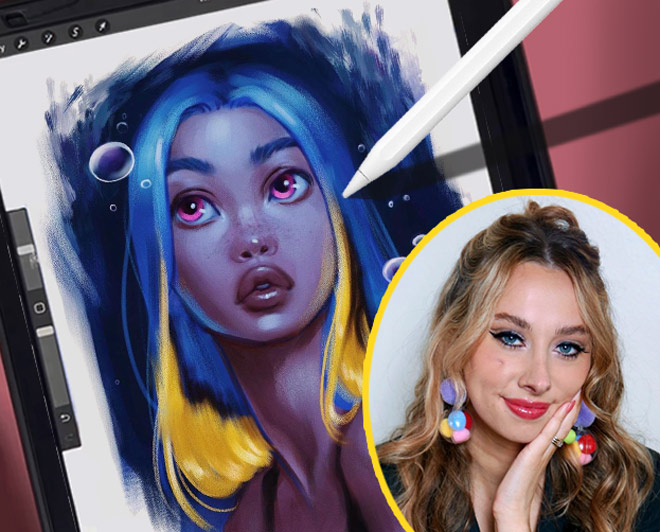
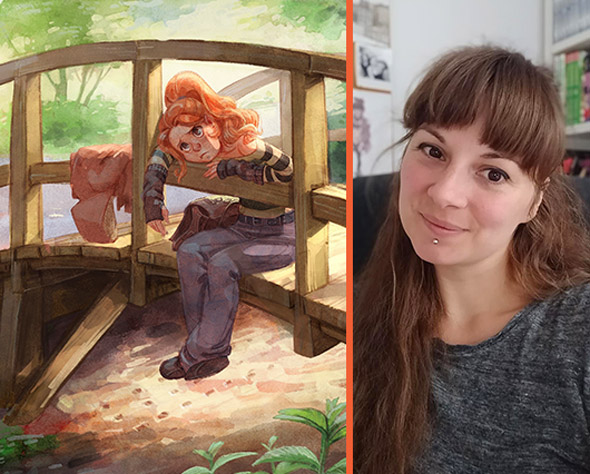
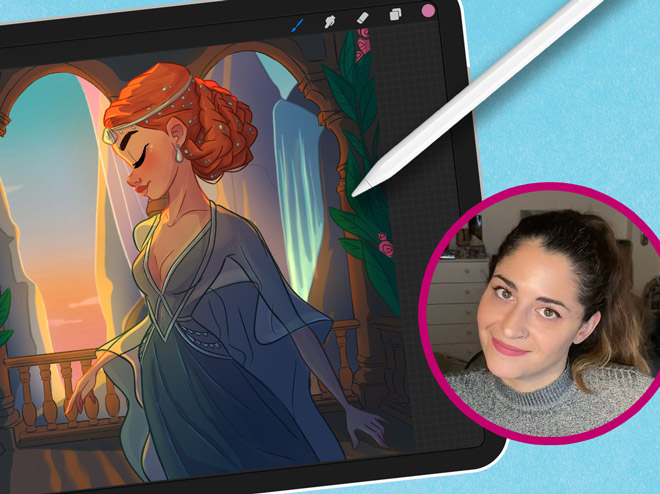
Aveline Stokart

Master Lighting & Shading
249k abonnés

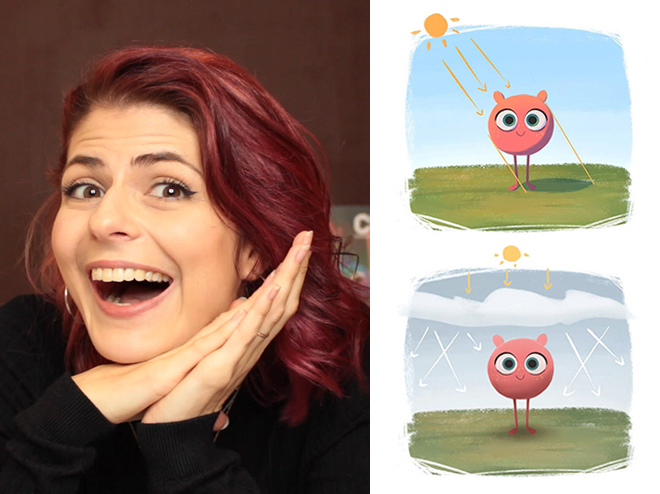
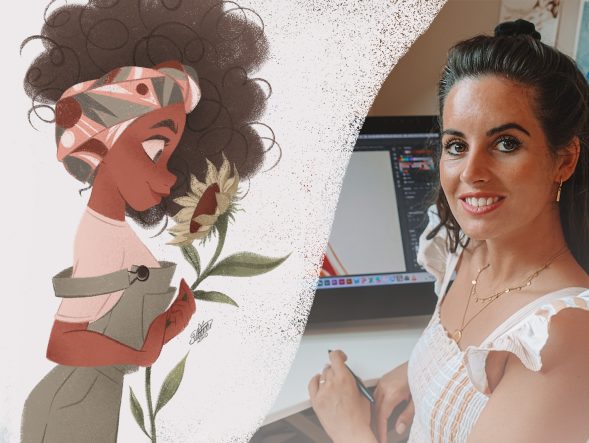
Erika Wiseman

Set up your digital workspace

1.1mn abonnés

Feefal (Linnea Kikuchi)

Create beautiful illustrations

611k abonnés

Simone Grünewald

Paint a beautiful background

382k abonnés

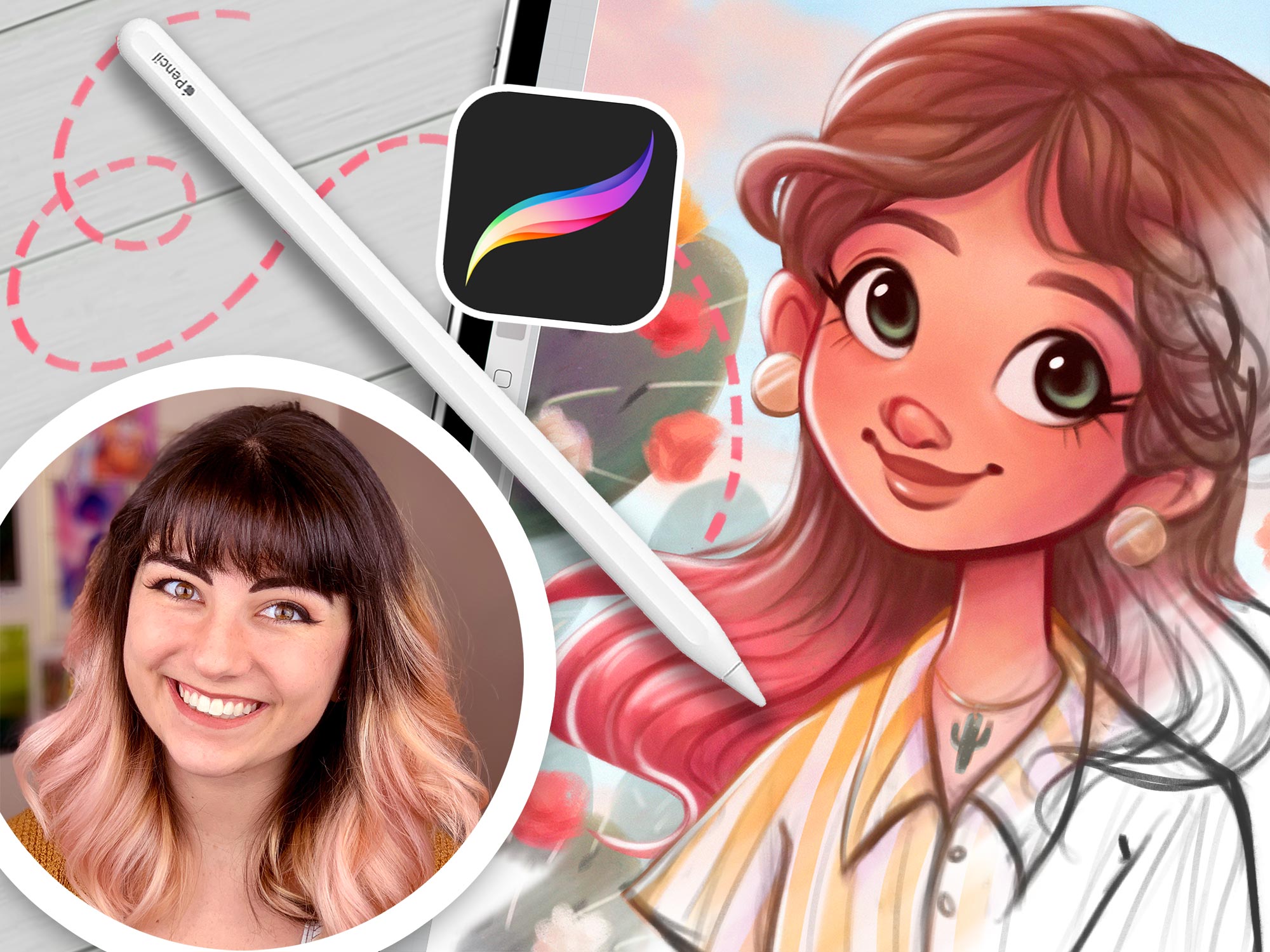
Isabelle Staub

Master the basics of Procreate & avoid common mistakes
97.6k abonnés

Maria Lia Malandrino

Draw a cartoon character & make your art shine
189k abonnés

Meike Schneider

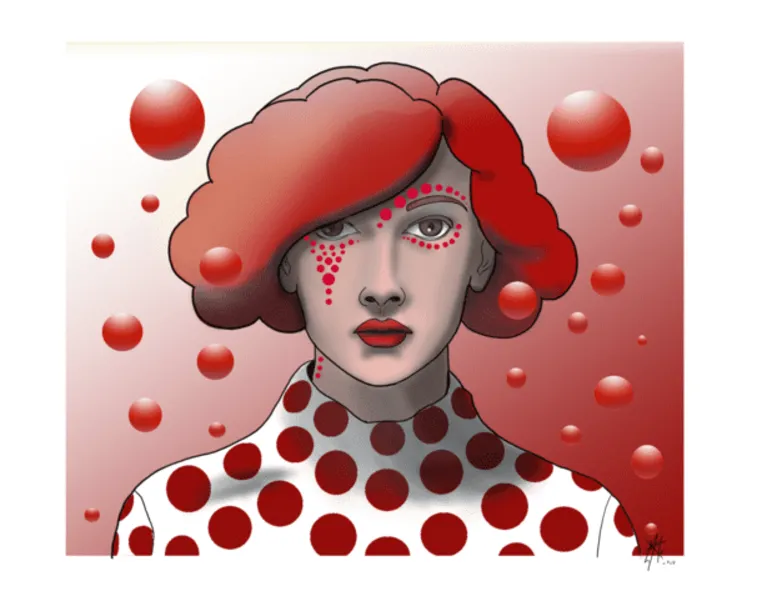
Draw a Female Character
119k abonnés

Lauren Barger

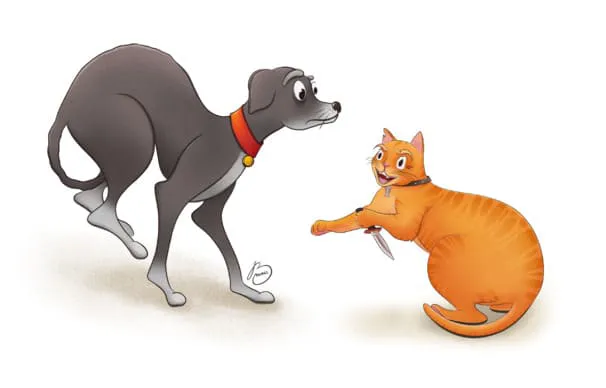
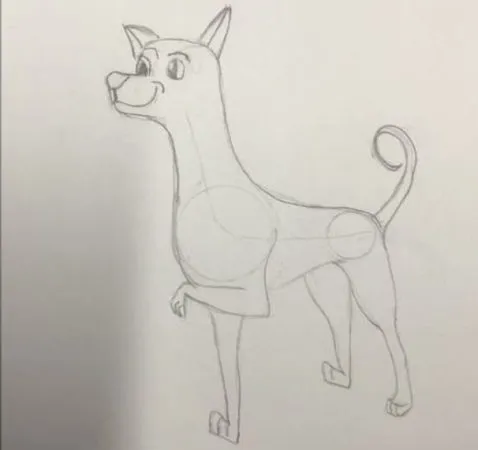
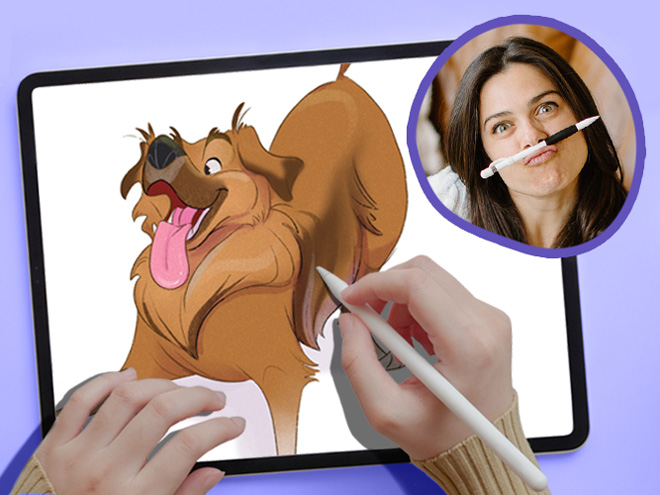
Drawing Pets from Scratch

129k abonnés

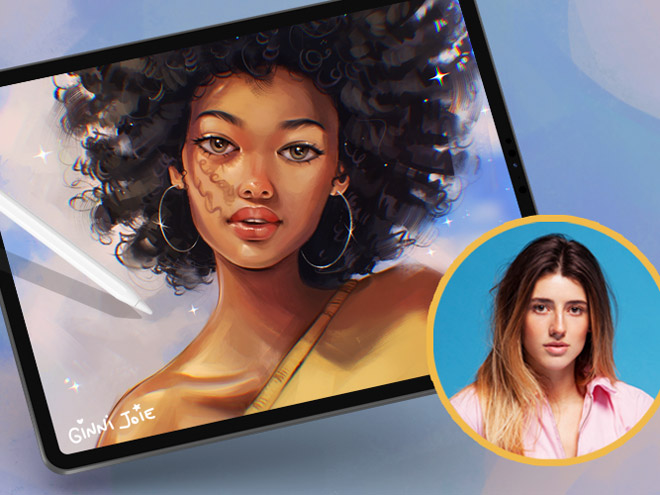
Ginevra Girgolo

Painting Portraits in Procreate
600 abonnés

Rhea Tibbey

Introduction to Color Theory
200+
Leçons courtes
65k+
students since 2020
21+
Heures de cours
10
Professeurs de renom

Check out the 11 courses in this bundle

"These classes are a whole different level of awesome…"

Packed with tutorials by top illustrators, it feels like you are at a cafe table with INSANELY talented professionals!

Each of them works in their own style and describes things in their own way.

Not only do they show their artwork, but they’ll show you EXACTLY what they’re doing, and how they break down their process, step-by-step.

Unlike other tutorials, which can sometimes feel rigid, too clinical, or uninspiring. These feel natural and conversational.

This bundle doesn’t restrict itself to being for beginners, intermediate, or advanced artists.

Instead, it’s created by artists for artists! And we’re confident that artists of ALL SKILL LEVELS will gain A LOT from watching these classes!

Don’t take our word for it! See below why thousands of our students love it!

Ryan, from 21 Draw

Ce qu'en disent nos clients

4.8
(d’après les avis de 4,467 clients)
PP
Paulette P.
il y a 3 semaines
Achat vérifié
C'est un cours auquel je reviendrai avec plaisir ! Après des années d'études artistiques, j'ai constaté que la lumière et les ombres sont des concepts que très peu de professeurs abordent en profondeur. J'ai beaucoup apprécié la passi
+ Afficher plus
on d'Aveline pour le sujet et sa pédagogie. Merci ! J'ai énormément appris !
Commentaire du cours "Maîtriser l'éclairage et l'ombrage
HB
Haley B.
il y a 2 semaines
Achat vérifié
Simone propose un cours exceptionnel, détaillant chaque étape de son processus de création numérique. Chaque section présente en détail chaque principe artistique, expliqué et démontré de manière approfondie. Ce cours m'a permis de mieux comprend
+ Afficher plus
re comment optimiser mon flux de travail pour mes propres créations numériques, et d'apprendre des techniques pour fusionner art traditionnel et numérique. Simone m'inspire profondément et me motive à poursuivre mon travail artistique, à appliquer les concepts appris dans ses vidéos, et à observer mon quotidien pour ensuite transposer ces observations dans mes œuvres.
Commentaire du cours "Illustration numérique avec Procreate
BY
Büşra Y.
il y a 2 jours
Achat vérifié
Le cours est très utile et le formateur explique les choses de manière très agréable. Cependant, je ne comprends pas pourquoi, lors des séquences accélérées, on ne voit pas clairement quelles modifications sont apportées à quel calque. J'ai essay
+ Afficher plus
é de suivre chaque étape du processus dans les dessins, mais j'ai quand même raté certaines choses. C'est décourageant ; cela me fait perdre ma motivation et diminue mon respect pour le formateur. Malgré tout, j'adore 21draw et tous les formateurs qui s'y investissent autant.
Commentaire du cours "Maîtriser l'éclairage et l'ombrage
HG
Hailey G.
il y a un mois
Achat vérifié
Ce cours m'a permis d'apprendre à utiliser Procreate. Débutante en art numérique, j'ai trouvé son contenu extrêmement utile. Il m'a aidée à mettre au point une méthode de création numérique qui me convient parfaitement et à progresser
+ Afficher plus
en tant qu'artiste.
Commentaire du cours "Dessin numérique dans Procreate pour débutants
TP
Tomay P.
Il y a 2 mois
Achat vérifié
Je partage l'avis de nombreux autres utilisateurs : ce cours est clairement plus adapté aux personnes maîtrisant déjà l'art numérique et Procreate (ou un logiciel similaire). Utilisant moi-même Sketchbook Pro et correspondant à ce profil, j&#
+ Afficher plus
39;ai énormément appris ! C'est une excellente façon de perfectionner ses techniques d'éclairage et d'ombrage, et je compte bien mettre en pratique les techniques présentées par Aveline. Cela a considérablement amélioré mes illustrations de livres pour enfants.
Commentaire du cours "Maîtriser l'éclairage et l'ombrage
OP
Oliwia P.
Il y a 2 mois
Achat vérifié
J'avais beaucoup de mal à transposer mes dessins traditionnels en format numérique : mes croquis et mes œuvres me paraissaient toujours très plats. Grâce aux cours d'Erika, j'ai réussi à développer une méthode qui a complètement transform
+ Afficher plus
é ma façon d'aborder le dessin numérique, et maintenant, j'y prends un réel plaisir ! Je recommande sincèrement ce cours à tous.
Commentaire du cours "21 jours de dessin numérique
JR
Jovana R.
Il y a 3 mois
Achat vérifié
Je tenais à vous dire combien j'ai été impressionné par votre concept et votre approche de l'illustration. Votre créativité et votre présentation rendent l'apprentissage particulièrement enrichissant. J'apprécie l'effort et la pas
+ Afficher plus
sion que vous déployez dans votre travail. Ce fut un réel plaisir d'apprendre grâce à vos cours. Merci pour cette expérience si stimulante et inspirante.
Commentaire du cours "21 jours de dessin numérique
JL
Jacinta L.
Il y a 3 mois
Achat vérifié
J'utilise Procreate depuis environ un an et ce cours est de loin le meilleur que j'aie suivi. Tout est très simple, mais rien ne s'apprend par hasard. Toutes les leçons étaient extrêmement précieuses, avec des conseils très clairs et faci
+ Afficher plus
les à suivre. C'est un cours auquel je reviendrai régulièrement pour m'entraîner jusqu'à maîtriser parfaitement les compétences. Je le recommande vivement.
Commentaire du cours "Procreate en toute simplicité
KB
Kayla B.
Il y a 3 mois
Achat vérifié
J'adore qu'elle explique aussi comment faire différents ajouts et comment changer de pinceaux, parce que j'étais une vraie débutante quand j'ai commencé et que je ne savais absolument rien faire. Maintenant, je pratique depuis une éte
+ Afficher plus
rnité et elle m'a encore appris des choses !
Commentaire du cours "21 jours de dessin numérique
AW
Adèle W.
Il y a 3 mois
Achat vérifié
Même si j'ai trouvé que certaines vidéos à la fin n'étaient pas dans le bon ordre chronologique (c'était flagrant avec les calques qui ne correspondaient pas entre deux ou trois vidéos), ce cours a été excellent et j'ai beaucoup appri
+ Afficher plus
s ! La formatrice est très talentueuse et j'ai découvert de nombreuses techniques. Je suis ravie et merci pour ce partage !
Commentaire du cours "Peindre des portraits sur Procreate
DA
Denisa A.
Il y a 4 mois
Achat vérifié
Ce cours en ligne a dépassé mes attentes. En tant que débutant, j'ai trouvé les explications étape par étape extrêmement claires et faciles à suivre. Il m'a permis d'acquérir une solide compréhension des outils de base du logiciel, ainsi
+ Afficher plus
que des concepts plus avancés. J'ai vraiment beaucoup appris et je me sens désormais beaucoup plus à l'aise avec le logiciel. Un grand merci ! Je recommande vivement ce cours !
Commentaire du cours "Dessin numérique dans Procreate pour débutants
VA
Vanessa A.
Il y a 5 mois
Achat vérifié
J'apprécie la structure de la partie sur l'harmonie et les schémas de couleurs, et j'aimerais la retrouver dans la partie consacrée à la méthode des niveaux de gris. La leçon sur les schémas de couleurs proposait une vidéo où je dessinais
+ Afficher plus
à mon rythme, et j'aimerais faire de même pour la partie sur les niveaux de gris, qui était un peu trop rapide.
Commentaire du cours "Introduction à la théorie des couleurs

Améliorez rapidement vos compétences sur Procreate

Learn from 10 of the world’s best artists

Learn how to create art from scratch in Procreate

Improve your ability to create amazing characters using Procreate

Maîtrisez la gestion des calques, les modes de fusion et l’utilisation des pinceaux

Take your Procreate skills to the next level with never-before-seen hacks

Transform your art from scribbles to incredible digital paintings you’ll be proud to share

Lifetime Updates + Future courses included

This bundle offers lifetime access to an expanding set of Procreate courses. When you buy this special pack, you’ll get instant access to 11 exciting courses. And guess what? You’ll also get new Procreate courses added automatically without having to pay extra! 🤩 This means your one-time payment grants you access to more resources over time! (And that’s why you should get this Bundle NOW before it gets more expensive!)

But wait, there’s more! All the courses in this pack, even the ones added later, will always have lifetime updates. That means your courses will stay up to date with the latest Procreate app updates and art trends.

We promise to keep making this pack better by adding new courses and keeping the old ones up to date. So get ready to have a blast learning art with Procreate!

mises à jour mensuelles
Nouveaux cours
Vous recevrez aussi de nouveaux cours ajoutés automatiquement chaque mois, sans frais en plus ! 🤩
communauté
210k+ membres
Rejoignez une communauté et des assistants pédagogiques pour obtenir des retours et vous inspirer des autres.

See why students are raving about our courses...

1/16

About the Bundle

Welcome to Your Ultimate Guide to Becoming an Independent Digital Artist!

This 11-course bundle is perfect for anyone who wants to learn how to improve their drawing on their iPad. Whether you’re just starting out or you’ve been drawing for a while, we’ve got classes for ALL SKILL LEVELS!

Procreate is an incredible tool that ANYONE can use, regardless of skill level.

We’ll take you from the basics to the advanced stuff, step by step. By the end, you’ll be a pro at drawing on your iPad (with a certificate to prove it!).

First, we’ll show you how to use brushes and teach you different painting techniques. Then, we’ll dive deeper into the art of shading and light, so your drawings look amazing.

Drawing on an iPad is so much fun! We’re excited to teach you all the skills you’ll need to bring your imagination to life in Procreate. 🎨🚀

With over 10 of the world’s best artists as your guide, this Masterclass STANDS OUT🌟 offering 16 times more content than typical courses.

In 200+ lessons (21 hours) you’ll learn to: 

  • Set up your digital workspace with Erika Wiseman 🖌️
  • Navigate & utilize Procreate’s main tools & features with Isabelle Staub 🌟
  • Select brushes that complement your style and drawings 🖌️
  • Hone your drawing technique and stroke pressure control ✍️
  • Explore concepts of light and shading with Aveline Stokart 💡
  • Discover time-saving shortcuts for efficient workflow 🕒
  • Uncover hidden tips and tricks for maximizing productivity 💡
  • Learn to create captivating time-lapse videos of your artwork 🎥
  • Master file importing and exporting processes 📤
  • And most importantly giving you the confidence to share your art! 💪
  • Each video lecture comes with easy-to-follow assignments that you can use to track your progress 📚

Get ready for an exciting adventure and discover how amazing you can be as a digital artist! Start now! 🚀

Découvrez l’avis de nos étudiants sur les cours...

"Ça vaut le coup !"
"Facile à suivre !"
"Great hacks!"
"Make your art pop!"
"Super marrant !"
"Idéal pour les débutants !"
"Super informative!"

Prêt à passer de zéro à héros ? 💥

Get access now for $99 ($595)!
Dépêchez-vous, offre limitée !

Meet your instructors

21 Draw choisit les meilleurs professeurs parmi les artistes de premier plan pour vous offrir une expérience d'apprentissage exceptionnelle.

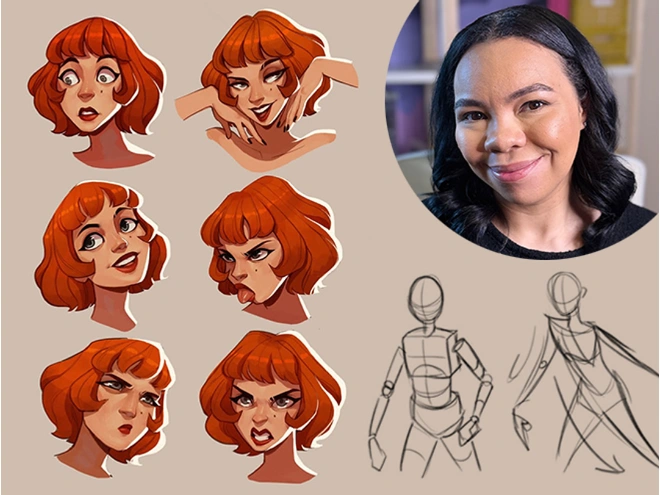
Aveline Stokart

Aveline is not just an amazing comic book artist designing characters that feel real - she's also a fantastic teacher. And a very curious one too! She’s explored everything from drawing to pottery, always looking to try something new and make art that hits you right in the feels.

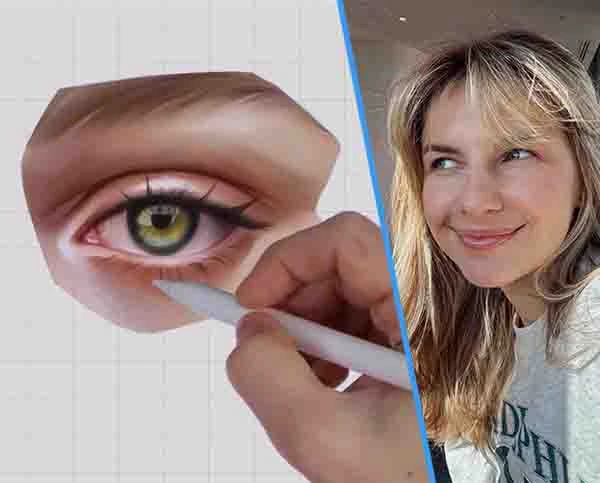
Isabelle Staub

From viral Disney reimaginings to Marvel collabs, this Philly-based digital artist dazzles with detailed portraits and character designs. With a passion shared through art and teaching, her creations are a must-see.

Feefal (Linnea Kikuchi)

Dive into Feefal's world, where cute meets the mysterious. With a palette that ranges from digital to traditional, her art is a favorite among over a million fans. If you're into charming yet slightly spooky visuals, she's your artist.

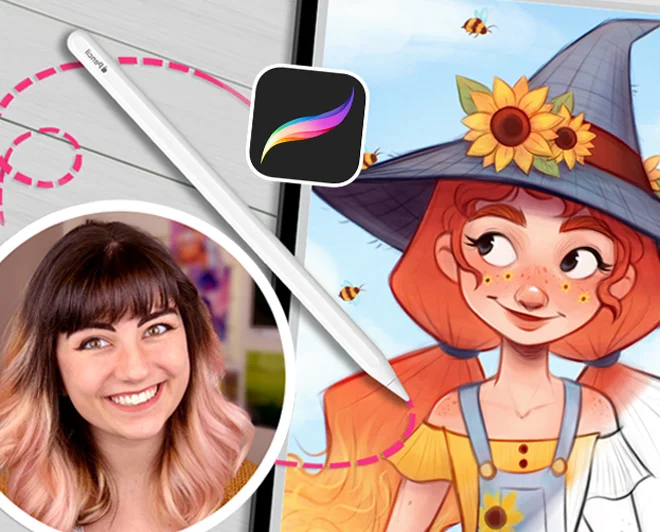
Erika Wiseman

This illustrator’s feed is a burst of joy with her colorful and cute creations. Starting in 2008, she's carved out a space where creativity meets encouragement, making her an inspiration for budding artists everywhere.

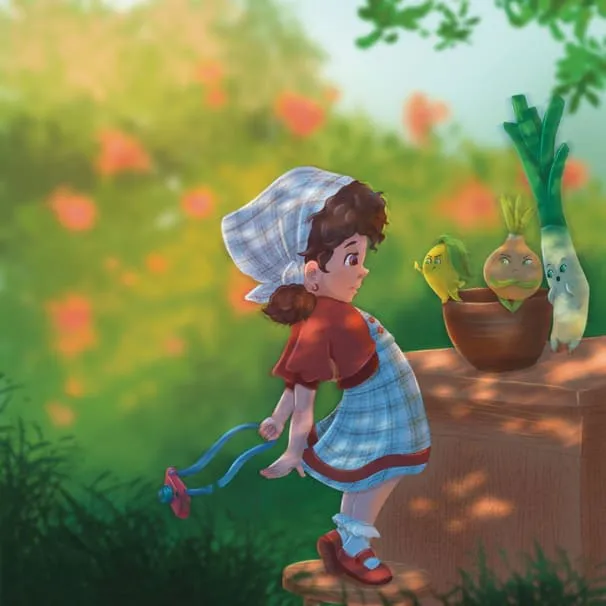
Simone Grünewald

Meet "Schmoe," your go-to artist for illustrations that breathe life into the everyday with charm and wit. Her vibrant creations, filled with humor and the realness of motherhood, are a breath of fresh air, promising a smile and a new perspective with every piece.

Maria Lia Malandrino

From video games to storybooks, this Italian artist brings tales to life with her vivid illustrations. Her diverse projects have captured hearts across the globe, showcasing her talent for creating engaging, narrative-driven art.

Meike Schneider

She’s transforming the 3D art scene with characters that leap off the screen. Drawing inspiration from animated classics, her work in character design and education is lighting up the industry, making her a beacon for aspiring artists.

Lauren Barger

This artist transforms pets into digital art in Procreate, enchanting with her ‘Coffeedraws’ and humorous animal cartoons. Her collaborations with Disney and Mattel, paired with co-hosting MerMay, spotlight her as a beacon of creativity and fun in character design.

Rhea Tibbey

Meet our very own Australian illustrator from 21 Draw, creating whimsical fantasy characters and magical worlds. She's not just a creator; she's also a fantastic teacher. Learn the basics of color theory and more.

Ginevra Grigolo

This artist turns your everyday into stunning portraits that blend reality with a twist of fantasy. Her digital art has caught the eye of fans worldwide since 2017, making her a must-follow for anyone in love with unique styles.

21 Draw is more than just online classes…

We are much more than YouTube! Sometimes when you ask questions there, nobody answers you. But our community is full of people who actually want to help you! Our trained teachers are one of them. Always ready to answer any and all your questions.

Recevez des retours professionnels

Recevez des retours détaillés d’un vrai professeur lorsque vous avez des difficultés avec vos devoirs ou vos œuvres.

Recevez des compliments

Partagez vos créations (si ça vous dit 😉) ou vos devoirs complétés et recevez les encouragements de nos enseignants !

Discuter avec les camarades

Rejoignez notre super communauté Discord où vous pouvez échanger, poser des questions et apprendre les uns des autres.

Pratiquez avec des exercices

La plupart des leçons proposent des exercices et des exemples pour vous aider à pratiquer.

Événements live

Apprenez en direct avec vos artistes préférés.

Prêt à passer de zéro à héros ? 💥

Get access now for $99 ($595)!
Dépêchez-vous, offre limitée !

Travaux d'élèves récents

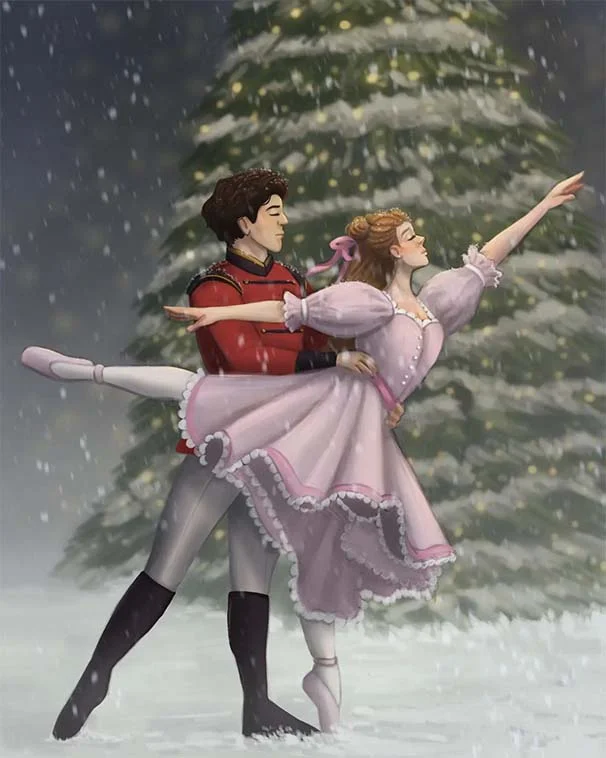
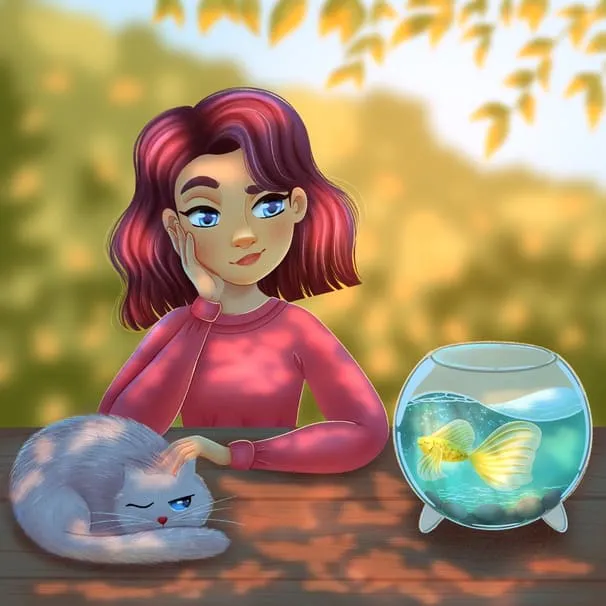
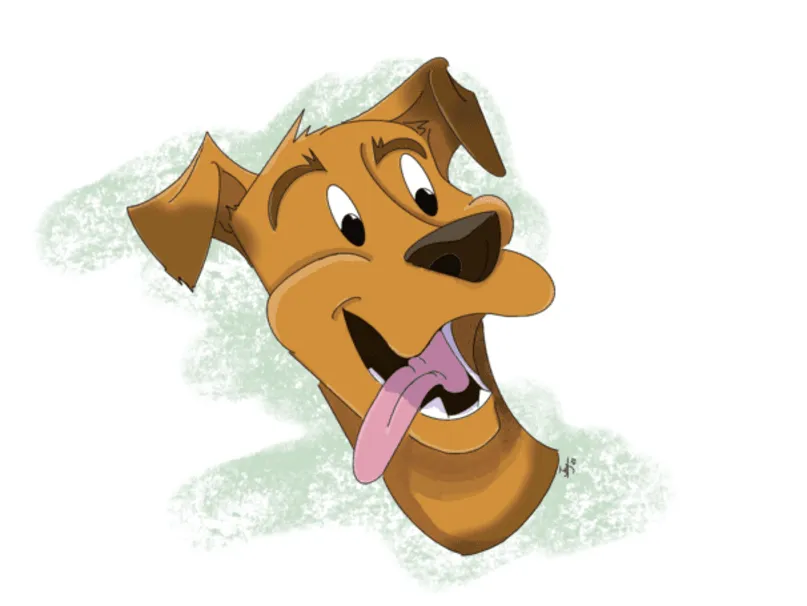
All the illustrations you see here are made by past and current students. And you can do it too. We let the results of our students speak for themselves. You’ll be able to do this too after following our in-depth easy-to-follow lessons.
1/11
Catie Ilic
Alisa
Jay Thatcher
Nida Özer
@saramakdessi
Cornelia Paulsson
Jason K.
Oksana Shvedenko
Louise Broesky
Viktoriya Storozhuk
N Goslett

Ce pack est pour...

Vous avez acheté un iPad et Procreate et vous voulez commencer

Vous cherchez un pack pour résoudre tous vos problèmes sur Procreate ?

Débutants souhaitant améliorer leurs compétences en design de personnages

Débutants qui veulent apprendre à dessiner des figures, des poses et des gestes dans Procreate

Vous cherchez des astuces, conseils et techniques pour Procreate que vous n'avez encore jamais vues ?

Difficile de se mettre à jour en art numérique après des années de dessin traditionnel

Envie de faire passer vos compétences sur Procreate au niveau supérieur, même si vous êtes déjà illustrateur accompli ?

Vous utilisez Procreate depuis un moment, mais voulez une nouvelle approche

Pour ceux qui souhaitent professionnaliser leurs compétences en art digital et gagner de l'argent avec leur art

Artistes intéressés par le design de personnages et l'illustration numérique

Artistes qui souhaitent approfondir leur compréhension des fonctionnalités et des capacités de Procreate, afin d'optimiser leur flux de travail et d'élever leur art.

Pour ceux qui souhaitent en savoir plus sur les fonctionnalités spécifiques de Procreate, comme la gestion des calques, les modes de fusion et l’utilisation des pinceaux

Vous ne savez pas par où commencer ? Consultez notre ordre de cours suggéré.

Classe 1
Procreate pour débutants
Voir plus
Débutant
Classe 2
Dessiner un personnage féminin
Voir plus
Débutant
Classe 3
Colorisation numérique
Voir plus
Débutant
Classe 4
La théorie des couleurs
Voir plus
Débutant
Classe 5
Dessiner un personnage de dessin animé
Voir plus
Débutant
Classe 6
Dessiner des animaux
Voir plus
Intermédiaire
Classe 7
Procreate en toute simplicité
Voir plus
Intermédiaire
Classe 8
Lumière et ombrage
Voir plus
Intermédiaire
Classe 9
Illustration numérique
Voir plus
Intermédiaire
Classe 10
Peindre des portraits
Voir plus
Intermédiaire
Classe 11
Lumière et ombrage
Voir plus
Intermédiaire

BUT wait, there’s more...

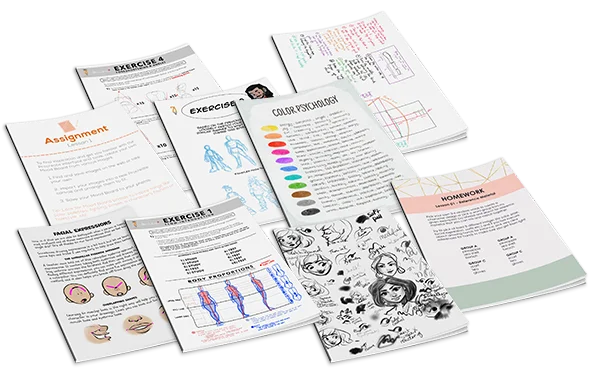
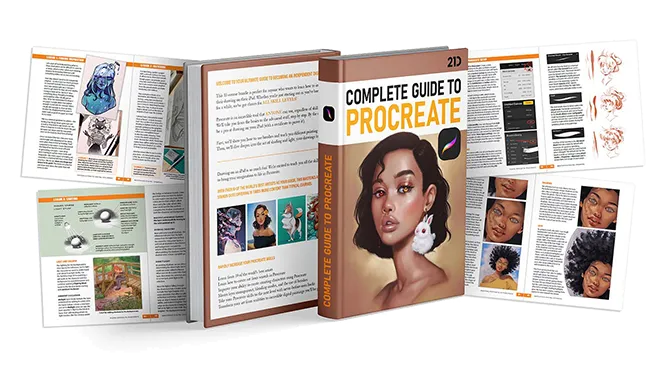
If you get the bundle now, as a BONUS we'll throw in our eBook worth $49! The eBook is 149-pages long packed with SIX of the SAME tutorials from this bundle.
Click to LOOK INSIDE ⤵️

Aucun autre pack n'offre un tel niveau de qualité...

The 11 online classes and eBook are worth alone $595, but it’s all yours for a fraction of that!

Just picture it: That hobby you once enjoyed can now be your ticket to financial freedom.

And the best part? It costs ONLY the price of a new pair of jeans 👖 or 20 lattes ☕ or a dinner for two 💑 

Découvrez comment nos enseignants aident les étudiants...

Question d'élève
A
Alisa

Hello, I finished the Aveline’s course and would like to get some feedback how I can improve my illustrations.. I am not completely satisfied with my work so hope your feedback can help.. ... Afficher plusThank you.
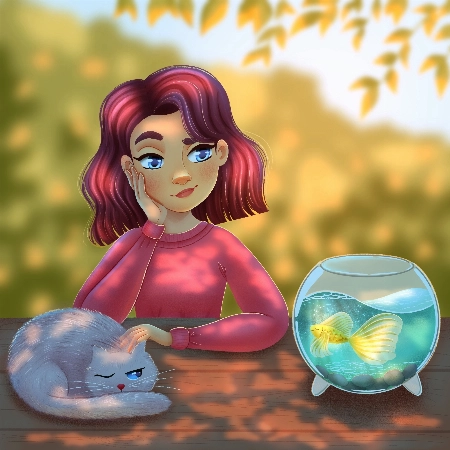
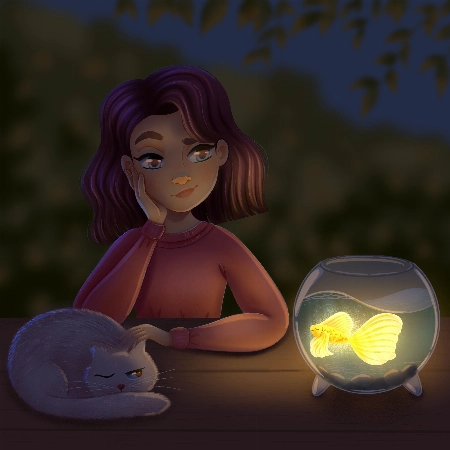
Rhea Tibbey
Assistant d'enseignement certifié 21 Draw

Hey Alisa! I love your work, you have done an amazing job of following along with Aveline's assignments :)

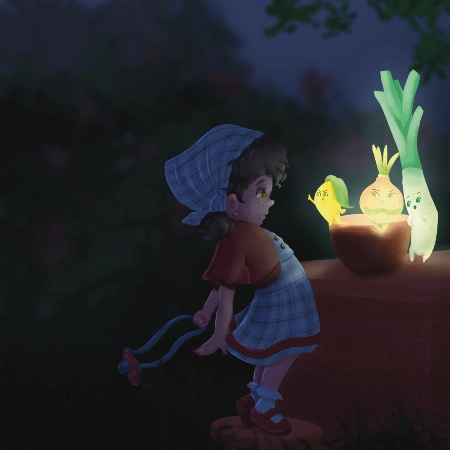
To keep your feedback simple, I have chosen to refer to your night-time lighting scenario. Check out the tips and images I have attached below, I hope they help :)

  • When you are illustrating an environment a good practice for adding depth is to ensure your foreground uses more saturated colors than your background. Currently they are at a similar level of saturation, this is something you can adjust using your ‘Hue, Saturation and Brightness’ tool.
  • Around the edge of your highlights and shadows you may have a soft line that is a more saturated color.
  • Folds on clothing usually follow a triangular draping pattern down from where they hang from the body. In this case her sweatshirt would mostly be draping from her shoulders. When in doubt with drawing folds in an outfit, a reference picture can make things much easier!
  • If you have warmer tones in your foreground, make the color pop even more by using an ‘Overlay Layer’ to add cooler colors to the background.

I have attached some images with tips and edits to help guide you through this process. Let me know if you have any questions :)
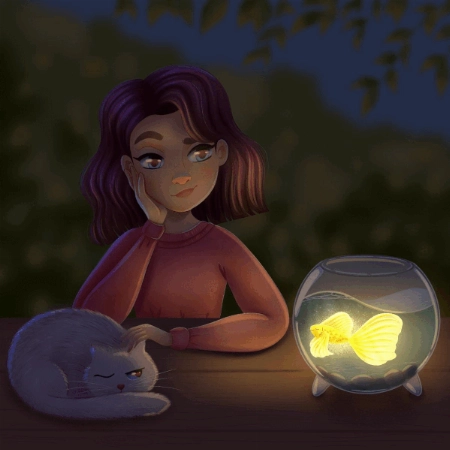
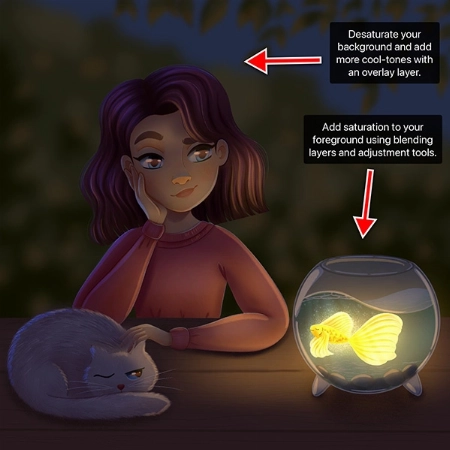
Question d'élève
Nida Özer

Hello Aveline, I congratulate you on your art and I follow your art with enthusiasm. I would also like to thank you for meeting us on such a occasion. I am adding my works and waiting for yo... Afficher plusur comment :)
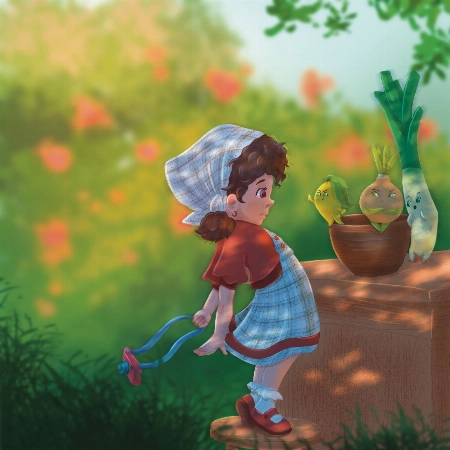
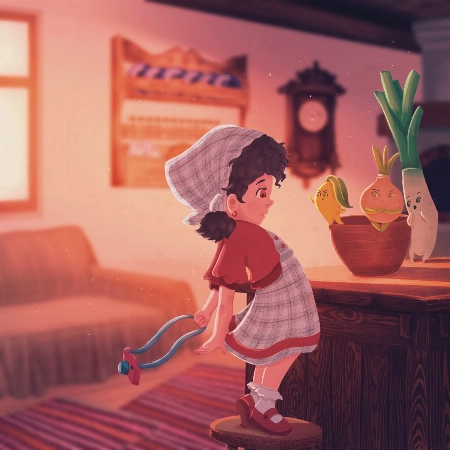
JP
Jessica Paton
Assistant d'enseignement certifié 21 Draw

Hi Nida!

Wow, you did such a great job of applying the techniques from this course! I love that you've put your own characters into the scenes as well! I only have a few small notes for you.

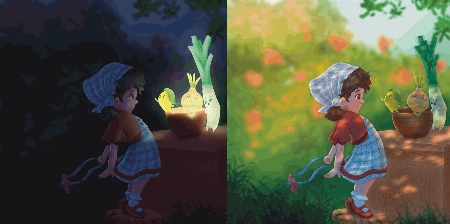
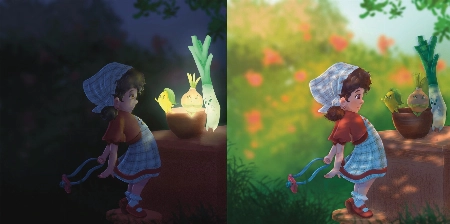
For the Night Scene:

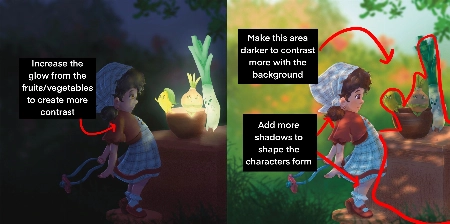
  • Increase the glow in the night scene! Use a soft brush to lighten that part of the scene (I used a light yellow with a soft-light layer setting)

  • Add more highlights/rim lighting on the night scene as well. Make sure you have lots of contrast and really make the most of the fun lighting!

For the Day Scene:

  • Because you have made most of the background quite light, try and keep that somewhat consistent. Keep the background light, and the foreground more dark. Keeping this contrast makes it easier to see the characters as seperate from the background and makes it easier to read.

*Add a few extra shadows to reflect the size of the skirt/around the skirt to imply more 3D form

You've done such a fantastic job with these, and they're honestly great the way they are! Well done!
Question d'élève
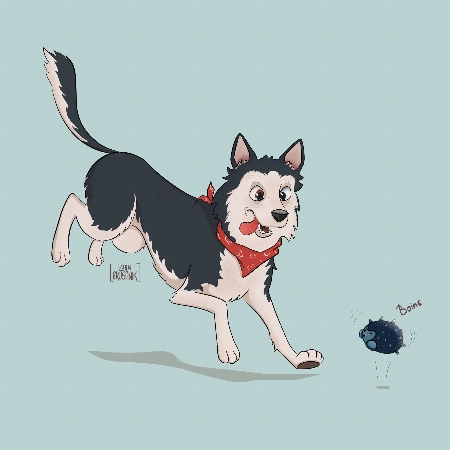
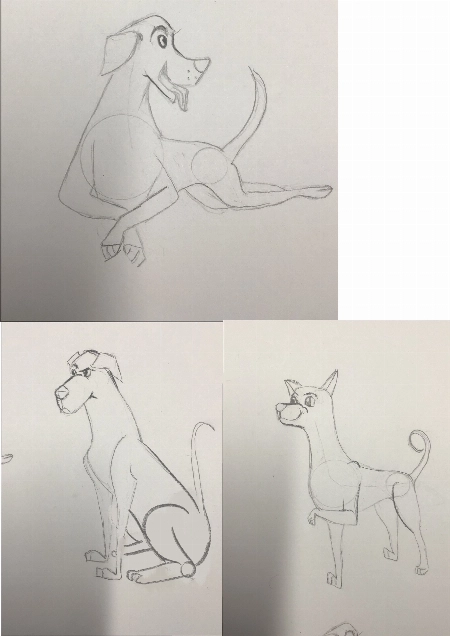
Lana Grushnik

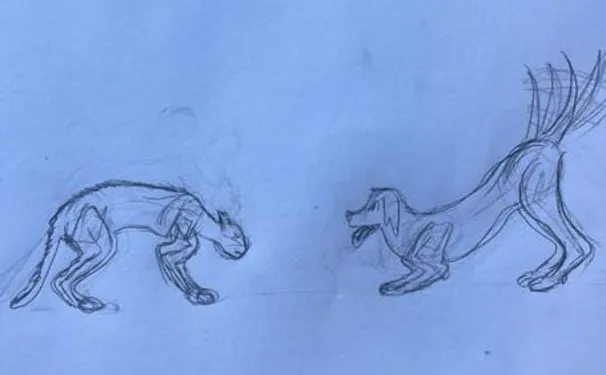
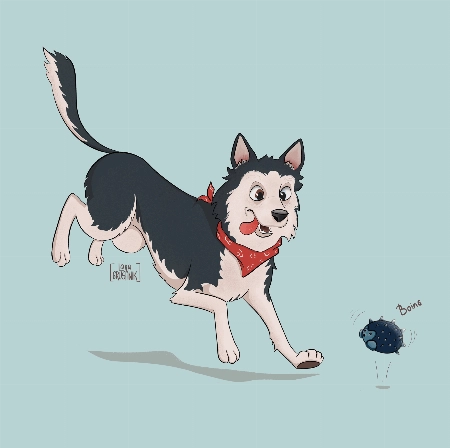
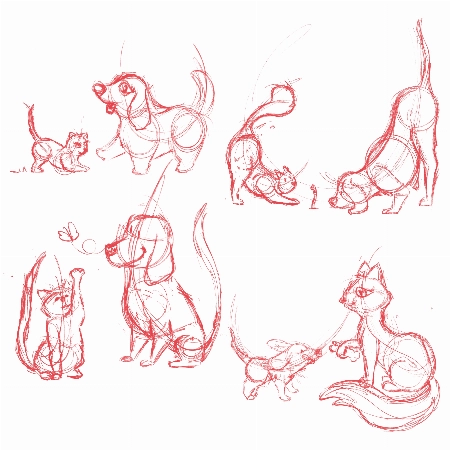
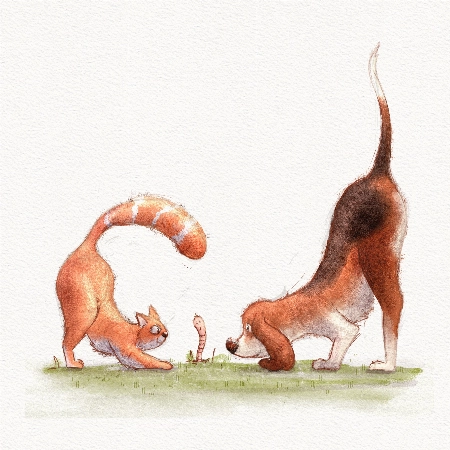
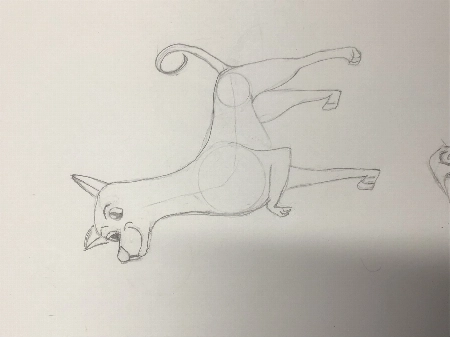
I absolutely loved this course! Very inspiring and simple :) Turned out that I'm really good at drawing dogs. Cats are harder to draw for some reason:)
JP
Jessica Paton
Assistant d'enseignement certifié 21 Draw

Hi Lana!

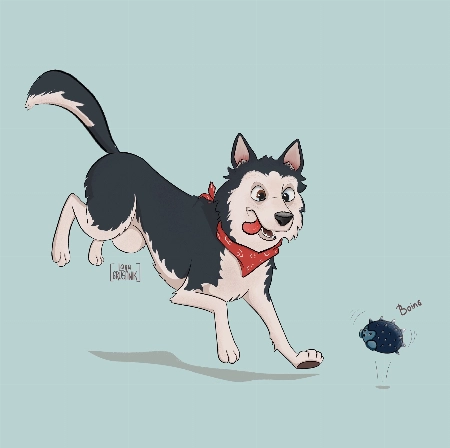
This is such a cute drawing! It's very lively and there is a great personality coming from them!

When drawing cats focus very much on the flow - lots of round fluid movements. The line of action will be very important for their poses.

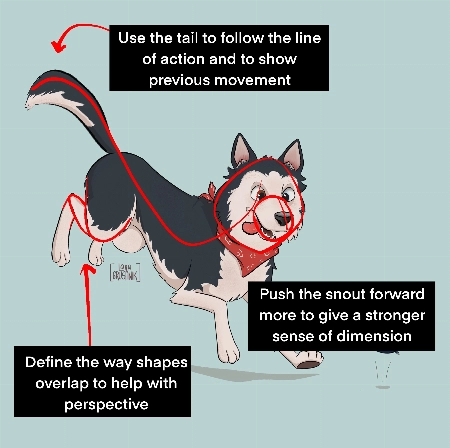
For this particular drawing I just have a couple suggestions!

  • Push the snout slightly further forward. This will help make the head feel a little more round and improve the sense of dimension. Think of the base of the head not as a circle, but as a sphere!

  • When drawing complicated shapes like limbs, especially when they're folded up, think about how each segment is a basic shape. Using the right amount of lines, you can force a sense of perspective by overlaying some with others. In this case, you can add a couple extra lines to make the back leg seem more like it is bent away from the "camera".

  • Use the tail to emphasize the sense of movement! Follow the line of action you already have moving through the pose! Treat it as an extention of this. But also try to consider where the dog was in space before - the tail can have a very lovely flow to it if it is shaped as though it is coming from where the dog was just a moment ago. You were very close to this I think, but lowering it slightly makes it feel less like the dog has dropped down very suddenly.

It's great to hear that you loved the course! I hope you continue to draw more fun animals in the future!
Question d'élève
DK
DIM K

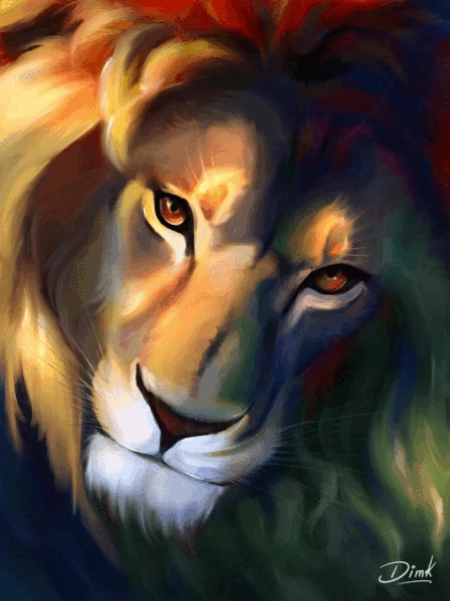
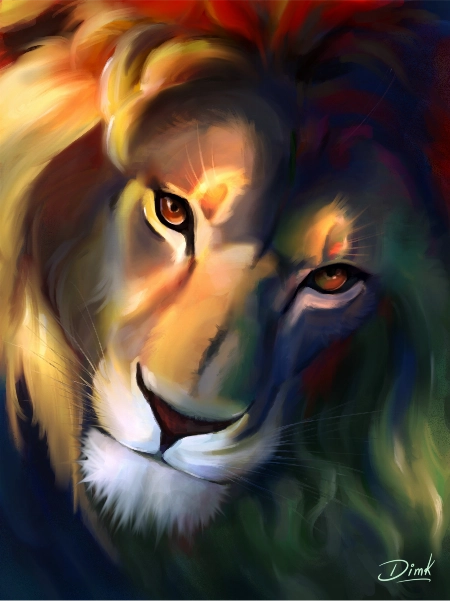
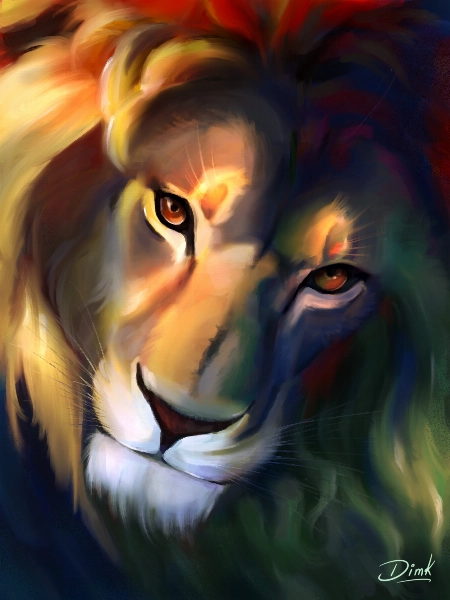
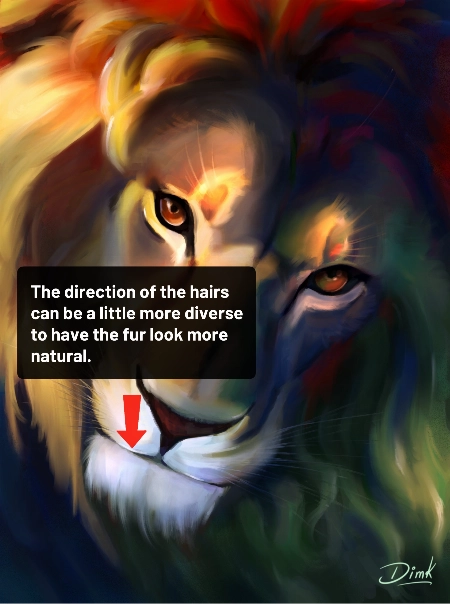
Hi recently I finished this drawing and I would like to get some feedback to improve my illustration.
Jade Lefevre
Assistant d'enseignement certifié 21 Draw

Hi!

Thank you for sending in your painting! This is incredible work. The subject is beautiful and your use of color is mind-blowing!

You could maybe try to have the hair on the chin flow in more various and natural directions. Even with the head clearly in motion within the scene and the hair following in the same direction, I think there could be a little more variation.

You can check out the attachments for a more visual explanation!  I hope you’ll find them helpful!  Don’t hesitate to ask if you have any more questions and I wish you a beautiful day!
Question d'élève
MD
Marjolijn De

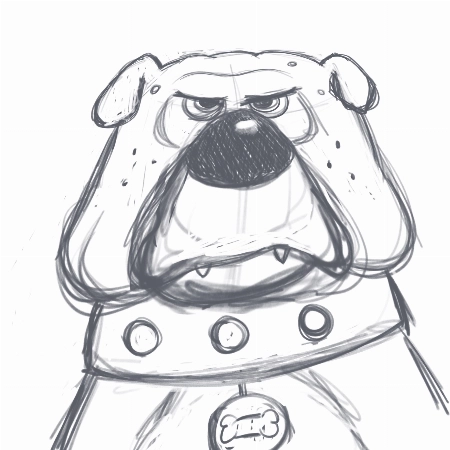
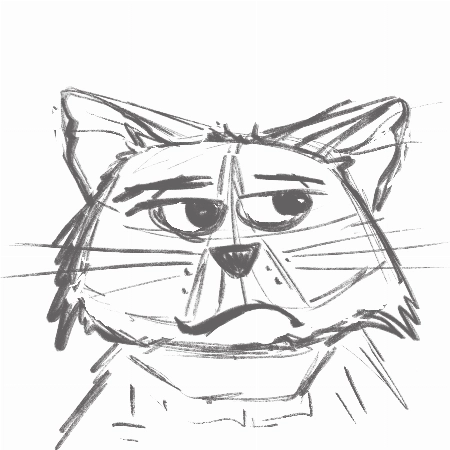
I really enjoyed creating the thumbnails and the final piece. I love to keep my rough sketch slightly visible and I like to add some more texture to my designs. But I loved the gloaming brus... Afficher plush and I’m going to use it more often:) Thank you very much for this fantastic class!
Jade Lefevre
Assistant d'enseignement certifié 21 Draw

Hi Marjolijn!

I'm glad to hear you enjoyed the course! I'm a huge fan of the way you used the brushes and the colors! Your characters have a lot of personality and I think your final drawing looks really professional.

Keep up the great work and have a fantastic day!

Question d'élève
SM
Sara Makdessi

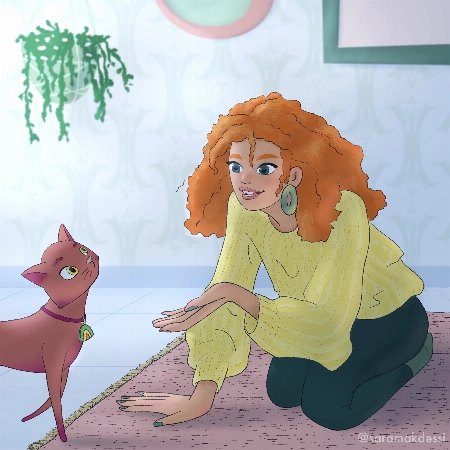
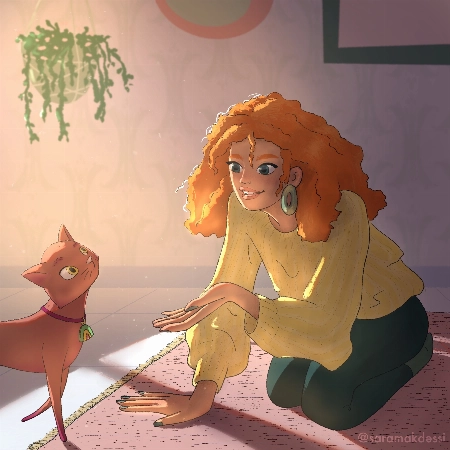
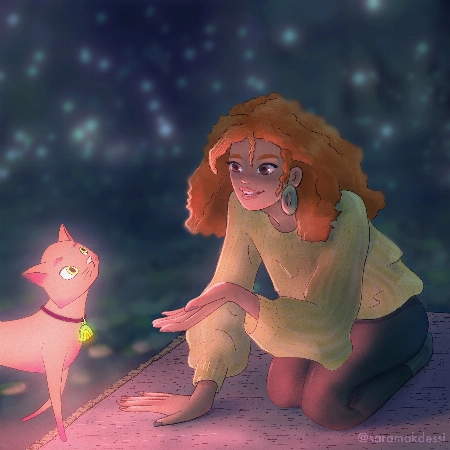
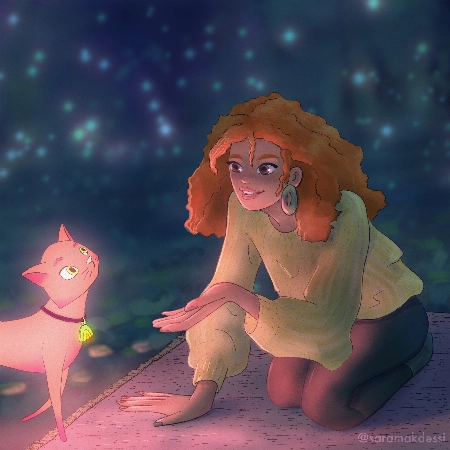
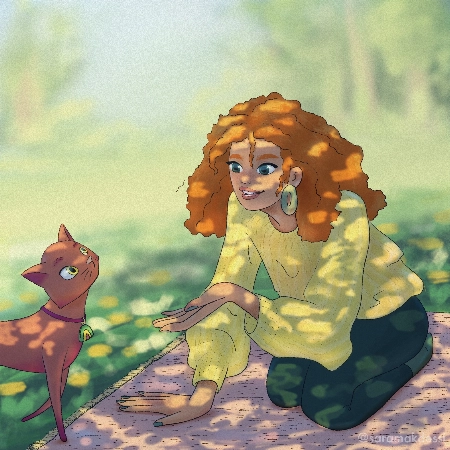
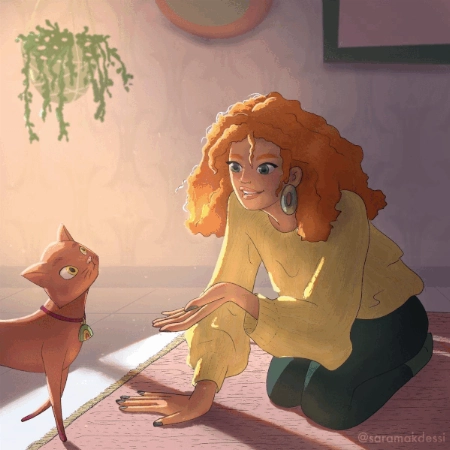
Hi Aveline, thank you so much for this fun and super informative course. I really enjoyed your lessons! Here are my interpretations of the four light scenarios with my characters. Any feedb... Afficher plusack would be very appreciated. Many thanks, Sara
Rhea Tibbey
Assistant d'enseignement certifié 21 Draw

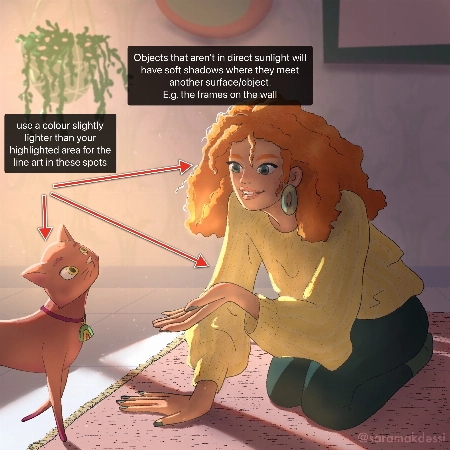
Hey Makdessi! These illustrations look amazing! You have done a great job of using the lighting and shading techniques from this course :)

Here are a few feedback suggestions that you could try in future illustrations/ to improve these:

  • In areas of your character that are highlighted, change the colour of your line-art to a colour brighter than the highlighted area.
  • Additionally, it can look nice if you set your line-art to a darkened version of an ambient colour in your image rather than black.
  • Add soft shadows to objects that aren't in direct light.
  • For your night-time scene, you could decrease the saturation of the background and perhaps add even more blur to make your character stand out even more.

Try these out and see what you think! Wishing you a creative week, Rhea
Question d'élève
Polina Lutseva

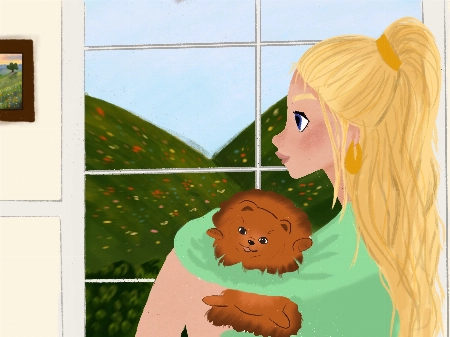
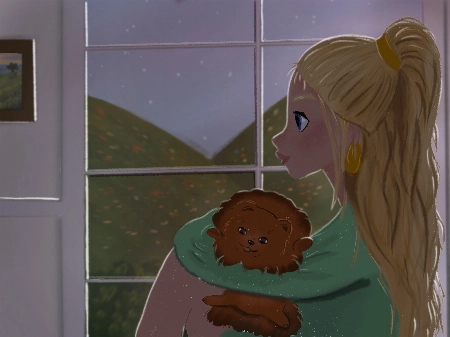
Hello!! I love the course and tried to do all types of lighting by myself, it would be really great to hear feedback, comments and critics about my work. Thank you very much in advance!! Pa... Afficher plusuline
Rhea Tibbey
Assistant d'enseignement certifié 21 Draw

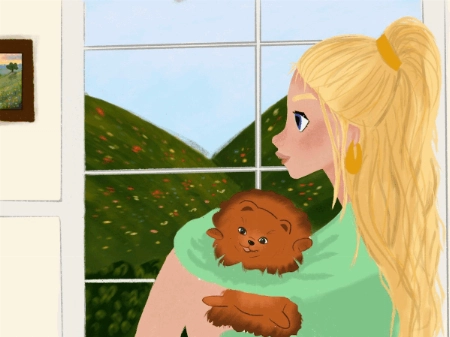
Hello Polina! I love your drawings, they are so gorgeous! Thanks for sharing them :)

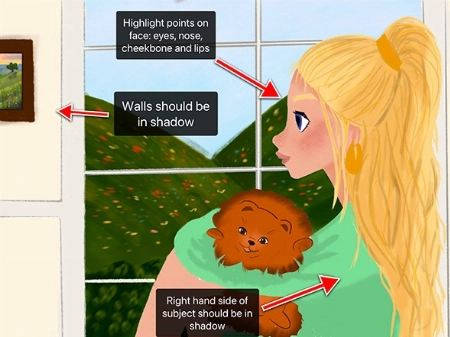
Check out my feedback below and notes I have added to your drawing! I hope you find them helpful :)

  • Don’t be afraid to use ‘Overlay’ blending layers with vivid colors to help establish the time of day, especially for the sunset and daytime photos.
  • In the indoor scene: the walls and the character should be in soft shadow due to the backlighting from the window.
  • Your character has a few spots on their face that might have highlights including their: eyes, nose, lips and cheekbones.
  • Your overcast lighting scenario could be de-saturated to convey the gray-diffused light source. This is something you can adjust using the ‘Hue, Saturation and Brightness’ tool.
  • Even on an overcast day you will still have some soft shadows where clothes fold or different objects meet each other.
  • You can try and make the direction of your light source more clear by adding color variation to your sky using an overlay or multiply layer.
  • When in doubt, practice by studying photographs! This can be a great way to learn about illustrating hard shadows.

I have attached some images with tips and edits to help guide you through this process. Let me know if you have any questions :)
Question d'élève
LB
Louise Broesky

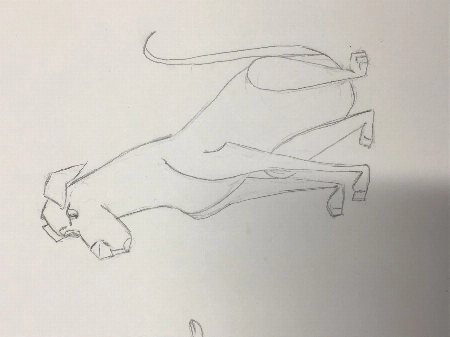
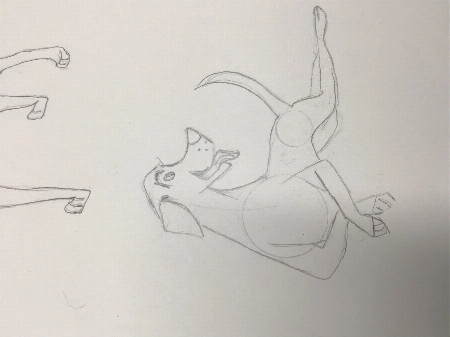
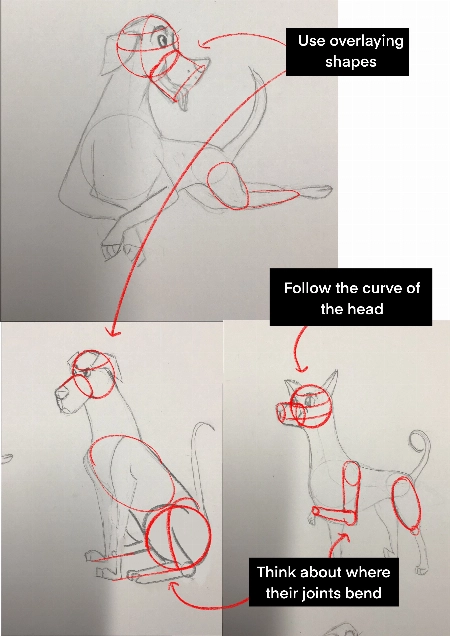
I have never used Procreate before so I did the first lessons on paper working my way through the other ones I’m not used to drawing with circles and lines of actions. I pick a body part ... Afficher plusand then I draw from there that’s what I’m used to so I didn’t use the circles the way I was supposed to
JP
Jessica Paton
Assistant d'enseignement certifié 21 Draw

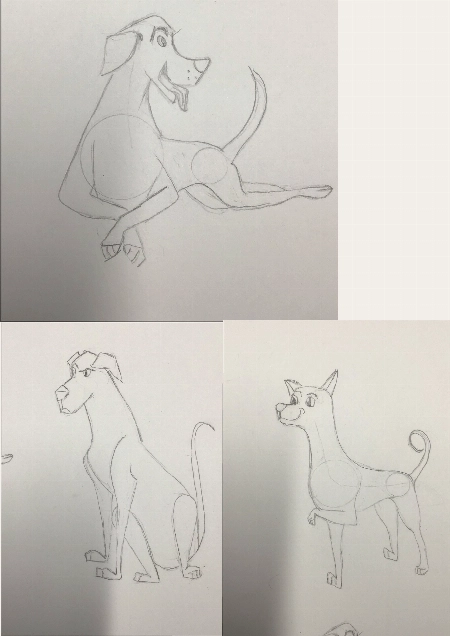
Hi Louise!

This is such a great drawing so far!

I do recommend trying to start a drawing with the basic shapes before you get too far into detail to make sure that the drawing has a solid foundation.

  • Break things into spheres and cylinders. Spheres for the head and joints, and cylinders for the limbs and snout. Using these as a guide and it will help add dimension

  • Another thing that will add dimension is layering one shape of the other. Having a shape hidden behind another will instantly add a sense of 3D.

  • Think about their skeleton! Look at where their bones bend. This is the natural basic building of an animal. You don't have to draw every bone, but you can break it into areas - The ribcage as one oval, the pelvis as another. The forearm bone as a cylinder, the joints as spheres. It helps a lot to understand how a creature can move and bend, and how they can't.

You're well on the right track and each drawing you have done is very expressive and has lovely poses, good job!
Comment Nous Comparons

Cours Premium
Système simple, étape par étape
Artistes et enseignants certifiés
Programme structuré
Vidéos sans pubs
ZÉRO blabla
Accès à vie
Obtenir des réponses à vos questions
Envoyer vos dessins pour un feedback
Ressources du cours
Fichiers du projet
Free eBook
Certificat de fin de cours
Profitez de l'offre maintenant ! Temps limité !
Garantie de remboursement de 30 jours !

EARN YOUR CERTIFICATE

À la fin de chaque cours, vous recevrez un certificat de réussite. Partagez-le dans votre portfolio, sur les réseaux sociaux, ou où vous voulez.

Questions fréquemment posées

Pendant combien de temps ai-je accès au pack et quand commence-t-il ?

How does lifetime access sound?

After enrolling, you have unlimited access to this bundle for as long as you like - across any and all devices you own.

Inside the program you have access to all the resources files and teaching assistants to answer any question you may have.

Ce sont des cours en ligne ou en live ?

All classes are pre-recorded and you can watch them online with any digital device, anytime, and for an unlimited number of times! This means you can easily watch (and rewatch) them at your own pace and convenience.

We also have bonus live sessions that are free of charge for all our students.

Je ne pourrais pas apprendre ça sur YouTube ?

Youtube is a fantastic resource with more free tutorials than any individual is capable of watching on improving your art skills.

But a side effect of only learning on Youtube is that you'll waste dozens of hours learning the same thing, searching for tutorials only to find partial answers and not having precise exercises designed to help you truly learn the skills you're after.

If you want to develop your skills FAST, then our classes are for you.

Plus, what is your time worth?

This bundle will save you weeks of frustrated time searching for answers and rapidly increase your digital illustration skills.

For some - thats $99 well spent!

If your time isn't worth that yet...

Stick to Youtube until it is!

À quel niveau s'adresse ce pack ?

The classes in our bundle are approachable for beginners and has advanced techniques for those with more experience.

If you have no art experience whatsover or struggle to draw a basic character, we recommend starting off by taking our 'Learn to draw in 21 days' classes.

Ce pack est-il disponible dans d'autres langues que l'anglais ?

All classes are available in English (original narration) and most have dubbed narration in Spanish, French, Italian, German, & Portuguese.

Subtitles are available for all course in the following languages: English, Spanish, Japanese, French, German, Italian, Portuguese & Indonesian.

Y a-t-il une garantie ?

Absolument ! Toutes nos offres groupées bénéficient d'une garantie de satisfaction de 30 jours. Si vous n'êtes pas entièrement SATISFAIT et COMBLÉ, contactez-nous dans les 30 jours pour un remboursement complet, sans justification !
21 Draw tel que vu sur...

Qui est 21 Draw ?

Depuis 2013 en chiffres :
  • une forte communauté de 70 000 personnes
  • 40k de livres vendus
  • 10k backers sur Kickstarter
  • 632k$ financés sur KS

Nous avons lancé 21 Draw en Suède en 2013 dans le but d'aider tout le monde à devenir un meilleur artiste !

Nous nous appelons 21 Draw parce que lorsque nous avons commencé, nous avions seulement un budget pour engager 21 artistes. Cependant, un grand nombre d'artistes étaient tellement enthousiastes à l'idée de participer que nous n'avons pas pu résister à en ajouter davantage, et à créer encore plus de produits, allant des livres aux cours en ligne.

Notre objectif est de travailler aux côtés des meilleurs artistes du monde pour aider notre communauté et vous aider à atteindre vos objectifs artistiques. Nous voulons rendre l'enseignement artistique de qualité accessible à tous.

Fermer
Get Bundle for ONLY $99 ($595)! Garantie 30 jours