Ahorra un 75% en la membresía.

Master Procreate with Not Just One, but 10 World-Class Artists!

Unlike online video classes with only 1 kickass artist, these 11 courses have tutorials by 10 PROS who work for Disney, Marvel, DC... You'll learn more and faster with artists of different art and teaching styles.
4.8
(basado en 4,362 reseñas)

Get Access to 11 Procreate Courses
and 40+ More Other Art Classes!

Sign up for ONLY $59/year!
¡Garantía de Devolución de Dinero de 30 Días!

SPECIAL SALE! FREE Gift If You Order NOW!

Aprende de los MAESTROS de la industria

We curate our roster to bring you the best artists & even better teachers.
327k seguidores

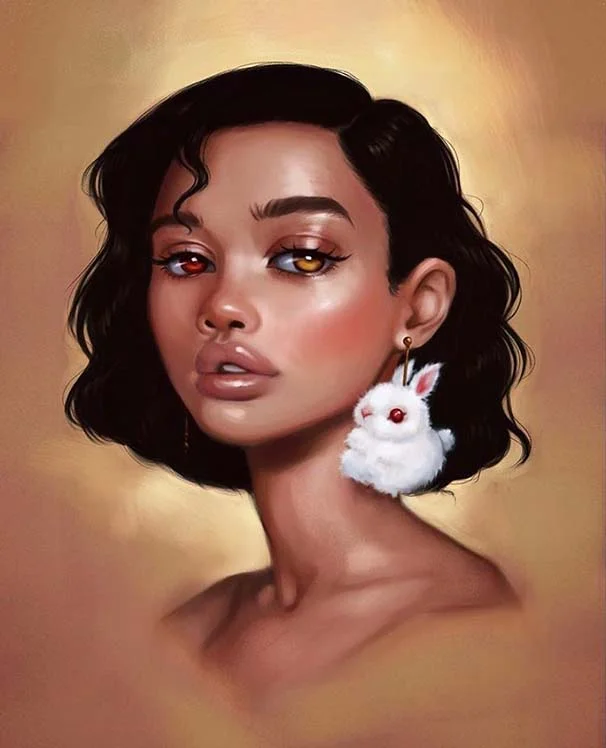
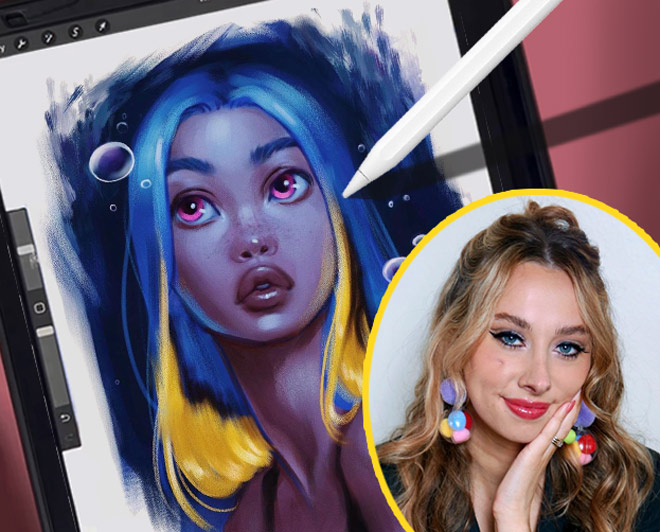
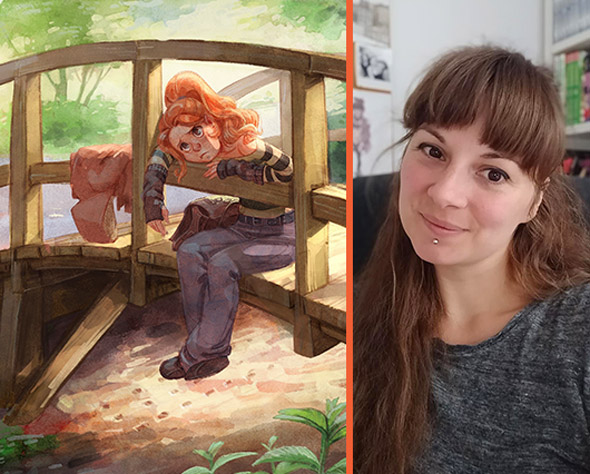
Aveline Stokart

Master Lighting & Shading

249k seguidores

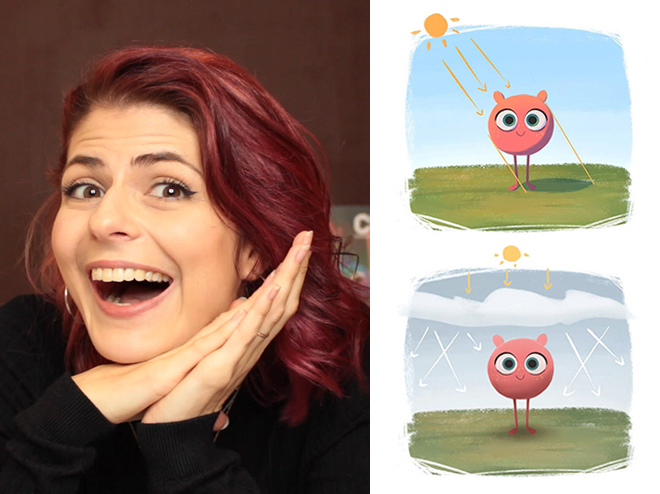
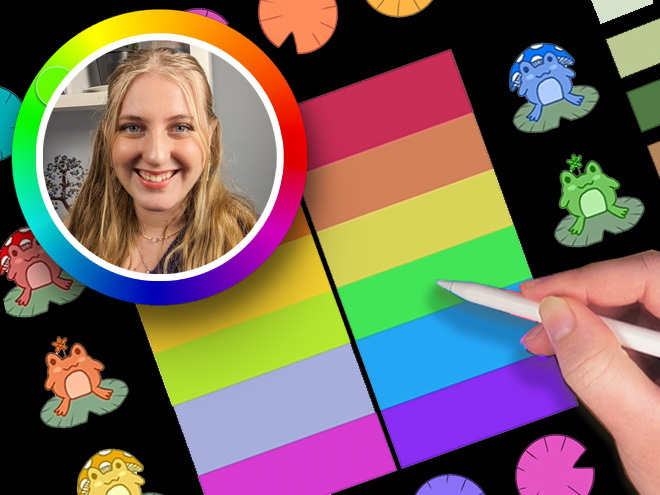
Erika Wiseman

Set up your digital workspace

1.1mn seguidores

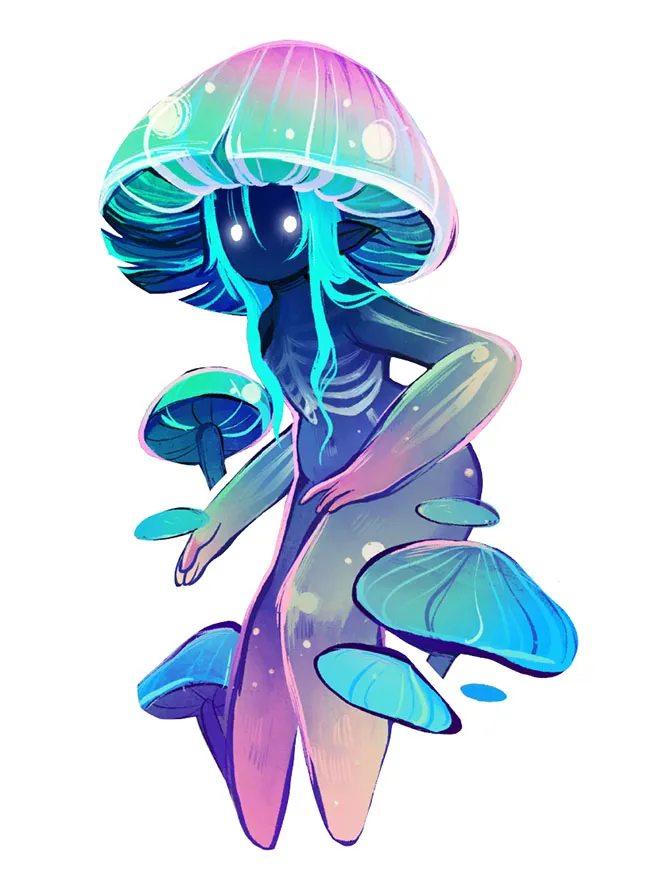
Feefal (Linnea Kikuchi)

Create beautiful illustrations

611k seguidores

Simone Grünewald

Paint a beautiful background

382k seguidores

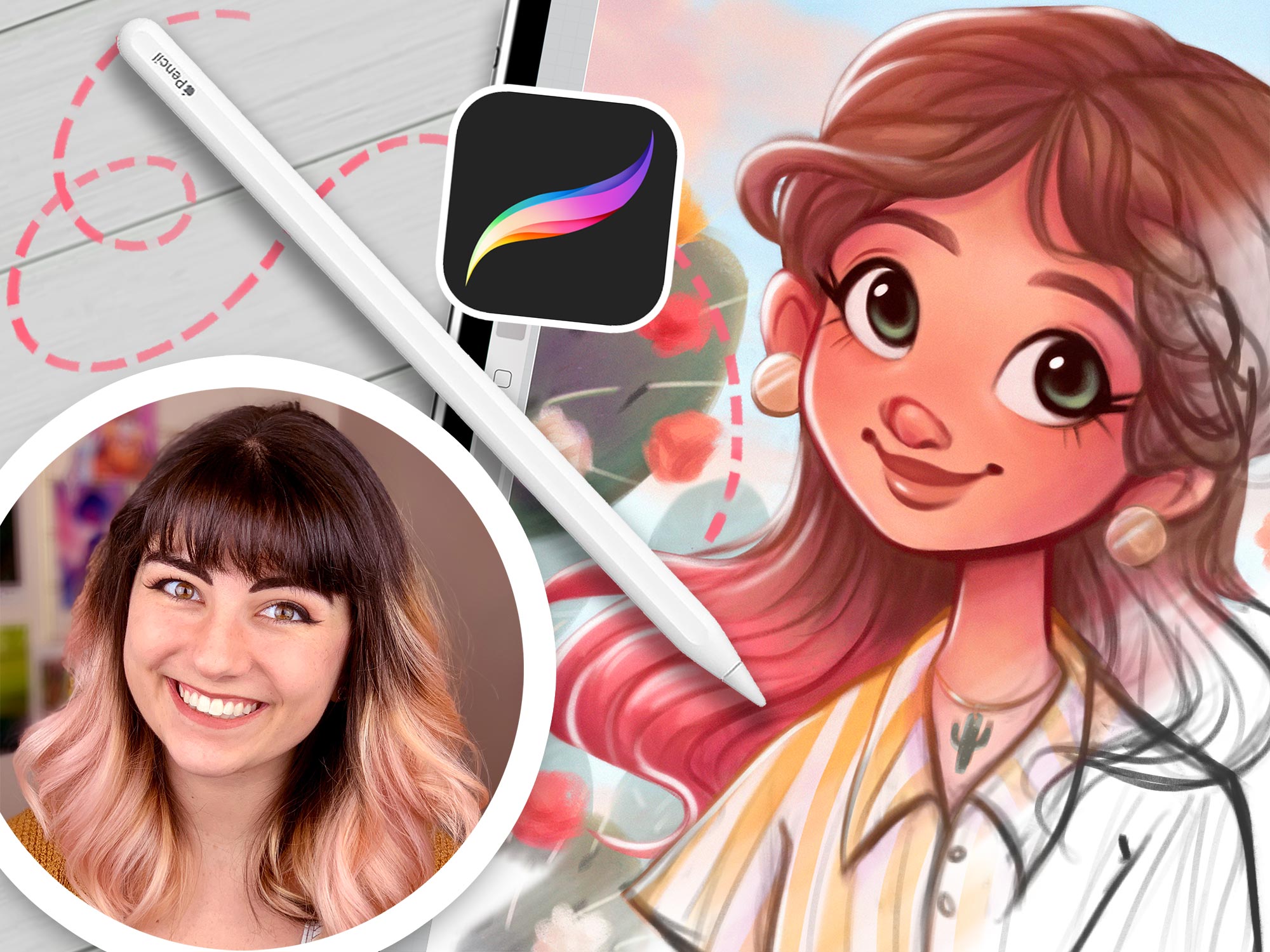
Isabelle Staub

Master the basics of Procreate & avoid common mistakes
97.6k seguidores

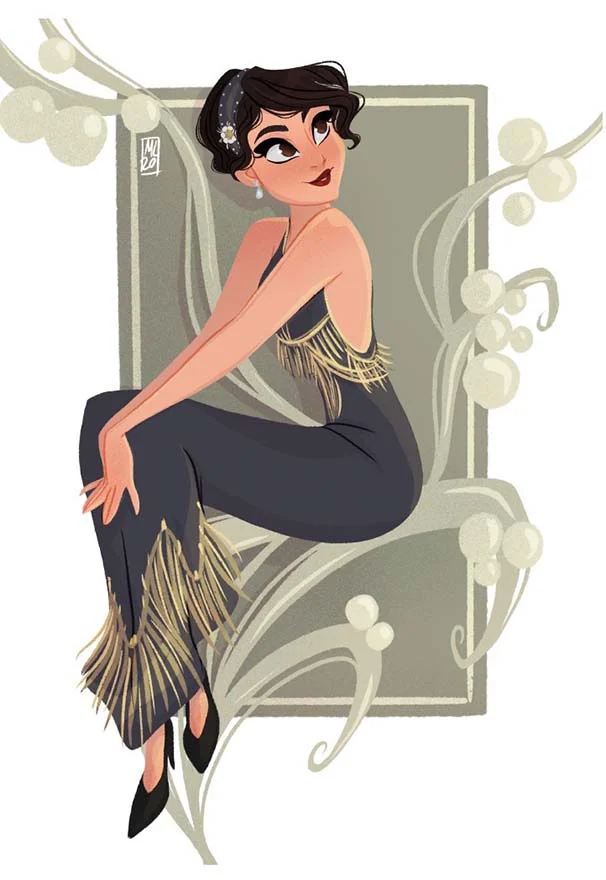
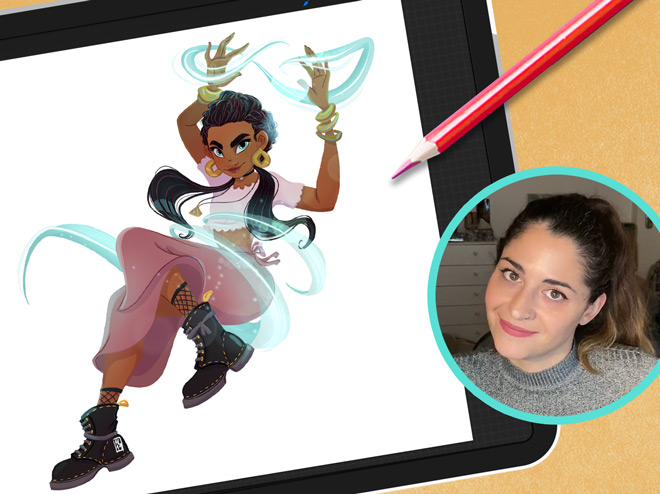
Maria Lia Malandrino

Draw a cartoon character & make your art shine
189k seguidores

Meike Schneider

Draw a Female Character
119k seguidores

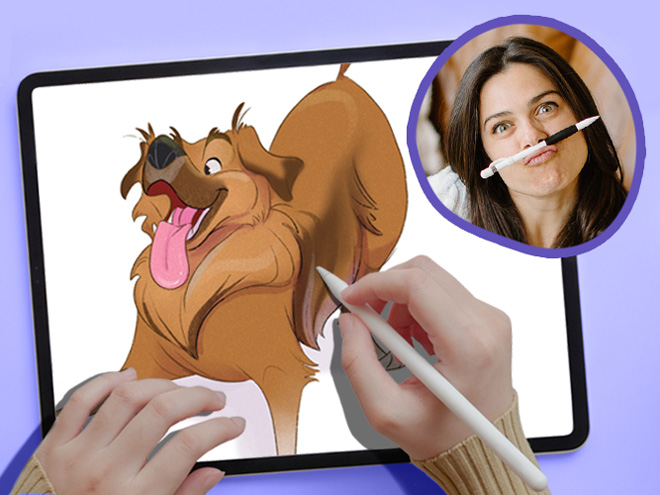
Lauren Barger

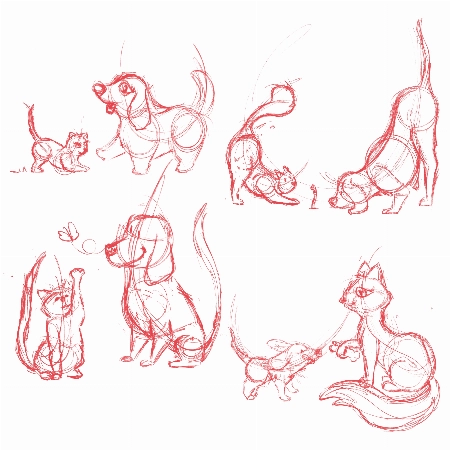
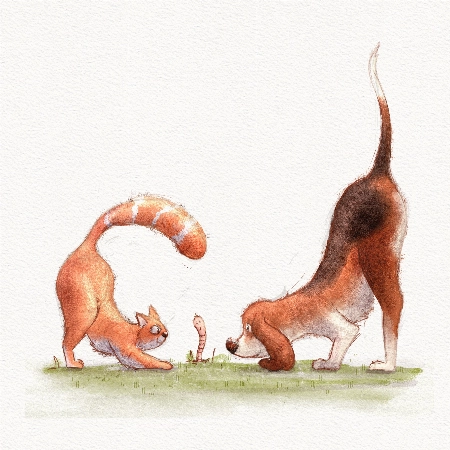
Drawing Pets from Scratch

129k seguidores

Ginevra Girgolo

Painting Portraits in Procreate
600 seguidores

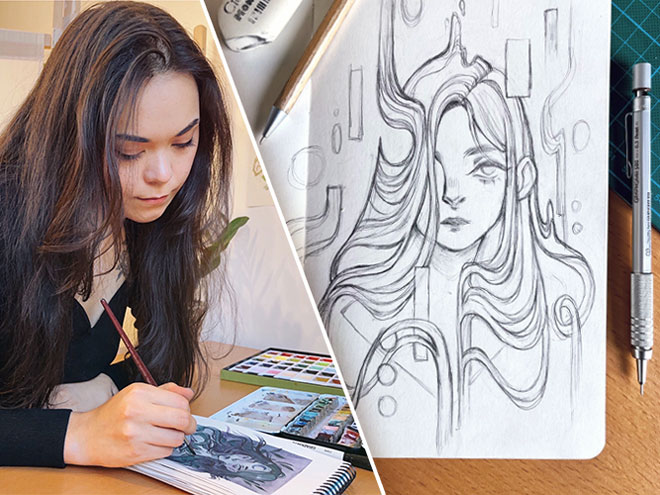
Rhea Tibbey

Introduction to Color Theory

1000+
Lecciones cortas
185k+
students since 2020
150+
Horas de lecciones
34
Profesores de clase mundial

Check out the 11 Procreate Courses

"These classes are a whole different level of awesome…"

Packed with tutorials by top illustrators, it feels like you are at a cafe table with INSANELY talented professionals!

Each of them works in their own style and describes things in their own way.

Not only do they show their artwork, but they’ll show you EXACTLY what they’re doing, and how they break down their process, step-by-step.

Unlike other tutorials, which can sometimes feel rigid, too clinical, or uninspiring. These feel natural and conversational.

Our courses don’t restrict itself to being for beginners, intermediate, or advanced artists.

Instead, it’s created by artists for artists! And we’re confident that artists of ALL SKILL LEVELS will gain A LOT from watching these classes!

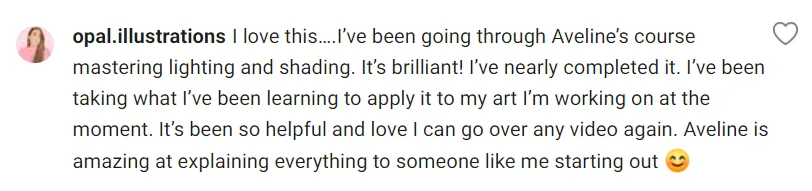
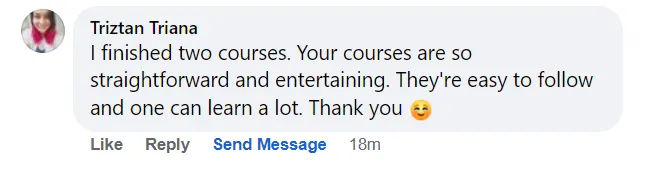
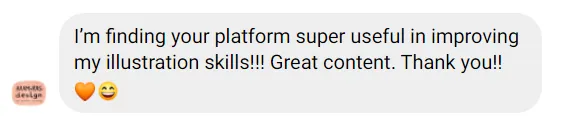
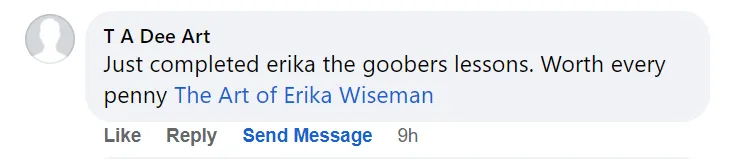
Don’t take our word for it! See below why thousands of our students love it!

Ryan, from 21 Draw

Lo que dicen los estudiantes

4.8
(basado en 4,362 reseñas de clientes)
MP
Maike P.
Hace 3 semanas
Compra Verificada
Sinceramente, Erika ha reavivado mi pasión por el arte después de meses sin usar el iPad. Y finalmente he completado la transición del boceto al arte digital. Siempre dibujaba en Procreate y luego me frustraba lo planas que quedaban las imágenes. Cre
+ Mostrar más
o que es un curso para todos porque, aunque repasa lo básico (y aún así aprendí cosas), al final aborda matices más complejos sobre cómo perfeccionar tus dibujos. ¡Una joya! Sin duda, seguiré tomando sus cursos. ¡Gracias, Erika!
Reseña del curso "21 Días para Dominar el Dibujo Digital"
MP
Maike P.
Hace 2 semanas
Compra Verificada
¡Una joya! Erika es una genio y me ha dado ganas de volver a usar el lápiz digital. Nunca había logrado plasmar mis bocetos en papel en formato digital, y ahora sé cómo hacerlo sin que la imagen se vea plana. Sin duda, tomaré más clases con ella. Otr
+ Mostrar más
os instructores me parecían bastante aburridos, pero ella es súper dinámica.
Reseña del curso "21 Días para Dominar el Dibujo Digital"
MG
Mary G.
Hace 2 semanas
Compra Verificada
Este curso fue revolucionario para mí cuando empecé a aprender a colorear e iluminar en un programa digital. Todavía aplico en mi arte conceptos que aprendí aquí, ¡y lo tomé por primera vez hace unos seis años! Lo recomiendo ampliamente a cualquiera
+ Mostrar más
que necesite ayuda para comprender la luz y el color. También es útil si quieres aprender a usar Procreate en general.
Reseña del curso "Dominando la iluminación y el sombreado"
MV
M V.
hace 1 semana
Compra Verificada
El curso está más orientado a principiantes, se centra principalmente en información general sobre el uso de ProCreate y no tanto en el desarrollo de personajes (que era lo que yo esperaba), pero el curso fue bueno y las instrucciones claras. Aprendí
+ Mostrar más
algunos consejos útiles.
Reseña del curso "21 Días para Dominar el Dibujo Digital"
AW
Adèle W.
hace 1 semana
Compra Verificada
Aunque sentí que algunos videos al final no estaban en el orden cronológico correcto (lo noté con las capas que no coincidían entre 2 o 3 videos), ha sido un curso muy bueno y he aprendido muchísimo. ¡Es muy talentosa y he descubierto muchas técnicas
+ Mostrar más
! Estoy muy contenta y gracias por compartir.
Reseña del curso "Pintando retratos en Procreate"
JL
Jacinta L.
Hace 5 días
Compra Verificada
Llevo usando Procreate desde hace un año y este es, sin duda, el mejor curso que he hecho. Es todo muy sencillo, pero no se aprende nada por simple experimentación. Todas las lecciones fueron muy valiosas, con una guía excelente y fácil de seguir. Si
+ Mostrar más
n duda, volveré a este curso una y otra vez para practicar hasta dominar las técnicas. Lo recomiendo muchísimo.
Reseña del curso "Procreate hecho fácil"
VA
Vanessa A.
hace 1 mes
Compra Verificada
Me gusta la estructura de la sección de Armonía de Color y Esquemas de Color, que me gustaría incluir también en el método de Escala de Grises. La lección de Esquemas de Color incluía un video sin prisas en el que estaba dibujando, y me gustaría incl
+ Mostrar más
uirlo en la sección del método de Escala de Grises, ya que fue un poco apresurado.
Reseña del curso "Introducción a la Teoría del Color"
PB
Polina B.
hace 1 mes
Compra Verificada
Llevo mucho tiempo dibujando y hacía tiempo que no me sentía tan inspirada por un profesor. Aveline no solo habló de su trayectoria, algo que nos resulta familiar a todos (ya que encontrar trabajo en el mundo del arte es muy difícil hoy en día), sino
+ Mostrar más
que también nos guió a través de un mundo increíble: su propia comprensión de la luz y los colores. No me considero principiante; tengo un nivel intermedio. Y, siendo sincera, no aprendí prácticamente nada nuevo sobre cómo funciona la luz físicamente ni cómo se debe trabajar con los colores que no supiera ya. Aun así, cada segundo de este curso valió la pena, simplemente porque el arte no se trata de "aprende cómo se comporta la física de la luz y serás bueno". Este curso explica detalladamente cómo trabaja una artista profesional con ella. Cómo manipula las sombras y la luz para crear obras de arte impresionantes y llenas de vida. Y por eso son importantes cursos como este: puede que no te muestren nuevas perspectivas de la física, pero te enseñarán nuevas formas de trabajar con luces y sombras. Y esto te ayudará a desarrollar tus propios métodos aprendiendo, observando, estudiando y adoptando diferentes hábitos de diferentes maestros. En resumen, fue increíble. Muy recomendable.
Reseña del curso "Dominando la iluminación y el sombreado"
AM
Alyssa M.
Hace 3 meses
Compra Verificada
En cuanto a lo que me gustó del curso, explica su proceso paso a paso muy bien y hace que todo parezca mucho más intuitivo y sencillo. Me gusta cómo usa ciertos lápices en el boceto para variar el grosor de línea y mantenerlo limpio y bien variado de
+ Mostrar más
sde el principio, ya que me cuesta dibujar, pero uso mucho micras para limpiar, y me recordaron a eso y me dan mucho control sobre el grosor de línea. Su proceso también es muy sencillo y facilita mucho la transición a digital, ya que explica muy bien, mantiene su proceso digital simple y, además, se basa en el boceto inicial sin taparlo. Creo que la razón por la que lo clasifiqué como intermedio y no como principiante o principiante absoluto es porque está muy orientado a Procreate. Podrías usar otro software de dibujo, pero Procreate es mucho más ágil y sencillo, mientras que dibujar sin tableta en un ordenador depende más de conocer los atajos de teclado y probablemente no sea tan intuitivo como usar una tableta como ella. Es bueno para la transición a digital si ya tienes conocimientos básicos sobre digital o el programa que estás usando. Probablemente sea la mejor opción si te cuesta que tus creaciones se vean bien en formato digital o si te gusta mucho su estilo artístico y quieres retomar algunos aspectos o emularlos. En cuanto al estilo y el proceso artístico, este curso fue extremadamente útil.
Reseña del curso "Introducción al Coloreado Digital"
MH
Melanie H.
Hace 4 meses
Compra Verificada
Erika me explicó con mucha claridad qué hacer. Al principio, me costaba no querer saltarme los videos porque se sentía lento, pero después de los primeros, lo entendí todo. Siempre quise crear arte digital, pero era muy difícil de entender, ¡pero aho
+ Mostrar más
ra lo entiendo! ¡Este curso es muy recomendable!
Reseña del curso "Dibujo Digital en Procreate para Principiantes"
DA
Dilşad A.
Hace 4 meses
Compra Verificada
Este fue un curso básico muy corto y me gustó la simplicidad de las explicaciones del instructor. No creo que sea un curso para principiantes. Es mucho más adecuado para quienes ya están familiarizados con Procreate y saben dibujar y la teoría del co
+ Mostrar más
lor. Quienes busquen un curso para principiantes deberían buscar otro.
Reseña del curso "Procreate hecho fácil"
KC
Kim C.
Hace 4 meses
Compra Verificada
Aprendí muchísimo sobre iluminación y sombreado, además de consejos y trucos para Procreate. ¡Lo recomiendo! Mi única queja es que a veces iba demasiado rápido, pero simplemente reproduje el video a cámara lenta y lo vi un par de veces. ¡Disfruté muc
+ Mostrar más
ho del curso!
Reseña del curso "Dominando la iluminación y el sombreado"
EK
Eyleen K.
Hace 5 meses
Compra Verificada
Me encantó el material de los recursos. Me ayudó muchísimo a revisar mis bocetos y a comprobar si los había entendido correctamente. Fue muy relajante ver cómo se creaba la chica: ¡quiero crear chicas tan bonitas yo también! ¡Gracias!
Reseña del curso "Dibuja un personaje femenino"
FR
FARHIN R.
Hace 5 meses
Compra Verificada
Este curso es sencillo y fácil de seguir. Aprendí muchísimo. Los ejemplos eran claros. Y lo que más me gustó fueron los dos últimos ejemplos, ¡que quedaron preciosos! Realmente te ayuda a ver hasta dónde puedes llegar con una buena armonía de color e
+ Mostrar más
n tus obras de arte. ¡Muy inspirador! ¡Lo recomiendo sin duda para principiantes!
Reseña del curso "Introducción a la Teoría del Color"
ME
Mahmoud E.
Hace 5 meses
Compra Verificada
¡Este curso corto es perfecto para principiantes! Es sencillo, fácil de seguir y va directo al grano. Las instrucciones paso a paso son muy claras y están bien explicadas, lo que facilita el aprendizaje sin sentirse abrumado. Una de las mejores cosas
+ Mostrar más
es lo bien organizado que está todo. El curso fluye con fluidez y cada sección se basa en la anterior de forma lógica. Además, incluye fantásticos recursos que realmente ayudan a reforzar las lecciones y aportan valor añadido. ¡Sin tonterías, muy recomendable!
Reseña del curso "Dibuja un personaje femenino"

Aumenta rápidamente tus habilidades en Procreate

Learn how to create art from scratch in Procreate

Improve your ability to create amazing characters using Procreate

Domina la gestión de capas, modos de mezcla y el uso de pinceles

Take your Procreate skills to the next level with never-before-seen hacks

Transform your art from scribbles to incredible digital paintings you’ll be proud to share

See why students are raving about our courses...

1/16

Sobre la membresía

Welcome to Your Ultimate Guide to Becoming an Independent Digital Artist!

This comprehensive membership offers unparalleled access to 11 Procreate courses (PLUS 40 more other art courses), ideal for those eager to enhance their drawing skills on the iPad. Whether you’re just starting out or you’ve been drawing for a while, we’ve got classes for ALL SKILL LEVELS!

Procreate is an incredible tool that ANYONE can use, regardless of skill level.

We’ll take you from the basics to the advanced stuff, step by step. By the end, you’ll be a pro at drawing on your iPad (with a certificate to prove it!).

First, we’ll show you how to use brushes and teach you different painting techniques. Then, we’ll dive deeper into the art of shading and light, so your drawings look amazing.

Drawing on an iPad is so much fun! We’re excited to teach you all the skills you’ll need to bring your imagination to life in Procreate. 🎨🚀

With over 10 of the world’s best artists as your guide, this Masterclass STANDS OUT🌟 offering 16 times more content than typical courses.

You’ll learn to: 

  • Set up your digital workspace with Erika Wiseman 🖌️
  • Navigate & utilize Procreate’s main tools & features with Isabelle Staub 🌟
  • Select brushes that complement your style and drawings 🖌️
  • Hone your drawing technique and stroke pressure control ✍️
  • Explore concepts of light and shading with Aveline Stokart 💡
  • Discover time-saving shortcuts for efficient workflow 🕒
  • Uncover hidden tips and tricks for maximizing productivity 💡
  • Learn to create captivating time-lapse videos of your artwork 🎥
  • Master file importing and exporting processes 📤
  • And most importantly giving you the confidence to share your art! 💪
  • Each video lecture comes with easy-to-follow assignments that you can use to track your progress 📚

Get ready for an exciting adventure and discover how amazing you can be as a digital artist! Start now! 🚀


Mira lo que piensan nuestros estudiantes sobre las clases...

"¡Vale la pena!"
"¡Fácil de seguir!"
"Great hacks!"
"Make your art pop!"
"¡Muy divertido!"
"¡Ideal para principiantes!"
"Super informative!"

¿Estás listo para pasar de cero a héroe? 💥

Sign up for ONLY $59/year! ($235)!
¡Apúrate, por tiempo limitado!

Meet your instructors

21 Draw selecciona cuidadosamente su lista de profesores para traerte los mejores artistas y aún mejores maestros.

Aveline Stokart

Aveline is not just an amazing comic book artist designing characters that feel real - she's also a fantastic teacher. And a very curious one too! She’s explored everything from drawing to pottery, always looking to try something new and make art that hits you right in the feels.

Isabelle Staub

From viral Disney reimaginings to Marvel collabs, this Philly-based digital artist dazzles with detailed portraits and character designs. With a passion shared through art and teaching, her creations are a must-see.

Feefal (Linnea Kikuchi)

Dive into Feefal's world, where cute meets the mysterious. With a palette that ranges from digital to traditional, her art is a favorite among over a million fans. If you're into charming yet slightly spooky visuals, she's your artist.

Erika Wiseman

This illustrator’s feed is a burst of joy with her colorful and cute creations. Starting in 2008, she's carved out a space where creativity meets encouragement, making her an inspiration for budding artists everywhere.

Simone Grünewald

Meet "Schmoe," your go-to artist for illustrations that breathe life into the everyday with charm and wit. Her vibrant creations, filled with humor and the realness of motherhood, are a breath of fresh air, promising a smile and a new perspective with every piece.

Maria Lia Malandrino

From video games to storybooks, this Italian artist brings tales to life with her vivid illustrations. Her diverse projects have captured hearts across the globe, showcasing her talent for creating engaging, narrative-driven art.

Meike Schneider

She’s transforming the 3D art scene with characters that leap off the screen. Drawing inspiration from animated classics, her work in character design and education is lighting up the industry, making her a beacon for aspiring artists.

Lauren Barger

This artist transforms pets into digital art in Procreate, enchanting with her ‘Coffeedraws’ and humorous animal cartoons. Her collaborations with Disney and Mattel, paired with co-hosting MerMay, spotlight her as a beacon of creativity and fun in character design.

Rhea Tibbey

Meet our very own Australian illustrator from 21 Draw, creating whimsical fantasy characters and magical worlds. She's not just a creator; she's also a fantastic teacher. Learn the basics of color theory and more.

Ginevra Grigolo

This artist turns your everyday into stunning portraits that blend reality with a twist of fantasy. Her digital art has caught the eye of fans worldwide since 2017, making her a must-follow for anyone in love with unique styles.

21 Draw is more than just online classes…

We are much more than YouTube! Sometimes when you ask questions there, nobody answers you. But our community is full of people who actually want to help you! Our trained teachers are one of them. Always ready to answer any and all your questions.

Obtén Retroalimentación Profesional

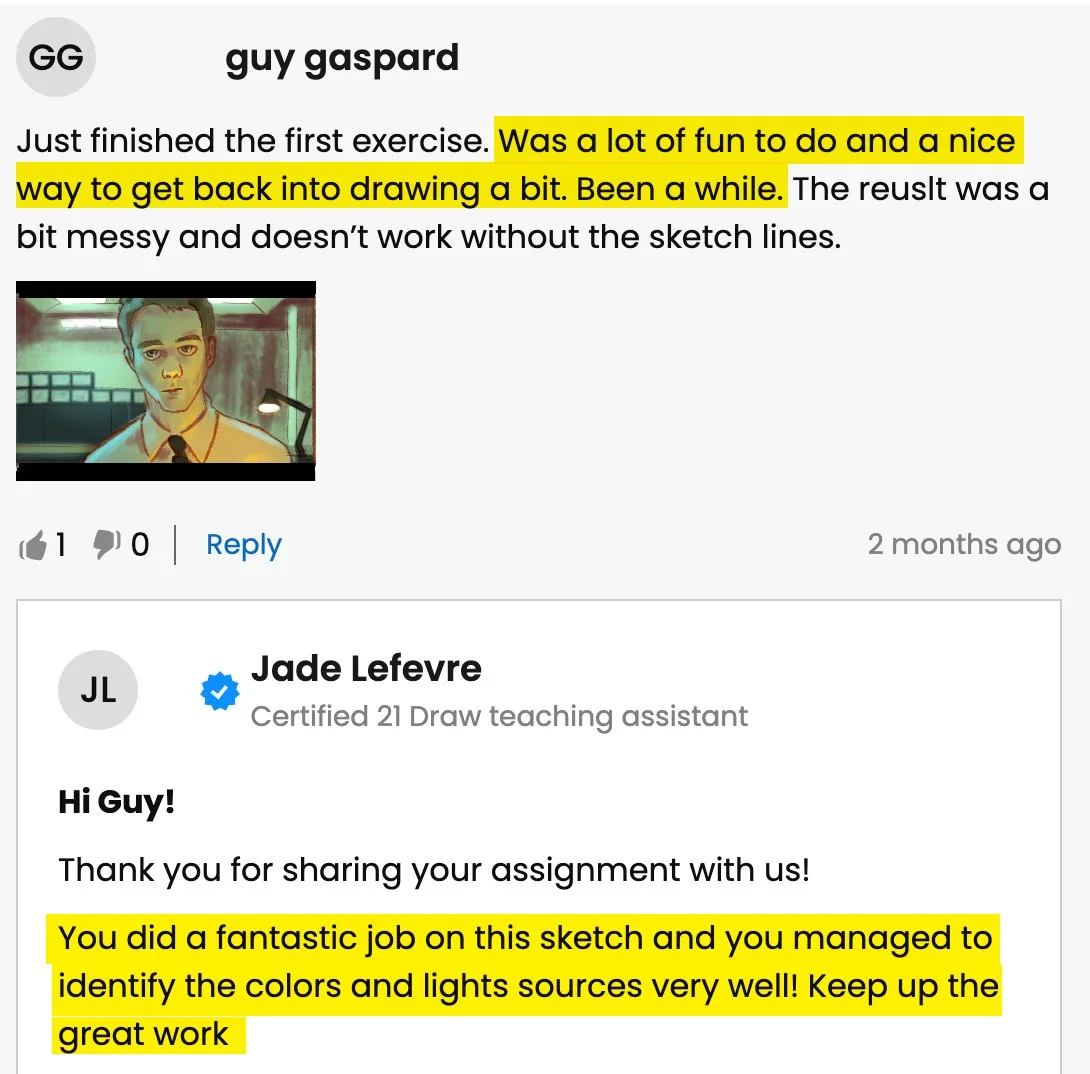
Obtén comentarios detallados de un profesor real cuando estés teniendo dificultades con tus tareas o arte.

Obtén Elogios

¡Comparte tu arte (si quieres 😉) o tareas completadas y recibe elogios de nuestros profesores!

Habla con tus compañeros


Únete a nuestra increíble comunidad de Discord donde puedes interactuar, hacer preguntas y aprender unos de otros.

Practica con Tareas

La mayoría de las lecciones tienen asignaciones sugeridas y ejemplos para ayudarte a practicar.

Eventos en Vivo


Aprende en tiempo real de tus artistas favoritos.

¿Estás listo para pasar de cero a héroe? 💥

Sign up for ONLY $59/year! ($235)!
¡Apúrate, por tiempo limitado!

Trabajos recientes de estudiantes

All the illustrations you see here are made by past and current students. And you can do it too. We let the results of our students speak for themselves. You’ll be able to do this too after following our in-depth easy-to-follow lessons.
1/11
Catie Ilic
Alisa
Jay Thatcher
Nida Özer
@saramakdessi
Cornelia Paulsson
Jason K.
Oksana Shvedenko
Louise Broesky
Viktoriya Storozhuk
N Goslett

¿No estás seguro de por dónde empezar? Revisa nuestro orden sugerido de clases

Clase 1
Procreate para principiantes
Ver más
Principiante
Clase 2
Dibuja un personaje femenino
Ver más
Principiante
Clase 3
Coloración Digital
Ver más
Principiante
Clase 4
Teoría del Color
Ver más
Principiante
Clase 5
Dibuja un personaje de caricatura
Ver más
Principiante
Clase 6
Dibujando Mascotas
Ver más
Intermedio
Clase 7
Procreate hecho fácil
Ver más
Intermedio
Clase 8
Iluminación + Sombreado
Ver más
Intermedio
Clase 9
Ilustración Digital
Ver más
Intermedio
Clase 10
Pintando retratos
Ver más
Intermedio
Clase 11
Iluminación + Sombreado
Ver más
Intermedio

BUT wait, there’s more...

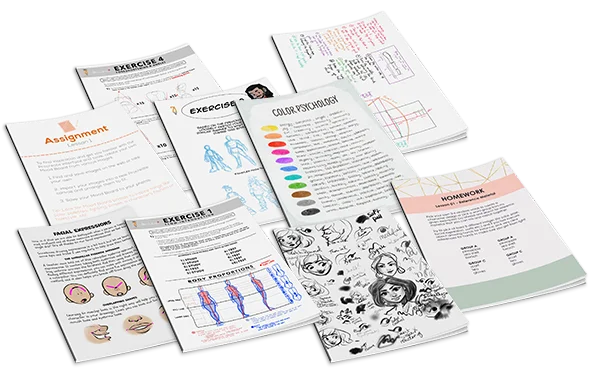
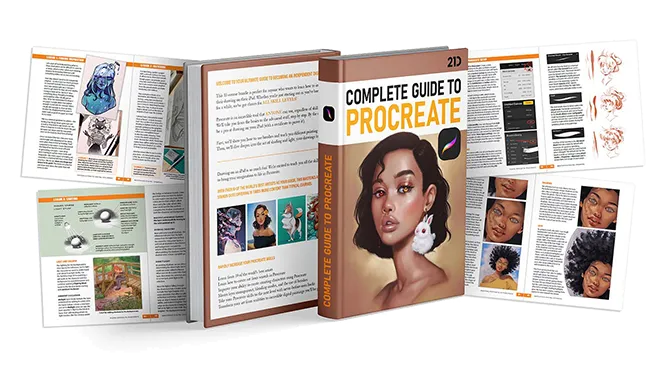
If you get the bundle now, as a BONUS we'll throw in our eBook worth $49! The eBook is 149-pages long packed with SIX of the SAME tutorials from this bundle.
Click to LOOK INSIDE ⤵️

Ningún otro paquete ofrece este nivel de calidad...

The 11 online classes and eBook are worth alone $595, but it’s all yours for a fraction of that!

Just picture it: That hobby you once enjoyed can now be your ticket to financial freedom.

And the best part? It costs ONLY the price of a new pair of jeans 👖 or 20 lattes ☕ or a dinner for two 💑 

Mira cómo nuestros profesores están ayudando a los estudiantes...

Pregunta del estudiante
A
Alisa

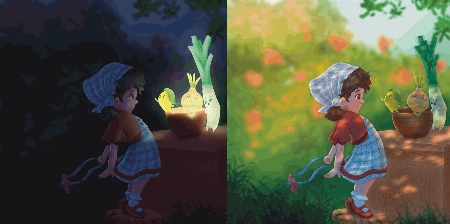
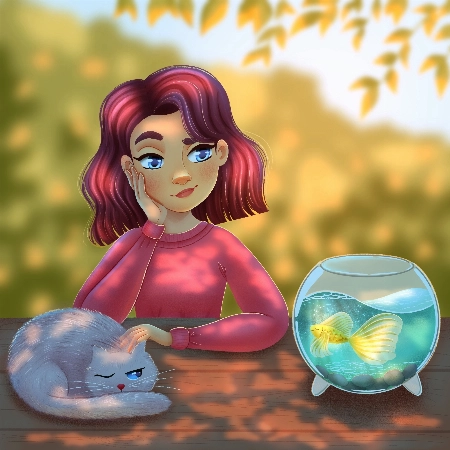
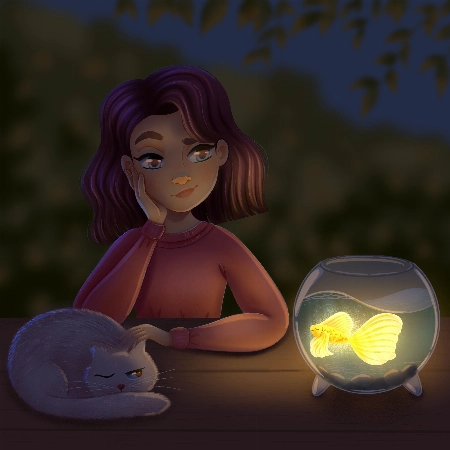
Hello, I finished the Aveline’s course and would like to get some feedback how I can improve my illustrations.. I am not completely satisfied with my work so hope your feedback can help.. ... Mostrar másThank you.
Rhea Tibbey
Asistente de enseñanza certificado por 21 Draw

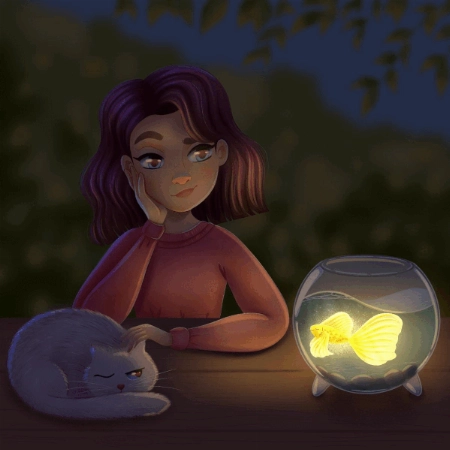
Hey Alisa! I love your work, you have done an amazing job of following along with Aveline's assignments :)

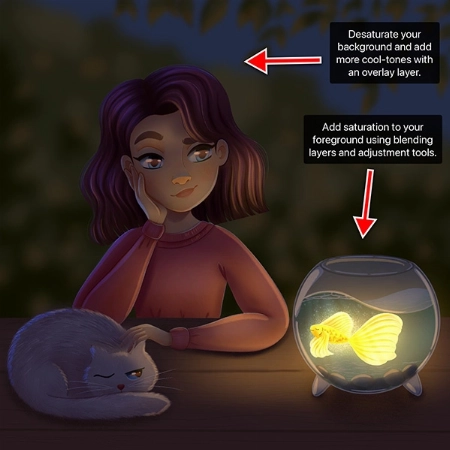
To keep your feedback simple, I have chosen to refer to your night-time lighting scenario. Check out the tips and images I have attached below, I hope they help :)

  • When you are illustrating an environment a good practice for adding depth is to ensure your foreground uses more saturated colors than your background. Currently they are at a similar level of saturation, this is something you can adjust using your ‘Hue, Saturation and Brightness’ tool.
  • Around the edge of your highlights and shadows you may have a soft line that is a more saturated color.
  • Folds on clothing usually follow a triangular draping pattern down from where they hang from the body. In this case her sweatshirt would mostly be draping from her shoulders. When in doubt with drawing folds in an outfit, a reference picture can make things much easier!
  • If you have warmer tones in your foreground, make the color pop even more by using an ‘Overlay Layer’ to add cooler colors to the background.

I have attached some images with tips and edits to help guide you through this process. Let me know if you have any questions :)
Pregunta del estudiante
Nida Özer

Hello Aveline, I congratulate you on your art and I follow your art with enthusiasm. I would also like to thank you for meeting us on such a occasion. I am adding my works and waiting for yo... Mostrar másur comment :)
JP
Jessica Paton
Asistente de enseñanza certificado por 21 Draw

Hi Nida!

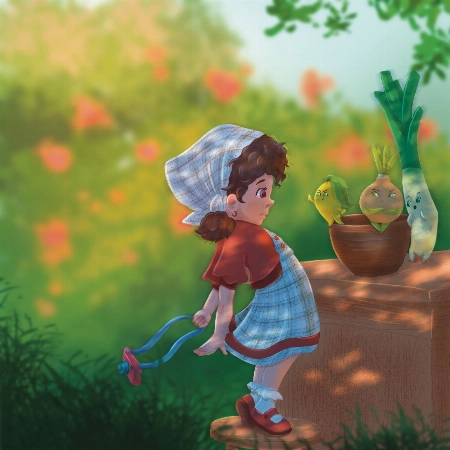
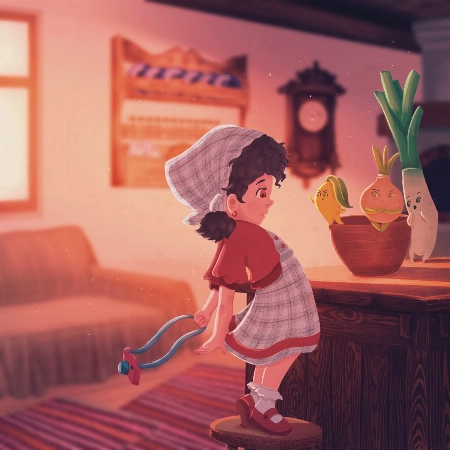
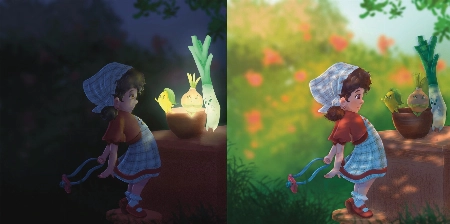
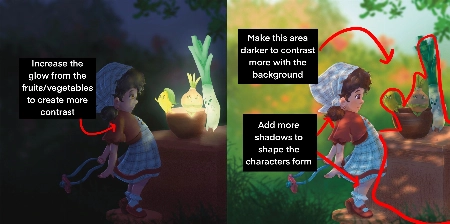
Wow, you did such a great job of applying the techniques from this course! I love that you've put your own characters into the scenes as well! I only have a few small notes for you.

For the Night Scene:

  • Increase the glow in the night scene! Use a soft brush to lighten that part of the scene (I used a light yellow with a soft-light layer setting)

  • Add more highlights/rim lighting on the night scene as well. Make sure you have lots of contrast and really make the most of the fun lighting!

For the Day Scene:

  • Because you have made most of the background quite light, try and keep that somewhat consistent. Keep the background light, and the foreground more dark. Keeping this contrast makes it easier to see the characters as seperate from the background and makes it easier to read.

*Add a few extra shadows to reflect the size of the skirt/around the skirt to imply more 3D form

You've done such a fantastic job with these, and they're honestly great the way they are! Well done!
Pregunta del estudiante
Lana Grushnik

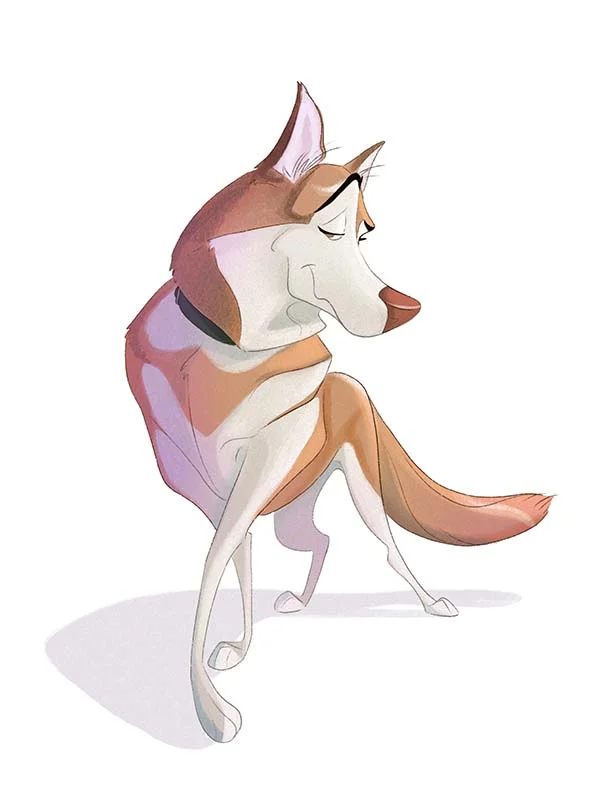
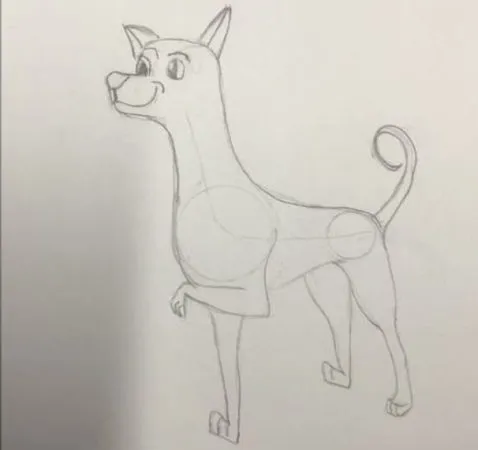
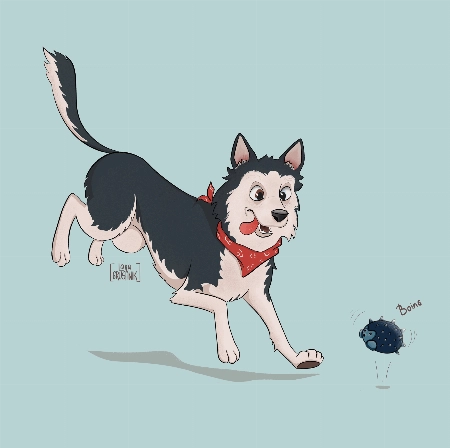
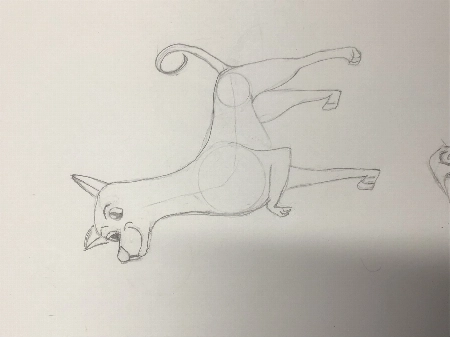
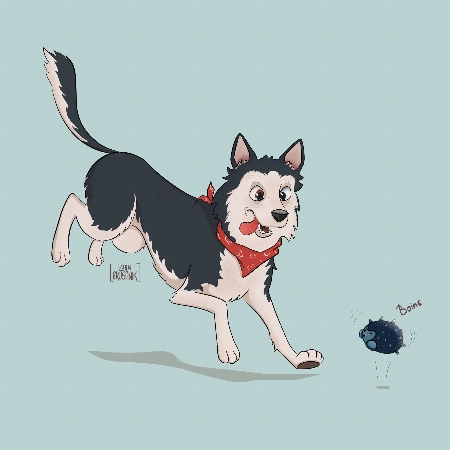
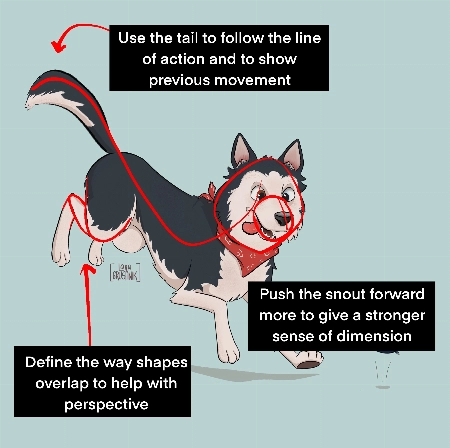
I absolutely loved this course! Very inspiring and simple :) Turned out that I'm really good at drawing dogs. Cats are harder to draw for some reason:)
JP
Jessica Paton
Asistente de enseñanza certificado por 21 Draw

Hi Lana!

This is such a cute drawing! It's very lively and there is a great personality coming from them!

When drawing cats focus very much on the flow - lots of round fluid movements. The line of action will be very important for their poses.

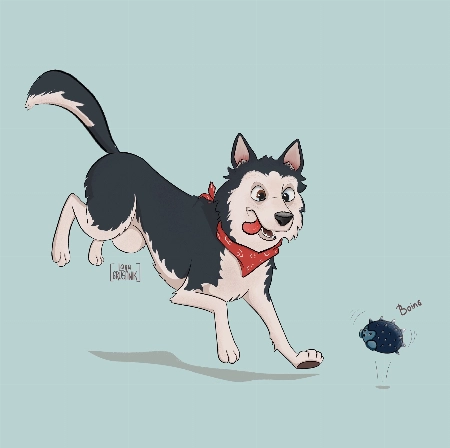
For this particular drawing I just have a couple suggestions!

  • Push the snout slightly further forward. This will help make the head feel a little more round and improve the sense of dimension. Think of the base of the head not as a circle, but as a sphere!

  • When drawing complicated shapes like limbs, especially when they're folded up, think about how each segment is a basic shape. Using the right amount of lines, you can force a sense of perspective by overlaying some with others. In this case, you can add a couple extra lines to make the back leg seem more like it is bent away from the "camera".

  • Use the tail to emphasize the sense of movement! Follow the line of action you already have moving through the pose! Treat it as an extention of this. But also try to consider where the dog was in space before - the tail can have a very lovely flow to it if it is shaped as though it is coming from where the dog was just a moment ago. You were very close to this I think, but lowering it slightly makes it feel less like the dog has dropped down very suddenly.

It's great to hear that you loved the course! I hope you continue to draw more fun animals in the future!
Pregunta del estudiante
DK
DIM K

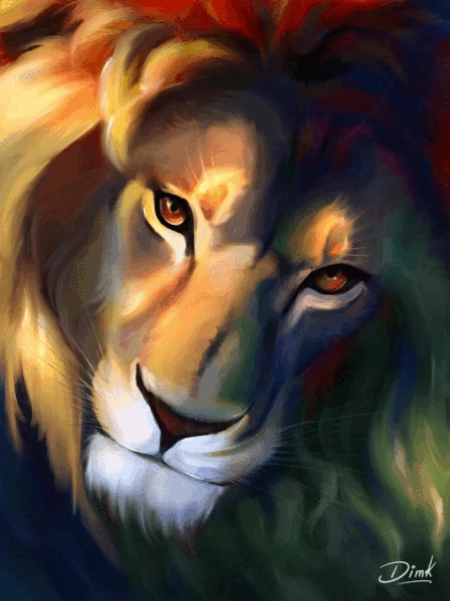
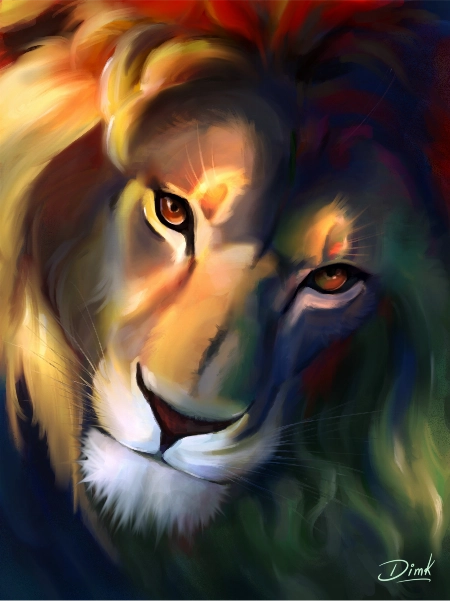
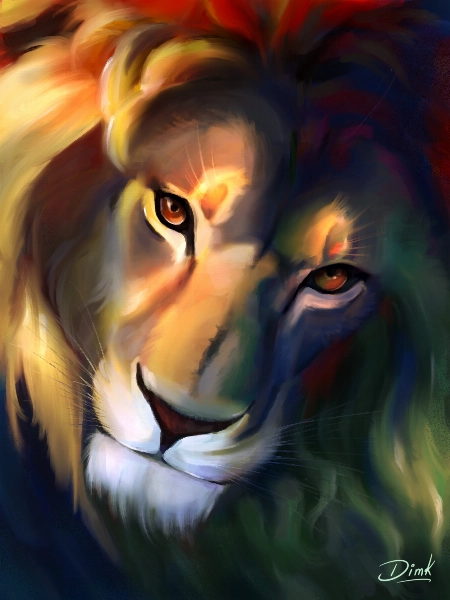
Hi recently I finished this drawing and I would like to get some feedback to improve my illustration.
Jade Lefevre
Asistente de enseñanza certificado por 21 Draw

Hi!

Thank you for sending in your painting! This is incredible work. The subject is beautiful and your use of color is mind-blowing!

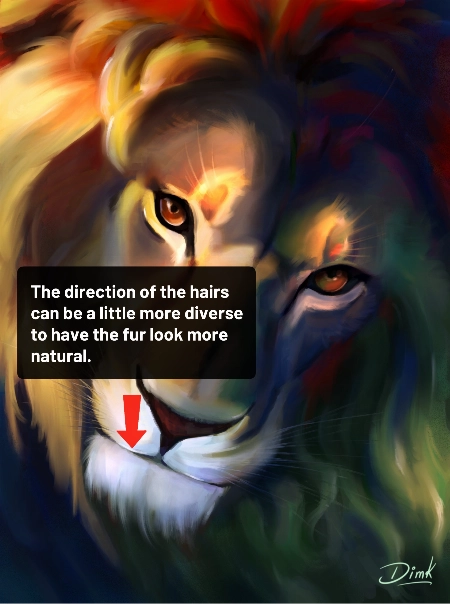
You could maybe try to have the hair on the chin flow in more various and natural directions. Even with the head clearly in motion within the scene and the hair following in the same direction, I think there could be a little more variation.

You can check out the attachments for a more visual explanation!  I hope you’ll find them helpful!  Don’t hesitate to ask if you have any more questions and I wish you a beautiful day!
Pregunta del estudiante
MD
Marjolijn De

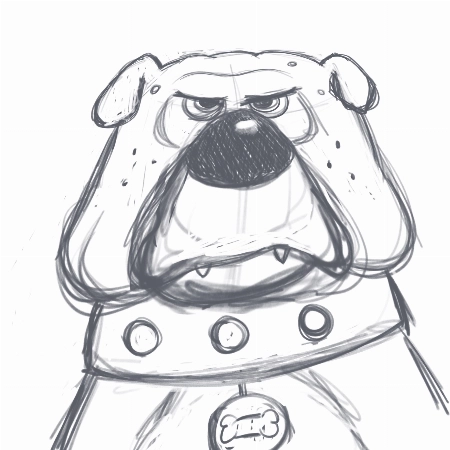
I really enjoyed creating the thumbnails and the final piece. I love to keep my rough sketch slightly visible and I like to add some more texture to my designs. But I loved the gloaming brus... Mostrar másh and I’m going to use it more often:) Thank you very much for this fantastic class!
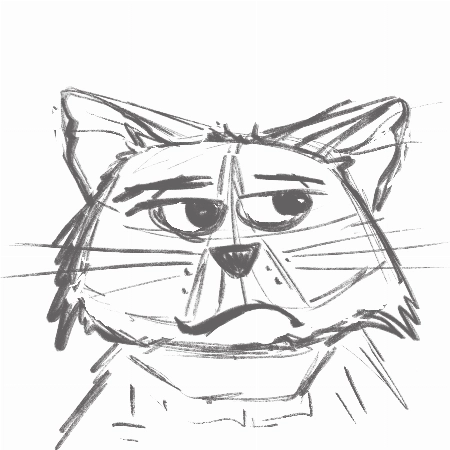
Jade Lefevre
Asistente de enseñanza certificado por 21 Draw

Hi Marjolijn!

I'm glad to hear you enjoyed the course! I'm a huge fan of the way you used the brushes and the colors! Your characters have a lot of personality and I think your final drawing looks really professional.

Keep up the great work and have a fantastic day!

Pregunta del estudiante
SM
Sara Makdessi

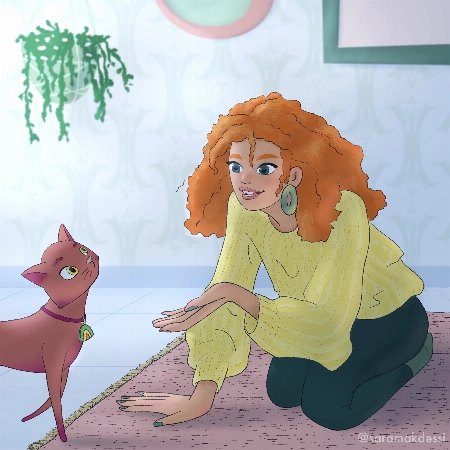
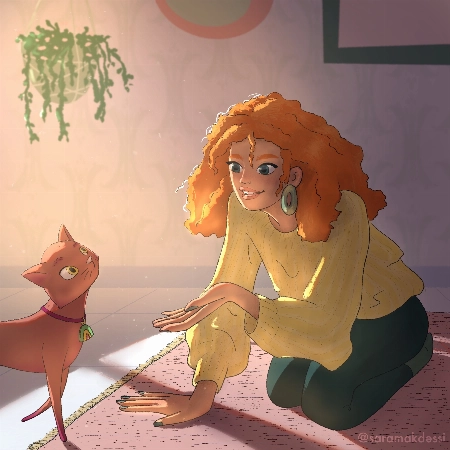
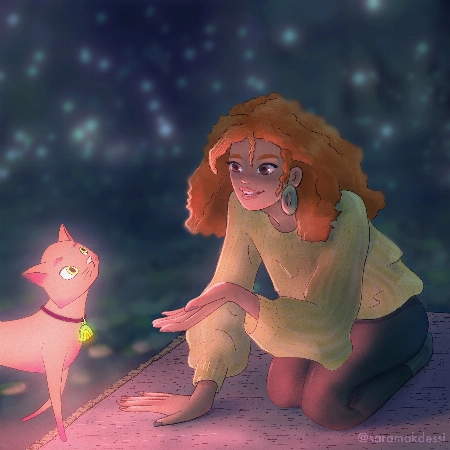
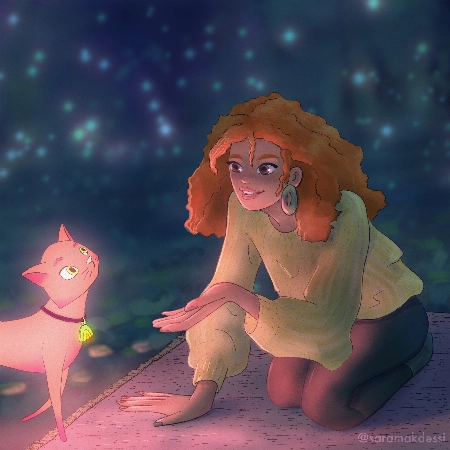
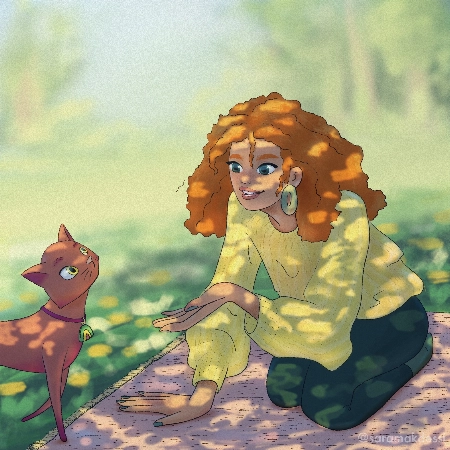
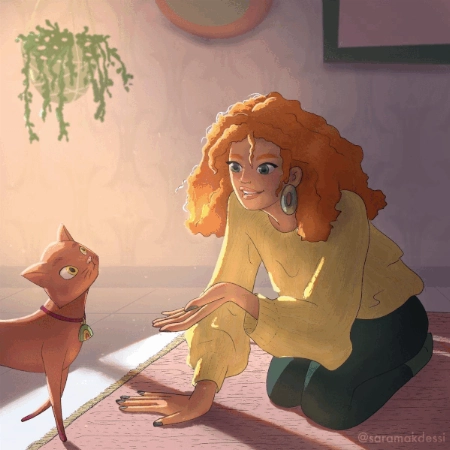
Hi Aveline, thank you so much for this fun and super informative course. I really enjoyed your lessons! Here are my interpretations of the four light scenarios with my characters. Any feedb... Mostrar másack would be very appreciated. Many thanks, Sara
Rhea Tibbey
Asistente de enseñanza certificado por 21 Draw

Hey Makdessi! These illustrations look amazing! You have done a great job of using the lighting and shading techniques from this course :)

Here are a few feedback suggestions that you could try in future illustrations/ to improve these:

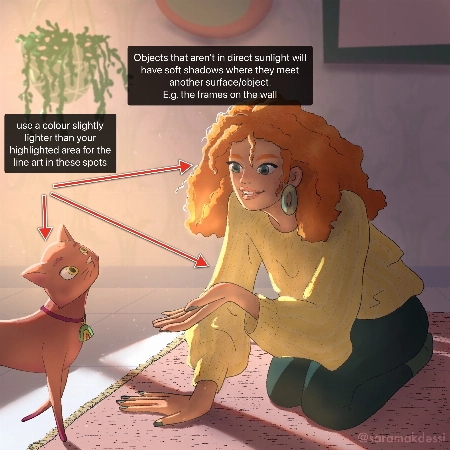
  • In areas of your character that are highlighted, change the colour of your line-art to a colour brighter than the highlighted area.
  • Additionally, it can look nice if you set your line-art to a darkened version of an ambient colour in your image rather than black.
  • Add soft shadows to objects that aren't in direct light.
  • For your night-time scene, you could decrease the saturation of the background and perhaps add even more blur to make your character stand out even more.

Try these out and see what you think! Wishing you a creative week, Rhea
Pregunta del estudiante
Polina Lutseva

Hello!! I love the course and tried to do all types of lighting by myself, it would be really great to hear feedback, comments and critics about my work. Thank you very much in advance!! Pa... Mostrar másuline
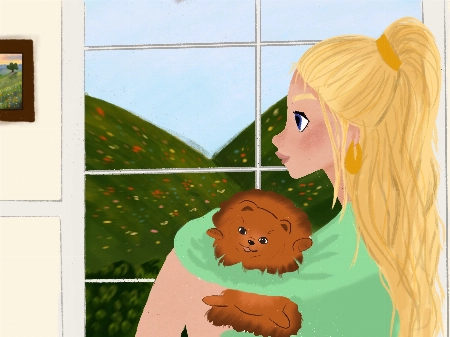
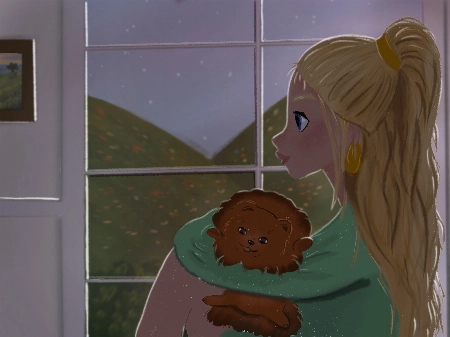
Rhea Tibbey
Asistente de enseñanza certificado por 21 Draw

Hello Polina! I love your drawings, they are so gorgeous! Thanks for sharing them :)

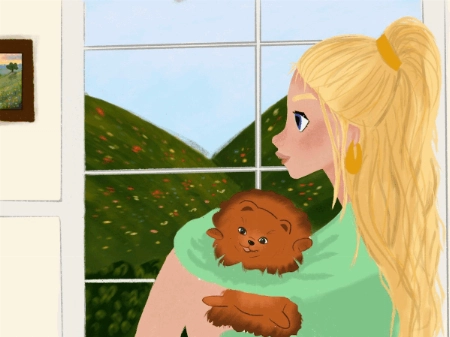
Check out my feedback below and notes I have added to your drawing! I hope you find them helpful :)

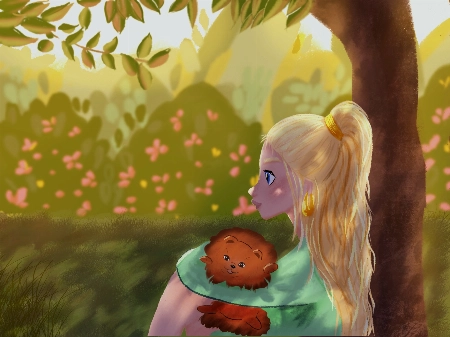
  • Don’t be afraid to use ‘Overlay’ blending layers with vivid colors to help establish the time of day, especially for the sunset and daytime photos.
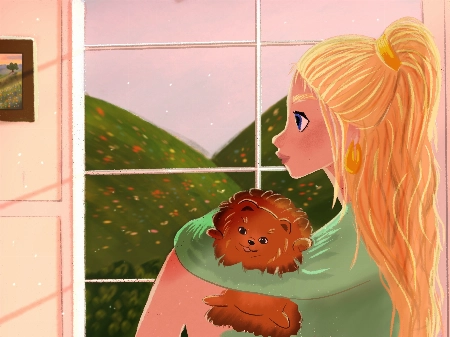
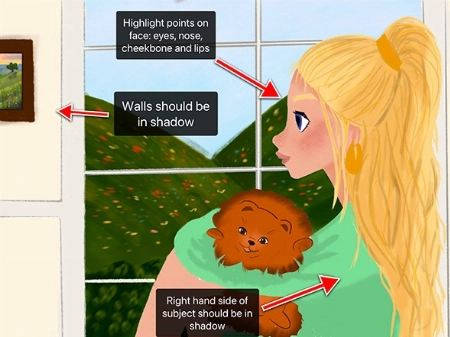
  • In the indoor scene: the walls and the character should be in soft shadow due to the backlighting from the window.
  • Your character has a few spots on their face that might have highlights including their: eyes, nose, lips and cheekbones.
  • Your overcast lighting scenario could be de-saturated to convey the gray-diffused light source. This is something you can adjust using the ‘Hue, Saturation and Brightness’ tool.
  • Even on an overcast day you will still have some soft shadows where clothes fold or different objects meet each other.
  • You can try and make the direction of your light source more clear by adding color variation to your sky using an overlay or multiply layer.
  • When in doubt, practice by studying photographs! This can be a great way to learn about illustrating hard shadows.

I have attached some images with tips and edits to help guide you through this process. Let me know if you have any questions :)
Pregunta del estudiante
LB
Louise Broesky

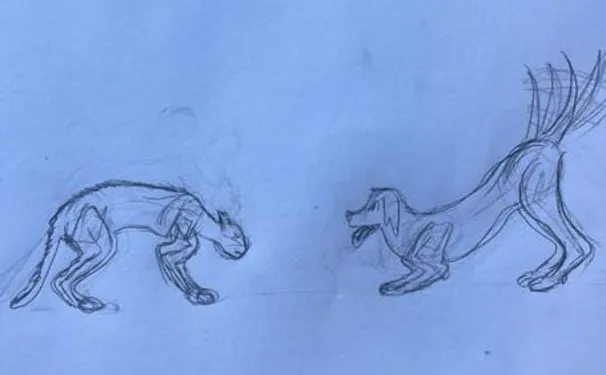
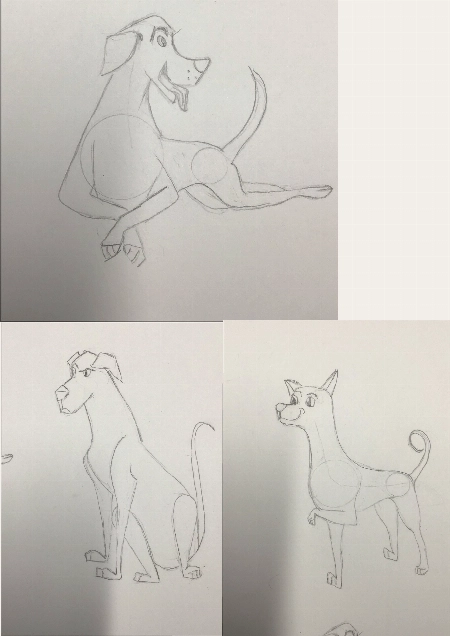
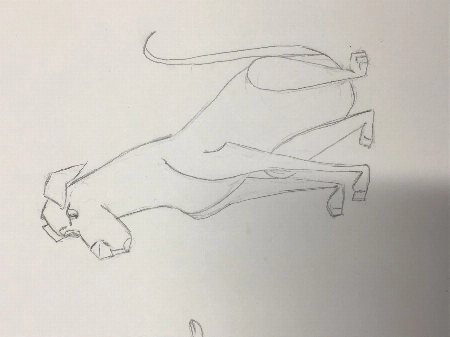
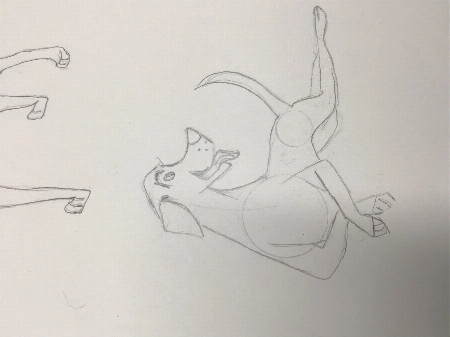
I have never used Procreate before so I did the first lessons on paper working my way through the other ones I’m not used to drawing with circles and lines of actions. I pick a body part ... Mostrar másand then I draw from there that’s what I’m used to so I didn’t use the circles the way I was supposed to
JP
Jessica Paton
Asistente de enseñanza certificado por 21 Draw

Hi Louise!

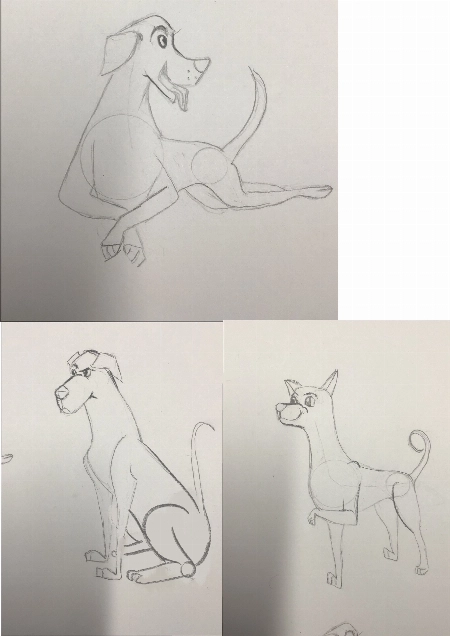
This is such a great drawing so far!

I do recommend trying to start a drawing with the basic shapes before you get too far into detail to make sure that the drawing has a solid foundation.

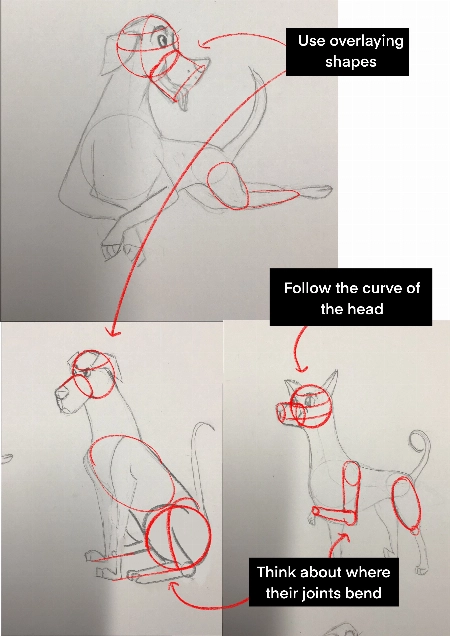
  • Break things into spheres and cylinders. Spheres for the head and joints, and cylinders for the limbs and snout. Using these as a guide and it will help add dimension

  • Another thing that will add dimension is layering one shape of the other. Having a shape hidden behind another will instantly add a sense of 3D.

  • Think about their skeleton! Look at where their bones bend. This is the natural basic building of an animal. You don't have to draw every bone, but you can break it into areas - The ribcage as one oval, the pelvis as another. The forearm bone as a cylinder, the joints as spheres. It helps a lot to understand how a creature can move and bend, and how they can't.

You're well on the right track and each drawing you have done is very expressive and has lovely poses, good job!
Certificados para celebrar tus logros

Cuando termines cada clase, habrás obtenido un certificado de finalización. Compártelo en tu portafolio, redes sociales o donde quieras.

Cómo nos comparamos

Clases Premium
Sistema simple, paso a paso
Artistas y maestros verificados
Currículo estructurado
Videos sin anuncios
CERO relleno o contenido innecesario
Obtén respuestas a tus preguntas
Enviar dibujos para recibir comentarios
Recursos del curso
Free eBook
Certificado de finalización del curso
Obtén mi oferta ahora! Solo por tiempo limitado!
¡Garantía de Devolución de Dinero de 30 Días!

Para quién es este paquete...

Recientemente compraste un iPad y Procreate y quieres comenzar

Buscando un paquete TODO en UNO que solucione todos tus problemas de Procreate

Principiantes que quieren mejorar sus habilidades en diseño de personajes

Principiantes que quieren aprender sobre dibujo de figuras, poses y dibujo gestual en Procreate

Buscando grandes trucos, consejos y secretos de Procreate que no has visto en ningún otro lugar

Luchando por ponerse al día con el arte digital después de dibujar tradicionalmente durante años

¿Quieres llevar tus habilidades en Procreate al siguiente nivel, incluso si eres un ilustrador experimentado?

Has estado usando Procreate pero necesitas una nueva perspectiva

Para personas que buscan profesionalizar sus habilidades de arte digital y ganar dinero con su arte

Artistas interesados en el diseño de personajes e ilustración digital

Artistas que quieren profundizar en su comprensión de las funciones y capacidades de Procreate, para optimizar su flujo de trabajo y elevar su arte

Aquellos curiosos sobre las funcionalidades específicas en Procreate, como la gestión de capas, los modos de fusión y el uso de pinceles

Preguntas Frecuentes

¿Qué está incluido en la membresía?

Membership includes unlimited access to all 50+ courses taught by the world’s best artists PLUS new courses as they are released.

Each class includes 10-20 video lessons that are 7 minutes long on average. Most classes include exercise sheets, assignments, and layered PSD or PNG files.

Some classes include the ability to chat with the instructor in a public forum, e.g. if you want feedback on your artwork.

¿Son estos cursos en línea o en vivo?

All classes are pre-recorded and you can watch them online with any digital device, anytime, and for an unlimited number of times! This means you can easily watch (and rewatch) them at your own pace and convenience.

We also have bonus live sessions that are free of charge for all our students.

¿Qué nivel de habilidad tienen los cursos?

The classes are approachable for beginners and has advanced techniques for those with more experience.

If you have no art experience whatsover or struggle to draw a basic character, we recommend starting off by taking our 'Learn to draw in 21 days' classes.

¿Están los cursos disponibles en otros idiomas además del inglés?

All classes are available in English (original narration) and most have dubbed narration in Spanish, French, Italian, German, & Portuguese.

Subtitles are available for all course in the following languages: English, Spanish, Japanese, French, German, Italian, Portuguese & Indonesian.

¿Hay alguna garantía?

¡Por supuesto! Todas nuestras membresías tienen una Garantía de Satisfacción de 30 días. Si no estás completamente SATISFECHO e ILUMINADO, contáctanos dentro de los 30 días para un reembolso completo, sin preguntas!
21 Draw visto en...

¿Quién es 21 Draw?

Desde 2013 en números:
  • Comunidad de 70k miembros
  • 40k libros de arte vendidos
  • 10k patrocinadores en Kickstarter
  • $632k financiados en KS

Comenzamos 21 Draw en Suecia en 2013 con el objetivo de ayudar a todos a convertirse en mejores artistas.

Nos llamamos 21 Draw porque cuando empezamos solo teníamos presupuesto para contratar a 21 artistas. Sin embargo, un gran número de artistas estaban tan entusiasmados por involucrarse, que no pudimos resistirnos a añadir más y crear aún más productos, desde libros hasta cursos en línea.

Nuestro objetivo es trabajar junto a los mejores artistas del mundo para ayudar a nuestra comunidad y a ti a alcanzar tus metas artísticas. Queremos hacer que la educación artística increíble sea accesible para todos.

Cerrar
Sign up for ONLY $59/year! ($235)! Garantía de Devolución de Dinero de 30 Días