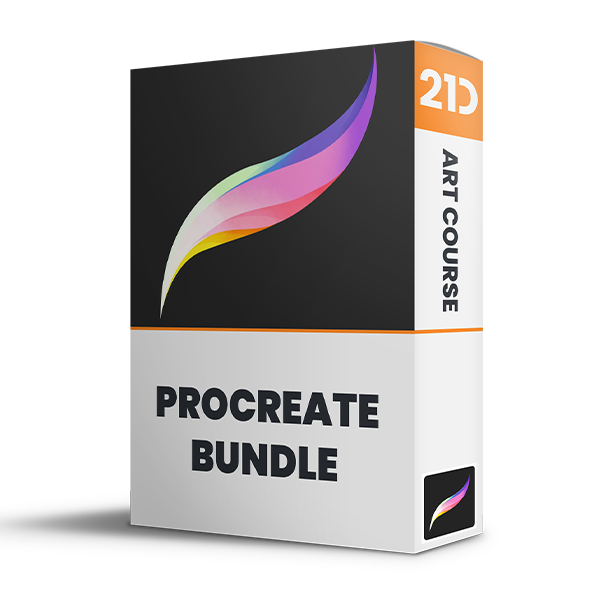
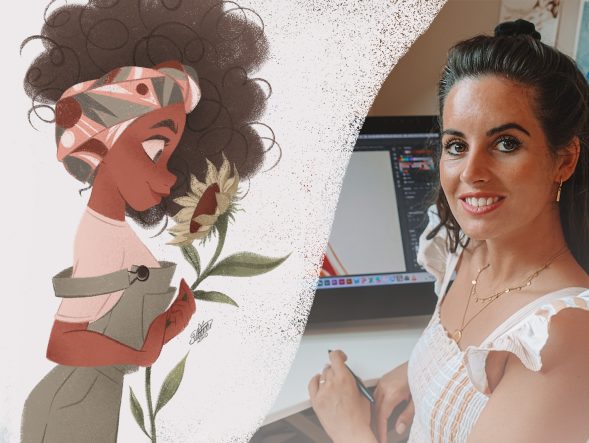
Save 83% on course bundle.

Master Procreate with Not Just One, but 10 World-Class Artists!

Unlike classes with only 1 kickass artist, this 11-course bundle has tutorials by 10 PROS who work for Disney, Marvel, DC... You'll learn more and faster with artists of different art and teaching styles.
4.8
(basierend auf 4,392 Bewertungen)

Get Lifetime Access. One-time payment.

Get Bundle for ONLY $99 ($595)!
30-Tage Geld-zurück-Garantie!

SPECIAL SALE! FREE Gift If You Order NOW!

Lerne von den MEISTERN der Branche

We curate our roster to bring you the best artists & even better teachers.
327k Follower

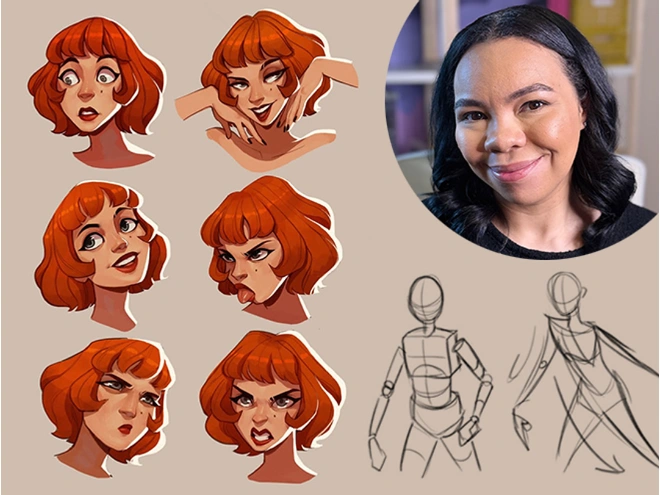
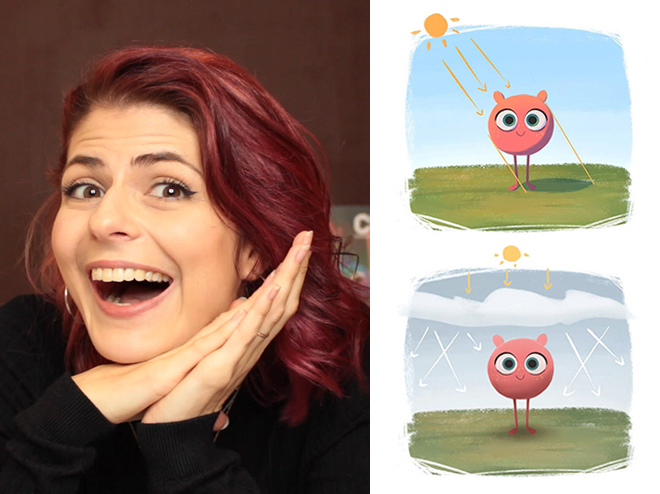
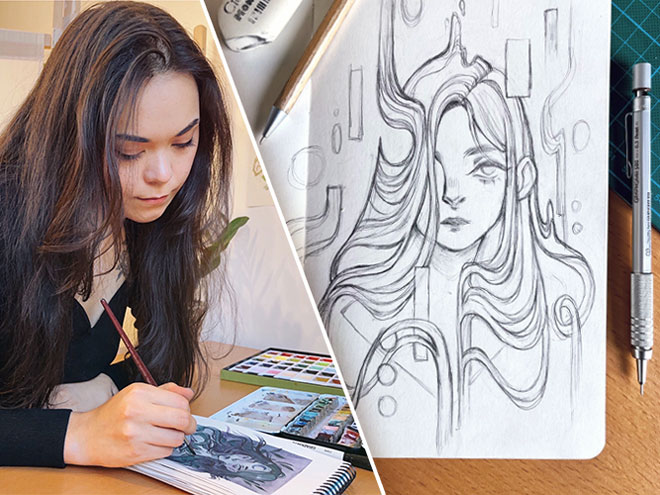
Aveline Stokart

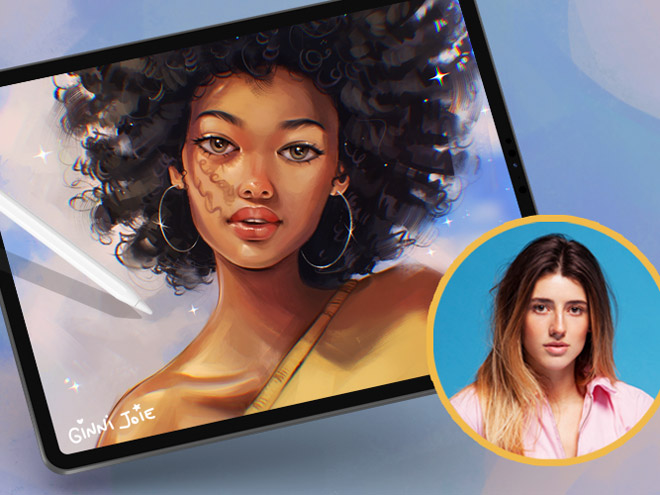
Master Lighting & Shading
249k Follower

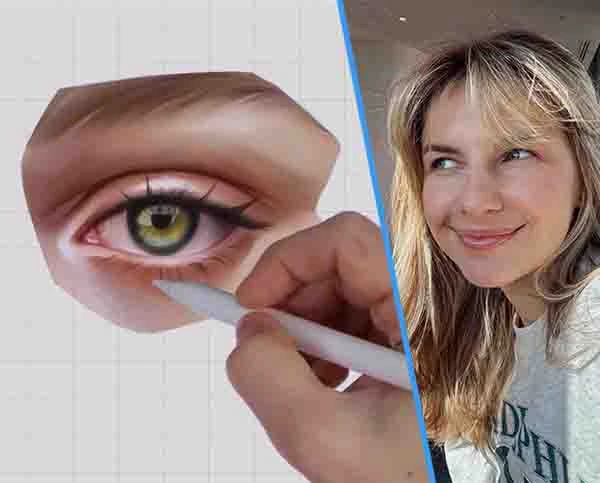
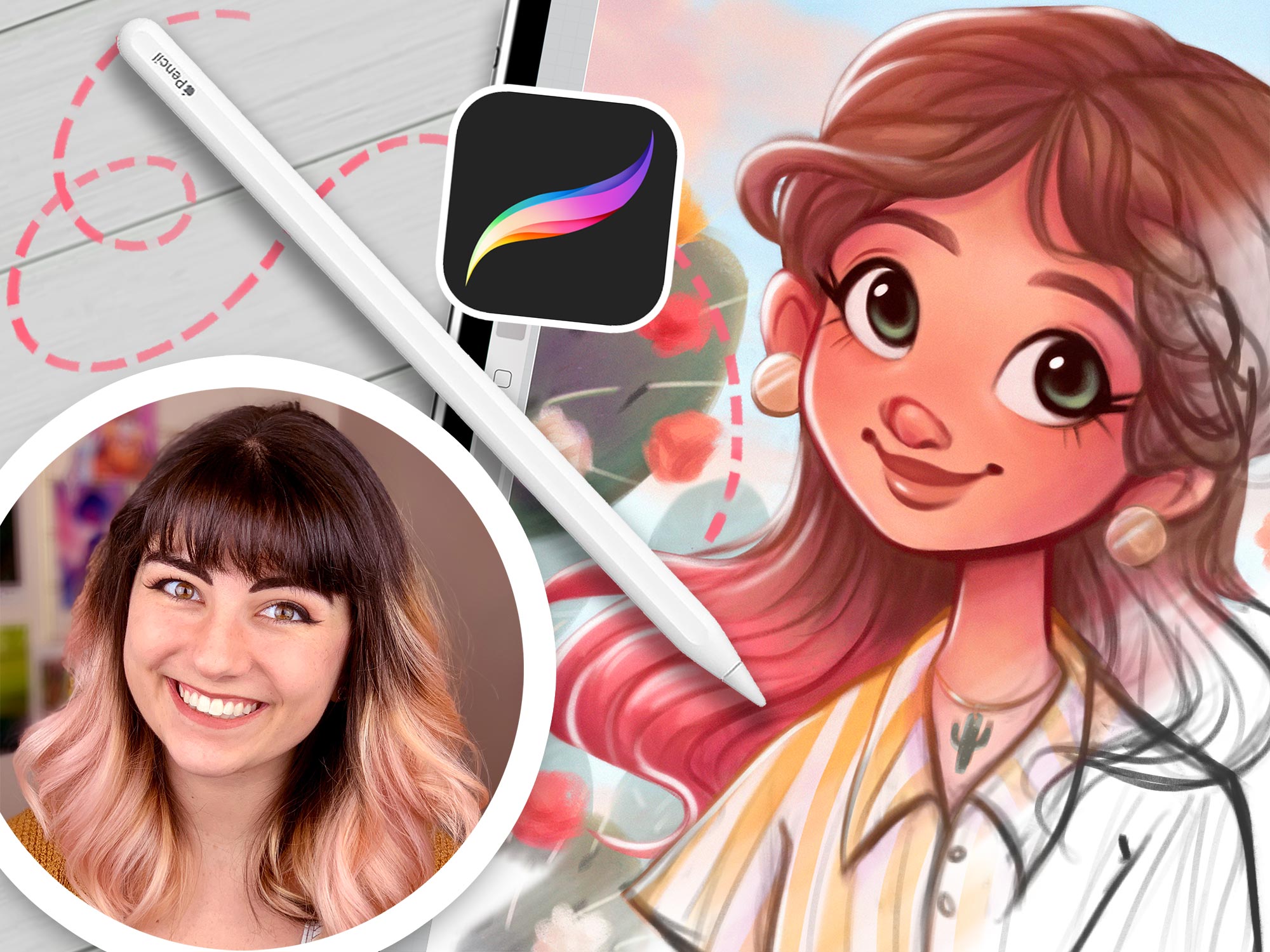
Erika Wiseman

Set up your digital workspace

1.1mn Follower

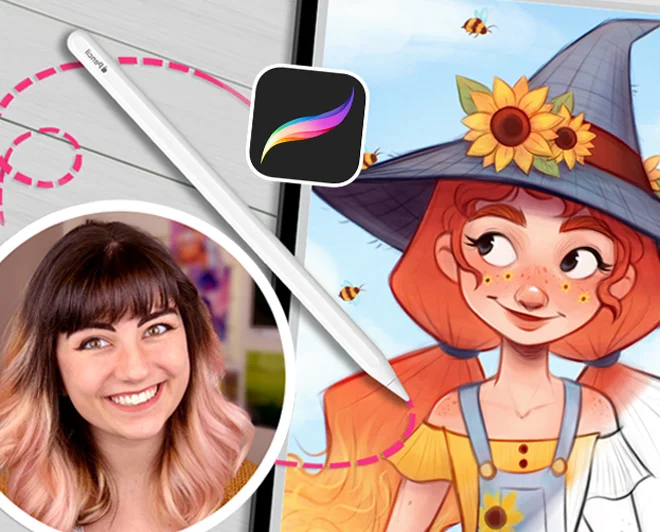
Feefal (Linnea Kikuchi)

Create beautiful illustrations

611k Follower

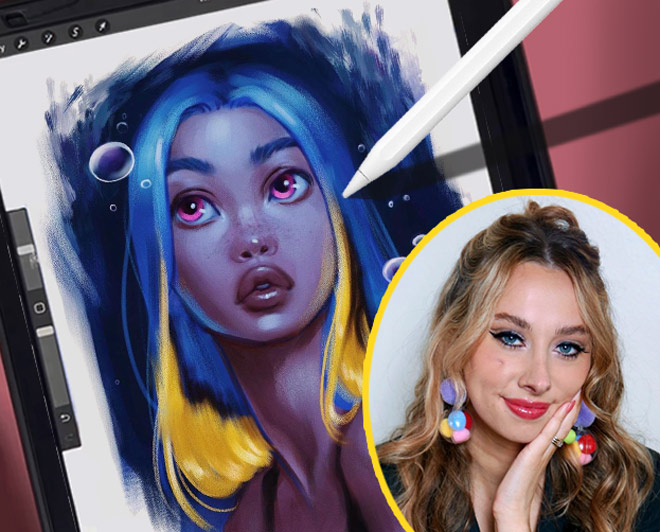
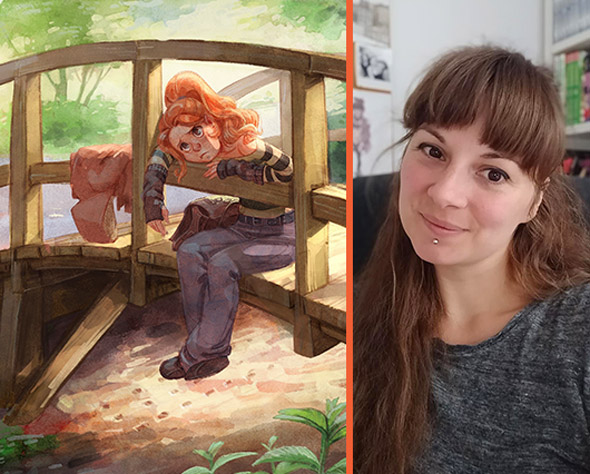
Simone Grünewald

Paint a beautiful background

382k Follower

Isabelle Staub

Master the basics of Procreate & avoid common mistakes
97.6k Follower

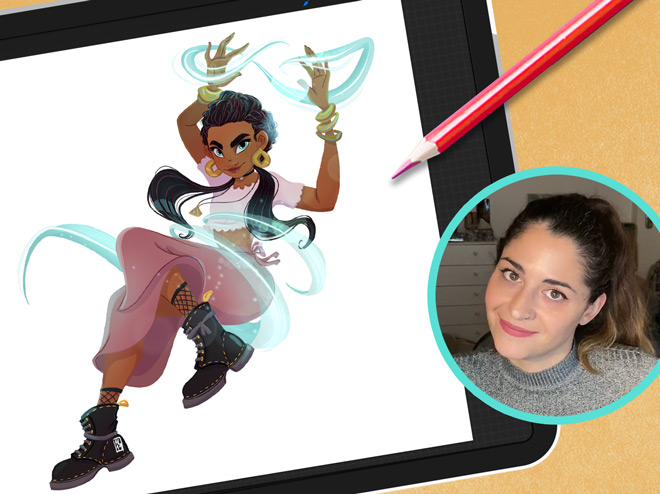
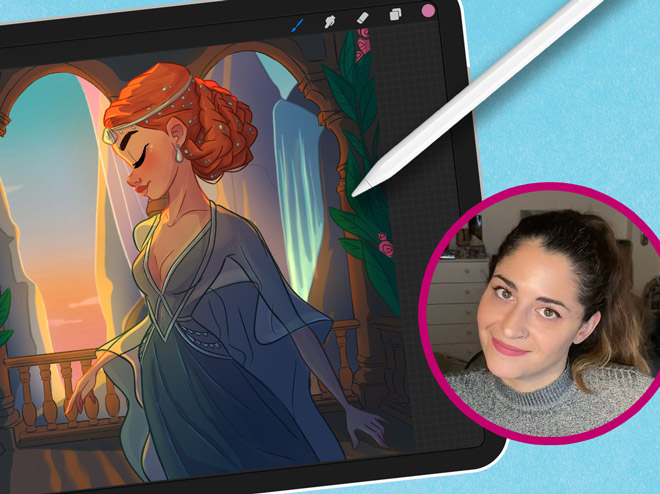
Maria Lia Malandrino

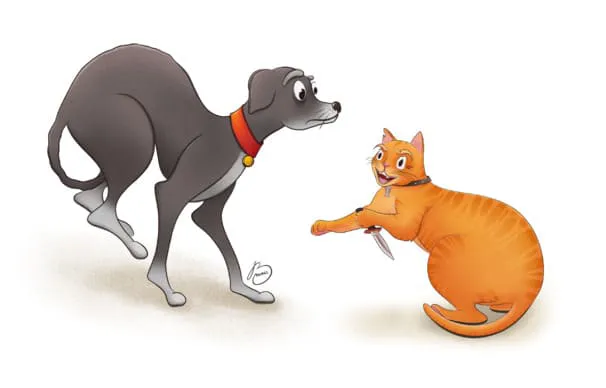
Draw a cartoon character & make your art shine
189k Follower

Meike Schneider

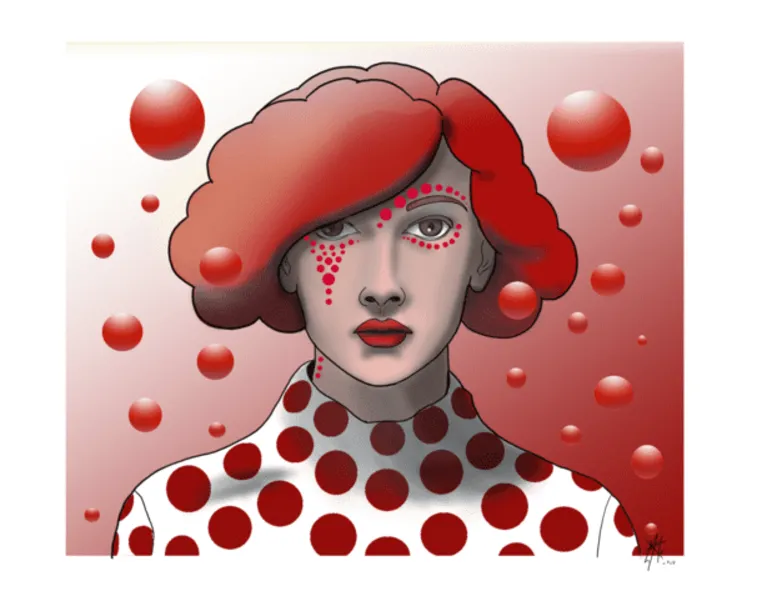
Draw a Female Character
119k Follower

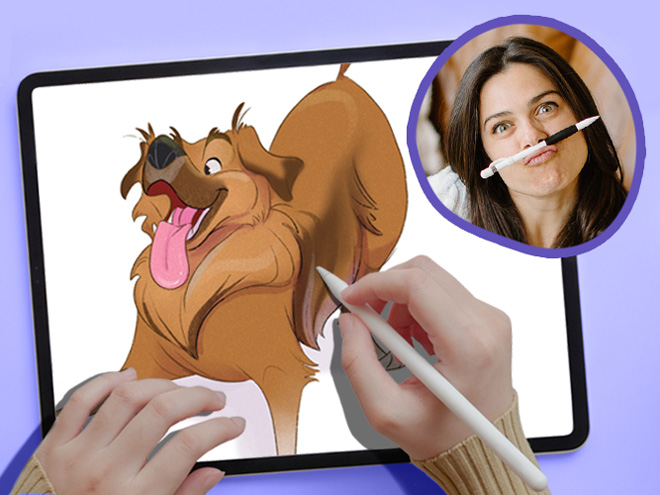
Lauren Barger

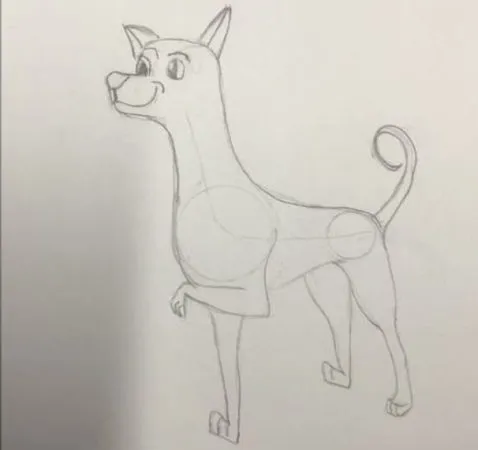
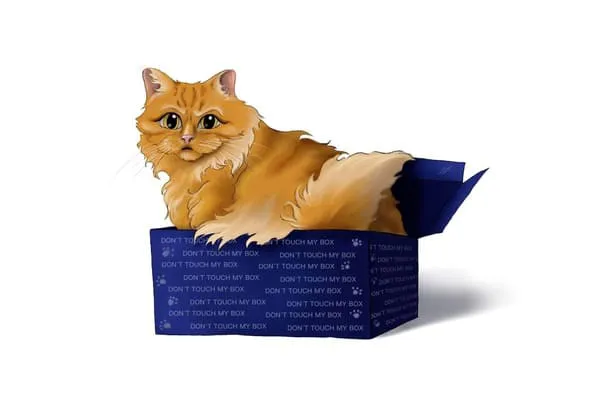
Drawing Pets from Scratch

129k Follower

Ginevra Girgolo

Painting Portraits in Procreate
600 Follower

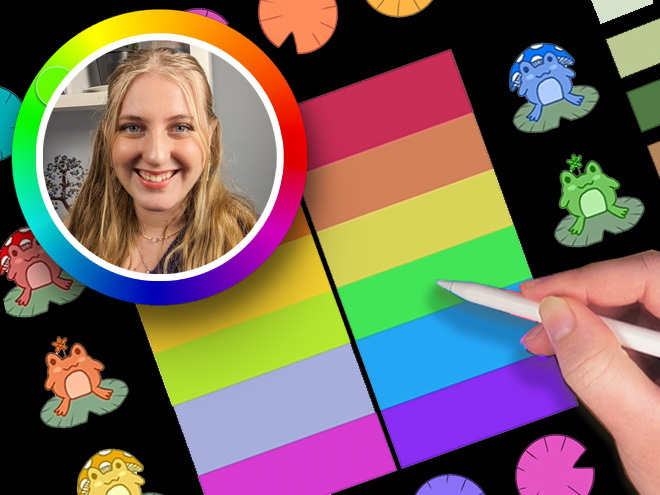
Rhea Tibbey

Introduction to Color Theory
200+
Kleine Lektionen
65k+
students since 2020
21+
Unterrichtsstunden
10
Lehrer der Spitzenklasse

Check out the 11 courses in this bundle

"These classes are a whole different level of awesome…"

Packed with tutorials by top illustrators, it feels like you are at a cafe table with INSANELY talented professionals!

Each of them works in their own style and describes things in their own way.

Not only do they show their artwork, but they’ll show you EXACTLY what they’re doing, and how they break down their process, step-by-step.

Unlike other tutorials, which can sometimes feel rigid, too clinical, or uninspiring. These feel natural and conversational.

This bundle doesn’t restrict itself to being for beginners, intermediate, or advanced artists.

Instead, it’s created by artists for artists! And we’re confident that artists of ALL SKILL LEVELS will gain A LOT from watching these classes!

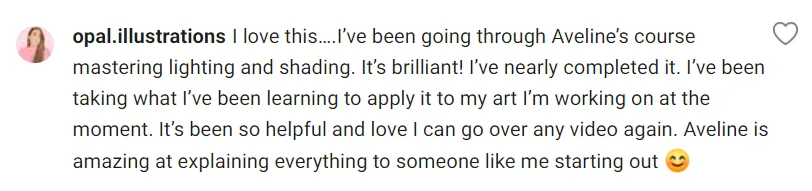
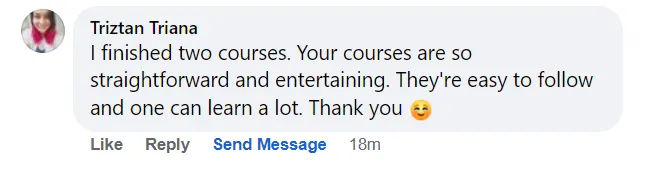
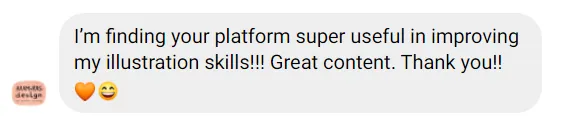
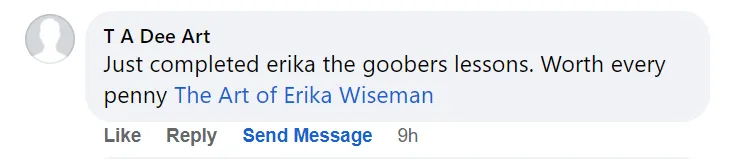
Don’t take our word for it! See below why thousands of our students love it!

Ryan, from 21 Draw

Was Studierende sagen

4.8
(basierend auf 4,392 Kundenbewertungen)
OP
Oliwia P.
vor 1 Woche
Verifizierter Kauf
Ich hatte große Schwierigkeiten, meine traditionellen Zeichnungen in digitale Form zu übertragen – meine Skizzen und Kunstwerke wirkten immer sehr flach. Dank Erikas Kursen konnte ich eine Methode entwickeln, die meine Herangehensweise an das digital
+ Mehr anzeigen
e Zeichnen grundlegend verändert hat, und jetzt macht es mir richtig Spaß! Ich kann diesen Kurs wirklich jedem empfehlen.
Bewertung des Kurses "21 Tage um digitales Zeichnen zu meistern"
TP
Tomay P.
vor 2 Tagen
Verifizierter Kauf
Ich stimme vielen anderen Rezensionen zu: Dieser Kurs eignet sich definitiv eher für jemanden, der sich bereits mit digitaler Kunst und Procreate oder einer ähnlichen Software auskennt. Da ich selbst diese Beschreibung erfülle und Sketchbook Pro nutz
+ Mehr anzeigen
e, habe ich unglaublich viel gelernt! Es ist eine fantastische Möglichkeit, die eigenen Fähigkeiten im Bereich Licht und Schatten zu verbessern, und ich werde die von Aveline gezeigten Techniken definitiv anwenden. Sie haben meine Kinderbuchillustrationen deutlich verbessert.
Bewertung des Kurses "Licht und Schatten meistern"
PB
Polina B.
vor 3 Monaten
Verifizierter Kauf
Ich zeichne schon sehr lange und war schon lange nicht mehr so ​​inspiriert von einem Lehrer. Aveline erzählte nicht nur von ihrem Werdegang, der uns allen bekannt vorkommen dürfte (da es heutzutage sehr schwer ist, eine Stelle im Kunstbereich zu fin
+ Mehr anzeigen
den), sondern führte uns auch durch einen unglaublichen Wald ihres Verständnisses von Licht und Farben. Ich würde mich nicht als Anfängerin bezeichnen; ich bin eher auf einem fortgeschrittenen Niveau. Und ehrlich gesagt, gab es in Bezug auf die physikalischen Gesetze des Lichts oder den Umgang mit Farben so gut wie nichts Neues, was ich nicht schon wusste. Trotzdem war jede Sekunde dieses Kurses lohnenswert, einfach weil Kunst nicht bedeutet: „Lerne die Physik des Lichts und dann bist du gut.“ Dieser Kurs bietet eine detaillierte Erklärung, wie eine professionelle Künstlerin damit arbeitet. Wie sie Schatten und Licht bricht, um atemberaubende, lebendige Kunstwerke zu schaffen. Und genau deshalb sind Kurse wie dieser so wichtig: Sie vermitteln vielleicht keine neuen physikalischen Erkenntnisse, aber sie lehren neue Wege, mit Licht und Schatten zu arbeiten. Und das wird Ihnen helfen, Ihre eigenen Wege zu entwickeln, indem Sie lernen, beobachten, studieren und sich die Gewohnheiten verschiedener Meister aneignen. Insgesamt war es fantastisch. Sehr empfehlenswert.
Bewertung des Kurses "Licht und Schatten meistern"
JR
Jovana R.
vor 1 Monat
Verifizierter Kauf
Ich wollte Ihnen nur sagen, wie beeindruckt ich von Ihrem Gesamtkonzept und Ihrer Herangehensweise an die Illustration bin. Ihre Kreativität und die Art, wie Sie alles präsentieren, machen das Lernen zu einer wirklich inspirierenden Erfahrung. Ich be
+ Mehr anzeigen
wundere den Einsatz und die Leidenschaft, die Sie in Ihre Arbeit stecken. Es war mir ein echtes Vergnügen, von Ihren Lektionen zu lernen. Vielen Dank für diese anregende und inspirierende Erfahrung.
Bewertung des Kurses "21 Tage um digitales Zeichnen zu meistern"
JL
Jacinta L.
vor 1 Monat
Verifizierter Kauf
Ich nutze Procreate jetzt seit etwa einem Jahr und dieser Kurs ist mit Abstand der beste, den ich bisher gemacht habe. Alles ist so einfach, aber man lernt nichts durch bloßes Ausprobieren. Alle Lektionen waren sehr wertvoll, die Anleitungen wirklich
+ Mehr anzeigen
hervorragend und leicht verständlich. Ich werde den Kurs immer wieder wiederholen, um so lange zu üben, bis ich mich sicher fühle. Absolut empfehlenswert!
Bewertung des Kurses "Procreate leicht gemacht"
KB
Kayla B.
vor 1 Monat
Verifizierter Kauf
Ich finde es toll, dass sie auch erklärt, wie man verschiedene Effekte erzielt und wie man die Pinsel wechselt, denn als ich anfing, war ich ein absoluter Neuling und wusste überhaupt nicht, wie man irgendetwas macht. Jetzt mache ich das schon ewig,
+ Mehr anzeigen
und trotzdem hat sie mir noch einiges beigebracht!!!
Bewertung des Kurses "21 Tage um digitales Zeichnen zu meistern"
AW
Adèle W.
vor 1 Monat
Verifizierter Kauf
Auch wenn ich fand, dass einige Videos am Ende nicht in der richtigen chronologischen Reihenfolge waren (ich konnte es an den Ebenen erkennen, die zwischen zwei oder drei Videos nicht übereinstimmten), war es ein sehr guter Kurs und ich habe viel gel
+ Mehr anzeigen
ernt! Sie ist sehr talentiert und ich habe viele Techniken entdeckt. Ich bin sehr zufrieden und danke fürs Teilen!
Bewertung des Kurses "Porträtmalerei in Procreate"
MG
Mary G.
vor 1 Monat
Verifizierter Kauf
Dieser Kurs war für mich revolutionär, als ich mich zum ersten Mal mit Farben und Licht in einem digitalen Programm auseinandersetzte. Ich nutze die dort gelernten Techniken noch heute für meine Kunst, und das, obwohl ich den Kurs schon vor etwa sech
+ Mehr anzeigen
s Jahren belegt habe! Ich kann ihn jedem wärmstens empfehlen, der sich mit Licht und Farbe vertraut machen möchte. Er ist auch hilfreich, wenn man allgemein lernen will, wie man Procreate benutzt.
Bewertung des Kurses "Licht und Schatten meistern"
DA
Denisa A.
vor 2 Monaten
Verifizierter Kauf
Dieser Online-Kurs hat meine Erwartungen übertroffen. Als Anfänger fand ich die Schritt-für-Schritt-Erklärungen äußerst klar und leicht verständlich. Er hat mir geholfen, ein solides Verständnis der grundlegenden Funktionen des Programms sowie fortge
+ Mehr anzeigen
schrittenerer Konzepte zu entwickeln. Ich habe wirklich viel gelernt und fühle mich jetzt viel sicherer im Umgang mit der Software. Vielen Dank – ich kann diesen Kurs wärmstens empfehlen!
Bewertung des Kurses "Digitales Zeichnen in Procreate für Anfänger"
VA
Vanessa A.
vor 2 Monaten
Verifizierter Kauf
Mir gefällt die Struktur des Abschnitts „Farbharmonie & Farbschemata“, die ich mir auch für den Abschnitt zur Graustufenmethode wünschen würde. Die Lektion zu Farbschemata enthielt ein Video, in dem ich mir Zeit zum Mitzeichnen nehmen konnte, und
+ Mehr anzeigen
das möchte ich auch für den Abschnitt zur Graustufenmethode tun; dieser war mir etwas zu gehetzt.
Bewertung des Kurses "Einführung in die Farbtheorie"
ML
Matthew L.
vor 4 Monaten
Verifizierter Kauf
Ich finde ihre Schritt-für-Schritt-Anleitungen und Erklärungen hilfreich; allerdings geht sie meiner Meinung nach gegen Ende manchmal etwas zu kurz, beispielsweise bei der Verwendung von weichem Licht und Überlagerungen auf verschiedenen Ebenen. Die
+ Mehr anzeigen
Beispiele sind praxisnah und hilfreich für alle, die Schwierigkeiten haben, die Farbenlehre in ihren Werken anzuwenden.
Bewertung des Kurses "Einführung in die Farbtheorie"
AM
Alyssa M.
vor 5 Monaten
Verifizierter Kauf
Was mir an dem Kurs besonders gefallen hat: Sie erklärt ihren Prozess Schritt für Schritt sehr gut, wodurch sich alles viel intuitiver und einfacher anfühlt. Ich finde es toll, wie sie in der Skizze verschiedene Stifte verwendet, um die Linienstärke
+ Mehr anzeigen
zu variieren und die Skizze von Anfang an sauber und abwechslungsreich zu gestalten. Ich selbst habe Schwierigkeiten mit dem Skizzieren, verwende aber oft Micron-Stifte, um Details zu verfeinern. Die Stifte erinnerten mich daran und geben einem viel Kontrolle über die Linienstärke. Ihr Prozess ist außerdem sehr unkompliziert und erleichtert den Umstieg auf digitales Zeichnen enorm, da sie alles sehr gut erklärt, ihren digitalen Prozess einfach hält und auf der ursprünglichen Skizze aufbaut, ohne sie zu verdecken. Ich denke, der Grund, warum ich den Kurs als Fortgeschrittenen- und nicht als Anfänger- oder absoluten Anfängerkurs eingestuft habe, ist, dass er stark auf Procreate zugeschnitten ist. Man kann zwar auch andere Zeichenprogramme verwenden, aber Procreate ist viel schlanker und einfacher. Zeichnen ohne Grafiktablett am Computer erfordert mehr Kenntnisse von Tastenkombinationen und ist wahrscheinlich nicht so intuitiv wie die Verwendung eines Grafiktabletts, wie sie es vormacht. Der Kurs eignet sich gut für den Umstieg auf digitales Zeichnen, wenn man bereits etwas Erfahrung mit digitalen Techniken oder dem verwendeten Programm hat. Am besten eignet sich dieser Kurs wahrscheinlich, wenn man Schwierigkeiten hat, digitale Werke ansprechend zu gestalten, oder wenn einem ihr künstlerischer Stil sehr gefällt und man Aspekte davon übernehmen oder ihn nachahmen möchte. Sowohl stilistisch als auch methodisch war dieser Kurs äußerst hilfreich.
Bewertung des Kurses "Einführung in die digitale Kolorierung"
MH
Melanie H.
vor 5 Monaten
Verifizierter Kauf
Erika erklärt alles so klar und verständlich. Am Anfang war es schwer, nicht die Videos zu überspringen, weil es etwas langsam wirkte, aber nach den ersten paar Videos war alles klar und ich habe es verstanden! Ich wollte schon immer digitale Kunst m
+ Mehr anzeigen
achen, aber es war mir zu kompliziert – jetzt verstehe ich es endlich! Dieser Kurs ist absolut empfehlenswert!
Bewertung des Kurses "Digitales Zeichnen in Procreate für Anfänger"
DA
Dilşad A.
vor 5 Monaten
Verifizierter Kauf
Dies war ein sehr kurzer Grundlagenkurs, und mir gefiel die Einfachheit der Erklärungen des Dozenten. Ich halte ihn nicht für einen Anfängerkurs. Er eignet sich vielmehr für diejenigen, die bereits mit Procrate vertraut sind und die Grundlagen des Ze
+ Mehr anzeigen
ichnens und der Farbenlehre beherrschen. Wer einen Anfängerkurs sucht, sollte sich nach einem anderen Kurs umsehen.
Bewertung des Kurses "Procreate leicht gemacht"

Steigere schnell deine Procreate-Fähigkeiten

Learn from 10 of the world’s best artists

Learn how to create art from scratch in Procreate

Improve your ability to create amazing characters using Procreate

Beherrsche Ebenenverwaltung, Blendmodi und den Umgang mit Pinseln

Take your Procreate skills to the next level with never-before-seen hacks

Transform your art from scribbles to incredible digital paintings you’ll be proud to share

Lifetime Updates + Future courses included

This bundle offers lifetime access to an expanding set of Procreate courses. When you buy this special pack, you’ll get instant access to 11 exciting courses. And guess what? You’ll also get new Procreate courses added automatically without having to pay extra! 🤩 This means your one-time payment grants you access to more resources over time! (And that’s why you should get this Bundle NOW before it gets more expensive!)

But wait, there’s more! All the courses in this pack, even the ones added later, will always have lifetime updates. That means your courses will stay up to date with the latest Procreate app updates and art trends.

We promise to keep making this pack better by adding new courses and keeping the old ones up to date. So get ready to have a blast learning art with Procreate!

monatliche Updates
Neue Kurse
Du bekommst auch jeden Monat automatisch neue Kurse hinzugefügt, ohne extra zahlen zu müssen! 🤩
gemeinschaft
Über 210k Mitglieder
Greife auf eine Community von Gleichgesinnten & Lehrassistenten zu, um Feedback zu erhalten & dich von dem inspirieren zu lassen, was andere teilen.

See why students are raving about our courses...

1/16

About the Bundle

Welcome to Your Ultimate Guide to Becoming an Independent Digital Artist!

This 11-course bundle is perfect for anyone who wants to learn how to improve their drawing on their iPad. Whether you’re just starting out or you’ve been drawing for a while, we’ve got classes for ALL SKILL LEVELS!

Procreate is an incredible tool that ANYONE can use, regardless of skill level.

We’ll take you from the basics to the advanced stuff, step by step. By the end, you’ll be a pro at drawing on your iPad (with a certificate to prove it!).

First, we’ll show you how to use brushes and teach you different painting techniques. Then, we’ll dive deeper into the art of shading and light, so your drawings look amazing.

Drawing on an iPad is so much fun! We’re excited to teach you all the skills you’ll need to bring your imagination to life in Procreate. 🎨🚀

With over 10 of the world’s best artists as your guide, this Masterclass STANDS OUT🌟 offering 16 times more content than typical courses.

In 200+ lessons (21 hours) you’ll learn to: 

  • Set up your digital workspace with Erika Wiseman 🖌️
  • Navigate & utilize Procreate’s main tools & features with Isabelle Staub 🌟
  • Select brushes that complement your style and drawings 🖌️
  • Hone your drawing technique and stroke pressure control ✍️
  • Explore concepts of light and shading with Aveline Stokart 💡
  • Discover time-saving shortcuts for efficient workflow 🕒
  • Uncover hidden tips and tricks for maximizing productivity 💡
  • Learn to create captivating time-lapse videos of your artwork 🎥
  • Master file importing and exporting processes 📤
  • And most importantly giving you the confidence to share your art! 💪
  • Each video lecture comes with easy-to-follow assignments that you can use to track your progress 📚

Get ready for an exciting adventure and discover how amazing you can be as a digital artist! Start now! 🚀


Schau, was unsere Schüler über die Kurse denken...

"Absolut lohnenswert!"
"Einfach zu folgen!"
"Great hacks!"
"Make your art pop!"
"Echt spaßig!"
"Anfängerfreundlich!"
"Super informative!"

Bist du bereit, vom Anfänger zum Profi zu werden? 💥

Get access now for $99 ($595)!
Beeil dich, nur begrenzte Zeit!

Meet your instructors

21 Draw stellt seine Lehrer sorgfältig zusammen, um dir die absolut besten Künstler und noch bessere Lehrer zu bieten.

Aveline Stokart

Aveline is not just an amazing comic book artist designing characters that feel real - she's also a fantastic teacher. And a very curious one too! She’s explored everything from drawing to pottery, always looking to try something new and make art that hits you right in the feels.

Isabelle Staub

From viral Disney reimaginings to Marvel collabs, this Philly-based digital artist dazzles with detailed portraits and character designs. With a passion shared through art and teaching, her creations are a must-see.

Feefal (Linnea Kikuchi)

Dive into Feefal's world, where cute meets the mysterious. With a palette that ranges from digital to traditional, her art is a favorite among over a million fans. If you're into charming yet slightly spooky visuals, she's your artist.

Erika Wiseman

This illustrator’s feed is a burst of joy with her colorful and cute creations. Starting in 2008, she's carved out a space where creativity meets encouragement, making her an inspiration for budding artists everywhere.

Simone Grünewald

Meet "Schmoe," your go-to artist for illustrations that breathe life into the everyday with charm and wit. Her vibrant creations, filled with humor and the realness of motherhood, are a breath of fresh air, promising a smile and a new perspective with every piece.

Maria Lia Malandrino

From video games to storybooks, this Italian artist brings tales to life with her vivid illustrations. Her diverse projects have captured hearts across the globe, showcasing her talent for creating engaging, narrative-driven art.

Meike Schneider

She’s transforming the 3D art scene with characters that leap off the screen. Drawing inspiration from animated classics, her work in character design and education is lighting up the industry, making her a beacon for aspiring artists.

Lauren Barger

This artist transforms pets into digital art in Procreate, enchanting with her ‘Coffeedraws’ and humorous animal cartoons. Her collaborations with Disney and Mattel, paired with co-hosting MerMay, spotlight her as a beacon of creativity and fun in character design.

Rhea Tibbey

Meet our very own Australian illustrator from 21 Draw, creating whimsical fantasy characters and magical worlds. She's not just a creator; she's also a fantastic teacher. Learn the basics of color theory and more.

Ginevra Grigolo

This artist turns your everyday into stunning portraits that blend reality with a twist of fantasy. Her digital art has caught the eye of fans worldwide since 2017, making her a must-follow for anyone in love with unique styles.

21 Draw is more than just online classes…

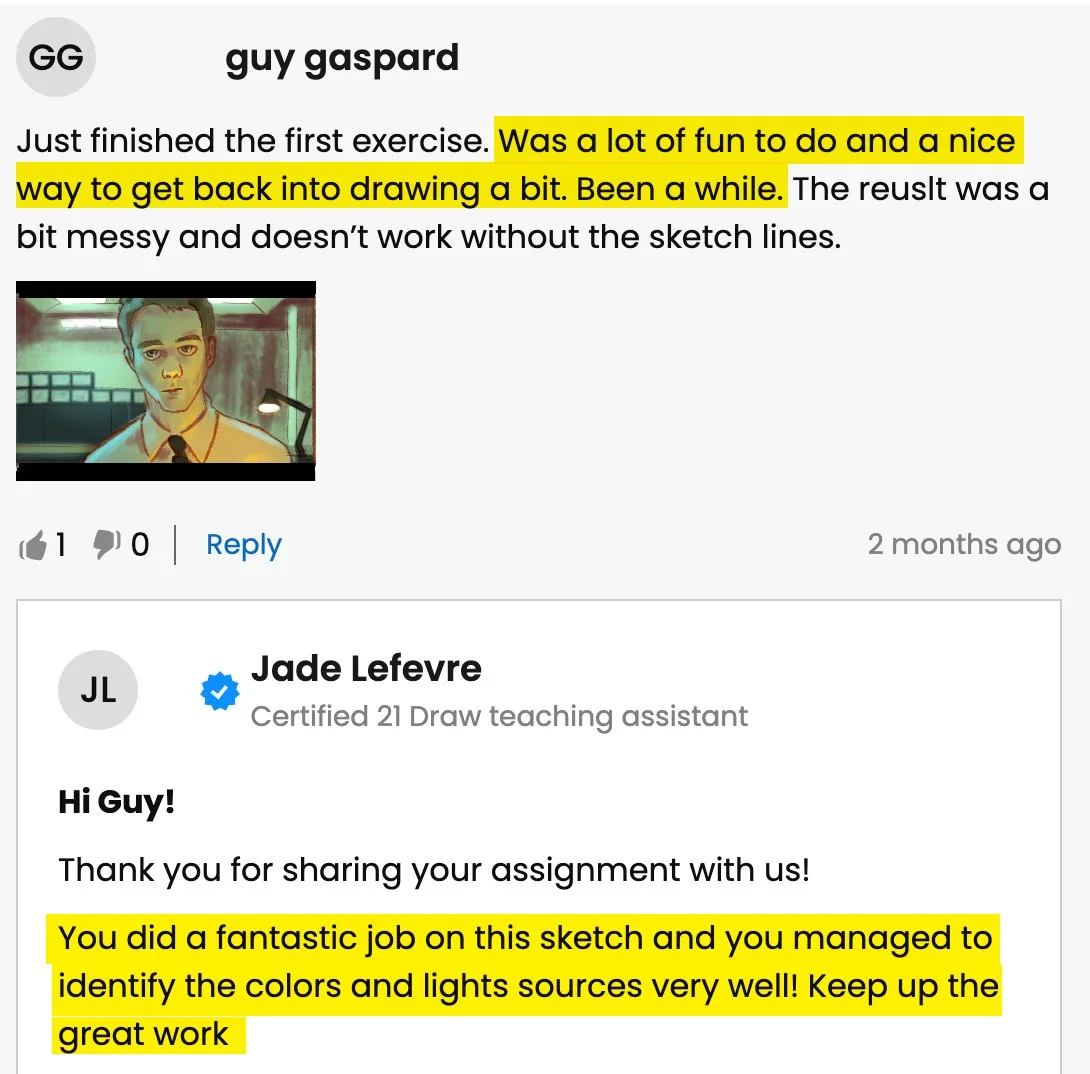
We are much more than YouTube! Sometimes when you ask questions there, nobody answers you. But our community is full of people who actually want to help you! Our trained teachers are one of them. Always ready to answer any and all your questions.

Professionelles Feedback erhalten

Erhalte detailliertes Feedback von einem echten Lehrer, wenn du mit deinen Aufgaben oder Kunstwerken kämpfst.

Lob erhalten

Teile deine Kunst (wenn du willst 😉) oder abgeschlossene Aufgaben und erhalte Lob von unseren Lehrern!

Sprich mit Klassenkameraden


Tritt unserer tollen Discord-Community bei, wo du interagieren, Fragen stellen und voneinander lernen kannst.

Übe mit Aufgaben

Die meisten Lektionen enthalten empfohlene Aufgaben und Beispiele, um dir beim Üben zu helfen.

Live-Events

Lerne in Echtzeit von deinen Lieblingskünstlern.

Bist du bereit, vom Anfänger zum Profi zu werden? 💥

Get access now for $99 ($595)!
Beeil dich, nur begrenzte Zeit!

Aktuelle Studentenarbeiten

All the illustrations you see here are made by past and current students. And you can do it too. We let the results of our students speak for themselves. You’ll be able to do this too after following our in-depth easy-to-follow lessons.
1/11
Catie Ilic
Alisa
Jay Thatcher
Nida Özer
@saramakdessi

Cornelia Paulsson
Jason K.
Oksana Shvedenko
Louise Broesky
Viktoriya Storozhuk
N Goslett

Für wen ist dieses Bundle...

Du hast kürzlich ein iPad und Procreate gekauft und möchtest loslegen

Suchst du nach einem ALL-in-ONE-Bundle, das all deine Procreate-Probleme löst

Einsteiger, die ihre Figurdesign-Fähigkeiten verbessern möchten

Einsteiger, die Figurenzeichnen, Posen und Gestenzeichnen in Procreate lernen möchten

Suchst du nach großartigen Procreate-Hacks, Tipps & Tricks, die du noch nirgends gesehen hast

Schwierigkeiten, mit digitaler Kunst Schritt zu halten, nachdem man jahrelang traditionell gezeichnet hat

Möchtest du deine Procreate-Fähigkeiten auf die nächste Stufe bringen, selbst wenn du ein erfahrener Illustrator bist

Du nutzt Procreate, brauchst aber eine neue Perspektive

Für Personen, die ihre digitalen Kunstfähigkeiten professionalisieren und mit ihrer Kunst Geld verdienen möchten

Künstler, die sich für Figurdesign & digitale Illustration interessieren

Künstler, die ihr Verständnis für Procreates Funktionen & Möglichkeiten vertiefen wollen, um deinen Workflow zu optimieren und deine Kunst zu verbessern

Diejenigen, die neugierig auf die spezifischen Funktionen in Procreate sind, wie Ebenenverwaltung, Mischmodi und die Verwendung von Brushes,

Unsicher, wo du anfangen sollst? Schau dir unsere empfohlene Kursreihenfolge an

Kurs 1
Procreate für Anfänger
Mehr ansehen
Anfänger
Kurs 2
Weibliche Figur zeichnen
Mehr ansehen
Anfänger
Kurs 3
Digitale Kolorierung
Mehr ansehen
Anfänger
Kurs 4
Farbtheorie
Mehr ansehen
Anfänger
Kurs 5
Zeichne eine Cartoon-Figur
Mehr ansehen
Anfänger
Kurs 6
Haustiere zeichnen
Mehr ansehen
Mittelstufe
Kurs 7
Procreate leicht gemacht
Mehr ansehen
Mittelstufe
Kurs 8
Beleuchtung + Schattierung
Mehr ansehen
Mittelstufe
Kurs 9
Digitale Illustration
Mehr ansehen
Mittelstufe
Kurs 10
Porträtmalerei
Mehr ansehen
Mittelstufe
Kurs 11
Beleuchtung + Schattierung
Mehr ansehen
Mittelstufe

BUT wait, there’s more...

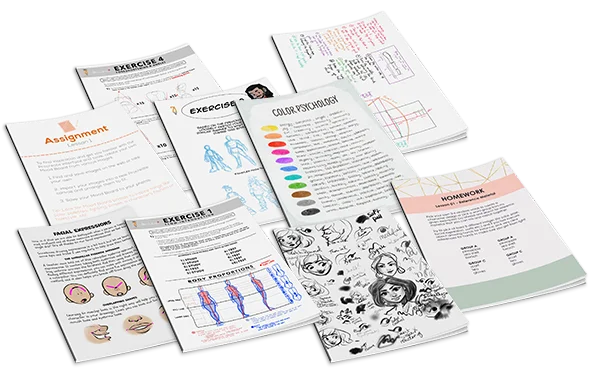
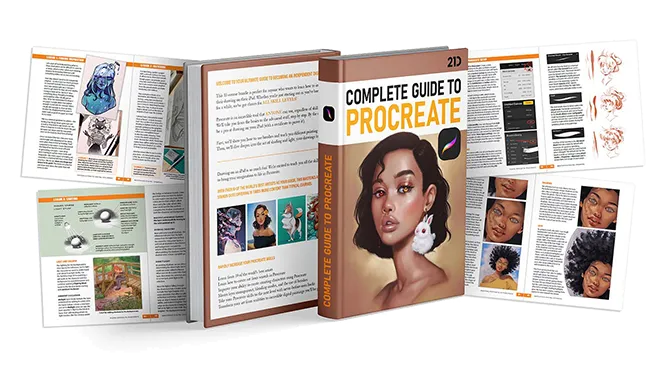
If you get the bundle now, as a BONUS we'll throw in our eBook worth $49! The eBook is 149-pages long packed with SIX of the SAME tutorials from this bundle.
Click to LOOK INSIDE ⤵️

Kein anderes Bundle bietet dieses Qualitätsniveau...

The 11 online classes and eBook are worth alone $595, but it’s all yours for a fraction of that!

Just picture it: That hobby you once enjoyed can now be your ticket to financial freedom.

And the best part? It costs ONLY the price of a new pair of jeans 👖 or 20 lattes ☕ or a dinner for two 💑 

Sieh, wie unsere Lehrer den Schülern helfen...

Studentenfrage
A
Alisa

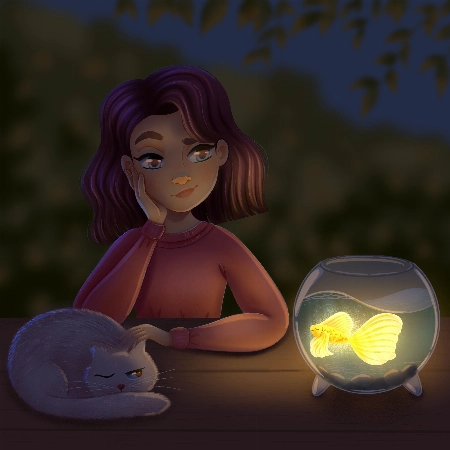
Hello, I finished the Aveline’s course and would like to get some feedback how I can improve my illustrations.. I am not completely satisfied with my work so hope your feedback can help.. ... Mehr anzeigenThank you.
Rhea Tibbey
Zertifizierter 21 Draw Lehrassistent

Hey Alisa! I love your work, you have done an amazing job of following along with Aveline's assignments :)

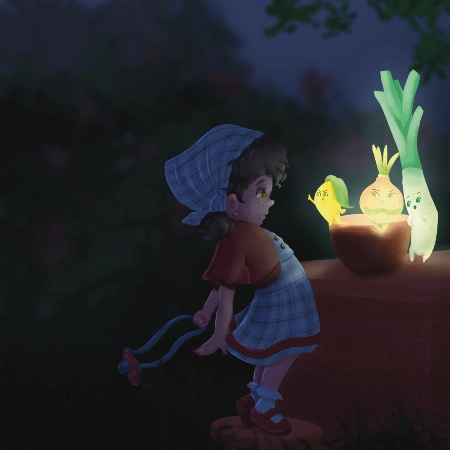
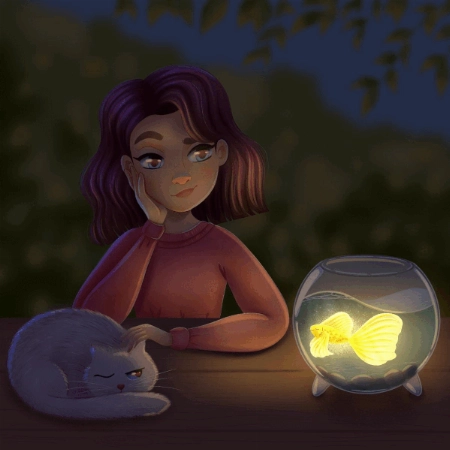
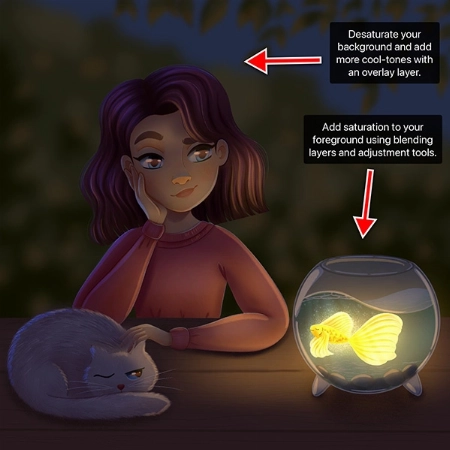
To keep your feedback simple, I have chosen to refer to your night-time lighting scenario. Check out the tips and images I have attached below, I hope they help :)

  • When you are illustrating an environment a good practice for adding depth is to ensure your foreground uses more saturated colors than your background. Currently they are at a similar level of saturation, this is something you can adjust using your ‘Hue, Saturation and Brightness’ tool.
  • Around the edge of your highlights and shadows you may have a soft line that is a more saturated color.
  • Folds on clothing usually follow a triangular draping pattern down from where they hang from the body. In this case her sweatshirt would mostly be draping from her shoulders. When in doubt with drawing folds in an outfit, a reference picture can make things much easier!
  • If you have warmer tones in your foreground, make the color pop even more by using an ‘Overlay Layer’ to add cooler colors to the background.

I have attached some images with tips and edits to help guide you through this process. Let me know if you have any questions :)
Studentenfrage
Nida Özer

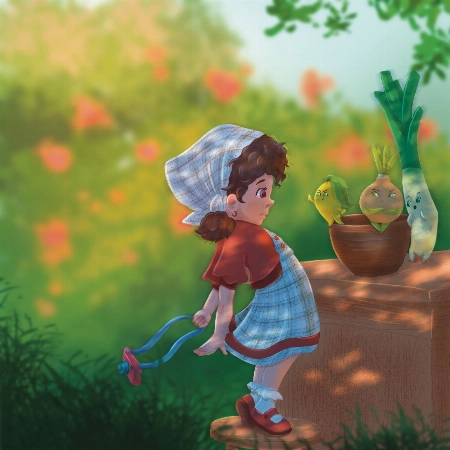
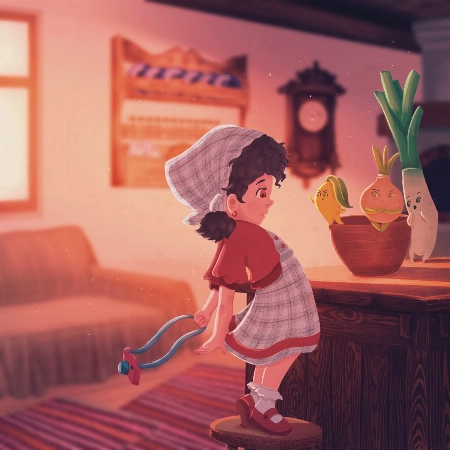
Hello Aveline, I congratulate you on your art and I follow your art with enthusiasm. I would also like to thank you for meeting us on such a occasion. I am adding my works and waiting for yo... Mehr anzeigenur comment :)
JP
Jessica Paton
Zertifizierter 21 Draw Lehrassistent

Hi Nida!

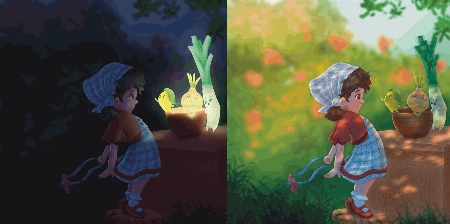
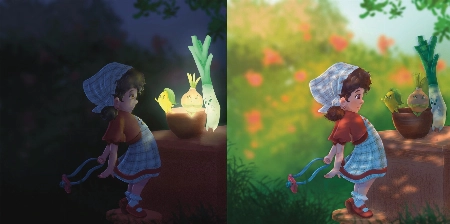
Wow, you did such a great job of applying the techniques from this course! I love that you've put your own characters into the scenes as well! I only have a few small notes for you.

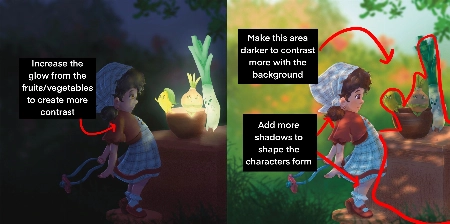
For the Night Scene:

  • Increase the glow in the night scene! Use a soft brush to lighten that part of the scene (I used a light yellow with a soft-light layer setting)

  • Add more highlights/rim lighting on the night scene as well. Make sure you have lots of contrast and really make the most of the fun lighting!

For the Day Scene:

  • Because you have made most of the background quite light, try and keep that somewhat consistent. Keep the background light, and the foreground more dark. Keeping this contrast makes it easier to see the characters as seperate from the background and makes it easier to read.

*Add a few extra shadows to reflect the size of the skirt/around the skirt to imply more 3D form

You've done such a fantastic job with these, and they're honestly great the way they are! Well done!
Studentenfrage
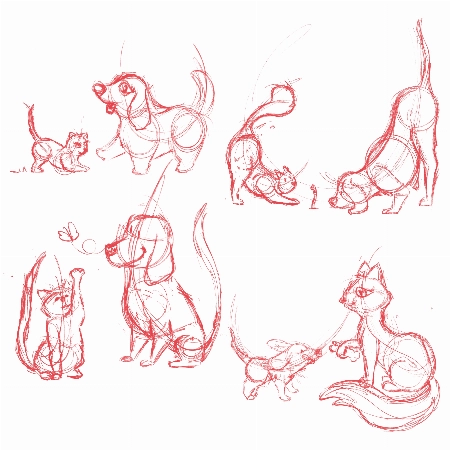
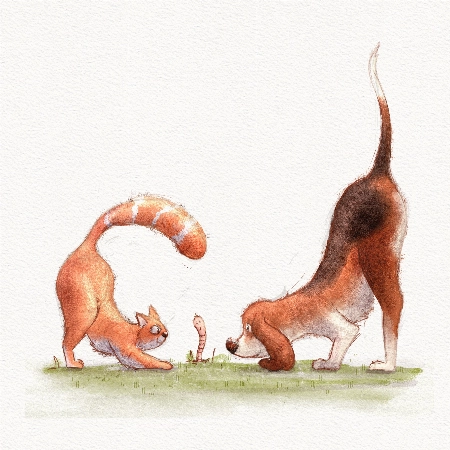
Lana Grushnik

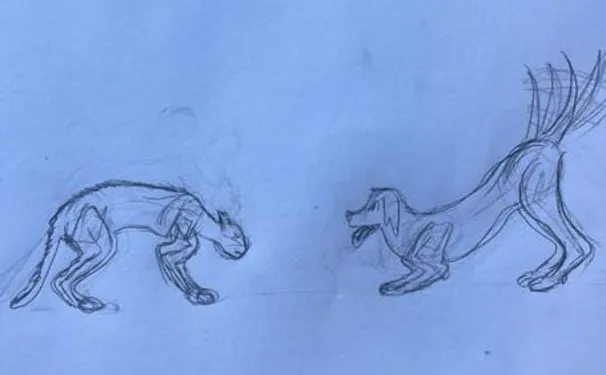
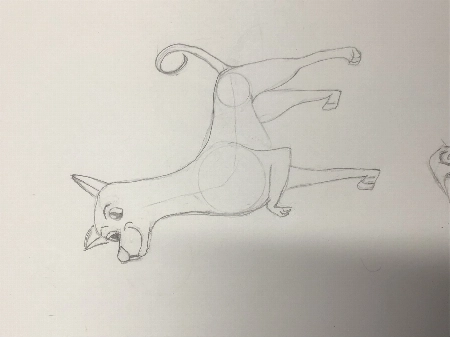
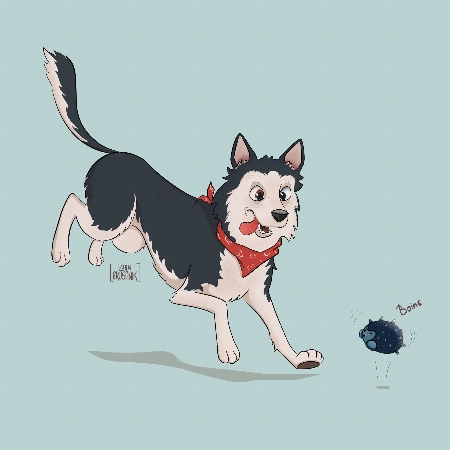
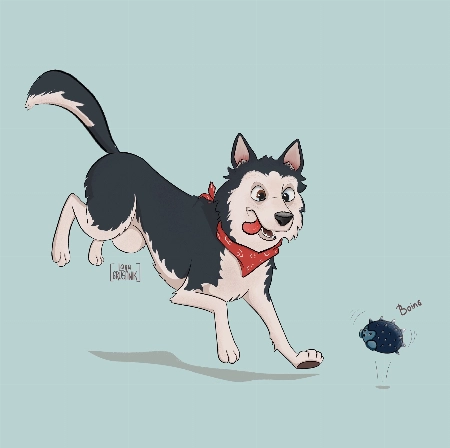
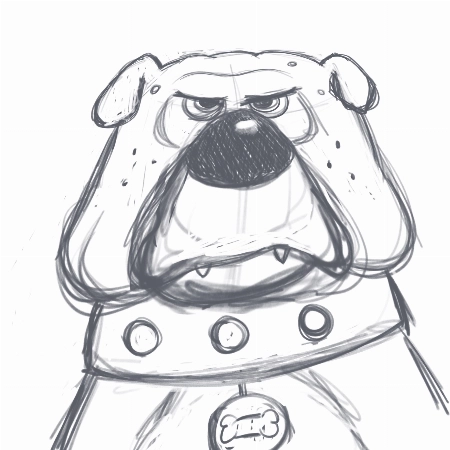
I absolutely loved this course! Very inspiring and simple :) Turned out that I'm really good at drawing dogs. Cats are harder to draw for some reason:)
JP
Jessica Paton
Zertifizierter 21 Draw Lehrassistent

Hi Lana!

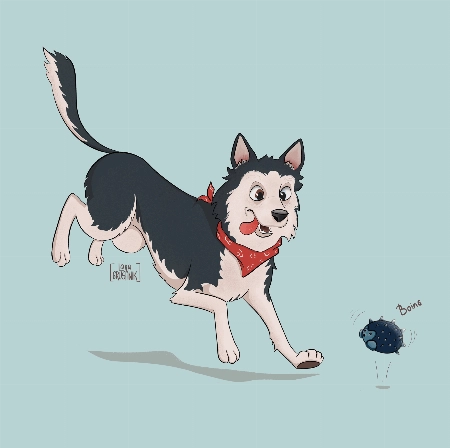
This is such a cute drawing! It's very lively and there is a great personality coming from them!

When drawing cats focus very much on the flow - lots of round fluid movements. The line of action will be very important for their poses.

For this particular drawing I just have a couple suggestions!

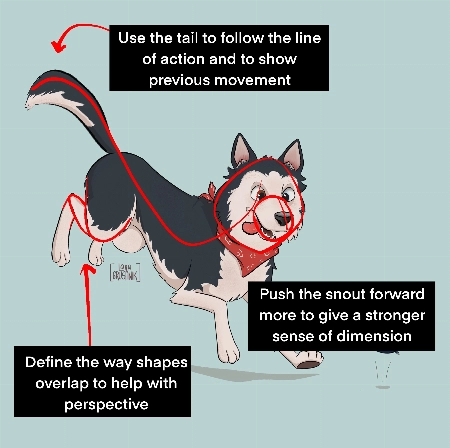
  • Push the snout slightly further forward. This will help make the head feel a little more round and improve the sense of dimension. Think of the base of the head not as a circle, but as a sphere!

  • When drawing complicated shapes like limbs, especially when they're folded up, think about how each segment is a basic shape. Using the right amount of lines, you can force a sense of perspective by overlaying some with others. In this case, you can add a couple extra lines to make the back leg seem more like it is bent away from the "camera".

  • Use the tail to emphasize the sense of movement! Follow the line of action you already have moving through the pose! Treat it as an extention of this. But also try to consider where the dog was in space before - the tail can have a very lovely flow to it if it is shaped as though it is coming from where the dog was just a moment ago. You were very close to this I think, but lowering it slightly makes it feel less like the dog has dropped down very suddenly.

It's great to hear that you loved the course! I hope you continue to draw more fun animals in the future!
Studentenfrage
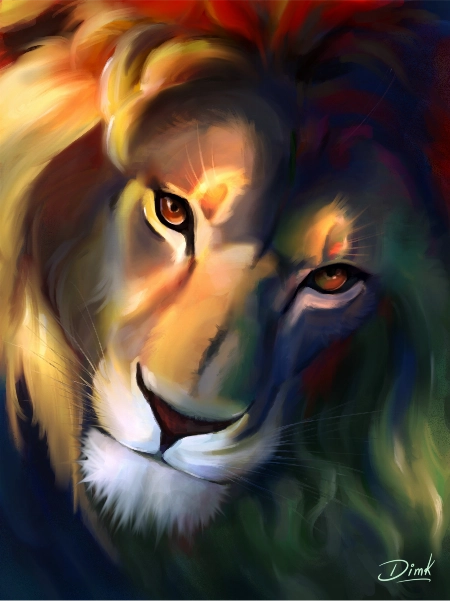
DK
DIM K

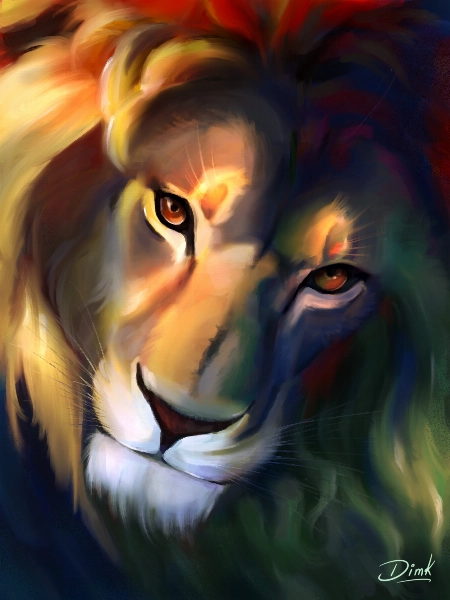
Hi recently I finished this drawing and I would like to get some feedback to improve my illustration.
Jade Lefevre
Zertifizierter 21 Draw Lehrassistent

Hi!

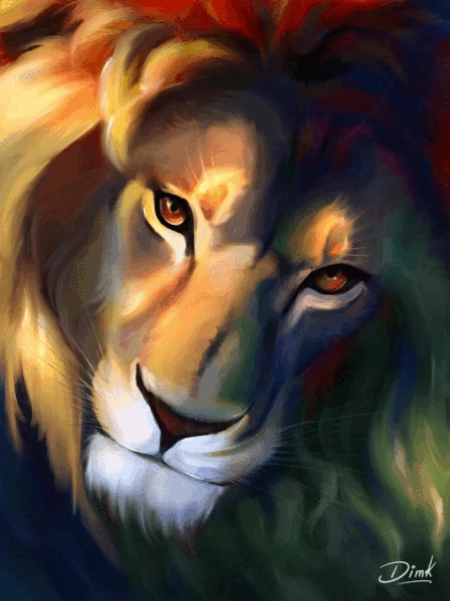
Thank you for sending in your painting! This is incredible work. The subject is beautiful and your use of color is mind-blowing!

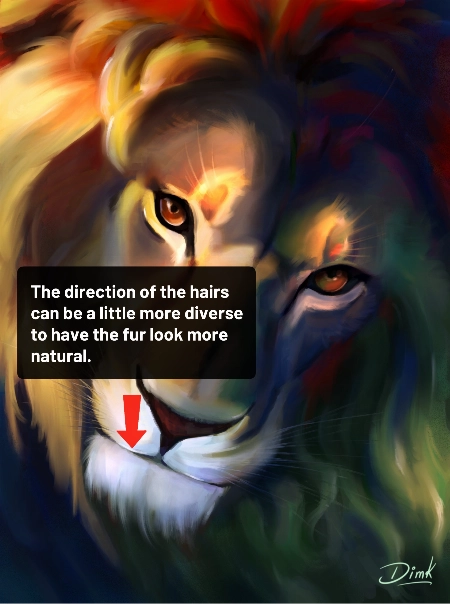
You could maybe try to have the hair on the chin flow in more various and natural directions. Even with the head clearly in motion within the scene and the hair following in the same direction, I think there could be a little more variation.

You can check out the attachments for a more visual explanation!  I hope you’ll find them helpful!  Don’t hesitate to ask if you have any more questions and I wish you a beautiful day!
Studentenfrage
MD
Marjolijn De

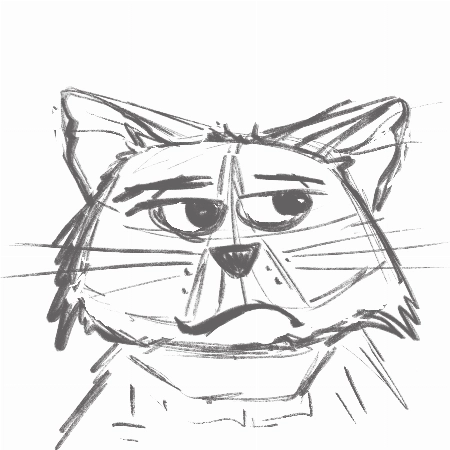
I really enjoyed creating the thumbnails and the final piece. I love to keep my rough sketch slightly visible and I like to add some more texture to my designs. But I loved the gloaming brus... Mehr anzeigenh and I’m going to use it more often:) Thank you very much for this fantastic class!
Jade Lefevre
Zertifizierter 21 Draw Lehrassistent

Hi Marjolijn!

I'm glad to hear you enjoyed the course! I'm a huge fan of the way you used the brushes and the colors! Your characters have a lot of personality and I think your final drawing looks really professional.

Keep up the great work and have a fantastic day!

Studentenfrage
SM
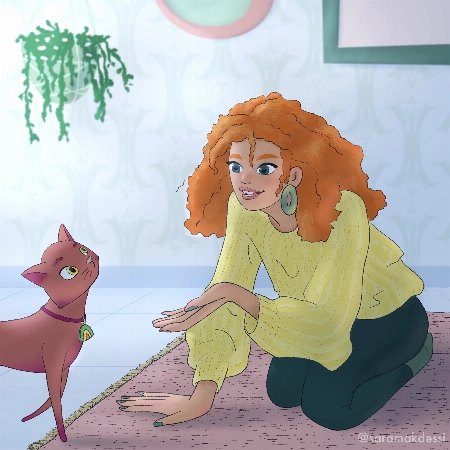
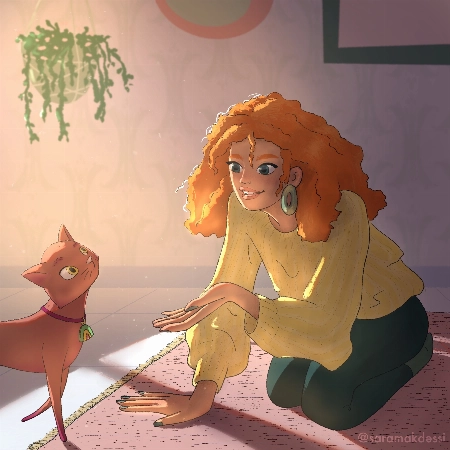
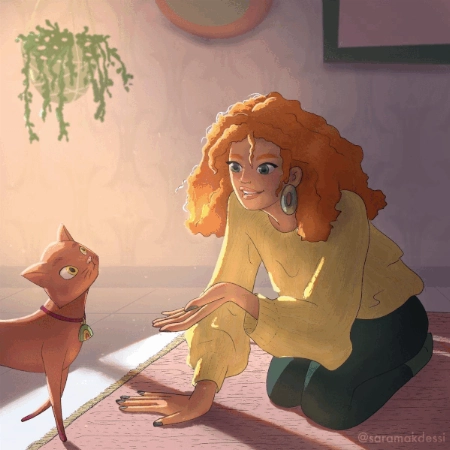
Sara Makdessi

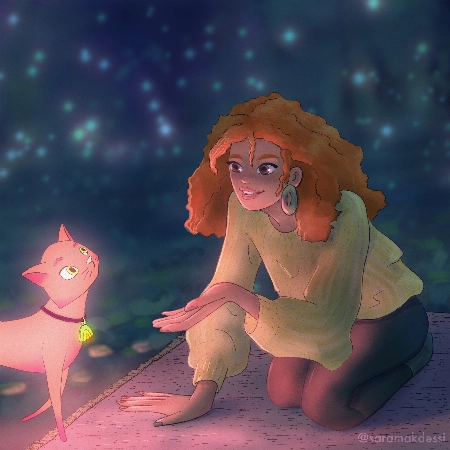
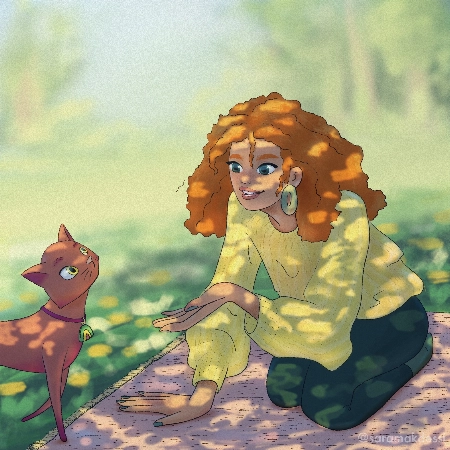
Hi Aveline, thank you so much for this fun and super informative course. I really enjoyed your lessons! Here are my interpretations of the four light scenarios with my characters. Any feedb... Mehr anzeigenack would be very appreciated. Many thanks, Sara
Rhea Tibbey
Zertifizierter 21 Draw Lehrassistent

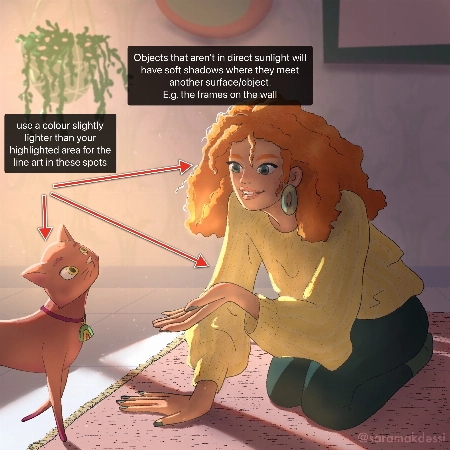
Hey Makdessi! These illustrations look amazing! You have done a great job of using the lighting and shading techniques from this course :)

Here are a few feedback suggestions that you could try in future illustrations/ to improve these:

  • In areas of your character that are highlighted, change the colour of your line-art to a colour brighter than the highlighted area.
  • Additionally, it can look nice if you set your line-art to a darkened version of an ambient colour in your image rather than black.
  • Add soft shadows to objects that aren't in direct light.
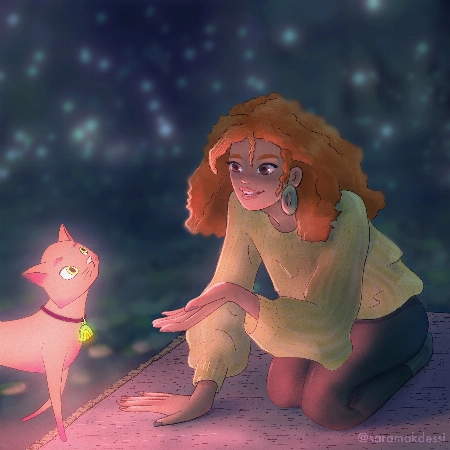
  • For your night-time scene, you could decrease the saturation of the background and perhaps add even more blur to make your character stand out even more.

Try these out and see what you think! Wishing you a creative week, Rhea
Studentenfrage
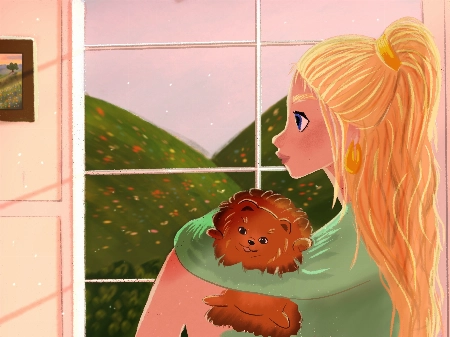
Polina Lutseva

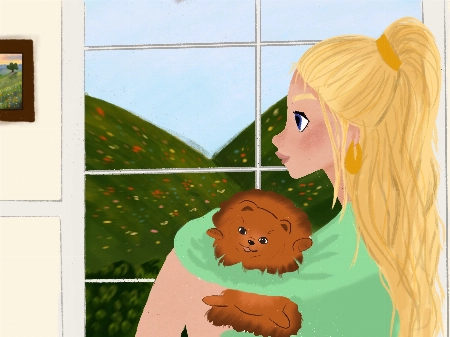
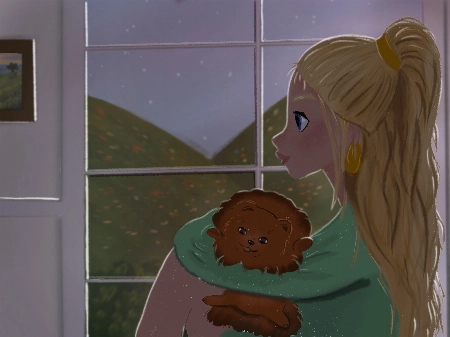
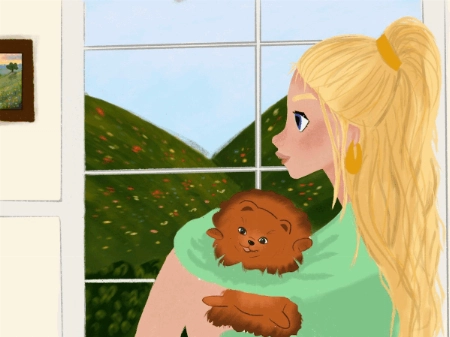
Hello!! I love the course and tried to do all types of lighting by myself, it would be really great to hear feedback, comments and critics about my work. Thank you very much in advance!! Pa... Mehr anzeigenuline
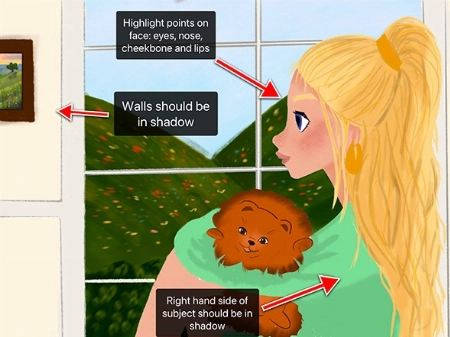
Rhea Tibbey
Zertifizierter 21 Draw Lehrassistent

Hello Polina! I love your drawings, they are so gorgeous! Thanks for sharing them :)

Check out my feedback below and notes I have added to your drawing! I hope you find them helpful :)

  • Don’t be afraid to use ‘Overlay’ blending layers with vivid colors to help establish the time of day, especially for the sunset and daytime photos.
  • In the indoor scene: the walls and the character should be in soft shadow due to the backlighting from the window.
  • Your character has a few spots on their face that might have highlights including their: eyes, nose, lips and cheekbones.
  • Your overcast lighting scenario could be de-saturated to convey the gray-diffused light source. This is something you can adjust using the ‘Hue, Saturation and Brightness’ tool.
  • Even on an overcast day you will still have some soft shadows where clothes fold or different objects meet each other.
  • You can try and make the direction of your light source more clear by adding color variation to your sky using an overlay or multiply layer.
  • When in doubt, practice by studying photographs! This can be a great way to learn about illustrating hard shadows.

I have attached some images with tips and edits to help guide you through this process. Let me know if you have any questions :)
Studentenfrage
LB
Louise Broesky

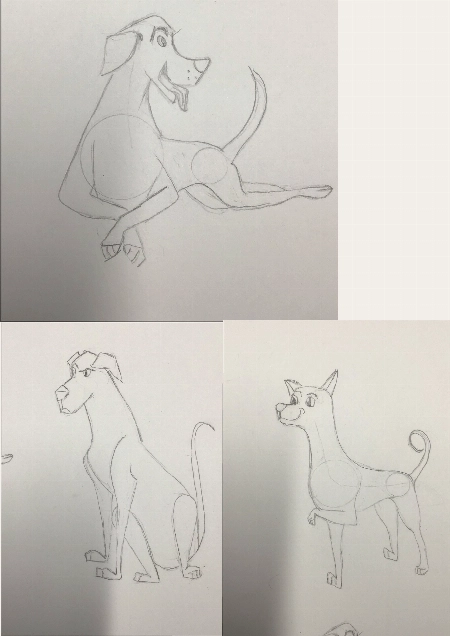
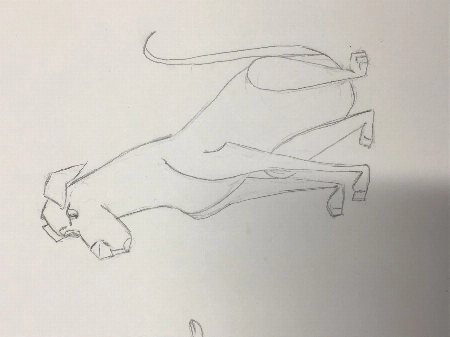
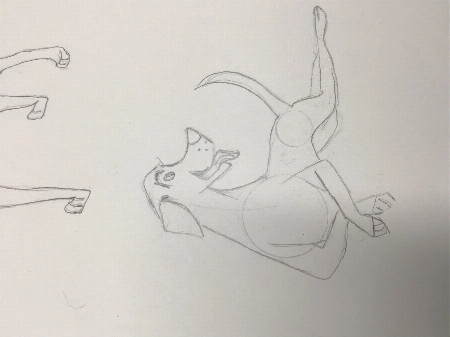
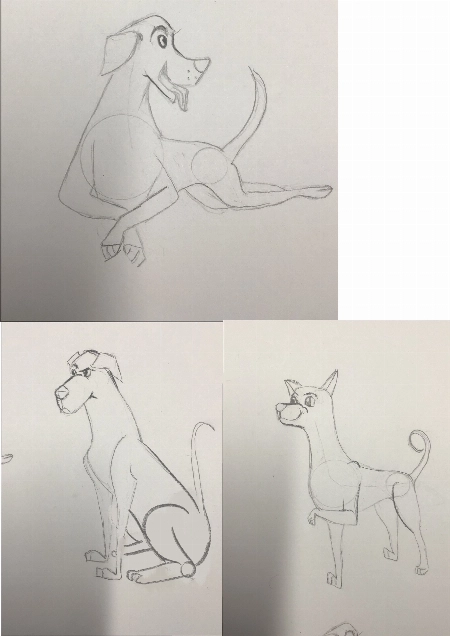
I have never used Procreate before so I did the first lessons on paper working my way through the other ones I’m not used to drawing with circles and lines of actions. I pick a body part ... Mehr anzeigenand then I draw from there that’s what I’m used to so I didn’t use the circles the way I was supposed to
JP
Jessica Paton
Zertifizierter 21 Draw Lehrassistent

Hi Louise!

This is such a great drawing so far!

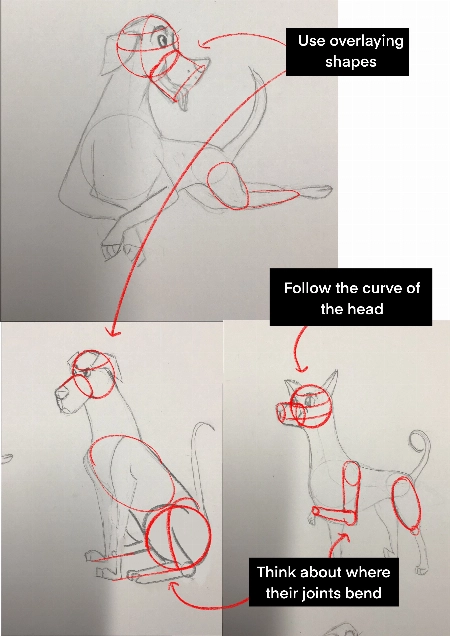
I do recommend trying to start a drawing with the basic shapes before you get too far into detail to make sure that the drawing has a solid foundation.

  • Break things into spheres and cylinders. Spheres for the head and joints, and cylinders for the limbs and snout. Using these as a guide and it will help add dimension

  • Another thing that will add dimension is layering one shape of the other. Having a shape hidden behind another will instantly add a sense of 3D.

  • Think about their skeleton! Look at where their bones bend. This is the natural basic building of an animal. You don't have to draw every bone, but you can break it into areas - The ribcage as one oval, the pelvis as another. The forearm bone as a cylinder, the joints as spheres. It helps a lot to understand how a creature can move and bend, and how they can't.

You're well on the right track and each drawing you have done is very expressive and has lovely poses, good job!
Wie wir vergleichen

Premium-Kurse
Einfaches Schritt-für-Schritt-System
Verifizierte Künstler & Lehrer
Strukturiertes Curriculum
Werbefreie Videos
KEIN Schnickschnack oder Füllmaterial
Lebenslanger Zugang
Erhalte Antworten auf deine Fragen
Zeichnungen für Feedback einreichen
Kursressourcen
Projektdaten
Free eBook
Kursabschluss-Zertifikat
Sichere dir jetzt mein Angebot! Nur für kurze Zeit!
30-Tage Geld-zurück-Garantie!

EARN YOUR CERTIFICATE

Wenn du mit jeder Klasse fertig bist, hast du ein Abschlusszertifikat verdient. Teile es in deinem Portfolio, in sozialen Medien oder wo immer du möchtest.

Häufig gestellte Fragen

Wie lange habe ich Zugang zum Bundle und wann beginnt es?

How does lifetime access sound?

After enrolling, you have unlimited access to this bundle for as long as you like - across any and all devices you own.

Inside the program you have access to all the resources files and teaching assistants to answer any question you may have.

Sind das Online- oder Live-Kurse?

All classes are pre-recorded and you can watch them online with any digital device, anytime, and for an unlimited number of times! This means you can easily watch (and rewatch) them at your own pace and convenience.

We also have bonus live sessions that are free of charge for all our students.

Kann ich das nicht alles auf YouTube lernen?

Youtube is a fantastic resource with more free tutorials than any individual is capable of watching on improving your art skills.

But a side effect of only learning on Youtube is that you'll waste dozens of hours learning the same thing, searching for tutorials only to find partial answers and not having precise exercises designed to help you truly learn the skills you're after.

If you want to develop your skills FAST, then our classes are for you.

Plus, what is your time worth?

This bundle will save you weeks of frustrated time searching for answers and rapidly increase your digital illustration skills.

For some - thats $99 well spent!

If your time isn't worth that yet...

Stick to Youtube until it is!

Für welches Fähigkeitsniveau ist dieses Bundle?

The classes in our bundle are approachable for beginners and has advanced techniques for those with more experience.

If you have no art experience whatsover or struggle to draw a basic character, we recommend starting off by taking our 'Learn to draw in 21 days' classes.

Ist dieses Bundle in anderen Sprachen als Englisch verfügbar?

All classes are available in English (original narration) and most have dubbed narration in Spanish, French, Italian, German, & Portuguese.

Subtitles are available for all course in the following languages: English, Spanish, Japanese, French, German, Italian, Portuguese & Indonesian.

Gibt es eine Garantie?

Absolut! Alle unsere Bundles haben eine 30-Tage-Zufriedenheitsgarantie. Wenn du nicht vollständig ZUFRIEDEN und ERLEUCHTET bist, kontaktiere uns innerhalb von 30 Tagen für eine vollständige Rückerstattung, ohne Fragen!
21 Draw bekannt aus...

Wer ist 21 Draw?

Seit 2013 in Zahlen:
  • 70k starke Gemeinschaft
  • 40k Kunstbücher verkauft
  • 10k Kickstarter-Unterstützer
  • 632k $ auf KS finanziert

Wir haben 2013 in Schweden 21 Draw gegründet, um allen zu helfen, bessere Künstler zu werden!

Wir heißen 21 Draw, weil wir zu Beginn nur ein Budget hatten, um 21 Künstler einzustellen. Eine große Anzahl der Künstler war jedoch so begeistert von der Teilnahme, dass wir nicht widerstehen konnten, mehr hinzuzufügen und noch mehr Produkte zu erstellen, von Büchern bis zu Online-Kursen.

Unser Ziel ist es, mit den besten Künstlern der Welt zusammenzuarbeiten, um unserer Community und dir zu helfen, deine künstlerischen Ziele zu erreichen. Wir möchten eine fantastische Kunstausbildung für alle erschwinglich machen.

Schließen
Get Bundle for ONLY $99 ($595)! 30-Tage Geld-zurück-Garantie